AI content creation in 2026 is not about producing more generic assets. The useful workflow is to automate briefs, images, video, voice, and editing without making the output look AI-generated or cheap.
The safest system starts with a real content brief, routes the job to the right model, reviews product truth, and only then scales variations. Use the AI image generator for hero frames and design directions, the AI video generator for motion concepts, and ElevenLabs Speech to Text when transcripts or caption-ready text are part of the campaign.
Quick answer: build a small repeatable pipeline: brief -> first image or script -> model choice -> generation -> human review -> post-processing -> channel-specific export. Cliprise helps when you need that workflow across image, video, audio, and editing tools without rebuilding the process for every campaign.
What This Guide Covers
This guide covers the practical system behind AI content creation in 2026: model routing, prompt structure, content planning, image and video workflows, voice and transcription use cases, credit hygiene, and review steps that keep the final work useful instead of generic.
What Is AI Image & Video Generation?
AI image and video generation transforms text descriptions into professional visual content using artificial intelligence. Instead of hiring photographers, videographers, or designers, creators type what they want - learning how to create ai video or image assets - and receive production-ready results in seconds.
In 2026, this technology has matured from experimental novelty to essential business tool. Over 250,000 creators use an ai photo generator and ai video maker like Cliprise to produce marketing campaigns, product photos, social media content, architectural renders, and cinematic video sequences - all from text prompts.
The shift is significant: what once required expensive equipment, skilled teams, and weeks of production now happens on a laptop or smartphone in minutes. Understanding how to leverage these tools effectively is no longer optional for creative professionals - it's a competitive necessity.
Why This Guide Exists
Most AI generation guides focus on a single model or technique. This guide covers everything - from how the underlying technology works, to choosing between 47+ models, to building professional multi-model workflows that agencies and Fortune 500 companies use daily.
Whether you're a complete beginner creating your first AI image or an experienced creator scaling production to thousands of assets per month, every section is designed to give you actionable knowledge you can apply immediately.
How AI Generation Models Work
AI generation models convert text instructions into visual content through a process called diffusion - progressively refining random noise into coherent images or video frames.
Understanding the basics of how these models work helps you write better prompts, choose the right model for each task, and troubleshoot when outputs don't match expectations.
The Diffusion Process
Modern AI generators use diffusion models that work in reverse. They start with pure noise and gradually remove it, guided by your text prompt, until a clear image emerges. The model has learned patterns from millions of images during training, allowing it to understand concepts like "golden hour lighting" or "cinematic depth of field."
For a deeper technical breakdown of how image and video architectures differ, see our technical comparison guide.
Image Models vs Video Models
| Feature | Image Models | Video Models |
|---|---|---|
| Output | Single frame | Multiple frames with temporal coherence |
| Speed | 2-30 seconds | 30 seconds to 5+ minutes |
| Cost | 4-36 credits | 9-900+ credits |
| Complexity | Lower | Higher (must maintain motion consistency) |
| Best For | Marketing assets, product photos, concept art | Social media content, ads, presentations |
Image models generate single frames with exceptional detail control. Video models must additionally maintain temporal coherence - ensuring objects move naturally across dozens or hundreds of frames. This fundamental difference shapes everything from prompt strategy to cost planning.
Learn more about these differences in our complete image vs video generation comparison.
Key Terms You Need to Know
- Prompt: The text description that guides generation
- Seed: A number that controls randomness - same seed + same prompt = same output
- CFG Scale: Controls how strictly the model follows your prompt
- Negative Prompt: Terms telling the model what to avoid
- Aspect Ratio: The width-to-height ratio of your output
- Credits: The currency unit for AI generation on multi-model platforms
AI Image Generation: The Complete Overview
Want the full deep-dive? This section provides a high-level overview of AI image generation. For a comprehensive guide covering all 14+ image models compared, image-specific prompt engineering, photorealism techniques, editing and enhancement tools, and professional production pipelines, see our dedicated AI Image Generation: The Complete Guide 2026.
AI image generation produces photorealistic photos, artistic illustrations, logos, product shots, and design assets from text descriptions in seconds.
This section covers every major approach to AI image generation, the leading models available in 2026, and when to use each one.
Types of AI Image Generation
Text-to-Image is the most common approach. You describe what you want, and the AI creates it from scratch. Best for concept art, creative exploration, and original compositions.
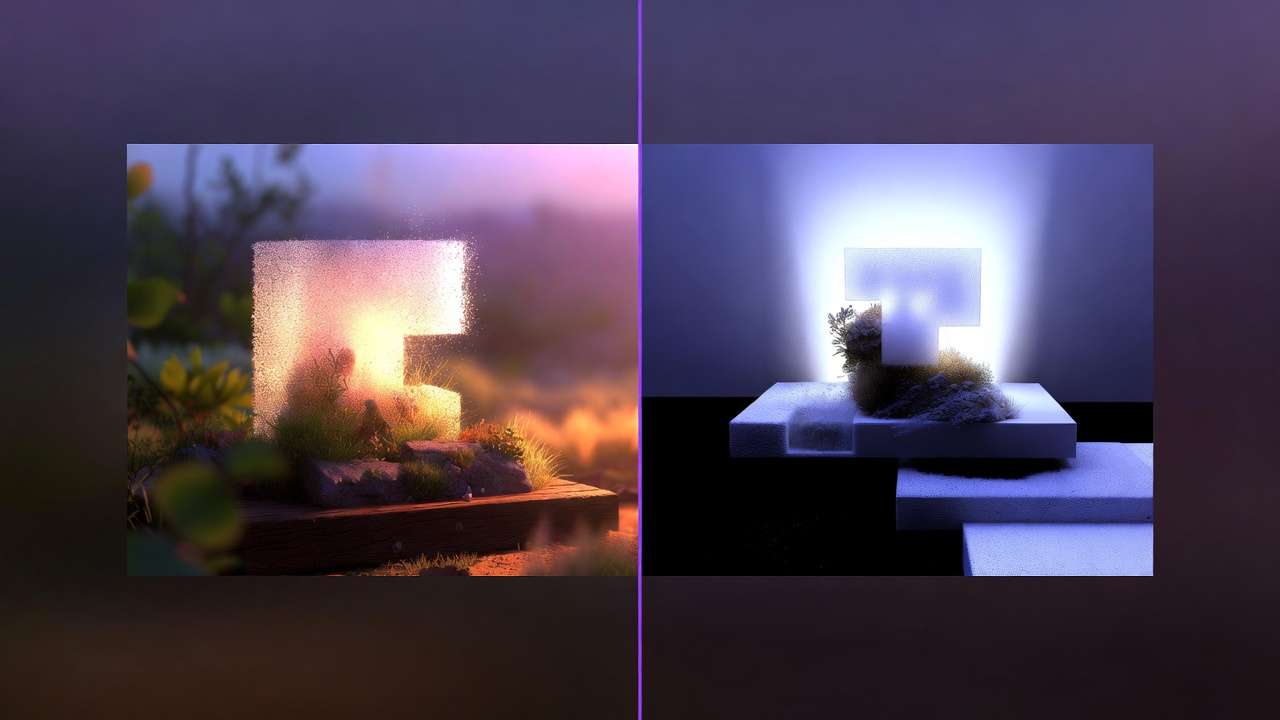
Image-to-Image takes an existing photo or sketch as a starting point and transforms it. Perfect for architectural visualization, style transfer, and iterating on compositions.
Inpainting and Editing modifies specific regions of an existing image while preserving the rest. Essential for product photography retouching and correcting generation artifacts.
Leading Image Generation Models in 2026
The landscape of AI image models is diverse. Here are the categories that matter:
Photorealism Champions:
- Google Imagen 4 - Industry-leading photorealism with exceptional skin rendering and lighting fidelity. See our Imagen 4 complete guide.
- Flux 2 - Black Forest Labs' flagship model excelling in complex compositions. Compare it against Imagen 4 in our photorealism test.
Artistic Excellence:
- Midjourney - The gold standard for artistic and stylized imagery. See our detailed Cliprise vs Midjourney comparison.
- Ideogram V3 - Unmatched text rendering within images, critical for promotional materials. Read our text rendering comparison.
Speed & Budget:
- Seedream 3.0 - Reliable results at just 8 credits per image. See our Seedream vs Midjourney showdown.
- Nano Banana - Google's fast model for rapid prototyping. Compare it with Seedream in our budget models analysis.
- Z Image - Ultra-fast generation for high-volume needs.
Specialized Tools:
- Flux Kontext - Context-aware generation with reference image control.
- Ideogram Character - Consistent character generation across multiple outputs.
- 4o-Image - OpenAI's vision model for generation and editing.
When to Use Image Generation
Image generation excels when you need to create ai images with maximum detail control. Product photography, social media posts, marketing banners, concept art, and design mockups are all ideal use cases.
For guidance on deciding between image and video for specific projects, see our Image vs Video Decision Framework.
AI Video Generation: From Text to Motion
Want the full deep-dive? This section provides a high-level overview of AI video generation. For a comprehensive guide covering all 22+ video models compared, video-specific prompt engineering, resolution and frame rate strategy, platform-specific formats, professional production pipelines, and cost optimization, see our dedicated AI Video Generation: The Complete Guide 2026.
AI video generation creates motion content from text prompts or static images - producing social media clips, product demos, cinematic sequences, and marketing videos without cameras or filming.
Video generation is the fastest-growing segment of AI creativity. In 2026, the quality has reached a level where AI-generated clips regularly appear in professional advertising, social media campaigns, and even news production.
Text-to-Video vs Image-to-Video
Two primary workflows exist for AI video generation, and choosing the right one dramatically affects output quality.
Text-to-Video generates motion directly from a text description. Ideal for conceptual content where you don't have a reference image. The AI handles both composition and motion.
Image-to-Video starts with a static image and adds motion. This approach gives you far more compositional control since you can perfect the first frame before animating. Our image-to-video workflow guide covers this in detail.
For a strategic comparison of when to use each approach, see Text-to-Video vs Image-to-Video: Choosing the Right Workflow.
Leading Video Generation Models in 2026
Premium Tier (Cinematic Quality):
| Model | Credits | Duration | Best For |
|---|---|---|---|
| Veo 3.1 Quality | 720 / video | Per video | Hero content, campaigns |
| Sora 2 | 160-480 | 4s / 8s / 12s | Narrative clips |
| Sora 2 Turbo | 270-1134 | Tiered | Premium / longer Sora runs |
| Veo 3 | 108-720 (Veo 3.1 family on Cliprise) | Per video | Balanced premium output - confirm in app |
Learn Veo 3.1 in-depth with our complete tutorial and compare it against Sora 2 in our specifications analysis. For Kling 3.0 versus these models and model-specific prompting, see our Kling vs Sora 2, Kling vs Veo 3, Sora 2 prompts, and Veo 3 prompts guides.
Professional Tier (Balanced):
| Model | Credits | Duration | Best For |
|---|---|---|---|
| Kling 2.6 | 99-396 | 5-10s | Social media, product demos |
| Hailuo 2.3 | 54-162 | Tiered | Stylized content |
| Wan 2.6 | 140-630 | 5-15s | Multi-modal, narrative |
Compare the leading Chinese AI video models in our Wan 2.6 vs Kling 2.6 analysis and see how Kling battles Hailuo in our short-form content comparison.
Speed Tier (Fast Iteration):
| Model | Credits | Duration | Best For |
|---|---|---|---|
| Veo 3.1 Fast | 108 / video | Per video | Quick previews |
| Kling 2.5 Turbo | 76-152 | 5-10s | Rapid prototyping |
| Runway Gen4 Turbo | 198-396 | 5-10s | Professional editing |
Our AI video speed test ranks every model by real-world render time and quality output.
AI Video for Different Platforms
Each social platform demands different video specifications and styles:
- TikTok: 9:16 vertical, 15-60s, hook in first 2 seconds. See our TikTok viral strategy guide.
- Instagram Reels: 9:16 vertical, 15-90s, polished aesthetic. Read our Reels creation guide.
- YouTube: 16:9 horizontal, variable length, higher production value. See our YouTube workflow guide.
- Facebook/Instagram Ads: Multiple formats, conversion-focused. Our video ads performance guide covers this.
For a strategic overview of model selection by platform, see Best AI Models for Social Media Videos.
All 47+ AI Models Explained
Cliprise provides access to 47+ AI models from Google, OpenAI, Meta, Alibaba, ByteDance, Black Forest Labs, Runway, and more - all through a single unified platform with one credit system.
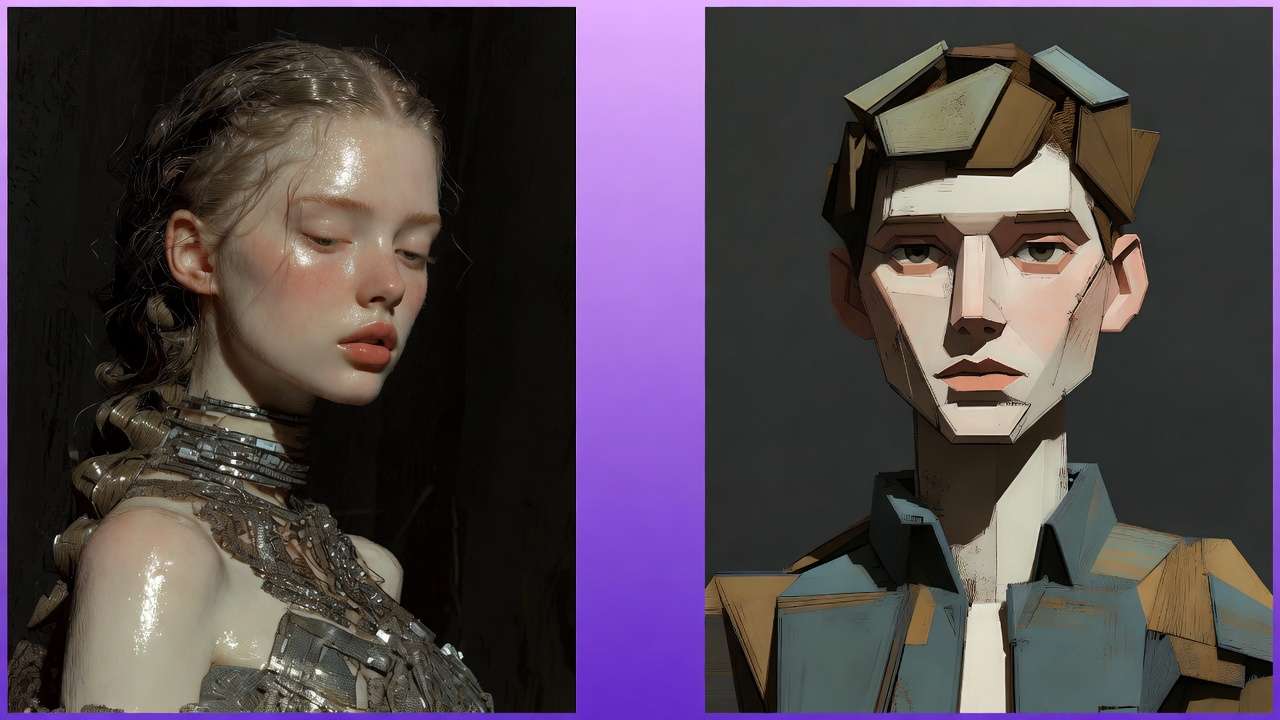
Image Generation Models (14+)
| Model | Provider | Credits | Strength |
|---|---|---|---|
| Imagen 4 | 8-22 | Photorealism, lighting | |
| Flux 2 | Black Forest Labs | 9-44 | Complex compositions (tiered) |
| Midjourney | Midjourney | 15-20 | Artistic style |
| Ideogram V3 | Ideogram | 7-18 | Text rendering (tiered) |
| Seedream 4.5 | ByteDance | 12 | Latest generation |
| Seedream 4.0 | ByteDance | 9 | 4K output |
| Seedream 3.0 | ByteDance | 7 | Budget reliability |
| Nano Banana Pro | 33-44 | Premium quality (tiered) | |
| Nano Banana | 8 | Fast drafts | |
| Flux Kontext | Black Forest Labs | 9-18 | Context control |
| Qwen Image | Alibaba | 2-7 | Versatility |
| 4o-Image | OpenAI | 11 | Gen + editing (see GPT Image 1) |
| Grok Imagine | xAI | 8 | Creative style |
| Z Image | Various | 2 | Ultra-fast |
Video Generation Models (22+)
| Model | Provider | Credits | Duration | Strength |
|---|---|---|---|---|
| Veo 3.1 Quality | 720 / video | Per video | Cinematic | |
| Veo 3.1 Fast | 108 / video | Per video | Speed | |
| Veo 3 | 108-720 (Veo 3.1 family) | Per video | Balanced - confirm in app | |
| Sora 2 | OpenAI | 160-480 | 4s / 8s / 12s | Narrative |
| Sora 2 Turbo | OpenAI | 270-1134 | Tiered | Premium Sora |
| Kling 2.6 | Kuaishou | 99-396 | 5-10s | Motion quality |
| Kling 2.5 Turbo | Kuaishou | 76-152 | 5-10s | Rapid |
| Wan 2.6 | Alibaba | 140-630 | 5-15s | Multi-modal |
| Wan 2.5 | Alibaba | 108-360 | 5-10s | 720p-1080p |
| Hailuo 2.3 | MiniMax | 54-162 | Tiered | Stylized |
| Hailuo 02 | MiniMax | 22-90 | Tiered | Animation |
| Runway Gen4 Turbo | Runway | 198-396 | 5-10s | Professional |
| Runway Aleph | Runway | 198 / video | Per video | Editing |
| Seedance 1.5 Pro | ByteDance | 8-84 | 4-12s (tiered) | Affordable |
| Seedance v1 Pro Fast | ByteDance | 29-130 | 5-10s (tiered) | Ultra-fast |
Audio & Voice Models (4+)
| Model | Provider | Credits | Capability |
|---|---|---|---|
| ElevenLabs TTS | ElevenLabs | 49 credits / 5K chars | Text-to-speech |
| ElevenLabs Sound FX | ElevenLabs | 1 credit / audio | Sound effects |
| ElevenLabs Audio Isolation | ElevenLabs | 1 credit / audio | Stem separation |
| ElevenLabs Scribe | ElevenLabs | 7 credits/s | Transcription |
| Wan Speech-to-Video | Alibaba | 22-44 credits/s | Voice-driven video (per second) |
Editing & Enhancement Models
| Model | Capability | Credits |
|---|---|---|
| Qwen Image Edit | Inpainting, editing | Confirm in app |
| Ideogram Reframe | Recomposition | 7-18 (tiered) |
| Recraft Crisp Upscale | Image upscaling | See Recraft / upscale rows in app |
| Recraft Remove BG | Background removal | 2 credits |
| Topaz Video Upscaler | Video enhancement | 19-37 (2K-4K), 73 (8K) |
| Luma Modify | Video editing | Confirm in app |
| ByteDance Omni Human | Human video | Confirm in app |
Browse the complete, always-updated list on our Models page.
How to Choose the Right AI Model
Choosing the right model is the single biggest factor in output quality and cost efficiency. The wrong model wastes credits and produces mediocre results; the right one delivers professional output on the first try.
The Decision Framework
Follow this three-step process for every generation task:
Step 1: Define Your Output Type
- Static image → Use an image model
- Motion content → Use a video model
- Audio/voice → Use an audio model
- Uncertain? Read our Image vs Video Decision Framework
Step 2: Match Quality to Purpose
| Purpose | Recommended Tier | Budget (Credits) |
|---|---|---|
| Rapid prototyping | Fast/Budget | 4-22 |
| Social media content | Professional | 15-100 |
| Client deliverables | Premium | 60-300 |
| Campaign hero shots | Cinematic | 150-1000+ |
Step 3: Select the Specific Model
For detailed model selection guidance by task type, see our model selection mistakes guide and model switching impact analysis.
Common Selection Mistakes
The most frequent error creators make is using premium models for drafts and cheap models for finals. The optimal strategy is to prototype with fast models (Seedream 3.0, Z Image, Kling 2.5 Turbo) and only switch to premium (Veo 3.1 Quality, Imagen 4) for the final output.
This approach - detailed in our guide on why faster models often produce better results - can save 60-80% on credits while improving final quality through more iterations.
Mastering AI Prompts
The quality of your prompt directly determines the quality of your output. A well-structured prompt consistently produces professional results; a vague one produces unpredictable garbage.
Prompt Architecture
Every effective prompt follows this structure:
- Subject: What is in the scene
- Action/Pose: What the subject is doing
- Setting/Environment: Where the scene takes place
- Style/Aesthetic: How it should look
- Technical Details: Camera, lighting, quality descriptors
Example prompt:
A professional woman reviewing architectural blueprints at a glass desk, modern minimalist office, floor-to-ceiling windows with city skyline at golden hour, shot on Sony A7IV, shallow depth of field, warm ambient lighting, editorial photography style
For an in-depth masterclass on prompt structure, read our Perfect Prompts guide.
Negative Prompts
Negative prompts tell the model what to exclude - blurry, distorted, extra fingers, watermark. Used strategically, they eliminate common artifacts without limiting creativity.
Our Negative Prompts guide covers the 5-term threshold, weighted syntax, and model-specific strategies for Flux, Midjourney, and Veo.
Seeds and Consistency
When you find a composition you like, locking the seed value lets you iterate on the prompt while keeping the same base structure. This is essential for:
- Creating consistent character series
- Iterating on a single concept
- Building cohesive visual campaigns
Learn seed control in depth in our Seeds & Consistency guide.
The Prompt Enhancer
Cliprise's built-in Prompt Enhancer uses AI to expand short ideas into detailed, optimized prompts. Type "sunset beach" and get a cinematic description with lighting, camera angles, and mood. It's particularly effective for beginners and for rapidly generating prompt variations.
Aspect Ratios and Composition
Different platforms and use cases demand different aspect ratios. Getting this wrong means awkward cropping or wasted detail.
| Platform | Recommended Ratio | Use Case |
|---|---|---|
| Instagram Feed | 1:1 or 4:5 | Posts, carousels |
| TikTok/Reels | 9:16 | Vertical video |
| YouTube | 16:9 | Thumbnails, video |
| 1.91:1 | Articles, posts | |
| Varies | Physical media |
Our complete Aspect Ratios & Composition guide covers platform-specific optimization and the aspect ratio mastery guide focuses on video formats.
Professional Multi-Model Workflows
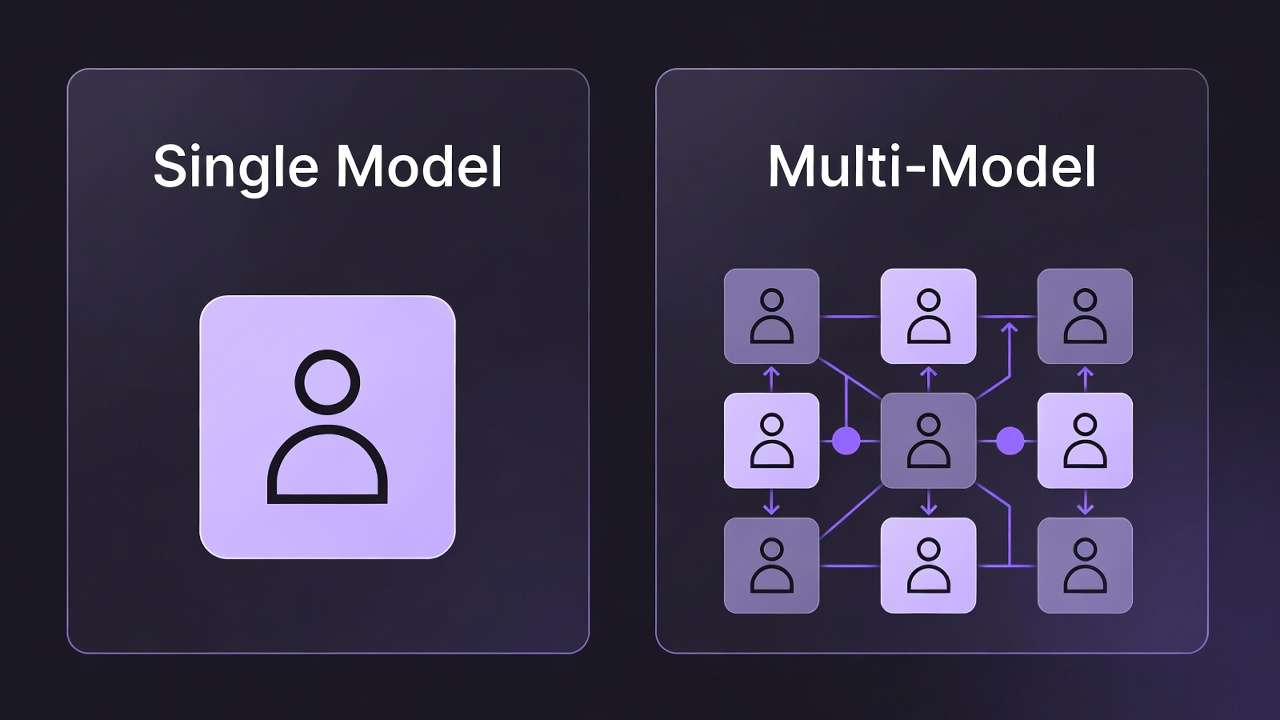
Professional creators don't use single models - they chain multiple models together in sequences that leverage each model's strengths. This multi-model approach is the defining skill of high-output AI creators.
Why Multi-Model Matters
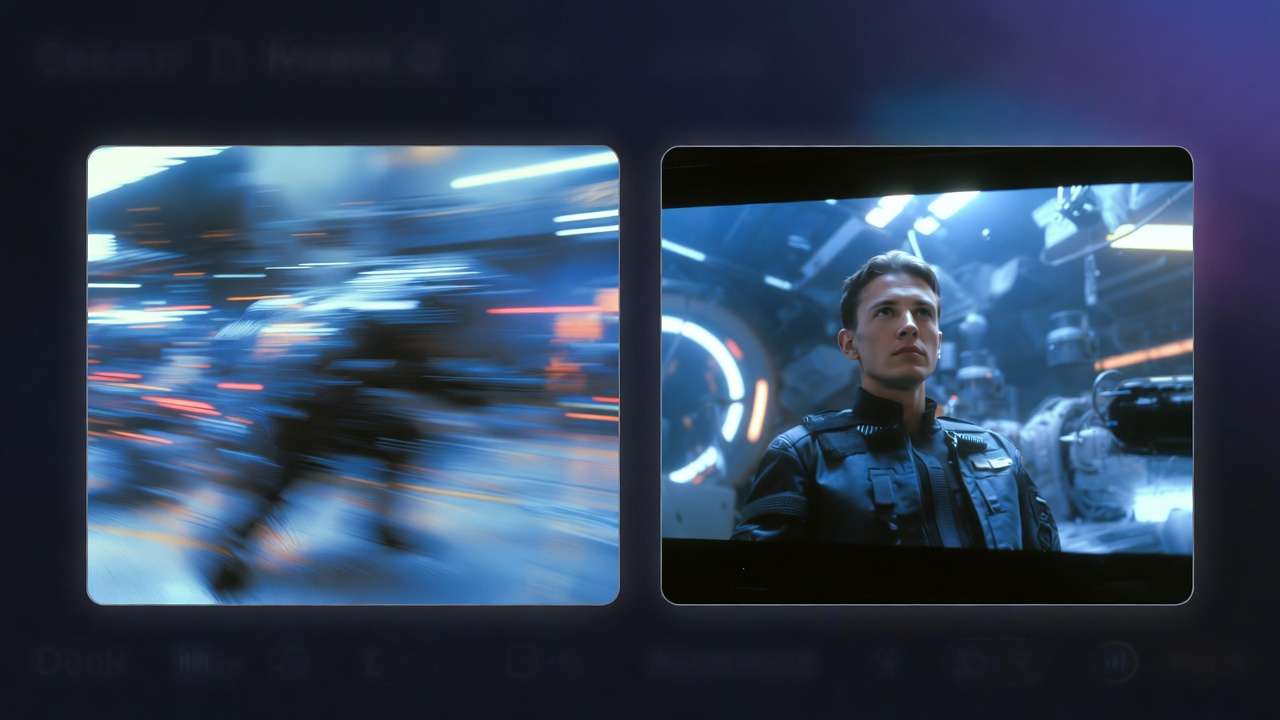
A single model can produce good results. But chaining models - using Imagen 4 for photorealistic base images, then Kling 2.6 to animate them, then Topaz to upscale the result - produces output that no single model can match alone.
Read the foundational guide on What Is a Multi-Model Workflow and understand why single-model platforms quietly limit creative output.
The Image → Video → Upscale Pipeline
The most powerful workflow in AI content creation:
- Generate base image with Imagen 4, Flux 2, or Midjourney (6-20 credits)
- Validate composition before committing to video generation
- Animate with video model - Kling 2.6 or Veo 3.1 (e.g. 76-720+ credits depending on model/tier - see /pricing)
- Upscale and enhance with Topaz Video Upscaler (19-73 credits by target resolution)
Our chaining guide walks through this entire pipeline with examples. Also see why skipping image-first validation is the biggest AI video mistake.
Scaling Production
High-output creators process dozens or hundreds of assets daily. Key strategies:
- Batch processing with templates and prompt variations - see our batch processing guide
- Fast vs Quality mode strategic switching - read our mode comparison
- Systematic workflows that separate high-output creators from average ones - see what separates high-output creators
For creators transitioning from single to multi-model approaches, our guide on why creators abandon single-model tools covers the common journey.
From Prompts to Systems
The evolution from prompt engineering to system architecture is the hallmark of professional AI content creation. Individual prompt optimization hits a ceiling; system-level thinking breaks through it.
Read Stop Creating AI Content. Start Creating With AI Systems and From Prompt Optimization to System Optimization for the strategic mindset shift.
Industry Applications
AI generation isn't one-size-fits-all. Each industry has specific requirements, compliance considerations, and workflow patterns that determine which models and approaches deliver the best results.
Marketing & Advertising
Marketing teams use AI generation to scale visual content production without scaling headcount. See our dedicated Marketing Solutions page for platform-specific capabilities. Key applications:
- Social media content at volume - see best social media video models
- Video ads that convert - our Facebook & Instagram video ads guide
- YouTube content production - complete YouTube workflow
- Campaign asset generation - From One Prompt to Full Campaign
Agency teams specifically benefit from scaled video production strategies and documented cost reduction case studies.
E-Commerce & Product Photography
AI product photography is transforming e-commerce. Generate consistent product shots, lifestyle images, and marketing videos without physical photoshoots.
- Product photography workflows - AI Product Photography: Creator Workflows
- Fashion brand lookbooks - AI Video & Image Pipeline
- Fashion photography - Complete Workflows
- Print on Demand - AI Generation Workflow for Etsy Sellers
- Restaurant menus - AI-Generated Food Images That Sell
- Brand growth - E-commerce Growth Acceleration
Real Estate
Property marketing with AI video dramatically increases listing engagement. Virtual staging, property tours, and neighborhood showcases become possible without expensive production crews.
Architecture & Interior Design
AI accelerates the visualization process from sketch to photorealistic render. Explore Cliprise Architecture Solutions and Interior Design Solutions for industry-specific tools.
Freelancers & Independent Creators
Solo creators and freelancers use AI to compete with larger agencies.
- Freelancer AI Content: $5K/Month Success
- AI Tools for Freelance Designers
- TikTok Creator Viral Strategy
Education & Journalism
Emerging applications include educational content and news production.
Enterprise
For large organizations deploying AI at scale.
Mobile AI Creation
Creating professional AI content on your smartphone is not a compromise - mobile-optimized workflows produce the same quality as desktop, with the advantage of capturing inspiration anywhere.
Cliprise offers full AI generation capabilities on both iOS and Android. Our mobile guides cover every aspect:
Getting Started on Mobile
- AI Image Generation on Mobile - From prompt to masterpiece on your phone
- AI Video Generation on Mobile - Cinematic sequences from your pocket
Mobile-Specific Optimization
- Android AI Art: Complete Guide for Samsung & Pixel - Device-specific optimization
- Mobile Prompting Mastery - Touch-optimized techniques including voice input
- AI Models on Mobile: Selection Guide - Which models work best on mobile connections
Managing Credits on Mobile
- Mobile Credits & Subscriptions Guide - Maximize value from every generation
- Mobile Troubleshooting - Solve common issues and optimize performance
Essential AI Tools & Features
Beyond generation, professional AI workflows require editing, enhancement, and production tools. These features transform raw AI outputs into polished, deliverable assets.
AI Background Remover
Instantly create transparent PNGs with 99% precision. Essential for product photos, design assets, and composite work. Learn more →
Universal Upscaler
Scale any image up to 8K resolution with AI-powered detail enhancement. Works on AI-generated images, photos, screenshots, and artwork. Learn more →
Pro Image Editor
Full-featured offline image editor with 11+ AI tools: background removal, retouching, filters, layers, and masking - all with privacy-first local processing. Learn more →
AI Logo Generator
Create professional brand logos with perfect typography in seconds. Learn more →
If you need direct destination pages for conversion-ready workflows, use AI Logo Generator, AI Background Remover, Universal Upscaler, and Pro Image Editor.
Styles
Real-time creative exploration with instant visual feedback. Generate variations at the speed of thought. Learn more →
AI Art Generator
Transform text descriptions into artistic masterpieces spanning any medium or style. Learn more →
AI Image Generator
Professional image generation with 14+ models: text-to-image, image-to-image, upscaling, and editing in one platform. Ideal for product photos, marketing visuals, and thumbnails. Learn more →
Not sure whether to start with image or art? Pick AI Image Generator for believable marketing and product visuals - lighting, materials, and composition that should feel real. Pick AI Art Generator for stylized illustration, painting, anime, and concept-art worlds where style identity matters more than literal realism. If your prompt includes medium keywords, route it to the matching workflow and compare results across models.
AI Video Generator
Create dynamic short-form videos from text or images with professional motion control. Learn more →
Free Tools
Cliprise also provides free tools for content creators:
- Stock Photo Finder - 1M+ royalty-free images
- YouTube Thumbnail Maker - AI-powered design
- AI Caption Generator - Social media captions
- Trending GIFs - Viral content discovery
Pricing, Credits & Getting Maximum Value
Cliprise uses a unified credit system across all 47+ models. This means one subscription, one balance, and no separate bills from different AI providers.
How Credits Work
Every AI generation costs credits. Image generation typically costs 4-36 credits. Video generation costs 9-900+ credits depending on model and quality settings.
The key advantage: credits work across ALL models. Generate an image with Midjourney, animate it with Kling 2.6, add voiceover with ElevenLabs - all from the same credit balance.
Plans Comparison
| Plan | Price | Monthly Credits | Best For |
|---|---|---|---|
| Free | $0 | 10 daily | Trying the platform |
| Starter | $9.99/mo | 900 | Hobbyists, beginners |
| Pro | $29.99/mo | 3,500 | Professional creators |
| Business | $79.99/mo | 10,000 | Teams, agencies |
| Enterprise | Custom | 25k-250k+ | Large organizations |
All paid plans include commercial usage rights. See full details on our Pricing page.
Saving Strategies
- Prototype with budget models (Z Image at 4 credits, Seedream 3.0 at 8 credits)
- Only use premium models for finals (Veo 3.1 Quality, Imagen 4)
- Use image-to-video workflow - validate composition cheaply before expensive video generation
- Batch similar requests - consistent prompts reduce failed generations
Getting Started: Your First AI Creation
You can create your first AI-generated image in under 5 minutes, completely free.
Step 1: Create Your Account
Sign up at app.cliprise.app - no credit card required. You receive 10 free credits per day (auto-reset) on the Free plan.
Step 2: Choose a Model
For your first image, start with Seedream 3.0 (8 credits, reliable results) or Imagen 4 (15 credits, photorealistic).
Step 3: Write Your Prompt
Start simple. Describe what you want to see:
A cozy coffee shop interior with warm lighting, wooden furniture, steam rising from a cup, morning sunlight through the window
Step 4: Generate
Click generate and wait 10-30 seconds. Review the result and iterate on your prompt if needed.
Step 5: Iterate and Refine
Try adjusting your prompt, changing the aspect ratio, or switching models. Each generation teaches you what works.
For a detailed walkthrough, see our Quick Start tutorials - including the Getting Started guide - and our comprehensive creator's guide for 2026.
Frequently Asked Questions
Is AI-generated content safe for commercial use? Yes. Paid Cliprise plans include full commercial rights for all generated content. For detailed copyright guidance, see Safety & Copyright Essentials under Learn → Best practices (linked from the Cliprise vs OpenAI and best-platform-for-creators hubs below).
Which AI model should I start with? For images, start with Seedream 3.0 (affordable, reliable) or Imagen 4 (photorealistic). For video, start with Kling 2.5 Turbo (fast, affordable) or Veo 3.1 Fast (balanced).
How much does AI generation cost? Cliprise starts free with 30 signup credits once, then 10 daily credits. Paid plans begin at $9.99/month for 900 credits. A single AI image costs 4-36 credits; a video costs 9-900+ credits depending on model and quality.
Can I use AI on my phone? Yes. Cliprise works on iOS and Android with full model access. The mobile image workflow guide lives under Learn → Mobile (see hubs below).
What's the difference between Veo 3.1 and Sora 2? Veo 3.1 (Google) excels in cinematic quality and environmental scenes. Sora 2 (OpenAI) excels in narrative sequences and character consistency. The full model-spec comparison is linked from the OpenAI matchup page in Learn → Comparisons.
How do I maintain consistent style across multiple generations? Use seed control, style reference images, and saved prompts. Seeds & Consistency (Learn → Best practices) is linked from the same hubs as the other follow-ups below.
Is Cliprise better than Midjourney? Midjourney is excellent for artistic images but remains a separate single-model tool. Cliprise provides Flux 2, Imagen 4, Ideogram v3, Seedream, video generation, editing tools, and voice synthesis in one platform. The head-to-head platform comparison is in Learn → Comparisons → Platforms (linked from the creator platform hub below).
Can I generate AI videos from my existing photos? Yes. Image-to-video is one of the most powerful workflows. Upload any image and animate it with models like Kling 2.6 or Veo 3.1. The full image-to-video workflow guide is linked from the creator platform and OpenAI comparison hubs below.
What's Next
AI image and video generation in 2026 is no longer about whether the technology works - it's about who uses it most effectively. The creators, marketers, and businesses who master multi-model workflows, strategic prompt engineering, and systematic production processes will have an insurmountable advantage.
This guide covered the fundamentals and advanced strategies. Your next steps:
- If you're new: Create your free account and generate your first image in 5 minutes
- If you're intermediate: Learn multi-model workflows and prompt fundamentals next - those guides are linked from Best AI platform for content creators.
- If you're advanced: Explore system-level optimization and enterprise deployment patterns - same hub chains into the workflow and professional sections without duplicating links here.
Browse the full library from Learn in the nav, or start from the creator platform hub above for pre-grouped guides, workflows, and comparisons.
The tools are ready. The models are powerful. The only variable is you.
Further Reading
Image and video catalogs, the generator hub, quick starts, agency video, e-commerce stacks, and the OpenAI-focused matchup are all linked from Best AI platform for content creators and Cliprise vs OpenAI - use those two pages to drill down so this guide stays a map, not a footer dump.