Seasoned video creators don't generate horizontal masters first - they plan aspect ratios upfront, avoiding the crop chaos that derails most social content. This fundamental shift from post-processing to native ratio generation preserves composition, motion paths, and detail rendering that cropping destroys.
Videos generated with AI tools frequently appear cropped or letterboxed when posted to social platforms, cutting off key elements like faces or text and often resulting in reduced viewer retention, based on common creator feedback. Creators spend hours regenerating content only to see it mangled by platform auto-adjustments, turning high-potential clips into forgettable posts. This issue stems from a fundamental mismatch: most AI video models default to horizontal formats like 16:9, while platforms such as TikTok and Instagram Reels prioritize vertical 9:16 for mobile-first audiences. In workflows using models like Veo 3 or Sora 2, where aspect ratio serves as a core parameter alongside prompts and seeds, ignoring platform-native ratios leads to black bars that signal low-effort content or forced zooms that distort motion. Platforms like Cliprise, which aggregate models including Kling variants, expose this through unified controls, allowing creators to specify ratios upfront rather than retrofitting outputs. Understanding aspect ratios is critical for successful video generation.
Aspect ratio optimization in any ai video generator involves selecting and applying the exact width-to-height proportions supported by target platforms during the initial generation phase. For instance, a 9:16 generation in Veo 3.1 Fast maintains vertical subject tracking, which horizontal defaults disrupt. This approach preserves the model's intended composition, avoiding artifacts from post-processing crops.
Why does this matter now? Short-form video consumption has shifted heavily vertical, with platforms reporting a heavy shift toward vertical full-screen formats on mobile feeds. Creators adapting ratios natively report higher completion rates, as viewers stay engaged without visual interruptions. Without mastery, even compelling AI-generated narratives - such as product demos or storytelling clips - underperform, wasting credits on regenerations. The multi-model workflow approach helps creators adapt to different platform requirements efficiently.
This guide breaks down the process: mapping platforms to ratios, configuring models, iterative previewing, fine-tuning, and testing. Readers will learn to build a platform matrix, test seeds for consistency across ratios, and sequence generations to minimize queue times. Tools like Cliprise facilitate this by listing model-specific ratio supports on landing pages, enabling quick switches between Veo 3.1 Quality and Kling 2.5 Turbo. For a complete AI video workflow primer, see the AI Video Generation Complete Guide.
Beyond basics, the article addresses misconceptions, such as assuming 16:9 universality, and real-world workflows for freelancers versus agencies. By sequencing ratio planning first, creators reduce iterations significantly. In multi-model environments, such as those offered by Cliprise, this becomes routine: select Sora 2 for balanced 1:1 feeds or Wan 2.5 for LinkedIn horizontals. The stakes are clear-optimized ratios align AI outputs with platform algorithms, boosting visibility in competitive feeds. This foundational skill applies across models from Google DeepMind to Runway, turning generation friction into efficient production. The importance of seeds and consistency cannot be overstated for reproducible results across different aspect ratios.
Prerequisites: What You'll Need Before Starting
Before diving into aspect ratio workflows for AI videos, assemble these essentials to ensure smooth testing. First, access to an AI video generation platform that exposes aspect ratio as a controllable parameter, such as through prompt flags like "--ar 9:16" in models including Veo 3, Sora 2, or Kling 2.5 Turbo. Certain aggregators like Cliprise centralize this across 47+ models, listing supports on individual model pages for quick reference.

Familiarity with key platforms helps: YouTube favors 16:9 for long-form, TikTok and Reels demand 9:16 verticals, Instagram Feed works with 4:5 squares or 1:1, and LinkedIn accepts 16:9 or 1:1 for professional posts. Review their creator studios for latest guidelines, as updates occur quarterly. The perfect prompts guide helps craft effective video prompts with proper ratio specifications.
Prepare sample prompts tailored to ratios, e.g., "A dynamic product unboxing in urban setting, full face visible --ar 9:16 --duration 10s". Test footage from prior generations provides baselines. Use browser dev tools (Chrome Inspector for frame simulation) or media players like VLC to preview ratios without uploading.
When working in environments like Cliprise's web app, note unified credit systems mean ratio tests consume similarly across models, aiding budgeting. Time estimate: 10 minutes for setup - list platforms, draft 3-5 prompts, bookmark model docs. Beginners might add a spreadsheet for tracking seeds and outputs. Understanding fine-tuning with CFG scale helps fine-tune adherence to prompt specifications.
For intermediate users, integrate negative prompts: "avoid black bars, distortion at edges --no crop". Experts preload seeds from successful 16:9 gens to test ratio variants. Platforms such as Cliprise's mobile apps (iOS/Android) support on-the-go previews via PWA. This setup prevents common stalls, like mismatched resolutions causing preview failures.
What Most Creators Get Wrong About Aspect Ratios in AI Videos
Many creators assume 16:9 works universally, generating horizontal masters then cropping for vertical platforms. This often underperforms on TikTok or Reels, where views heavily favor vertical formats; black bars appear amateurish, and platform zooms crop faces or action, reducing watch time in shared tests. Native 9:16 generation in models like Kling 2.5 Turbo keeps subjects centered, preserving prompt intent. Why? Diffusion models render motion paths ratio-aware from the start, avoiding post-crop artifacts. The fast vs quality tradeoff becomes relevant when selecting between different model variants.
Another error: overlooking model-specific quirks. Diffusion-based video models, such as certain Kling or Sora 2 variants, distort at extremes like 21:9 - elongating figures or warping pans, as noted in user forums. Veo 3.1 handles 9:16 fluidly due to training data biases toward mobile, while others default poorly. Creators using platforms like Cliprise discover this via model landing pages detailing supported ratios.
Post-generation cropping seems like a quick fix, but it amplifies AI artifacts: pixelation in upscales, inconsistent lighting from lost context. Native generation retains full fidelity; for example, a 4:5 Instagram crop from 16:9 loses side details, whereas direct gen focuses composition there. Tools with upscalers like Topaz mitigate some loss, but not motion coherence.
Duration-ratio interplay gets ignored too-5s clips at 9:16 underperform on horizontal feeds like YouTube, where 10s 16:9 allows scene buildup. Short verticals excel for hooks but fatigue in feeds; balancing via tests reveals patterns. In Cliprise workflows, duration options (5s/10s/15s) pair with ratios for platform fit.
Hidden nuance: seed reproducibility exposes inconsistencies. Same seed + prompt across ratios yields varying motion in non-repeatable models, requiring negative prompts or CFG adjustments. Experts in multi-model setups like Cliprise sequence tests: vertical first for short-form dominance.
These mistakes compound in batches - freelancers waste hours, agencies scale poorly. Correcting via upfront mapping significantly reduces regenerations in observed workflows.
Step-by-Step Guide: Optimizing AI Videos for Platform-Specific Aspect Ratios
Step 1: Map Your Target Platforms and Ratios
Start by listing platforms and their ratios: YouTube (16:9 horizontal for embeds), TikTok/Reels (9:16 vertical full-screen), Instagram Feed (4:5 portrait or 1:1 square), LinkedIn (16:9 widescreen or 1:1 for posts). Create a matrix in a doc: columns for platform, ratio, length, notes like "9:16 prioritizes face tracking in AI gens".
Action: Populate with your content calendar - e.g., Reels get 9:16 10s hooks, YouTube 16:9 30s extensions. Mismatches often cause engagement drops, as vertical bias dominates short-form. Platforms like Cliprise's model index aids: browse Veo 3 pages for ratio examples. The image-to-video generator provides additional context for ratio selection.
Troubleshooting: Check official docs quarterly; TikTok occasionally tests 20:9. Beginners build one row first; agencies matrix 10+ platforms.
Step 2: Select and Configure AI Model Parameters
Choose models with ratio controls: Veo 3.1 Quality for stable 16:9, Kling 2.5 Turbo for 9:16 pans via "--ar 9:16". In prompts: "Urban chase scene, camera follows subject --ar 9:16 --seed 12345 --negative distorted edges".
Action: Test 2-3 seeds per ratio; platforms like Cliprise unify this, switching from Sora 2 to Wan 2.5 without re-login. Common mistake: no negatives, causing edge blur-add "--no bars, warp". Time: 5 minutes/test. Why? Seeds ensure comparability; CFG scale (7-12) sharpens ratio adherence.
For intermediates, layer styles: "cinematic 4:5". Experts use multi-model: Flux images to video extend. In Cliprise, /models pages spec flags. examples-"demo prompt for LinkedIn 1:1"; beginner view (simple flags), expert (seed chains).
Step 3: Generate and Preview Iteratively
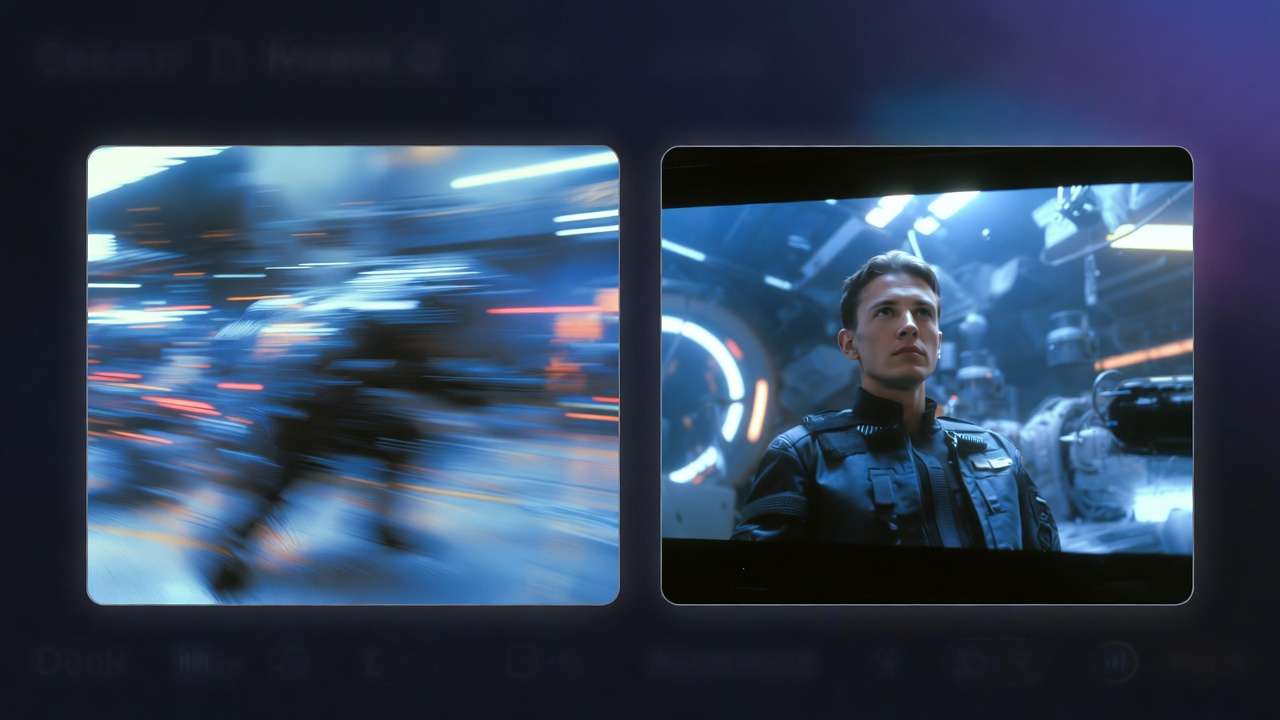
Run 3-5 gens per ratio: queue Veo 3.1 Fast for speed. Split-screen previews: VLC side-by-side 9:16 vs 16:9. Notice: Kling excels vertical motion, Sora 2 balances compositions.
Action: Note variances - Hailuo 02 smooths 15s 4:5. Troubleshooting: queues? Use turbo modes. Platforms like Cliprise handle concurrency. Time: 10-20 min/cycle. Why iterative? Reveals model-ratio fits; solos test 2 ratios, agencies batch 10.
Perspectives: beginners screenshot fails, experts log metrics. Scenarios: TikTok hook gen shows pan stability.
Step 4: Fine-Tune with Edits and Upscaling
Minimal edits: Recraft BG remove if needed, Topaz upscale 1080p to 4K. Avoid heavy crops - AI degrades fast. For upscaling workflows, maintaining proper aspect ratios is essential.
Action: Layers in Pro editors for text overlay matching ratio. Time: 10-15 min. In Cliprise, upscalers integrate post-gen. Why minimal? Preserves motion; example: 9:16 upscale retains tracking vs crop loss.
Nuance: Luma Modify for extensions. Freelancers quick filters, agencies batch.
Step 5: Test Upload and Analytics
Upload variants: track watch time in insights. 9:16 often boosts mobile retention in observed patterns.
Action: A/B same content different ratios. Platforms like Cliprise's community feed inspires tests. Why? Data refines future gens; solos weekly uploads, teams dashboards.
Real-World Comparisons: Aspect Ratios Across Creator Workflows
Freelancers often favor 4:5 for versatility-Instagram/LinkedIn repurposing without regen, saving significant time on client revisions. They start with balanced prompts in Ideogram or Flux, extend to video. The prompt optimization for workflows techniques help optimize prompts for different aspect ratios.
Agencies batch 16:9 masters in Veo 3, derive verticals via crops or re-gens, handling high volumes of assets weekly. Efficiency from workflows in tools like Cliprise, where model toggles speed switches.
Solo creators prioritize 9:16 for TikTok virality, repurposing horizontals secondarily. Use case 1: Product demo-16:9 YouTube details UI elements (30s Sora 2), 9:16 Reels hooks (10s Kling). Engagement: horizontals support stronger completion on desktop views for detailed narratives.
Use case 2: Storytelling - 1:1 Instagram balances feeds, Wan 2.5 frames characters centrally (15s). Reduces auto-crops noticeably.
Use case 3: Ads - native ratios avoid penalties; Hailuo for Facebook 4:5 (20s), Runway Turbo quick iters.
Community patterns: Vert-first dominates short-form (per platform trends), horizontals long-form. Cliprise users share ratio-seed tips in feeds.
Comparison Table: Platform Ratios and AI Model Performance Metrics
| Platform | Recommended Ratio | Ideal Video Length | Model Suitability Example (e.g., Veo 3.1) | Engagement Impact (Reported Patterns) |
|---|---|---|---|---|
| YouTube | 16:9 | 10-60s | High motion stability in pans; seed-consistent for extensions in Veo 3.1 Quality (720 credits / video) | Stronger completion on desktop views; better for detailed narratives in long-form scenarios |
| TikTok/Reels | 9:16 | 5-15s | Strong vertical tracking in Kling 2.5 Turbo (76-152 credits); handles fast hooks in 10s durations | Improved mobile retention; full-screen reduces early drop-offs in short-form mobile scenarios |
| Instagram Feed | 4:5 or 1:1 | 15s | Balanced composition with Sora 2 (160-480 credits / clip, 4s/8s/12s); minimal edge distortion for feed posts | Minimizes crop losses; suits carousel repurposing in portrait-oriented feeds |
| 16:9 or 1:1 | 30s | Professional framing in Wan 2.5 (36 credits); clear text overlays for widescreen views | Supports higher B2B shares; fits widescreen previews in professional post scenarios | |
| Twitter/X | 16:9 | 10s | Fast gen in Runway Gen4 Turbo; quick viral clips for embeds | Supports thread engagement growth in quick viral clip scenarios |
| 4:5 | 15-30s | Versatile upscaling in Topaz post-Hailuo (12 credits); feed-optimized for stories | Improves story view performance in feed-optimized scenarios |
As shown, Veo suits horizontals, Kling verticals - table reveals tradeoffs like length-ratio synergy in specific model credit scenarios and duration options. Surprising: 1:1 versatility spans feeds, underused by video-first creators.
When Aspect Ratio Optimization Doesn't Help (or Backfires)
Experimental models lacking ratio params default 16:9, forcing edits that amplify artifacts-e.g., early Grok Video stretches poorly. Many gens distort humans at 21:9 ultrawides, per reports.
Ultra-wide for non-gaming backfires: motion warps in noticeable cases, unwatchable on standard feeds. Skip for static adapters - no motion benefits ratios.
Who skips: Image-only workflows; high-res exceeding model caps (e.g., 8K pushes queues). Limitations: Queues ignore ratios, upscalers artifact extremes. Common niche failure patterns. In Cliprise, premium models mitigate some, but basics persist.
Unsolved: Cross-model consistency - Sora vs Kling varies despite same ar.
Why Order Matters: Sequencing Your Aspect Ratio Workflow
Starting video-first then cropping loses AI intent - regens spike significantly. Ratio-first planning significantly reduces iterations: map, prompt, gen.

Mental overhead: Ratio switches mid-workflow cause prompt drift, error-prone. Image-to-video: keyframe at ratio, extend-faster convergence. Understanding image-to-motion techniques helps maintain consistency across ratio changes.
Patterns: Prompt-starters converge faster. In Cliprise, model index sequences logically.
Industry Patterns and Future Directions
Vertical trends dominate consumption (per platform reports). Multi-ratio in aggregators like Cliprise rises.
Changing: Native multi-output prompts. Next 6-12 months: Auto-ratio from platform links.
Prepare: Ratio-agnostic prompts; track Veo/Sora updates.
Conclusion: Implementing Aspect Ratio Mastery Today
Key steps: map, configure, iterate, tune, test - boosts retention via natives. Benefits: fewer regens, platform alignment.
Next: Test one ratio/platform this week, log metrics. Solutions like Cliprise streamline with model pages, unified controls for Veo 3 and Kling 2.5 Turbo ratios. For teams scaling production, see How Agencies Scale AI Video Production. When workflows break down, Where AI Video Workflows Break Down and How to Fix Them offers systematic diagnosis and resolution strategies.
Frequently Asked Questions: Aspect Ratios for AI Video
What is the best aspect ratio for TikTok and Instagram Reels?
9:16 vertical is the native format for TikTok and Instagram Reels. AI video models like Kling 2.5 Turbo and Veo 3.1 Fast handle 9:16 natively-generate directly in this ratio rather than cropping from 16:9 to avoid black bars and composition loss. See our platform ratio comparison table above for model-specific recommendations.
Can I use the same AI video for YouTube and TikTok?
Not ideally. YouTube favors 16:9 horizontal; TikTok and Reels favor 9:16 vertical. Cropping one format to fit the other degrades quality and often cuts off key elements. Best practice: generate separate outputs per platform using native ratios. Multi-model workflows on Cliprise let you switch between Veo 3 (16:9) and Kling 2.6 (9:16) without re-login, streamlining multi-platform production.
Why does my AI video look distorted when I change the aspect ratio after generation?
Diffusion models render motion paths ratio-aware from the start. Cropping or stretching post-generation introduces artifacts: warped motion, lost context, pixelation. Always specify the target ratio (e.g., --ar 9:16) in your prompt before generation. For image-to-video workflows, create your keyframe at the final ratio first.
Which AI video models support 9:16 vertical best?
Kling 2.5 Turbo and Kling 2.6 excel at vertical motion; Veo 3.1 handles 9:16 fluidly; Sora 2 balances 1:1 and 9:16 well. Hailuo 02 performs strongly for 4:5 Instagram. Compare Sora vs Kling vs Veo for detailed ratio behavior.
How do I avoid black bars on my AI-generated videos?
Generate in the platform's native ratio from the start. Black bars appear when horizontal (16:9) content is displayed in vertical (9:16) feeds-platforms add letterboxing. Use ratio flags in your prompt (e.g., --ar 9:16 for Reels) and avoid post-generation cropping. Perfect prompts with ratio specifications reduce regeneration cycles.
Related Articles
- Where AI Video Workflows Break Down and How to Fix Them-Systematic diagnosis of audio sync, physics artifacts, and queue issues
- AI Video Generation Pipelines: Complete Guide-End-to-end pipeline architecture
- Image-to-Video vs Text-to-Video: Choosing the Right Workflow-When to use each approach
- How Agencies Scale AI Video Production Without Extra Hours
- Architecture Visualization with AI: From Sketch to Photorealistic Render
- Why AI Video Is Challenging Stock Footage for Fitness Workout Tutorials