What This Guide Covers
AI prompt engineering is not about writing longer prompts. It is about giving the model the right decisions in the right order: subject, action, scene, style, lighting, camera, constraints, and negatives. This guide gives you repeatable structures for image and video prompts, then shows how to adapt them across Flux, Imagen, Midjourney alternatives, Kling, Sora, Veo, and other model families without wasting credits.

For guides focused on specific generation types, see AI Image Generation: Complete Guide and AI Video Generation: Complete Guide. If you are planning campaign assets before writing prompts, start with an AI creative brief so audience, channel, and approval criteria are clear first. This guide covers the prompting skill that applies across both.
When an image prompt already failed and you need diagnosis before more theory, use AI Image Prompts Not Working as the troubleshooting companion.
What Is Prompt Engineering?
Prompt engineering is the skill of writing text instructions that consistently produce high-quality output from AI generation models. It is the single most important skill for anyone using an AI Image Generator or AI Video Generator.
The same text to image ai model, given a vague prompt, produces forgettable output. Given a well-engineered prompt, it produces professional results. The model doesn't change. The prompt does.
In 2026, with many image, video, audio, and editing models available through platforms like Cliprise, prompt engineering has evolved beyond "describe what you want" into a systematic discipline. Different models interpret the same words differently. Image prompts require different structure than video prompts. Technical parameters like CFG scale and seeds interact with your prompt in ways that dramatically affect output. When you pick an image engine, the tested ranking of image generators for 2026 lays out category winners and tradeoffs.
This guide teaches you the complete system - from foundational structure to advanced multi-model techniques - so every prompt you write produces predictable, professional results.
The Anatomy of an Effective Prompt
Every effective prompt follows a predictable structure. This isn't creative writing - it's systematic instruction that guides the AI toward your vision.
The Six-Layer Prompt Framework
Professional prompts are built in layers. Each layer adds specificity:
| Layer | Purpose | Example |
|---|---|---|
| 1. Subject | Who or what is in the scene | "A weathered astronaut in a cracked helmet" |
| 2. Action/Pose | What the subject is doing | "turning slowly toward the camera" |
| 3. Environment | Where the scene takes place | "inside a dimly lit space station corridor" |
| 4. Style | The visual aesthetic | "cinematic science fiction, Ridley Scott atmosphere" |
| 5. Lighting | How the scene is lit | "harsh fluorescent overhead light with red emergency glow" |
| 6. Technical | Camera, quality, format | "shot on ARRI Alexa, 35mm anamorphic, shallow depth of field" |
Layers 1-3 are mandatory for any prompt. They define what the AI generates. Layers 4-6 are what separate amateur output from professional results. They define how it looks.
The Specificity Principle
Specificity drives quality. Every vague word in your prompt is a decision you're leaving to the AI - and the AI's default decisions are almost always worse than yours.
| Vague (AI decides) | Specific (You decide) |
|---|---|
| "A woman" | "A 30-year-old woman with dark curly hair" |
| "Nice lighting" | "Golden hour side-lighting with warm amber tones" |
| "High quality" | "Shot on Canon R5, 85mm f/1.4, RAW quality" |
| "A landscape" | "Dramatic Icelandic black sand beach with basalt columns" |
| "Professional looking" | "Clean studio backdrop, soft diffused key light, product centered" |
For the foundational framework on building cinematic prompts, see our Perfect Prompts Guide. For why surgical precision outperforms verbose descriptions, read the Prompt Engineering Masterclass.
Image Prompt Engineering
Image prompts describe a single frozen moment. Every word should serve the composition, lighting, mood, or technical quality of one frame.
The Image Prompt Template
[Subject with specific details], [action or pose], [environment/setting],
[style/aesthetic reference], [lighting conditions], [camera/lens/technical],
[mood/atmosphere], [color palette]
Example: Product Photography
Weak prompt:
A bottle of perfume on a table
Engineered prompt:
Luxury glass perfume bottle with amber liquid, placed on a polished black marble surface, soft studio lighting from upper left creating a gentle gradient on the glass, single white rose petal beside the bottle, dark moody background fading to black, commercial product photography, shot on Phase One IQ4, 120mm macro lens, razor-sharp focus on the bottle label, warm golden reflections
Example: Editorial Portrait
Weak prompt:
A woman in a city
Engineered prompt:
Environmental portrait of a young architect reviewing blueprints at a glass desk, modern minimalist office, floor-to-ceiling windows overlooking a rain-soaked Tokyo cityscape at dusk, neon reflections on wet glass, shot on Sony A7IV, 50mm f/1.2, shallow depth of field with bokeh city lights, muted teal and warm amber color palette, editorial photography for Wallpaper Magazine
Example: Concept Art
Weak prompt:
A fantasy castle
Engineered prompt:
Massive elven citadel built into a vertical cliff face above a misty waterfall, bioluminescent vegetation growing from ancient stone walls, multiple arched bridges connecting tower spires, birds circling in golden morning light breaking through clouds, epic wide establishing shot, digital matte painting style, fantasy concept art, atmospheric perspective, rich greens and golds
Style-Specific Prompt Strategies
| Target Style | Key Prompt Elements |
|---|---|
| Photorealistic | Camera model, lens, aperture, film stock, natural lighting |
| Editorial | Publication name, composition direction, mood, minimalism |
| Product photography | Surface material, lighting setup, background, hero angle |
| Illustration | Art medium, line quality, color palette, artistic influence |
| Concept art | Scale reference, atmosphere, narrative hint, technique |
| Logo/branding | Simplicity, clean lines, negative space, vector aesthetic |
| Social media | Bold colors, clear subject, text-safe composition areas |
For complete image prompt strategies organized by model, see our AI Image Generation Guide.
Video Prompt Engineering
Video prompts describe a scene that moves through time. The critical difference from image prompts: you must communicate motion, camera behavior, pacing, and temporal progression.
A common mistake is writing an image prompt and expecting the video model to "figure out" the motion. Models that receive static descriptions produce videos where nothing meaningful happens - essentially an animated photograph.
The Video Prompt Template
[Camera movement] through/across/around [environment], [subject] is [action with motion],
[environmental motion details], [lighting with temporal quality],
[pacing/speed], [style], [technical specs]
Example: Cinematic B-Roll
Image-style prompt (produces static video):
A coffee shop with warm lighting and wooden furniture
Video-engineered prompt:
Slow dolly shot through a cozy artisan coffee shop, camera gliding past wooden tables as steam rises from ceramic cups in the foreground, a barista in soft focus reaches for an espresso cup in the background, morning sunlight streaming through vintage windows casting long golden shadows that shift as the camera moves, shallow depth of field rack focus from cup to barista, cinematic 24fps, warm amber color palette, ambient cafe atmosphere
The Motion Vocabulary
Video models respond to specific directional language. Generic "moving" produces generic results. Precise motion language produces cinematic output.
| Motion Type | Prompt Keywords | Best For |
|---|---|---|
| Pan | "slow pan left to right", "sweeping panoramic" | Landscapes, reveals |
| Dolly | "dolly forward through", "tracking alongside" | Interiors, following subjects |
| Orbit | "orbital shot around", "360-degree rotation" | Products, architecture |
| Crane | "crane shot rising above", "descending overhead" | Establishing shots, reveals |
| Zoom | "slow zoom into detail", "pull back to reveal" | Dramatic emphasis |
| Handheld | "handheld documentary style", "natural camera shake" | Authenticity, urgency |
| Slow motion | "slow-motion capture at 120fps" | Impact moments, beauty shots |
| Time-lapse | "time-lapse of clouds moving", "golden hour transition" | Environmental change |
| Static with subject motion | "locked-off camera, subject walks into frame" | Product demos, social content |
For a deep dive into camera movement mastery, see Motion Control: Camera Angles in AI Video. For lighting-specific prompting techniques, read Lighting Techniques: Prompt Engineering for Pro Lighting.
Video Duration and Prompt Complexity
Longer videos require simpler prompts. A 5-second clip can handle a complex multi-element scene. A 15-second clip needs a more focused narrative with one clear action to maintain coherence.
| Duration | Prompt Strategy |
|---|---|
| 5 seconds | Rich detail, complex scene, multiple elements - the model has bandwidth |
| 8-10 seconds | Moderate complexity, one primary action with supporting details |
| 15-20 seconds | Simple focus, one clear narrative arc, minimal background complexity |
For complete video prompt strategies and model-specific guidance, see our AI Video Generation Guide.
Model-Specific Prompting
The same prompt produces dramatically different results across different models. Understanding each model's strengths and adapting your prompt accordingly is what separates consistent professionals from frustrated amateurs.
This is the reality of multi-model environments: Veo 3.1 interprets "cinematic" differently than Kling 2.6. Midjourney handles "ethereal" differently than Flux 2. What works perfectly on one model may produce artifacts on another.
Image Model Prompt Adaptations
| Model | Prompt Sweet Spot | Avoid |
|---|---|---|
| Imagen 4 | Technical camera specs, natural lighting descriptions, realistic subjects | Heavily stylized or abstract requests |
| Midjourney | Artistic references, mood descriptors, style names, aesthetic keywords | Overly technical camera language |
| Flux 2 Pro | Complex multi-subject scenes, architectural detail, precise composition | Vague single-word style requests |
| Ideogram V3 | Text content in quotes, typography style, layout instructions | Prompts without explicit text guidance |
| Seedream 3.0 | Clean, direct descriptions, moderate detail level | Extremely long or complex prompts |
Video Model Prompt Adaptations
| Model | Prompt Sweet Spot | Avoid |
|---|---|---|
| Veo 3.1 Quality | Physics-based motion, environmental detail, cinematic language | Abstract concepts, rapid action |
| Sora 2 Pro | Narrative sequences, character consistency, story-driven motion | Static environmental scenes |
| Kling 2.6 | Dynamic motion, social media pacing, product reveals | Slow contemplative shots |
| Hailuo 2.3 | Stylized movement, artistic interpretation, animation-adjacent | Photorealistic human subjects |
| Runway Gen4 | Professional editing context, smooth transitions, corporate style | Experimental or abstract content |
The Prompt Adaptation Workflow
When switching models mid-project:

- Start with your base prompt - the core concept in plain language
- Adjust vocabulary - swap technical terms for the target model's strength (e.g., camera specs for Imagen 4, artistic references for Midjourney)
- Tune prompt length - some models perform better with concise prompts (Seedream, Kling Turbo), others with detailed ones (Veo Quality, Sora Pro)
- Adjust parameters - CFG scale, seeds, and negative prompts interact differently per model
For complete multi-model prompt adaptation strategies, read Advanced Prompt Engineering for Multi-Model Workflows. For data on optimal prompt length by model, see Prompt Length Optimization: Short vs Long.
Negative Prompts
Negative prompts tell the model what NOT to generate. Used correctly, they eliminate common AI artifacts without limiting creativity. Used incorrectly, they paradoxically amplify the flaws they're trying to prevent.
The 5-Term Threshold
Testing across Flux, Midjourney, Veo, and Imagen reveals a consistent pattern: negative prompts work best with 3-5 specific terms. Beyond 5 terms, models begin over-constraining, producing sterile output or - paradoxically - amplifying the excluded traits.
Negative Prompts by Generation Type
For photorealistic images:
blurry, distorted, watermark, extra fingers, deformed hands
For artistic images:
photorealistic, 3D render, blurry, text artifacts, noisy
For video:
jittery motion, flickering, frame inconsistency, morphing, unnatural movement
For product photography:
blurry background, lens distortion, color cast, uneven lighting, watermark
Common Negative Prompt Mistakes
| Mistake | Why It Fails | Fix |
|---|---|---|
| Too many negatives (10+) | Over-constrains the diffusion process, produces sterile output | Keep to 3-5 targeted terms |
| Generic negatives | "bad quality, ugly" is too vague to guide the model meaningfully | Use specific artifact names |
| Contradictory negatives | "no shadows" conflicts with "dramatic lighting" | Ensure negatives don't conflict with positives |
| Copy-pasting from forums | Negative prompts are model-specific and context-specific | Test and adapt per model |
For the complete negative prompt system including weighted syntax and model-specific strategies, read our Negative Prompts Guide.
Technical Parameters That Shape Output
Beyond the text prompt, three technical parameters dramatically affect generation quality: CFG scale, seeds, and aspect ratio. Ignoring them is like writing a great script but letting a random person set up the camera.
CFG Scale (Classifier-Free Guidance)
CFG scale controls how strictly the model follows your prompt versus taking creative liberties.
| CFG Range | Behavior | Best For |
|---|---|---|
| 1-4 | High creative freedom, loose interpretation | Abstract art, creative exploration |
| 5-8 | Balanced - follows prompt with room for natural variation | Most standard generation tasks |
| 9-12 | Strict adherence to prompt description | Product shots, brand-consistent output |
| 13+ | Over-adherence - can produce artifacts and unnatural results | Rarely recommended |
Key insight: Different models have different optimal CFG ranges. Flux Kontext performs well at CFG 5-8. Ideogram V3 needs CFG 9+ for precise text rendering. Veo 3.1 Fast benefits from lower CFG for fluid motion. Using the same CFG across all models is a common mistake that produces inconsistent output.
For the complete CFG scale guide with model-specific recommendations, see CFG Scale Guide: Control AI Image & Video Style.
Seeds
A seed is a number that controls the randomness of generation. Same prompt + same seed + same model = same output.
When to lock seeds:
- Iterating on a prompt while keeping composition stable
- Creating a series of images with consistent style
- Building brand campaigns with visual coherence
- Testing prompt changes in isolation (only the prompt changes, not randomness)
When to leave seeds random:
- Exploring creative directions
- Generating diverse options for client review
- Brainstorming sessions where variety is the goal
For complete seed control strategies, see Seeds & Consistency: Reproducible Generation for Brands.
Aspect Ratio
Aspect ratio must be decided before generation. Cropping after the fact destroys composition.
| Use Case | Ratio | Orientation |
|---|---|---|
| Instagram Feed | 1:1 or 4:5 | Square / portrait |
| TikTok / Reels | 9:16 | Vertical |
| YouTube / presentations | 16:9 | Landscape |
| 2:3 | Vertical | |
| Varies | Match output spec | |
| Website hero | 21:9 or 3:1 | Ultra-wide |
For the complete guide to aspect ratios across platforms, see Aspect Ratios: The Complete Guide.
The Prompt Enhancer
Cliprise's built-in Prompt Enhancer transforms short ideas into detailed, optimized prompts using AI - adding lighting, camera direction, mood, and technical details while preserving your original intent.
How It Works
You write: "sunset on a beach"
The Enhancer outputs: "Cinematic wide shot of a tropical beach at golden hour, warm amber sunlight reflecting off gentle waves, silhouette of palm trees against a gradient sky fading from deep orange to violet, wet sand catching the last light, shot with anamorphic lens creating horizontal flare, shallow depth of field on foreground shells, serene and contemplative mood"
When to Use the Enhancer
| Scenario | Use Enhancer? | Why |
|---|---|---|
| You have a rough idea but not the vocabulary | Yes | It adds professional visual language |
| You're exploring a concept quickly | Yes | Faster than writing detailed prompts manually |
| You need brand-specific precision | No | Enhancer doesn't know your brand guidelines - write manually |
| You're adapting prompts across models | No | Model-specific tuning requires manual control |
| You're a beginner learning prompt structure | Yes | Study what the Enhancer adds to learn the vocabulary |
Pro tip: Use the Enhancer as a learning tool. Write your short prompt, run it through the Enhancer, then study what it added. Over time, you'll internalize the vocabulary and write enhanced-quality prompts yourself.
For the complete Enhancer guide including toggle comparisons, see Prompt Enhancer: When and How to Use It.
Prompt Templates by Use Case
These ready-to-use frameworks cover the most common generation tasks. Replace the bracketed sections with your specific content.
Product Photography Template
[Product name] on a [surface material] in a [setting], [lighting setup]
creating [shadow/reflection quality], [background treatment],
commercial product photography, [camera/lens], sharp focus on [detail],
[color palette/mood]
Social Media Content Template
[Subject with personality], [engaging action], [colorful/dynamic setting],
[platform-optimized aspect ratio], bold and eye-catching composition,
[brand color palette], high contrast, clean negative space for text overlay
Cinematic Video Template
[Camera movement] through [detailed environment], [subject] [specific motion
with direction], [environmental motion - particles, weather, lighting shift],
[lighting condition with temporal quality], [pacing descriptor], cinematic
[fps], [lens/format reference], [color grade/mood]
Architectural Visualization Template
[Building/space type] with [architectural style and materials],
[time of day] lighting casting [shadow quality] across [surface details],
[landscape/context], [human scale reference], architectural photography,
[camera angle - eye level/aerial/worm's eye], [lens distortion correction],
clean lines, [color temperature]
Portrait Template
[Subject description with specific features], [expression/emotion],
[pose/body language], [setting with depth], [lighting setup - key, fill, rim],
[camera], [lens and aperture for depth control], [film stock or processing
reference], [mood/atmosphere], [color palette]
Advanced Techniques
Prompt Chaining Across Models
The most powerful advanced technique: write a series of related prompts designed to work across different models in sequence.
Chain example - Product launch campaign:
- Image prompt (Imagen 4): Product hero shot with perfect lighting and composition → validate the frame
- Video prompt (Kling 2.6): Same composition + add product reveal motion → "slow rotation revealing the product from the validated composition"
- Variation prompts (Seedream 3.0): Same product, 5 different backgrounds → rapid social media variations
- Voice prompt (ElevenLabs): "Confident female voice, 30s, commercial tone: 'Introducing the future of...'" → matching audio
Each prompt in the chain builds on the previous output. The key is maintaining consistent descriptive language across the chain so the visual identity stays coherent.
For the complete guide to prompt chaining, see Advanced Prompt Engineering for Multi-Model Workflows.
Iterative Refinement
Professional prompt engineering is never one-shot. It follows a cycle:
- Draft - Write the first prompt based on your brief
- Generate - Run it with a fast, cheap model (Seedream 3.0, Z Image)
- Diagnose - What's right? What's wrong? What's missing?
- Refine - Adjust the specific weak elements (add lighting detail, fix camera angle, change mood)
- Lock - When composition is right, lock the seed
- Finalize - Run the refined prompt on the premium model (Imagen 4, Veo 3.1 Quality)
This cycle costs 40-60 credits total instead of 200+ credits from blind premium model attempts. It's the approach behind the "prototype fast, finalize slow" strategy detailed in our Cost Optimization Guide.
When Prompt Engineering Hits Its Limits
Prompt engineering is powerful, but it has a ceiling. No amount of prompt refinement can overcome:
- Model limitations - A model that can't render realistic hands won't fix that through prompting
- Training data gaps - Obscure subjects or very specific brand assets aren't in the training data
- Complex multi-step processes - A single prompt can't generate an entire ad campaign with consistent branding
When prompting reaches its limit, the solution is multi-model workflows - combining specialized models in sequence where each handles what it does best. This strategic shift from "better prompts" to "better systems" is covered in Why Prompt Engineering Alone Fails: The Multi-Model Solution and From Prompt Optimization to System Optimization.
Common Prompt Engineering Mistakes
These errors account for the majority of wasted credits and mediocre output in AI generation.
Mistake 1: Writing for Humans, Not Models
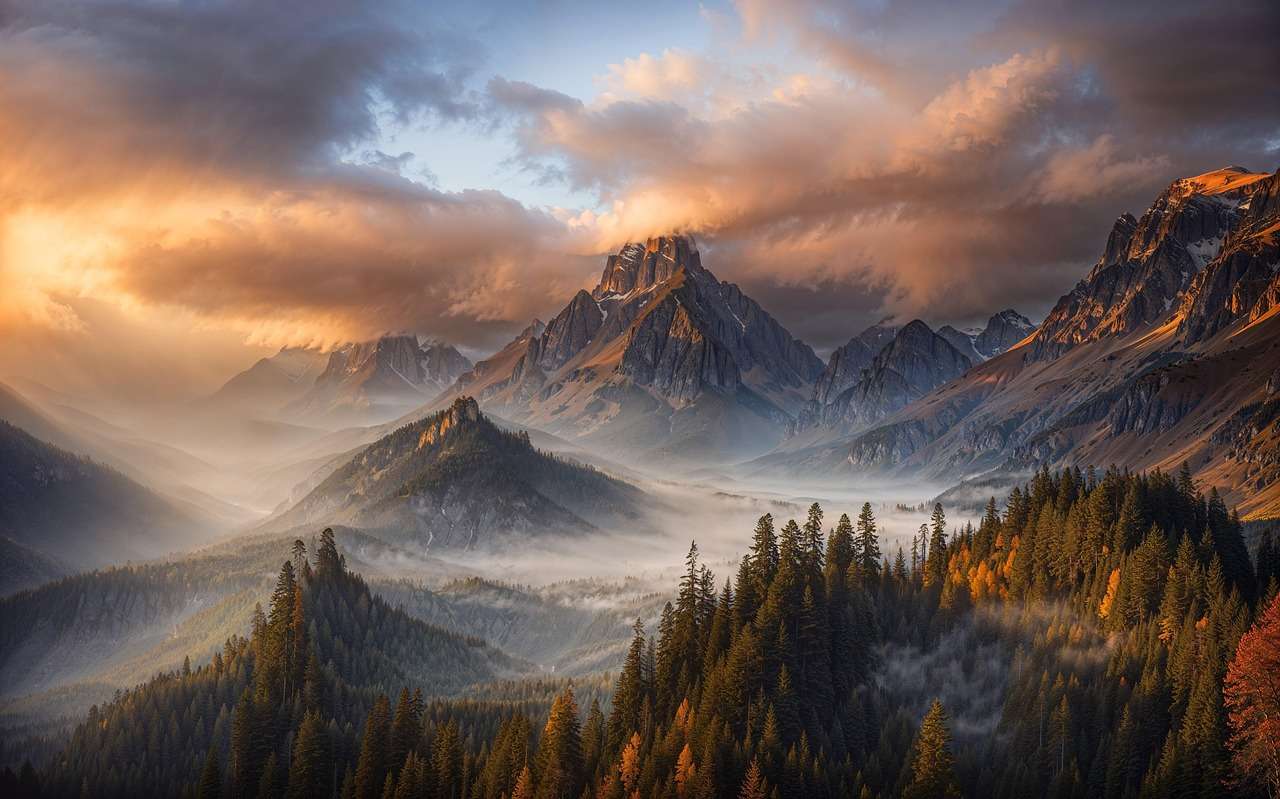
Natural language descriptions like "a really beautiful amazing stunning landscape" waste tokens on subjective adjectives. Models don't understand "beautiful." They understand "golden hour side-lighting on a misty mountain valley with sun rays breaking through clouds."
Mistake 2: Omitting Motion in Video Prompts
Writing a static scene description and expecting the video model to add interesting motion. Always specify camera movement and subject action explicitly in video prompts.
Mistake 3: One Prompt Across All Models
Copy-pasting the same prompt from Midjourney to Kling to Veo. Each model has different strengths, syntax preferences, and interpretation biases. Adapt vocabulary per model.
Mistake 4: Prompt Bloat (150+ Words)
Testing consistently shows that prompts beyond 80-100 words begin degrading output quality as the model's attention fragments. Write tighter, not longer. Concise 20-50 word prompts with precise language often outperform verbose 150-word descriptions.
See the data in Prompt Length Optimization: Short vs Long.
Mistake 5: Ignoring Technical Parameters
Writing a perfect prompt but leaving CFG scale at default, using random seeds, and picking the wrong aspect ratio. These parameters are force multipliers - they amplify a good prompt or sabotage it.
Mistake 6: No Iteration Strategy
Running the same prompt 10 times on a premium model hoping for a better roll. Instead: run 3 variations on a cheap model, diagnose what's wrong, refine the prompt, then run the improved version on premium. Systematic iteration beats random repetition.
Frequently Asked Questions
What is prompt engineering? Prompt engineering is the skill of writing text instructions that produce consistent, high-quality output from AI generation models. It covers word choice, structure, technical parameters, and model-specific adaptation. See the complete framework above.
How long should an AI prompt be? Tests show 20-80 words is the optimal range for most models. Short, precise prompts (20-50 words) often outperform long, verbose ones (150+ words). The key is specificity per word, not total word count. Read Prompt Length Optimization for the data.
Do I need different prompts for different AI models? Yes. The same prompt produces significantly different results across Midjourney, Imagen 4, Flux 2, Veo 3.1, and Kling 2.6. Each model has different strengths and interpretation biases. See the model-specific prompting section above.
What is CFG scale and how does it affect my output? CFG (Classifier-Free Guidance) controls how strictly the model follows your prompt. Low values (1-4) give creative freedom. High values (9-12) enforce strict adherence. Optimal range varies by model. See our CFG Scale Guide.
How do negative prompts work? Negative prompts tell the model what to avoid generating. They're effective for eliminating common artifacts (extra fingers, blurry backgrounds, watermarks) but should be kept to 3-5 specific terms. More than 5 can over-constrain output. See our Negative Prompts Guide.
What is the Prompt Enhancer? Cliprise's built-in AI tool that expands short descriptions into detailed, optimized prompts. Type "sunset beach" and receive a cinematic description with lighting, camera angles, mood, and technical details. See our Prompt Enhancer Guide.
How do I write prompts for AI video? Video prompts must include motion: camera movement, subject action, environmental movement, and pacing. Without explicit motion direction, the output is essentially an animated photograph. See the video prompt engineering section above.
Can I use the same prompt for images and videos? Not effectively. Image prompts describe a frozen moment. Video prompts describe a moment that unfolds through time. You need to add motion direction, camera movement, and temporal language when adapting an image prompt for video.
How do I maintain consistent style across multiple generations? Lock the seed value to preserve base composition, use the same model and CFG settings, maintain consistent descriptive language across prompts, and use reference images with Flux Kontext for style control. See Seeds & Consistency.
What to Read Next
Based on your experience level:

If you're new to prompt engineering:
- Perfect Prompts: How to Write Cinematic AI Scenes - The foundational vocabulary
- Prompt Enhancer: When and How to Use It - Let AI help you learn
- Getting Started with Cliprise - Practice with your first generation
If you're ready for precision:
- Negative Prompts Guide - Eliminate artifacts
- CFG Scale Guide - Control prompt adherence
- Prompt Length Optimization - Find the sweet spot
If you're scaling production:
- Advanced Prompt Engineering for Multi-Model Workflows - Chain prompts across models
- Prompt Engineering Masterclass - Surgical precision techniques
- Why Prompt Engineering Alone Fails - When to shift from prompts to systems
Related Articles
Related News: