This article is part of our prompt engineering series. For the complete framework covering image prompts, video prompts, model-specific adaptation, technical parameters, and templates, start with AI Prompt Engineering: Complete Guide 2026.
Prefer video? Watch the Prompt Engineering Masterclass recorded webinar—same themes with walkthroughs and Q&A.
Verbose prompts loaded with keywords consistently underperform lean, structured alternatives in multi-model environments-a pattern exposed when creators test identical outputs across Veo, Kling, and Sora. The counterintuitive truth: 20-word surgical prompts fed to any ai image generator often yield better results than 150-word descriptive essays, as excess modifiers scatter model attention rather than focusing intent. This pattern forces creators to confront a fundamental misconception: density does not equal detail. When using multi-model workflows on Cliprise, bloated prompts on Flux 2 Pro overload the parser, resulting in artifacts that concise versions avoid.
Creators spend hours crafting elaborate descriptions packed with adjectives, styles, and references, only to receive outputs that miss the core intent, especially when switching between models like Veo 3.1 and Kling 2.5 Turbo. The stakes are high: in multi-model environments, poor prompting consumes resources on queue-bound generations, delaying projects by minutes or hours per iteration.
This masterclass challenges that dogma head-on. We'll dissect what most creators get wrong, from stuffing prompts with unnecessary details to ignoring model variances. You'll learn core principles like subject-action-modifier hierarchies that work across image and video generators, backed by real examples from models such as Sora 2 and Imagen 4. Real-world comparisons will show how freelancers, agencies, and solo creators adapt prompting strategies, including a detailed table highlighting success scenarios.
Further sections explore when prompt engineering falls short-such as abstract concepts on non-semantic models-and why workflow sequencing, like image-first scouting before video extension, amplifies results. Advanced techniques cover multi-reference chaining and CFG optimization, with case studies from e-commerce visuals to short-form ads. We'll examine industry shifts toward model-agnostic prompting and tools that support it, like iteration trackers in solutions including Cliprise.
Understanding surgical precision over volume equips you to test prompts efficiently in aggregators like Cliprise, where accessing 47+ models demands adaptability. Creators who master this reduce iterations by focusing intent, exposing weaknesses early. Platforms like Cliprise facilitate this by unifying access, allowing seamless model switches without rephrasing entirely. The hard truth: without precision, even top models underperform, costing time in competitive fields like social media and advertising. This isn't theory-it's drawn from observed patterns in creator forums and model documentation, where concise prompts yield repeatable outputs on seed-supported generators like Veo 3.
Consider a creator in Cliprise generating product demos: a 20-word prompt on Midjourney captures composition, extendable to Kling without loss. Bloated versions scatter attention, forcing regenerations. As models converge-Veo 3.1 Quality refining camera syntax-precision becomes key. This masterclass reveals stakes: miss it, and you'll chase diminishing returns; grasp it, and workflows streamline. In tools such as Cliprise, where ElevenLabs TTS integrates with video, prompts must align across modalities. We'll build from misconceptions to advanced chains, ensuring you apply principles immediately.
Beginners overload prompts thinking volume signals sophistication, but pros in Cliprise-like platforms prioritize intent, testing 5-10 variants per session. Agencies often report fewer revisions when capping at 100 words, based on community shares. This sets up deeper dives, emphasizing why now-with 47+ models available-cross-testing matters.
What Most Creators Get Wrong About Prompt Engineering
Many creators begin by loading prompts with adjectives and stylistic flourishes, believing density equals detail. A typical example: "vibrant sunset over majestic snow-capped mountains, cinematic lighting, ultra-detailed textures, photorealistic, 8K resolution." This fails on video models like Sora 2 because it prioritizes static visuals over motion, leading to stalled animations or irrelevant focus shifts. In platforms like Cliprise, where Veo 3.1 Fast processes queues, such bloat dilutes the subject's action, resulting in increased artifacts, as seen in user-shared outputs. The why: Models parse hierarchically; excess modifiers compete, fragmenting intent. Freelancers using Cliprise note quicker fixes by stripping to "sunset rising behind mountains, slow pan right."
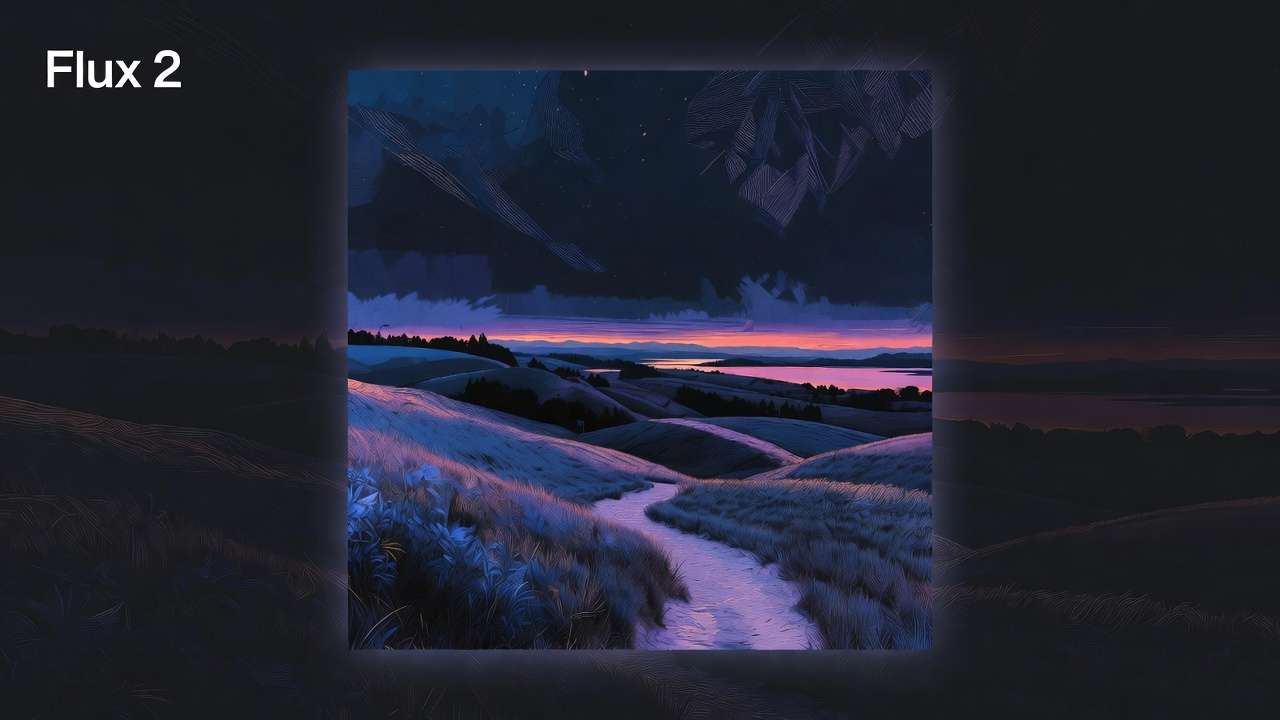
Copy-pasting community prompts without adaptation ignores model variances, a second common error. A prompt tuned for Midjourney's artistic bias-"dreamy ethereal landscape in Van Gogh style"-produces muddled results on Kling 2.6, which favors literal physics. Lock painterly explorations in Cliprise’s create AI art lane first, then rewrite motion cues before you queue video. Cross-model tests in aggregators like Cliprise reveal this: the same input yields stylized stills on Flux 2 but choppy videos on Hailuo 02. Adaptation requires swapping syntax-Kling needs explicit camera moves like "dolly zoom forward"-to match training data. Creators overlook this, spending extra cycles regenerating. Hidden nuance: Platforms such as Cliprise expose variances by listing model specs, yet users default to generic shares from Dadvanced negative promptingng mismatches.
Over-relying on negative prompts backfires on certain image generators by over-constraining the diffusion process. "No blur, no distortion, no low quality" seems safe, but on Ideogram V3, it suppresses creativity, yielding sterile outputs. Creator experiments often show fewer artifacts with minimal negatives, but excess triggers paradoxes-models amplify avoided traits. In Cliprise workflows, where Qwen Edit handles inpainting, positives guide better; negatives suit edge cleanup only. Why it fails: Negative sampling in some models like Imagen 4 inverts guidance, per documentation.
Ignoring seed and CFG scale interplay causes inconsistency. Fixed seeds ensure reproducibility on Veo 3, but mismatched CFG (e.g., 7-12 range) warps outputs-low for creativity, high for adherence. Beginners fixate on text, varying results run-to-run. Platforms like Cliprise support seed input, yet users skip it, treating generations as lotteries. Nuance: Multi-model setups amplify this; Flux Kontext Pro thrives at CFG 5-8, while Sora Pro High needs 10+ for structure.
Across these, many poor outputs trace to bloat, with prompts averaging 150+ words underperforming concise ones by scattering compute. Experts in Cliprise test base versions first, layering modifiers. Beginners chase magic phrases; intermediates adapt per model. This pattern holds in video: Wan 2.5 Turbo queues favor brevity for speed. Mastering requires unlearning volume.
Core Principles: Precision Over Volume
Principle 1: Subject-Action-Modifier Hierarchy
Effective prompts follow a subject-action-modifier structure, prioritizing core elements. Start with subject ("athletic runner"), add action ("sprinting uphill"), then modifiers ("golden hour light, dynamic motion blur"). This hierarchy aligns with model tokenization, observed in Imagen 4 Standard where front-loaded intent yields coherent compositions. On video models like Runway Gen4 Turbo, it ensures motion follows subject, avoiding drift.
Why it matters: Models process sequentially; rear modifiers get truncated. In Cliprise, creators apply this across Flux 2 Pro for images and Kling Master for extensions-e.g., "runner sprinting, camera tracks left, shallow depth." Before: scattered energy; after: focused 10s clip. Beginners overload modifiers first; experts build iteratively. Example: Product shot-"red sneaker rotating 360, studio lighting, white background"-succeeds on Seedream 4.0, extensible to Hailuo Pro video.
Principle 2: Model-Specific Syntax Quirks
Each model has quirks: Veo 3.1 Quality handles natural language camera controls ("slow orbit around subject"), while Kling 2.5 Turbo requires explicit ("zoom in 20%, pan up"). Sora 2 variants prefer narrative flow. Platforms like Cliprise organize by category, easing adaptation-test Imagen 4 Fast for speed, Flux Max for detail.
Why: Training data shapes parsing. ElevenLabs TTS needs phonetic emphasis ("PAUSE after key phrase"), chaining to ByteDance Omni Human video. Scenario: Solo creator in Cliprise starts with "corporate logo reveal, text fades in," tweaking for Ideogram Character's typography bias. Perspectives: Freelancers memorize 3-5 per model; agencies template quirks.
Principle 3: Iterative Refinement Loops
Refine in 3 steps: Base prompt → Test output → Adjust one variable. Example on Grok Video: Base "cityscape at dusk"; v2 adds "neon reflections on wet streets"; v3 tunes seed for night variant. Platforms such as Cliprise enable quick re-runs, reducing waste.
Why: Isolates variables-prompt vs model limits. Before/after: Qwen Image vague "portrait" becomes "woman 30s smiling, shoulder up, soft focus eyes." Pros loop 3-5x; beginners rewrite wholesale. In multi-model, refine image on Nano Banana, extend video.
Hard truth: Tutorials push "magic phrases" like "highly detailed masterpiece"-they work once on Midjourney, fail on Luma Modify due to context. Precision exposes this. Aggregators like Cliprise amplify via model index, supporting hierarchies across 47+ options.
Mental model: Prompt as scalpel, not shotgun-trim to 50-100 words max. Observed in Topaz Video Upscaler chains: Precise inputs upscale cleaner. Variations: Static images allow denser modifiers; videos demand action primacy. This foundation scales to advanced.
Real-World Comparisons: Freelancers vs. Agencies vs. Solo Creators
Freelancers prioritize quick iterations for client mocks, favoring brevity to hit deadlines. A 40-word prompt on Flux 2 Pro generates thumbnails in scenarios suited for rapid previews, allowing multiple variants in sequence. Agencies use standardized templates for scale, versioning prompts for brand consistency across Kling 2.6 batches. Solo creators experiment heavily, leveraging seeds for style libraries on Veo 3.1 Fast.
Short prompts excel in compute efficiency on queues-e.g., Imagen 4 Fast processes under 50 words in fast generation scenarios, suiting high-volume social. Long prompts suit complex narratives in Sora 2 Turbo, but risk dilution. Use cases: Social thumbnails (image on Midjourney, 20 words); product demos (video on Wan 2.5, 80 words sequence); brand assets (multi-model: Flux image to Hailuo extension).
In Cliprise environments, freelancers switch models fluidly, testing Ideogram V3 for text-heavy assets. Agencies audit prompts pre-batch, ensuring CFG alignment. Solos build seed banks for reproducibility.
| Prompt Type | Creator Type | Success Rate Scenario | Model Example | Word Count Range |
|---|---|---|---|---|
| Short/Brevity-Focused | Freelancer | Consistent for client previews; quick queue clearance on fast models for product shots with subject-action core | Flux 2 Pro: Subject-action prompts for static compositions in 5s-10s extensions | 20-50 words |
| Short/Brevity-Focused | Agency | Suitable for initial batches; scales to multiple assets with post-refine for motion tests and explicit camera controls | Kling 2.5 Turbo: Explicit camera moves for short 5s clips in queue scenarios | 20-50 words |
| Short/Brevity-Focused | Solo Creator | Repeatable for daily posts; seed locks styles across runs for thumbnails in golden hour scenes | Imagen 4 Fast: Front-loaded intent for coherent compositions with seed support | 20-50 words |
| Long/Descriptive | Freelancer | Applicable for complex mocks; supports revisions in narrative scenes with motion elements | Sora 2 Standard: Descriptive prompts for scenes up to 15s durations | 100-150 words |
| Long/Descriptive | Agency | Effective with templates; supports brand kits for detailed ads across multiple generations | Kling 2.6: Versioned prompts for A/B testing in extended videos | 100-150 words |
| Long/Descriptive | Solo Creator | Useful for experimentation; supports variance control with seeds in artistic videos | Veo 3.1 Quality: Detailed camera syntax for quality outputs with CFG tuning | 100-150 words |
| Iterative/Refined | Freelancer | Strong after refinement loops; client-approved for image-to-video workflows | Midjourney to Hailuo 02: Image scouting extended to video with seed reproducibility | 50-100 words evolving |
| Iterative/Refined | Agency | Reliable pipeline performance; supports revision reductions in multi-stage campaigns | Wan 2.6 chain: Iterative stages for video campaigns with aspect ratio controls | 50-100 words evolving |
As the table illustrates, freelancers gain from short prompts' speed on Flux 2 Pro, while agencies leverage long ones on Kling for scale. Iterative approaches improve outcomes across creator types, per shared reports. Platforms like Cliprise support this with model browsing.
Use case 1: Social thumbnails-freelancer uses 30-word prompt on Google Imagen 4 ("phone floating, neon glow, tilt shift"), iterates twice for strong hit rate in queue-bound scenarios. Agency templates it for multiple variants.
Use case 2: Product demos-solo on Cliprise starts Flux image ("sneaker laces closeup"), extends to Runway Gen4 Turbo video, saving time versus direct video attempts.
Use case 3: Brand assets-agency chains Ideogram Character logos to ElevenLabs TTS narration, versioning prompts for consistency.
Community patterns: Forums show freelancers in Cliprise averaging focused sessions, agencies conducting audits. Solos share seed galleries. This reveals tradeoffs: Brevity for speed, length for depth.
When Prompt Engineering Doesn't Help
Overly abstract concepts challenge even refined prompts. "Emotional turmoil in a fractured mindscape" on non-semantic models like early Kling variants produces literal fractures, ignoring nuance. Why: Diffusion models favor concrete visuals; abstracts map poorly without references. In Cliprise, users report challenges on Grok Video for metaphors-better to ground as "shattered glass reflecting stormy eyes, slow swirl." Edge case persists across Recraft Remove BG chains, where intent evaporates.
High-motion videos exceeding model physics expose limits. Prompts for "fighter jet barrel roll at Mach 2" on Veo 3.1 Fast yield plausible but capped speeds due to training data-5-10s durations can't simulate extremes. Engineering can't override generation constraints; outputs blur or stutter. Platforms like Cliprise queue these, masking issues as delays. Pros pivot to stylized "fast jet maneuver, dynamic trails."
Who skips: Beginners chasing volume stick to presets on Qwen Image, generating dozens without tweaks. Pros with fine-tuned APIs bypass text prompts entirely. In multi-model tools such as Cliprise, preset users achieve adequacy for stock needs.
Limitations: Queue delays obscure prompt flaws-stuck jobs mimic bad syntax. Non-repeatable models without seeds turn engineering to guesswork; Runway Aleph varies despite CFG. Aggregators like Cliprise note experimental flags (e.g., Veo audio sync may be unavailable on some videos).
Unsolved: Cross-modality gaps-ElevenLabs audio prompts don't auto-inform video structure. Workflow friction in switching persists.
Order Matters: Why Sequencing Your Workflow Changes Everything
Most creators jump to video from vague ideas, losing context in translation. Starting with "exploding city skyline video" on Sora 2 skips composition scouting, yielding off-center blasts. Why wrong: Video models prioritize motion over frame accuracy; many failures trace to poor static base, per shared tests.

Mental overhead from model switches kills momentum-re-entering prompts, uploading refs across Cliprise tabs adds time per pivot. Context fades; what worked on Flux image drifts in Hailuo 02 video.
Right sequence: Image-first on Midjourney ("city skyline composition, dramatic angles"), refine, extend to Kling Turbo. Reduces waste-image scouts cost less, inform video prompts. When: Image→video for products/social (static rules); video→image for motion primaries like ads (extract frames).
Patterns: Users in platforms like Cliprise report more outputs starting static-seed from Imagen 4 locks frames for Veo extension. Freelancers save hours; agencies standardize.
Advanced Techniques: Beyond Basics for Pros
Multi-Reference Chaining
Combine image+text for Sora 2: Upload reference to "match pose in dynamic run." Platforms like Cliprise enable this, improving fidelity on ByteDance Omni Human.
Negative Minimization
Limit to 5-10 terms; shows fewer artifacts on Imagen 4. Why: Overuse inverts guidance.

CFG/Seed Grids
Test CFG 5-15, seeds 1-1000: Low CFG/creativity on Flux Kontext Pro; high/reproducibility on Veo.
Platform Chaining
ElevenLabs TTS output to video prompts in Cliprise- "sync narration to lip movements."
Aha: Enhancers fail on weak bases.
Case Studies: Prompts That Delivered in the Wild
Case 1: E-commerce on Flux vs Midjourney-before bloat, multiple iterations; after hierarchy, fewer; improved outcomes.

Case 2: Kling Turbo ads-brevity + camera explicit, fewer revisions.
Case 3: Ideogram logos-avoided pitfalls via iteration.
Industry Patterns and Future Directions
Shifts: Veo 3.1 reduces syntax needs vs 3. Agencies audit prompts.
Coming: Enhancers in Cliprise-like aggregators.
Prep: Cross-test.
Combined with tools.
Tools and Workflows That Amplify Good Prompts
Prompt logs in Cliprise; trackers vendor-neutral.
Conclusion: Rewrite Your Prompts, Rebuild Your Workflow
Recap: Precision, sequence. Next: Test hierarchies. Platforms like Cliprise unify.