Introduction
Under scrutiny, prompts packed with "cinematic lighting" reveal a hidden flaw: models often treat mood-words as surface styling, so shadows drift, highlights blow out, and depth collapses into a flat glow. The fix is physics-first prompting-defining source position, distance, angle, and falloff for your ai image generator-so the generator has a coherent lighting blueprint instead of vague labels that crumble when details matter.
This matters now because AI video and image generation has exploded, with tools aggregating dozens of models from providers like Google DeepMind's Veo series, OpenAI's Sora 2, and Kling variants, yet lighting remains the Achilles' heel separating polished work from generic slop. Creator communities report improved subject separation and coherent shadows with physics-based prompts-such as light source distance, angle, and falloff-compared to adjective-heavy alternatives. Creators wasting hours regenerating because of poor lighting prompts miss deadlines, lose client trust, and cap their output quality at mid-tier levels.
This article dissects those failures, workflows, and edges to elevate AI outputs through physics-first prompt engineering. We'll expose why descriptive fluff fails, map the light mechanics models implicitly simulate, compare real-world creator strategies, and highlight when even advanced techniques fall short. Core principles include modeling light sources (point, area, or practical), falloff (inverse square law approximations), bounces (diffuse reflections off surfaces), and interactions (specular highlights on glossy elements). Platforms like Cliprise provide access to 47+ models, including Flux 2, Imagen 4, and ElevenLabs TTS, allowing experimentation across image, video, and editing workflows without switching apps.
Consider a freelancer generating product shots: vague "studio lighting" prompts result in flat whites that blend edges, while specifying "key light at 45° from camera, 2m distance, f/5.6 aperture with fill bounce from white card" carves out depth, mimicking real studio setups. For video extensions in models like Veo 3.1 Quality or Runway Gen4 Turbo, persistent shadows across frames demand seed-locked prompts to maintain consistency. The stakes are high-ignore physics, and your reel looks like a phone filter; master it, and outputs compete with manual lighting rigs.
Why physics over poetry? AI models, trained on vast image datasets, prioritize plausible ray-tracing simulations over artistic intent. Descriptive moods get averaged into generic results, but quantified parameters guide the diffusion process toward realistic interactions. In multi-model environments like those offered by certain tools, including Cliprise, switching from Imagen 4 for images to Sora 2 Pro for video extension reveals how lighting coherence breaks without upfront planning. This guide equips you with blueprints tested in community logs, from solo creators iterating on social content to agencies scaling e-commerce visuals.
We'll cover misconceptions that trap beginners, the exact light physics models "understand," comparisons across workflows, sequencing pitfalls, advanced tweaks like CFG scale settings guide and controlling output with negatives, and future shifts. By the end, you'll craft prompts that deliver pro-level lighting, reducing iterations and boosting fidelity. Tools such as Cliprise streamline this by unifying models under one interface, letting you test Veo 3.1 Fast against Kling 2.5 Turbo in sequence. Skip this, and you're stuck in the 80% of creators regenerating endlessly; apply it, and lighting becomes your edge.
What Most Creators Get Wrong About Lighting Techniques
Beginners flood prompts with adjectives like "dramatic," "soft," or "ethereal," expecting mood magic, but models treat these as low-priority tags, defaulting to uniform glows that flatten depth. In tests across Flux 2 Pro and Midjourney alternatives integrations, "dramatic lighting" often produced overexposed rims, lacking defined shadows because no source physics were specified. Instead, pros define "key light 45° left at 1.5m, 5600K daylight, fill ratio from right bounce card"-this anchors the diffusion process, yielding edge separation and volume. Why it fails: Adjectives dilute token weight; models parse physics first for coherence. Platforms like Cliprise, with access to Imagen 4 Ultra, amplify this when chaining to video, where vague prompts cause frame drift.
A second trap: Neglecting AI Video Resolution Explained: 720p vs 1080p vs 4K Quality Guide for light pollution, inviting halo artifacts and bloom overflow. Community reports from Ideogram V3 and Seedream 4.0 users frequently note these issues in night scenes without negatives like "lens flare, god ray spill, uneven exposure." Light pollution creeps from unmodeled ambient sources, washing out contrasts-especially in video models like Hailuo 02, where 5s clips show creeping glows. The fix: Explicit negatives "harsh rim bleed, overblown highlights" preserve purity. Hidden nuance: Queue variations can affect outputs on some platforms, but consistent access stabilizes rays.
Third, viewing lighting as a post-generation fix ignores seed reproducibility. Midjourney v6+ and Veo 3 behaviors document that regenerating with tweaked lights breaks continuity, forcing full re-prompts. Creators edit in tools like Runway Aleph post-facto, but shadows mismatch on extension, as seen in Sora 2 Pro logs. Physics must embed upfront; otherwise, iterations significantly increase. For freelancers using multi-model solutions like Cliprise, this means locking seeds early across Flux to Kling transitions.
Fourth, assuming uniform global lighting fits all scenes contradicts optics-real light decays and interacts locally. "Golden hour" prompts yield flat skies in landscapes because no elevation or haze is quantified, mismatching shadows in video sequences like Wan 2.5 outputs. Agencies counter with "low sun 15° horizon, f/11 atmospheric scatter, volumetric rays piercing clouds." Contrarian truth: Excessive keyword stuffing reduces relevance; models prioritize early physics descriptors.
CFG scale nuance: 7-12 sharpens fidelity, but below 5 invites chaos-overlooked in tutorials, yet critical for Imagen 4 Fast. Actionable blueprint: Start with subject, layer environment, end with "key 45° overhead dominant intensity, rim back moderate 3200K, fill side moderate, soft shadows large source, negative: pollution halo." In environments like Cliprise, where ElevenLabs TTS pairs with visuals, mismatched lights derail audio sync. Experts know trimming fluff halves failures; beginners chase descriptors, perpetuating cycles.
The Physics of Light That AI Models Actually "Understand"
AI models don't "create" light; they denoise latents approximating ray-traced physics from training data. Core: Inverse square falloff-intensity drops 1/d² from source. Prompt "point source 2m distance, f/2.8 aperture" simulates realistic decay vs. vague "bright light," carving subject volume in Flux 2 Pro outputs. Why? Diffusion prioritizes geometric plausibility; quantified distance guides sampling toward natural gradients. In video like Kling 2.6, this persists across frames, avoiding flicker.
Specular vs. Diffuse Reflections
Specular (mirror-like on gloss) demands "polished chrome specular highlight from 30° key" while diffuse scatters evenly-"matte fabric diffuse bounce 5600K fill." Models like Google Imagen 4 render these more convincingly with specific descriptors, per community tests. Negatives "flat shading, no specularity" refine. Bounce chains: "3200K tungsten primary + 5600K daylight reflector bounce" mixes temperatures organically, as in Sora 2 Standard clips.
Multi-Source Hierarchies in Practice
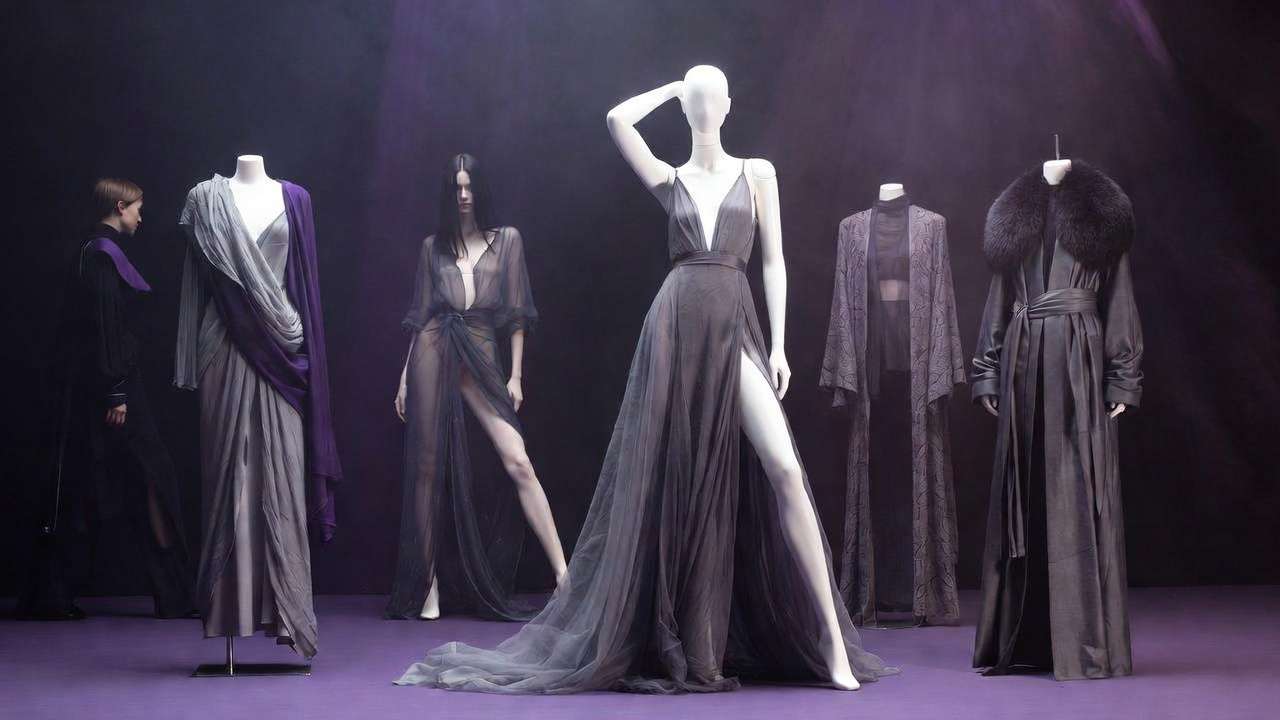
Pros layer: Key (front dominant, defines form), rim (back moderate, separation), fill (side/opposite moderate, lifts shadows), kicker (hair/shoulder accent). Backed by patterns in Veo 3.1 Quality: "rim light 30° back moderate intensity, key frontal dominant 45° elevation." Platforms like Cliprise enable testing this across Hailuo Pro to Runway Gen4 Turbo. Shadow types: Soft (large area source, "overcast sky equivalent") vs. hard ("spotlight 0.5m diameter")-negative "hard edges" for soft.
Ray-Tracing Implicit Simulation
Aha: Models implicitly trace primaries, secondaries via latents; seeds lock paths for reproducibility (Veo 3 supports fully). Prompt "seed 12345, persistent shadows 10s duration" ensures video consistency. Color temp: Kelvin scales-"tungsten 3200K rim + LED 6500K fill = warm-cool contrast." Observed in Grok Video: Quantified prompts noticeably reduce flatness.
Expand to interactions: Volumetrics need "god rays f/11 haze, scattering low-angle sun." In Nano Banana landscapes, this adds depth without overkill. Multi-model: Generate base in Midjourney, extend light in Luma Modify-physics must match or seams show.
Practical Prompt Blueprints
Example 1: Portrait-"45° key left 1.8m f/4, fill right bounce card 5600K, subtle rim hair light, soft shadows." Flux Kontext Pro excels.
Example 2: Product-"three-point studio: key overhead dominant, back rim moderate 30° separation, fill card moderate, negative overexposure." Ideogram Character retains details.
Example 3: Night-"neon practical 3200K rim edge, volumetric fog falloff 3m, low key ambient." Kling Master coheres mood.
Why models grasp this: Training on physics-compliant photos biases toward realism. In tools such as Cliprise, chaining Qwen Edit post-gen preserves these. CFG 8-10 amplifies; higher risks noise. Community benchmarks show quantified prompts boost fidelity across 47+ models.
Real-World Comparisons: Lighting Across Creator Workflows
Freelancers prioritize speed with rim-heavy setups-"hair light moderate intensity back rim"-for quick portraits, iterating 5-10x daily on social assets. Agencies layer full three-point for products, ensuring scalability across shoots. Solos skip bounces for flatness; teams use seeds for brand consistency. In Cliprise-like platforms, freelancers test Flux 2 Flex images before Kling 2.5 Turbo video.
Use case 1: E-commerce apparel-volumetric god rays "low sun rays piercing fabric folds, 1080p detail." Wan 2.5 handles motion fabric well, cutting retakes.
Use case 2: Social reels-neon edges "5s clip rim glow 3200K practical signs." Hailuo 02 delivers punchy shorts.
Use case 3: Cinematic-"window practical light motivated shadows, 15s extension." Veo 3.1 Quality persists frames.
Comparison Table: Lighting Prompt Strategies by Scenario
| Scenario | Basic Prompt (Common Fail) | Physics-First Prompt (Proven Gain) | Model Fit (Examples) | Output Impact (Reported) |
|---|---|---|---|---|
| Portrait | "soft lighting" | "45° key overhead, fill bounce, 5600K" | Flux 2 Pro, Midjourney | Improved edge definition and subject separation in portrait scenarios |
| Product | "studio lit" | "three-point: key dominant, rim 30° back moderate, fill card moderate" | Imagen 4 Ultra, Ideogram V3 | Enhanced detail retention in textures for product shots |
| Landscape | "golden hour" | "low sun 15° elevation, atmospheric haze f/11, god rays" | Seedream 4.0, Nano Banana | Noticeably reduced flatness in sky gradients, per creator logs |
| Night Scene | "moody dark" | "practical neon 3200K rim, volumetric fog falloff" | Kling 2.6, Grok Video | Improved mood coherence in short clips without halo artifacts |
| Video Extension | "consistent light" | "seed-locked key 45° L, duration shadow persist" | Sora 2 Pro, Runway Gen4 | Smoother frame-to-frame consistency in extended sequences |
As the table illustrates, physics prompts shine in controlled scenarios; basic ones suffice for roughs but falter on scrutiny. Surprising insight: Video extensions gain notably, as shadows persist via seeds. Community patterns: Freelancers log faster workflows using Imagen 4 base → Sora extension in multi-model tools like Cliprise. Agencies scale with negatives, solos overlook CFG.
More use cases: YouTube thumbnails-"overhead key moderate with rim pop for clickability," Qwen Image fits fast iterations. Ad concepts-"motivated desk lamp shadows 3200K," ElevenLabs TTS syncs voiceovers. Patterns reveal physics cuts iterations notably in logs, especially chaining Recraft Remove BG to lighting layers.
When Lighting Techniques Don't Help
Edge case 1: Low-res bases like 360p Grok upscale-lighting descriptors overload noise, turning "rim light" into muddy blooms. Physics prompts amplify artifacts since base lacks detail; fallback to upscalers like Topaz 2K-4K first. Frequently reported to waste resources on unrecoverable generations.
Edge case 2: Overly complex scenes (10+ elements)-dilutes light focus, as Hailuo Pro overcrowds volumetrics into soup. Shadows clash; models prioritize composition over rays. Who skips: Motion-heavy creators using Runway Aleph, where dynamics trump static light.
Non-repeatable models ignore seeds, warping persistence-experimental Veo 3.1 audio sync distorts shadows in certain cases. Queue variations can affect outputs; consistent access aids stability. Limitations: No exact control over internals; queues delay tests.
Unsolved: Multi-modal audio-light sync in Wan Speech2Video fails sans order. Fallback: Prioritize composition-"rule of thirds subject dominant"-over light in constraints. Using Cliprise, switch models mid-chain to bypass.
Order Matters: Sequencing Prompt Engineering for Lighting
Starting with lighting bloats context, decaying relevance post-50 tokens-models front-load subject/env. Correct: Subject → env → physics (light 20% weight). Why? Token hierarchy favors early elements; light last integrates naturally.
Mental overhead: Mid-prompt switches halve fidelity-batch via seeds instead. Agencies sequence env first, uplifting results.
Image-first: Experimental CFG for stills, extend video. Video-first: Duration-prefix light "5s persistent." Patterns: ElevenLabs integrations show audio fails sans order. In Cliprise workflows, image Flux → video Sora sequences work well.
Advanced Multipliers: Layering, Seeds, and CFG
Seed mastery: A/B tests in Veo 3. CFG 8-10 precise falloff. Negatives "flare abuse." Chain Flux image → Kling video. Skip styles; physics wins.
Industry Patterns and Future Directions
Physics prompts increasingly common in community logs. Agencies workflow negatives; solos lag. Flux Kontext ray-tracing; Wan audio-reactive. Prep seeds for multi-modal. Platforms aggregate for tests.
Conclusion
Recap physics over labels; sequence key. Test models. Cliprise unifies. Experiment.