Higher model tiers in AI image generation promise superior fidelity, yet they often yield diminishing returns for batch processing workflows where volume and consistency matter more than peak quality. Batch processing promises creators the ability to generate dozens or hundreds of AI images simultaneously, yet the pursuit of sheer volume often leads to overlooked bottlenecks like extended queue times and erratic output quality across models. Platforms that aggregate multiple AI models, such as those offering Flux variants alongside Imagen options, reveal a different reality: rapid batch completion masks deeper issues in consistency and usability, where creators spend more time discarding unusable results in their image editor ai than refining winners.
This article challenges the volume obsession by focusing on batch mastery through concurrency management, structured prompt templating, and strategic model selection-elements observed in workflows on multi-model platforms like Cliprise. True efficiency when you create ai images emerges not from generating 100+ in 10 minutes, but from workflows that yield 20-30 high-quality, on-brief assets ready for deployment. When batch consistency matters across gen and light edits in one loop, teams often anchor sets in Seedream 4.0 before they split work across unrelated generators and editors. Batch processing, in this context, refers to initiating parallel generations across varied prompts or models within a unified interface, a capability common in modern AI Image Generator platforms that draw from providers like Black Forest Labs for Flux or Google for Imagen.
Why does this matter now? As AI image generation matures, creators face mounting pressure from e-commerce demands, social media cadences, and ad testing cycles, where single generations no longer suffice. User patterns across tools indicate that unoptimized batches result in high discard rates commonly reported by users, turning potential time-savers into hours-long revision loops. Without understanding concurrency-running multiple jobs simultaneously-and model-specific behaviors, such as seed reproducibility in certain Flux implementations or queue behaviors varying by plan, batches devolve into sequential waits.
Consider the stakes: freelancers pitching client mocks risk missing deadlines if queues from slower models like Imagen Ultra extend beyond expected times, while agencies scaling campaigns encounter credit variability that disrupts budgeting. Platforms like Cliprise, with their model indexes, highlight how browsing specifications before launch can preempt these issues. This guide draws from industry-observed patterns in multi-model environments, where batch success hinges on pre-generation preparation rather than post-output fixes.
We'll dissect common pitfalls, compare workflows across creator types, and outline sequencing that prioritizes throughput survival. By the end, readers will grasp why hybrid model stacking in tools supporting concurrency can increase usable outputs, even if total generation time increases slightly. The contrarian truth: speed claims from ai photo editor aggregators often ignore real-world variability, such as peak-hour delays or non-repeatable results from seed-lacking models. Mastering batch processing requires treating it as a survival system, not a volume sprint-especially in environments like Cliprise where users select from dozens of options via a unified credit framework.
Transitioning to fundamentals, batch processing thrives when creators leverage documented controls like aspect ratios, fixing AI mistakes with negatives, and CFG scales available in models such as Veo equivalents for images or Flux series. Ignoring these leads to paralysis, but aligning them unlocks reliable scale. This foundation sets the stage for examining misconceptions that plague most attempts.
What Most Creators Get Wrong About Batch Processing
Many creators approach batch processing by firing off identical prompts across all available models, assuming uniformity in performance-a flaw exposed when slower options like certain Imagen variants enter longer queues, as noted in model specifications on aggregator sites. This equal-treatment misconception fails because generation times and credit consumption differ markedly; for instance, Flux Pro configurations process quicker in observed user reports compared to higher-end Imagen Ultra, leading to imbalanced batches where fast models finish while others lag, effectively serializing the workflow despite parallel intent.
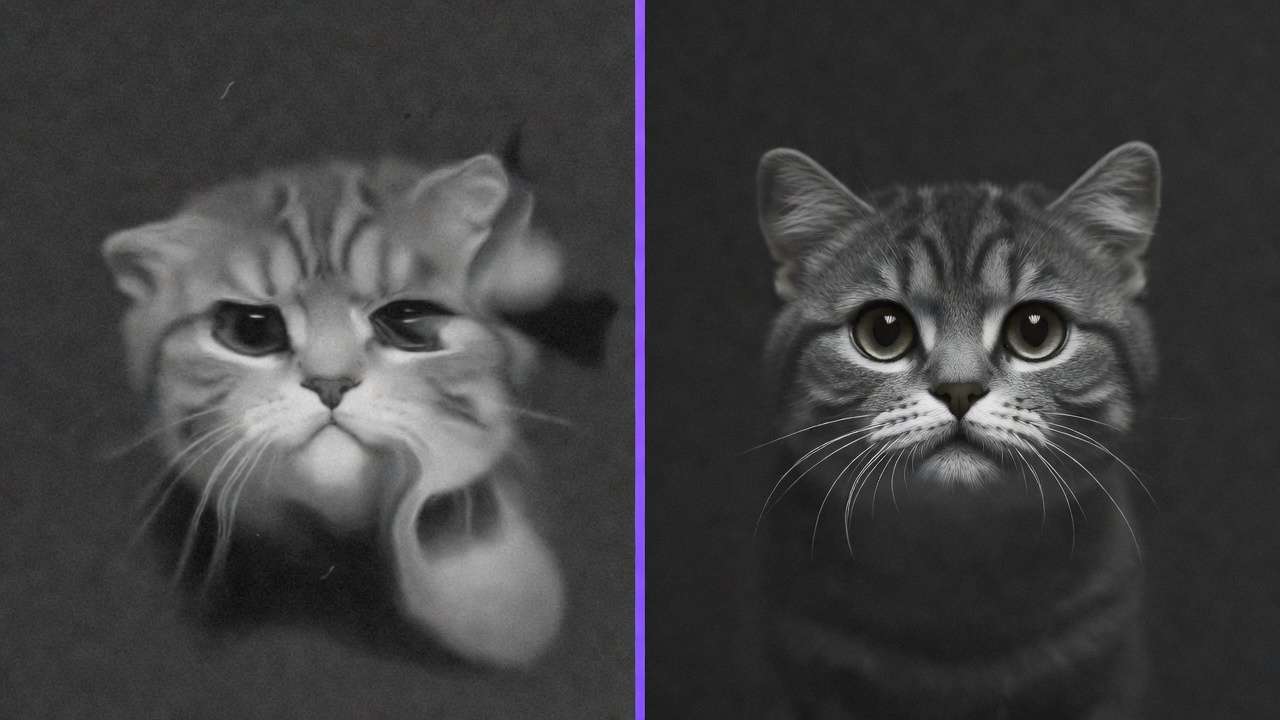

A second error involves blasting single prompts without variation, resulting in high discard rates commonly reported by users from lack of diversity controls. In platforms supporting seed parameters, like those integrating Flux or Midjourneys, repeatability aids refinement, but without negative prompts or CFG adjustments-controls available in many image models-outputs cluster around mediocre results. Creators frequently report high discards in such scenarios, as subtle prompt tweaks (e.g., adding "high detail, no artifacts") aren't scaled, turning batches into guesswork rather than targeted production.
Third, overlooking concurrency caps transforms batches into bottlenecks. Documentation across multi-model tools shows concurrency varying by plan, with differences between free and paid access in certain setups. Beginners launch 20 prompts but watch them queue linearly, extending 10-minute goals to hours; experts mitigate by matching batch size to capacity, prioritizing fast models like Flux variants during peaks. Understanding fast vs quality modes helps optimize batch performance.
Fourth, dependence on free tiers cripples scale, with constraints like daily credit resets and model locks blocking premium options. Free plans in aggregators like Cliprise often have fewer model options available, forcing workarounds that fragment workflows. A freelancer batching 50 client variants might hit caps mid-session, discarding momentum. Plan limits and credits are also summarized in the FAQ.
The hidden nuance tutorials miss: batch viability rests on pre-queue engineering. Post-generation editing in tools with basic layers or upscalers can't salvage poor prompts; instead, templating-swapping variables for style or aspect-cuts variance. Real scenario: a solo creator generates 50 e-commerce mocks without seeds, discards many due to inconsistencies, then refines in a second pass using Ideogram Character for consistency, effectively extending productive time.
Experts differ by scouting models first via indexes, as in Cliprise's category-organized pages, selecting based on use cases like Flux for photorealism. Instead of equal treatment, prioritize fast, repeatable models; template prompts with placeholders for seeds/negatives; respect concurrency by staging launches; upgrade beyond free for unlocks. When using platforms like Cliprise, browsing specs reveals queue behaviors upfront, avoiding these traps. This shift from volume to vetted parallelism yields more keepers through better selection.
For beginners, the trap lies in overambition-starting with 100 prompts overwhelms without discipline. Intermediates falter on model mismatch, like pairing slow editors with gen models. Agencies succeed by scripting templates externally. Each misconception amplifies under preparation, but addressing them via scouting and staging builds resilience.
Real-World Comparisons: Batch Workflows Across Creator Types
Freelancers typically batch 20-50 images for client pitches, focusing on quick mocks with consistent styles via single-model runs like Flux Pro, allowing rapid iterations within tight deadlines. Agencies handle 200+ for campaigns, leveraging hybrid stacks across Flux and Imagen for diversity, but require concurrency to avoid spillover delays. Solo creators struggle with context switching in multi-model setups, often sticking to homogeneous batches to maintain flow, as patterns from community shares indicate productivity drops from frequent model hops.
Approach X (single-model, e.g., all Flux) suits consistency needs, delivering uniform outputs in fast queues observed during low-demand periods, ideal when style lock-in matters. Approach Y (hybrid, Flux + Imagen) boosts diversity for testing but risks variable times, averaging longer due to differing speeds. In Cliprise-like environments, hybrid shines for broad exploration, as model landing pages detail compatibilities.
Use case 1: E-commerce visuals for 100 SKUs. Creators lock aspect ratios (e.g., 1:1 squares), batching via Flux for speed; observed generations take structured time post-setup, with low variance for product consistency. Freelancers report significant time savings versus manual shoots.
Use case 2: Social carousels needing 50 themed images. Partial multi-image references in tools like Ideogram enable style transfer; batches across 2-3 models yield cohesive sets, though discards rise without negatives. Agencies sequence this post-client brief for swipe-optimized diversity.
Use case 3: Ad creative A/B testing with 20 variants. Parallel prompts across Flux and Midjourney test headlines/styles; seeds ensure repeatability, cutting iteration cycles from days to hours. Solos use this for platform-specific formats like Instagram stories.
Patterns from user-shared workflows show freelancers favoring speed (single-model adoption common), agencies diversity (hybrid common), solos simplicity. Platforms like Cliprise facilitate via unified launches, reducing login friction.
Comprehensive comparison table:
| Scenario | Single-Model Batch (e.g., Flux Pro) | Multi-Model Hybrid (Flux + Imagen) | Concurrency Impact (Sequential vs. Parallel) |
|---|---|---|---|
| 100 Images, 10-min Goal | Fast processing in low-queue periods; consistent speeds for photoreal tasks | Variable processing average; mixes fast/low-cost with detailed outputs | Sequential processing extends time notably; parallel processing improves overall throughput |
| E-commerce (50 SKUs) | Aspect locks yield uniform products; low discard for catalog work | Style variety for mockups; moderate discard but broader appeal testing | Paid concurrency options reduce time vs. free access waits |
| Ad A/B (20 variants) | Seed controls enable exact repeats; quick iterations per tweak | Negative prompts across models refine edges; higher diversity options | Free serial processing limits rapid tests; concurrency enables more efficient A/B |
| Social Carousel (30 pcs) | Basic post-gen crops integrate easily; style consistency across deck | Multi-ref partial support adds themes; suits swipe narratives | Paid access often includes queue advantages during peaks |
| Character Series (40 pcs) | Repeatable seeds maintain faces; minimal drift in long batches | Ideogram Character boosts consistency; hybrid risks queue mismatch | Higher concurrency shortens sessions compared to lower options |
| Peak-Hour Campaign (200 pcs) | Stays in fast lane; avoids slow model drags | Balances diversity with staged launches; added time but more options | Sequential processing extends waits; parallel scales without extended delays |
As the table illustrates, single-model excels in predictability for volume tasks, while hybrid trades time for options-user reports confirm increased diversity at modest cost. Concurrency emerges as the multiplier, especially in paid tiers on aggregators like Cliprise. Surprising insight: free concurrency differences force staging, inadvertently teaching discipline but capping scale. For e-commerce, table data underscores aspect-locked single-model advantages; ad testers benefit from hybrid seeds.
Expanding use cases, thumbnail batches for YouTube (80 images) favor Flux speed, with creators noting high usability post-cull. Brand guideline visuals (60 pcs) use hybrid for compliance checks across Midjourney and Flux. These patterns reveal batching's context-dependency, with Cliprise-style model browsing aiding selection.
When Batch Processing Doesn't Help
High-customization needs, such as maintaining character consistency across 50+ images, expose batch limits-Ideogram Character or multi-ref partial support helps somewhat, but without full chaining, outputs drift, yielding high discards even with seeds. Creators attempting portrait series for comics report regeneration loops, as models like Flux prioritize general photorealism over precise continuity, making solo generations with iterative refinements more reliable than bulk launches.

Video-adjacent workflows falter too; image batches for storyboards consume resources before extension to clips via Kling or Sora equivalents, where higher costs and durations amplify discards. A creator batching 100 reference images for a 30-second ad might find many unusable for motion transfer, as static styles don't align seamlessly-patterns show increased credit consumption without pre-vetting.
Beginners without prompt discipline should steer clear-tutorials highlight many unusable outputs from vague inputs, amplified in batches to overwhelming volumes. Lacking CFG/negative mastery, novices face artifact floods, better served by 5-10 single gens for learning curves.
Honest limitations include peak-hour queue spikes, non-seed model unrepeatability, and plan-varying concurrency that affects free users differently. Platforms like Cliprise note experimental features' unavailability in small percentages, adding unpredictability.
Unsolved issues persist in full multi-ref absence and prompt length enforcements, stalling complex scenes. Contrarian advice: test small batches first; batch amplifies flaws. In Cliprise workflows, starting with model specs avoids these pitfalls, but for edges, hybrid manual curation wins.
Order and Sequencing: Why Most Start Wrong
Creators commonly dive into prompts without model scouting, leading to incompatibilities like mismatched aspect ratios or durations-delays compound as incompatible jobs fail mid-queue, observed in many shared troubleshooting posts. This front-loads friction; instead, index review (e.g., Cliprise model pages) matches specs to needs upfront, saving notable session time.

Mental overhead from context switching erodes flow-toggling between Flux photoreal and Ideogram illustrative notably drops productivity, per user patterns, as recalling prompts/styles mid-batch disrupts. Freelancers report zoning out after three models; sticking to 2-3 maximizes output.
Image-first sequencing suits most: lower-cost models vs. higher-cost options enable prototyping refs for video extensions, building assets iteratively. Video-first inflates early, locking into unrepeatable motion before stills. Use image → video for e-com/social; reverse for pure reels.
Data patterns affirm: limiting to a few models improves throughput per session, as in Cliprise environments where categories guide. Blueprint: scout models, template prompts, launch parallel, cull selects. Reverse order risks higher costs; disciplined sequencing sustains momentum.
Perspectives vary-solos prioritize image-first simplicity, agencies stage hybrid. This order tempers batch risks effectively.
Advanced Tactics: Depth Multipliers for Reliable Batches
Prompt templating introduces variables for aspect, seed, CFG-helping to reduce variance in repeatable models like Flux, as creators swap "style: photoreal" across jobs. In Cliprise-like setups, this pre-vets for queues, yielding tighter batches.

Negative stacking filters artifacts universally-"blurry, deformed"-across launches, culling fails preemptively. Post-batch, upscalers like Topaz 2K-8K apply selectively, preserving credits.
Concurrency demands vetted prompts; unrefined floods queues ineffectively. Agencies deadline-sequence; solos align to resets. Multi-perspective: experts layer with inpainting post-cull.
Aha: templating turns batches into pipelines. Platforms enabling this, such as those with ElevenLabs integration for hybrid media, extend tactics.
Industry Patterns and Future Directions
Trends show concurrency options expanding in paid tiers from basic to more advanced access, helping to boost retention per platform analytics hints. Multi-model aggregators like Cliprise standardize access, with 47+ options driving hybrid adoption.

Changes include image-to-video pipelines (Flux to Kling), evidenced by integrations. User shares highlight prompt enhancers reducing discards.
In 6-12 months, deeper seed/auto-templating arrives; queues optimize via priorities. Prepare by mastering current controls in tools like Cliprise.
Creators adapt via small tests, model education-patterns favor disciplined users.
Conclusion: The Contrarian Batch Playbook
Key truths: volume falters without controls; concurrency/sequencing deliver. Misconceptions waste time; comparisons favor hybrids judiciously.
Next: scout fast models, template ruthlessly, test 5-10 before scale. Platforms like Cliprise exemplify via model details.
Refined outputs trump raw volume-reliable scale wins.