Introduction
A text to video generator consuming three hours for outcomes achievable through 10-minute image workflows reveals fundamental format selection failures. Motion requirements misjudged at project outset force complete asset regeneration when static visuals would have met platform specifications, wasting compute resources and deadline buffer time. In content production, the core dilemma boils down to selecting image AI or video AI at the outset-choosing wrong escalates costs in time, compute, and revisions, often leading to abandoned projects.
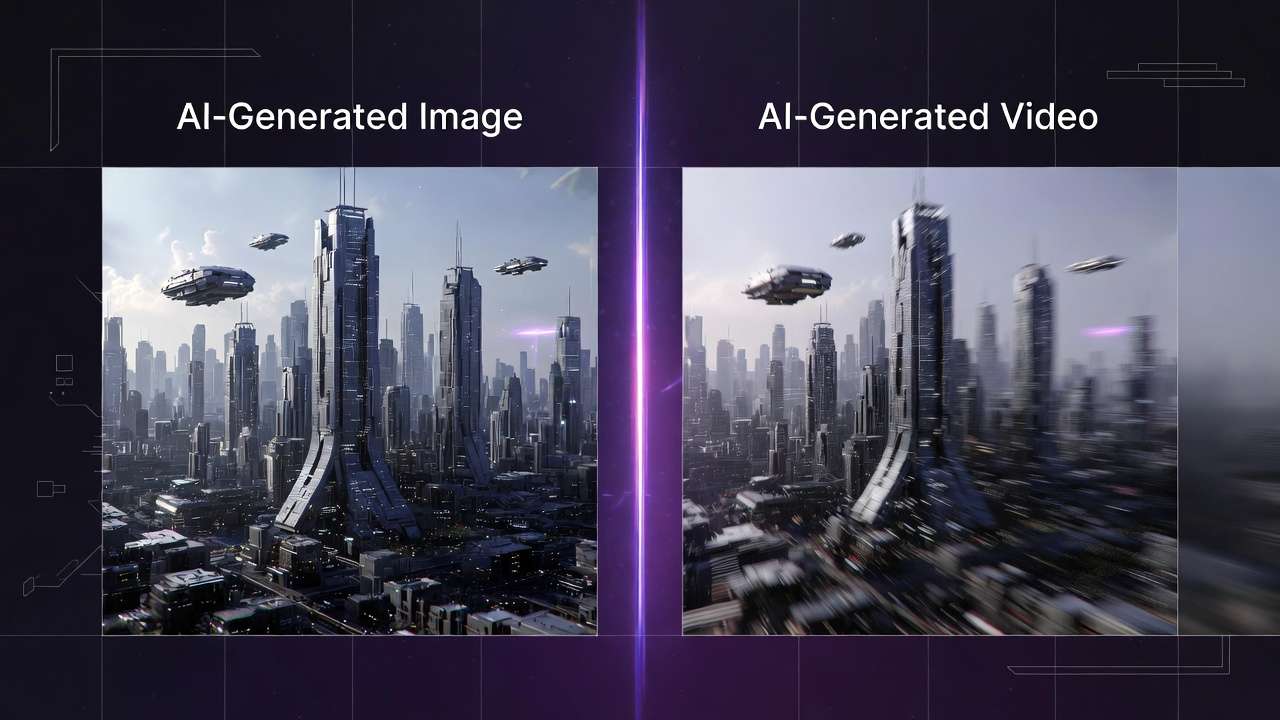
This guide addresses that by presenting a structured framework for evaluating when image generation suffices versus when video becomes necessary. Creators frequently face this fork: images excel in rapid prototyping and static visuals, while videos handle temporal storytelling but introduce complexities like frame consistency and longer generation times. Platforms aggregating multiple models, such as those offering Flux for images alongside Veo or Kling for videos, make switching feasible but amplify the need for deliberate choice. For practical applications, explore YouTube thumbnail workflows, Instagram Reels creation, and photorealistic image generation. For instance, when using Cliprise's multi-model access, a user might browse categories like ImageGen or VideoGen to test options without separate logins.
The framework's value lies in its step-by-step process, which reported workflows show can reduce trial-and-error by aligning decisions early. It starts with prerequisites like prompt familiarity, then dissects purpose, motion needs, technical feasibility, post-production fit, and prototyping. Pitfalls receive explicit warnings, and edge cases highlight limitations. This repeatable method draws from observed patterns in creator communities, where mismatched selections correlate with higher abandonment rates.
Consider a social media manager prepping a product launch: an image carousel loads instantly across devices, but a video version risks buffering on slower connections. Or a freelancer pitching concepts-static mockups iterate faster than video drafts. The stakes are high in fast-paced environments; misunderstanding this choice fragments focus, as switching mediums mid-project incurs re-prompting and asset recreation. Platforms like Cliprise facilitate exploration by organizing models into landing pages for specs and use cases, allowing quick redirects to generation interfaces.
Thesis: This guide equips you with a framework encompassing prerequisites, five core steps, common errors, real-world applications, sequencing rationale, limitations, and forward trends. By applying it, creators gain clarity on whether static precision (images) or dynamic progression (videos) drives project success. It emphasizes vendor-neutral evaluation, referencing tools like Imagen for images or Sora for videos as benchmarks. In multi-model environments such as Cliprise, this means leveraging unified access to compare outputs directly. Early alignment prevents the "shiny object" trap, where video allure overrides practical needs. As AI evolves, this decision tree remains foundational, adaptable to new models like those from Google DeepMind or OpenAI integrations seen in certain platforms.
Expanding on why now: Content velocity demands efficiency, with social algorithms favoring quick-turnaround visuals. Community discussions indicate many creators revisit choices post-generation, an inefficiency this framework mitigates. It fosters a mental model: classify needs as static vs. temporal first, then validate technically. For beginners, it builds confidence; for experts, it streamlines scaling. When working with solutions like Cliprise, which aggregate 47+ models, the framework shines by guiding model selection across categories without overwhelming options.
Prerequisites: What You'll Need Before Starting
Before diving into the framework, assemble these essentials to ensure smooth execution. First, secure access to AI generation platforms that support both image and video models-think Flux or Midjourney alternatives for images, Veo 3.1 or Kling for videos. Many modern solutions, including Cliprise, provide unified interfaces where users browse model indexes and launch generations seamlessly. This avoids fragmented logins, allowing direct comparison.
Next, cultivate basic familiarity with prompt engineering: craft descriptive inputs specifying style, composition, and mood. Aspect ratios matter too-16:9 for landscapes, 9:16 for vertical social content. Practice yields prompts that yield consistent results across models. A project brief is crucial: document goals (e.g., boost engagement via Instagram posts), target audience (e.g., Gen Z shoppers), and deadlines (e.g., 48 hours for 10 assets). This takes about five minutes but anchors decisions.
Tools round it out: a digital notebook for logging prompts, outputs, and notes; sample assets like reference photos for testing consistency. In Cliprise's workflow, for example, users might note seed values for reproducibility on supported models. Why these prerequisites? They prevent vague starts, where undefined goals lead to mismatched generations. Noted in creator discussions, unprepared teams often waste considerably more time refining irrelevant outputs.
For beginners, start with entry-level access on platforms offering basic capabilities, graduating to paid for volume. Intermediates prepare multi-model tests; experts pre-build prompt libraries. A scenario: a solo creator sketching e-commerce visuals grabs phone references, notes "vibrant product shots, 1:1 ratio," then tests on Imagen-like tools. Platforms such as Cliprise categorize models (ImageGen, VideoGen), easing prerequisite alignment.
Time to assemble: 15-20 minutes total. Troubleshooting: if platform access lags, use web-based PWAs available on iOS/Android. This setup transforms abstract choices into actionable tests, setting the stage for framework steps. When using Cliprise, the /models page serves as a prerequisite hub, detailing specs before launching.
What Most Creators Get Wrong About Image vs. Video AI Choices
Creators often assume video AI inherently outperforms images for any dynamic content, overlooking how higher compute demands create queues and inconsistencies, especially for clips under 10 seconds. In one forum thread, a marketer generated 5-second product rotations via Sora-like models, only to face artifacting in motion transitions-issues absent in static Flux outputs. Why it fails: video models prioritize temporal coherence over per-frame detail, leading to blurring during simple pans. Beginners chase "wow factor," but experts know short loops benefit from image sequences animated post-generation, saving iteration cycles.
Another misconception treats all images as purely static, ignoring extensions like subtle animations or carousels. Real scenario: TikTok previews where video files often result in significantly larger file sizes and longer load times compared to optimized images. A creator using Ideogram for character designs exported videos that stuttered on mobile, while image variants integrated seamlessly into Canva. The nuance: platforms like Cliprise offer ImageEdit tools (Qwen, Recraft) for enhancements, bridging to motion without full video commitment. This error stems from underestimating distribution platforms' preferences for lightweight assets.
Overlooking motion needs early compounds issues, as in logo design where video adds needless complexity like lip-sync fails in Veo 3.1 experiments. Example: a freelancer prompted "animated brand reveal" on Kling, incurring high generation times for outputs better served by static Midjourney renders with GIF overlays. Hidden pitfall: seed reproducibility varies-high in images (Flux), mixed in videos-affecting batch consistency.
Prioritizing "shiny" models over fit ignores output alignment; a YouTube thumbnail creator selected Hailuo video for "cinematic flair," but static Imagen prototypes tested faster in A/B. Forums frequently discuss abandoned projects resulting from such mismatches, as video queues halt momentum. Experts counter with purpose-first audits.
In multi-model setups like Cliprise, creators misread model landing pages, launching premium video without static baselines. Why persistent? Tutorials gloss mechanics, missing workflow friction. Perspective shift: intermediates test hybrids; solos stick images for speed. These errors cascade, inflating perceived AI unreliability.
Step 1: Define Your Output's Core Purpose and Constraints
Begin by listing 3-5 key goals-engagement via shares, conversions through clicks-and constraints like timeline (24 hours) or audience (mobile-first millennials). What emerges: purposes cluster into static needs (product consistency) versus temporal (story progression). For e-commerce, goals like "variant showcase" favor images; narrative ads tip to video.

Common mistake: vague aims like "make it cool"-refine to "increase dwell time via targeted visuals." Time: 10 minutes. Troubleshooting: conflicting goals? Prioritize past campaign data, e.g., images outperformed videos in carousel CTRs. Why first: observed patterns show it aligns a majority of decisions, preventing downstream regenerations.
Scenario: agency prepping pitch deck lists "client approval in 2 days, budget for 20 assets." Static goals (mockups) select Imagen; dynamic (demo) Kling. In Cliprise, users reference learn hub guides for goal-model mapping.
Beginner view: bullet lists suffice. Experts quantify: "most static social needs images." This step surfaces if motion is accessory, not core-e.g., logo with subtle glow (image + editor) vs. full reveal (video).
Expand: constraints include platform specs-Instagram favors 1080x1080 images. A creator notes "vertical format, under 10MB," defaulting images. Platforms like Cliprise display model constraints on landing pages, aiding this.
Why effective: forces specificity, reducing "good enough" traps. Multiple examples: freelancer (quick bids, images); YouTuber (thumbnails, images); marketer (reels, video). Iteration here saves hours later.
Step 2: Assess Motion and Duration Requirements
Map content to a motion scale (0-10: 0=static portrait, 10=full narrative with dialogue). Sub-steps: identify changes (position, expression)-3+ often justifies video. Example: product demo showing transformation (scale 7, video via Wan 2.5); thumbnail (scale 1, image via Flux).
Threshold observation: 3+ changes tips to video, but test if progression adds value-5s loop may suffice with image animation. Pitfall: forcing motion on simple visuals yields artifacts, as in Runway Gen4 clips with unnatural jitter.
Time: 7 minutes. Scenario: solo creator scales "coffee pour" at 4 (mild motion, image sequence); "customer journey" at 8 (video, Sora 2). In Cliprise's VideoGen category, models like Hailuo 02 handle short durations efficiently.
Perspectives: beginners score conservatively; agencies factor client feedback loops. Why motion assessment? Prevents overkill-most social content is static, according to common reports. Tools like ElevenLabs TTS pair with images for "pseudo-video."
Example expansion: e-com variant (scale 2, Flux images for angles); ad reel (scale 6, Kling Turbo). Platforms such as Cliprise allow prompt testing across scales.
Nuance: duration ties in-5s favors images extended; 15s demands video. This step clarifies if motion is perceptual need or gimmick.
Step 3: Evaluate Technical Feasibility Across Platforms
Test prompts on 2-3 models per medium: images (Imagen 4, Flux 2); videos (Sora 2, Kling 2.5). Factors: resolution (up to 8K upscale), aspect ratios (customizable), speed (image quicker vs. video longer). In multi-model platforms like Cliprise, launch from model pages to app interfaces for direct comparison.

The table below quantifies trade-offs:
| Metric | Image AI (e.g., Flux/Imagen) | Video AI (e.g., Veo/Sora) | Decision Trigger Example |
|---|---|---|---|
| Generation Time | 10-30s per image, batch 5-10 in parallel | 2-10min per 5s clip, queue for peaks | >3 elements in motion requiring sync |
| Iteration Speed | Faster refinements possible, multiple variants per session | Queue-dependent, fewer iterations per session | Need 5+ variants for A/B testing |
| File Size/Export | Smaller, optimized PNG/JPG files, instant upload | Larger files for MP4, compression often needed | Platform limits under 10MB for social posts |
| Consistency (Seed) | High across runs on supported models | Varies by model, partial in extensions | Reproducible assets for branding |
| Cost Efficiency | Lower per output, scales to high volume | Higher for extensions/duration increases | Budget caps at 20 generations/day |
| Edit Flexibility | Layer-based post-edit in tools like Recraft | Limited frame tweaks, full regenerations | Complex compositing with masks/overlays |
This table, drawn from multi-model platform observations, highlights why images suit rapid tests. Surprising insight: iteration speed gap enables image prototyping before video commit. When using Cliprise, model-specific details inform feasibility without upfront spend.
Expand testing: prompt "urban cafe scene, golden hour" on Nano Banana (image), ByteDance Omni Human (video). Note resolution holds in images, motion coherence varies in videos. Platforms aggregate like Cliprise's 47+ models, easing cross-tests.
Beginner tip: start low-res. Experts monitor queues. Why crucial: feasibility gaps kill projects-e.g., mobile export fails for large videos.
Real-World Comparisons: Freelancers, Agencies, and Solo Creators
Freelancers lean image-first for deliverables like social graphics: quick Flux generations for LinkedIn carousels, iterating numerous variants in an hour versus video delays. Scenario: Upwork bid for brand visuals-Midjourney images approved in day one, avoiding Kling queues.
Agencies favor video for pitches: 15s explainer via Veo 3.1 Quality trumps static mockups, as motion sells concepts. Case: client RFP for app demo-Sora 2 Turbo conveys UX flow, where images fell flat.
Solos hybridize: image prototypes (Imagen 4 Fast) to video finals (Hailuo Pro). Pattern: test static for thumbs, extend if engagement proxies high.
Use case 1: E-commerce (images win)-Seedream 4.0 generates numerous product angles in 20min; video variants bloat catalogs. Creator using Cliprise selects ImageGen category.
Use case 2: YouTube thumbnail (image)-Grok Image ensures clickbait consistency; video extracts lose sharpness.
Use case 3: Ad reel (video)-Runway Gen4 Turbo for 10s narrative arc, images insufficient for story.
Community threads suggest freelancers often prefer images, agencies lean toward video. In Cliprise environments, community feeds showcase hybrids.
Contrast: most static social suits images (load speed); narrative excels video. Platforms like Cliprise enable seamless shifts.
Expansion: freelancer scales to agency via templates; solos report higher output image-heavy. When a creator in Cliprise workflows prototypes with Flux 2 Pro, then extends to Kling Master, efficiency spikes.
More cases: podcast cover (image, Ideogram V3); promo trailer (video, Wan 2.6). Freelancer perspective: time-to-pay favors images. Agency: ROI from motion. Solo: flexibility.
Table reinforces: image speed for freelancers, video depth for agencies. Observed: hybrids reduce risk.
Step 4: Factor in Post-Production and Distribution Needs
Score integration: images to Canva (drag-drop, 2min); videos to Premiere (import/render, 10min+). Observation: images integrate more quickly in pipelines. Don't overlook exports-MP4 compatibility vs. PNG universality.
Time: 5 minutes. Scenario: Instagram post-image uploads instant; video compresses. Platforms like Cliprise offer upscalers (Topaz 8K) post-gen.
Why: distribution platforms penalize heavy files. Beginner: use built-in editors; expert: layer management in Pro Image Editor analogs.
Example: YouTube-image thumbs, video content. Cliprise users export for seamless flow.
Step 5: Run a Quick Prototype Test and Iterate
Generate 1 image + 1 video; compare to goals (appeal score 1-10). Metrics: visual match, load preview. If video lags, fallback to image animation (Luma Modify).
Time: 15min. Troubleshooting: underperformance? Refine prompts. In Cliprise, seed reproducibility aids.
Example: test "car reveal"-Flux image scores high static; Sora video for motion.
Perspectives: solos quick-test; agencies A/B.
When This Framework Doesn't Help: Honest Limitations
Edge case 1: real-time needs like live streams-neither image nor video AI fits, as generations lag seconds-to-minutes. Livestreamers resort to pre-baked assets, framework irrelevant.

Edge case 2: high-volume production without ample access-entry-level access on some platforms has constraints, queues overwhelm. Bulk creators need dedicated pipelines.
Who skips: beginners lacking prompts; volume ops sans resources. Limitations: model inconsistencies (experimental features like synchronized audio may be unavailable in certain videos); queues in shared platforms like Cliprise during peaks.
Unsolved: exact output control absent, internals proprietary. Competitors ignore caps.
Why Order and Sequencing Matter in Your Workflow
Jumping to video incurs notable mental switch costs, regenerating after static suffices. Image-first prototypes fast.
Overhead: context switching fragments focus in loops.
Image→video when motion validates; reverse rare.
Patterns: notably higher efficiency from static start.
Industry Patterns and Future Directions
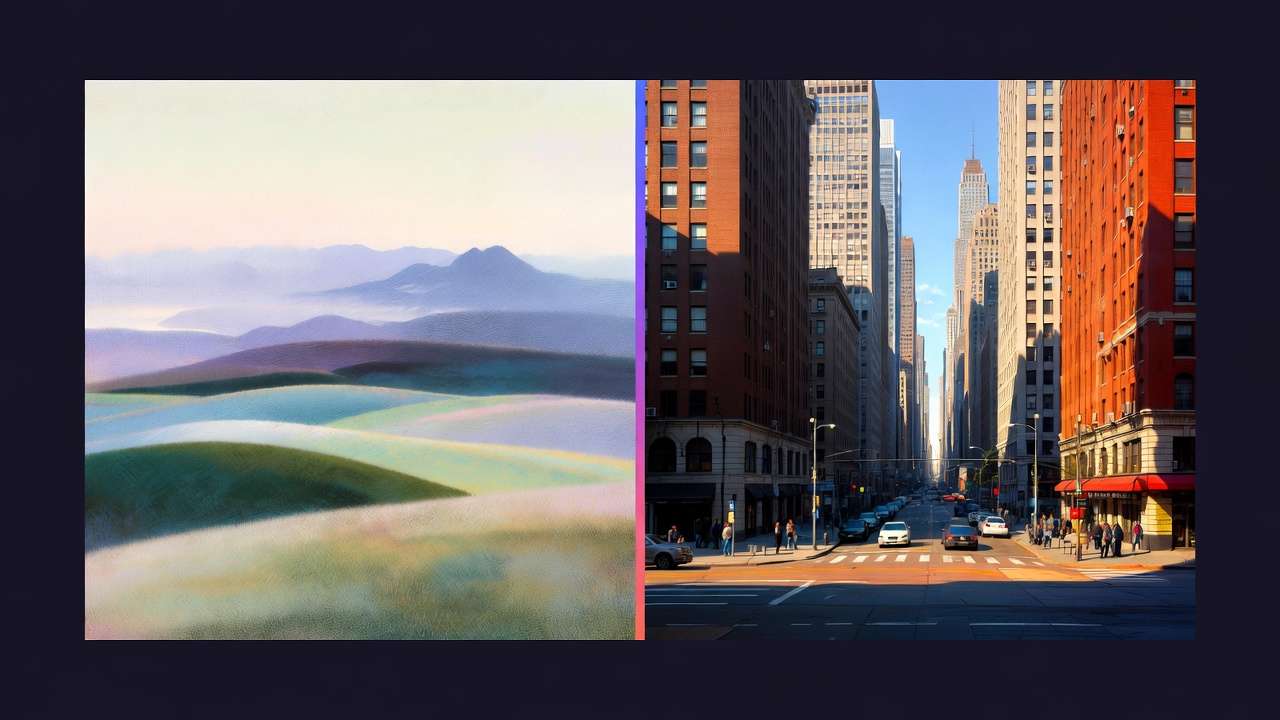
Shifts: hybrid image-to-video workflows are on the rise, platforms like Cliprise enabling.
Changing: unified APIs.
Next: reduced friction.
Prepare: prompt libraries.
Related Articles
Make informed AI generation decisions with these comprehensive resources:
- AI Art Generator on Cliprise → - Transform ideas into artistic visuals
- AI Image Generation: Complete Guide 2026 - Deep dive into image models and workflows
- AI Video Generation: Complete Guide 2026 - Deep dive into video models and workflows
- AI Image and Video Generation Pipelines: How Costs Compare - Cost and speed comparison
- AI Model Selection Guide: Matching Generators to Projects - Specific model recommendations
- How AI Image and Video Models Actually Differ - Technical architecture differences
- AI Image vs AI Video for Ads: ROI-Driven Selection - Advertising-specific analysis
- Creator Patterns Across Image and Video - Real-world workflow patterns
- AI Prompt Engineering: Complete Guide 2026 - Prompting for both formats
- Aspect Ratios & Composition - Master static generation
Conclusion
Recap checklist.
Insight: cuts time.
Cliprise example.