Part of the AI Social Media Content Creation: Complete Guide 2026 pillar series.
Introduction
Many experienced YouTube creators producing multiple videos weekly often prioritize image generation models over video ones in their initial workflow stages. They observe that thumbnails created with an ai image generator influence a significant portion of initial click-through rates, according to general industry observations, yet many newcomers jump straight to video clips, leading to mismatched visuals and extended revision cycles. This pattern emerges across niches, from tech reviews to lifestyle vlogs, where creators using platforms like Cliprise note that starting with static images in a free ai picture generator allows for rapid prototyping of visual styles before committing to motion-heavy generations.
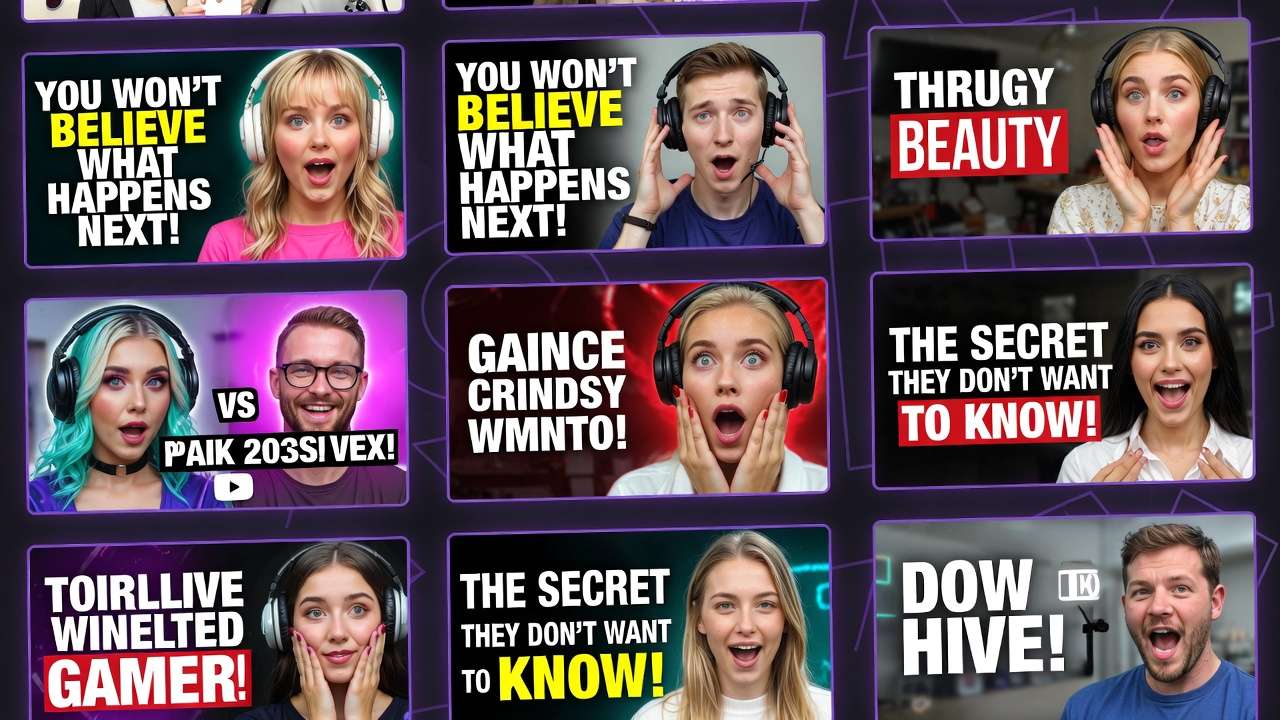
This approach matters now because YouTube's algorithm increasingly favors content with high engagement from the first few seconds, and thumbnails serve as the gateway. Without aligned visuals, even compelling video content underperforms. In this guide, you'll uncover workflows that leverage AI models for both thumbnails and video elements, drawing from observed practices among consistent producers. Platforms aggregating multiple models, such as Cliprise with its access to Flux, Imagen 4, and Ideogram for images, alongside Veo 3.1 and Sora 2 for videos, enable seamless transitions between these steps.
The stakes are clear: creators who master this sequencing report improved efficiency and better performance in A/B tests. You'll learn step-by-step processes, common pitfalls, and comparisons across creator types. For instance, a solo creator might generate several thumbnail variants using Midjourney-style models on tools like Cliprise before scripting a 10-second intro with Kling variants. This isn't about one model dominating; it's about understanding how image models like Flux 2 Pro provide style consistency that video models like Kling 2.5 Turbo can reference later. By the end, you'll have a repeatable pipeline adaptable to your channel's needs, whether you're handling daily shorts or weekly deep dives. Modern solutions like Cliprise facilitate this by unifying model access, reducing tool-switching overhead observed in fragmented setups.
Expanding on these observations, consider how channels with substantial subscriber bases maintain visual cohesion. They frequently use seed parameters in image generations on platforms including Cliprise to lock in branding elements-colors, fonts, facial expressions-that carry over to video prompts. This foresight prevents the common frustration of video outputs clashing with established thumbnail aesthetics. In contrast, sporadic creators waste hours redoing entire batches when visuals don't align. The guide ahead details why this image-first mindset prevails, backed by workflow breakdowns that have helped producers scale their video production. Whether you're new to AI or refining an existing process, these insights position you to experiment effectively with models available through aggregators like Cliprise.
Prerequisites: Setting Up Your Workflow
Setting up a workflow for AI-generated YouTube thumbnails and video content begins with access to platforms that support a range of image and video models. Look for solutions integrating models such as Flux 2, Google Imagen 4, Ideogram V3 for images, and Veo 3.1 Fast, Sora 2, Kling 2.5 Turbo for videos-platforms like Cliprise provide this multi-model access in a single interface. Ensure your accounts are active on these tools, as some require verification for full model availability.
Basic tools include YouTube Studio for uploading and analytics review, image viewers like Preview or Photoshop Express for quick inspections, and video players such as VLC for frame-by-frame analysis. Prompt engineering basics involve structuring inputs with subject, action, style, and technical specs-practice with free tiers on sites like Cliprise to familiarize yourself. Time estimate for preparation: a short initial setup period to link accounts, test a sample prompt like "tech gadget unboxing thumbnail, dramatic lighting, 16:9 aspect," and note output quality.
Stable internet is essential, as generation queues on platforms including Cliprise can vary with demand. Gather sample video footage or ideas: export a 5-second clip from your editor or jot down three hook concepts per video. For beginners, start with desktop browsers for precision; mobile apps on iOS or Android, as offered by some tools like Cliprise, work for on-the-go tweaks. Test reproducibility by generating the same prompt twice, observing variations. This setup phase reveals model strengths-e.g., Flux for detailed realism on Cliprise-ensuring you're ready for iterative workflows without mid-process hurdles.
What Most Creators Get Wrong About AI Models for YouTube Thumbnails and Content
Many creators rely solely on generic prompts like "YouTube thumbnail for gaming video" without analyzing channel branding, leading to low-CTR outputs that blend into feeds. For example, a tech channel using vague descriptors on models like Imagen 4 via platforms such as Cliprise produces bland blues and grays instead of brand-aligned neon accents, dropping clicks by noticeable margins in A/B tests. The fix involves pulling top thumbnails from your analytics, noting recurring elements like face angles or text overlays, then incorporating them explicitly.
Treating image and video generation as identical overlooks key nuances: image models like Flux 2 Pro on Cliprise excel at static composition and fine details, while video models like Sora 2 handle motion but introduce inconsistencies in lighting across frames. For guidance on this decision, see our framework for choosing between image and video AI and Instagram Reels workflows. A vlogger prompting the same scene for both ends up with a thumbnail that doesn't match the video's dynamic shifts, confusing viewers. Separate optimization-static focus for images, progression cues for videos-aligns results better.
Ignoring seed parameters hampers reproducibility in A/B testing. Without seeds on tools like Cliprise supporting Veo 3 or Midjourney, outputs vary wildly; a creator testing several thumbnail variants might regenerate multiple times instead of tweaking consistent bases. Seeds lock styles, enabling precise swaps like emotion or background.
Overlooking negative prompts bloats production time with artifacts. Prompts without "blurry, distorted faces, low res" on Ideogram V3 via Cliprise yield noisy edges, requiring post-edits. Adding negatives refines outputs in one pass, as seen in gaming thumbnails where "cartoonish, static poses" exclusions sharpen action shots. These errors compound for weekly producers, turning sessions into extended periods-addressing them streamlines to professional levels.
Step-by-Step: Generating High-Impact YouTube Thumbnails with AI Image Models
1. Analyze Your Video's Core Hook and Audience Pain Points (~5 minutes)
Begin by dissecting your video's hook-what grabs attention in the first 5 seconds? For a tech review, the pain point might be "battery life myths"; note emotional triggers like frustration or excitement. Review YouTube Analytics for top thumbnails: common themes include bold text overlays and expressive faces at dynamic angles. Platforms like Cliprise reveal these patterns when browsing model pages for Flux or Imagen.
You'll notice recurring motifs-e.g., lifestyle vlogs favor warm tones, gaming channels cool blues. If prompts yield bland results, refine with specifics: add "high contrast, cinematic depth of field." A creator using Cliprise's Flux 2 might input "iPhone teardown hook, shocked expression, sparks flying, channel blue palette," yielding clickable variants. This step grounds generations in data, reducing guesswork.
Troubleshooting: Low energy outputs signal weak emotion descriptors; test "ecstatic grin" vs. "neutral smile." For niches like tutorials, emphasize clarity with "step-by-step icons overlay."
2. Select Appropriate Image Models Based on Style Needs
Match the right ai photo generator to your requirements: photorealistic for unboxings (Imagen 4 Standard on Cliprise), illustrative for animations (Ideogram V3). Flux 2 Pro handles hyper-detailed textures well for product shots. When using Cliprise, browse the model index-26+ pages detail specs like resolution support.
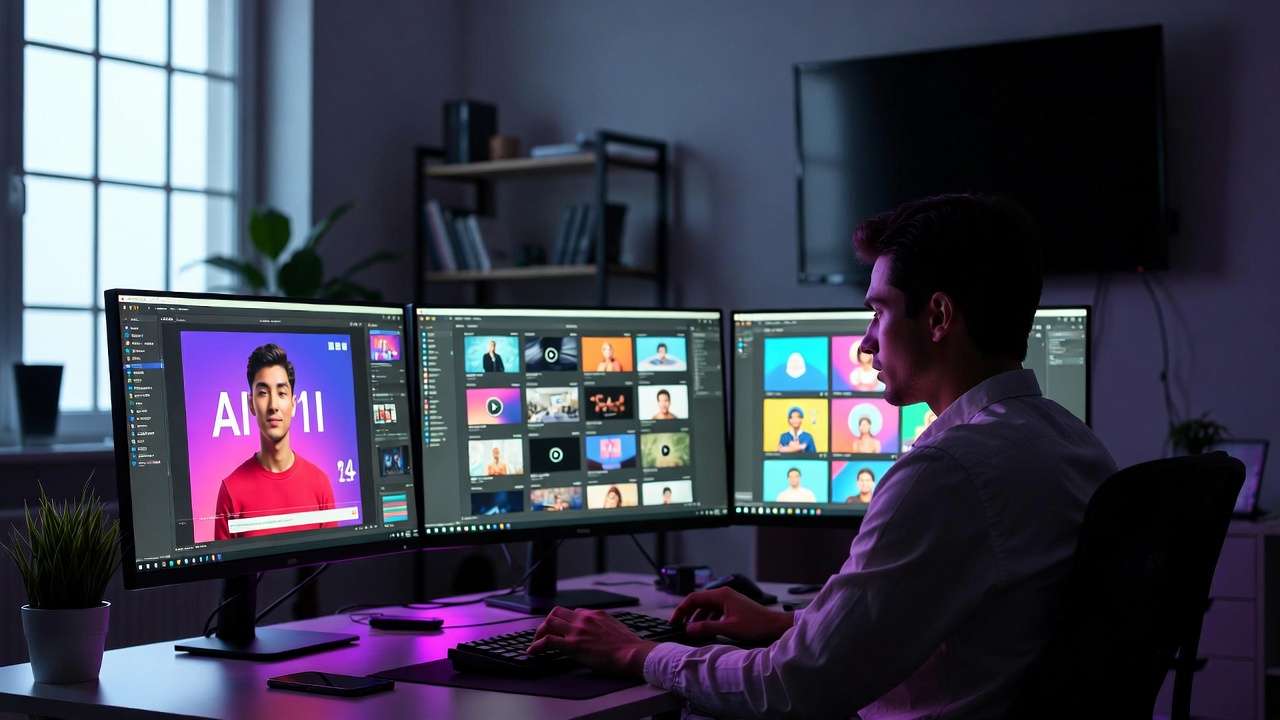
Common mistake: Skipping aspect ratio-use 16:9 (1280x720) for YouTube; platforms like Cliprise enforce this via presets. Photoreal models like Google Imagen 4 Ultra suit events, while Midjourney via aggregators like Cliprise adds artistic flair for music channels. Test two models per video: one realistic, one stylized, to compare adherence.
3. Craft Optimized Prompts with Structure: Subject + Action + Emotion + Branding (~10 minutes)
Structure prompts as: "Subject in action, emotion, style, technicals, negative." Example for tech: "Gamer smashing controller in rage, wide eyes shock, neon cyberpunk, 16:9, sharp focus-blurry, dull colors." Breakdowns: Vlogs-"Cozy coffee morning routine, joyful smile, soft bokeh, pastel tones, your channel logo style-no harsh shadows."
On Cliprise, Qwen or Seedream 4.0 refines these for consistency. Niches vary: Tutorials add "numbered steps visible"; reviews include "before-after split." Iterate twice: first broad, then narrow with observed weaknesses.
4. Generate and Iterate Using Seeds for Variations
Input prompt with seed (e.g., 12345) on tools like Cliprise supporting Flux Kontext Pro-outputs stay consistent across several variants by tweaking emotion or angle. Generate several batches; select top variants for A/B. What you'll notice: Seed-fixed runs maintain lighting, easing video matching later.
For Midjourney alternatives on Cliprise-like platforms, remix top picks. Time per batch: Seconds to minutes, depending on queue.
5. Basic Edits and Upscaling for Final Polish
Use built-in tools on Recraft or Grok Upscale via Cliprise for artifacts-crop distractions, boost contrast. Upscale to 2K with Topaz-like features. Troubleshooting: Facial distortions? Regenerate with negative "deformed." Export PNG for transparency.
A full cycle on Cliprise might yield polished thumbnails ready for Studio upload, with styles like Ideogram Character ensuring text legibility. Experts batch multiple for weekly planning, using seeds for theme cohesion.
This process, repeated across models on platforms like Cliprise, turns thumbnails into CTR drivers. For instance, a fitness channel generates "sweat-drenched athlete victory pose, motivational text overlay" via Flux 2 Flex, iterating seeds for pose variations. Beginners gain speed after several runs; intermediates customize with style references. Depth here prevents the substantial revision waste common in unoptimized flows.
Step-by-Step: Creating YouTube Video Content with AI Video Models
1. Define Video Parameters: Duration (5-15s Clips), Aspect Ratio, and Motion Style (~7 minutes)
Set 16:9 aspect, 5-10s for shorts hooks, 720p minimum. Motion: Dynamic pans for gaming, steady for tutorials. On Cliprise, Veo 3.1 Fast suits quick clips; note duration options (5s/10s).
2. Choose Video Models Suited to Content Type
Dynamic shorts: Kling 2.5 Turbo; narrative intros: Sora 2 or Sora 2 Turbo. Platforms like Cliprise aggregate these-Runway Gen4 Turbo for effects-heavy. Don't overlook CFG scale (7-12 for adherence). Hailuo 02 works for realistic humans.
3. Build Layered Prompts: Scene Progression + Camera Moves + Audio Sync Cues (~15 minutes)
Prompt: "Scene 1: Product reveal zoom-in, excited narrator voiceover sync, smooth dolly-5s, 16:9." Gaming: "Montage: Jumps, explosions, controller inputs, upbeat music cue." On Cliprise with Wan 2.5, layer "camera pan left to right, particle effects."
Niches: Tutorials-"Screen record overlay on hands demoing software, text pop-ups timed to speech."
4. Generate Initial Clips and Extend or Remix as Needed
Submit on Cliprise's Sora 2-queues vary based on demand. Extend with video extension on Luma Modify. What you'll notice: Complex prompts queue longer; simpler ones output faster.
5. Integrate with Real Footage and Export for YouTube
Overlay AI clips in CapCut; adjust timing for sync. Troubleshooting: Lip-sync off? Use ElevenLabs TTS cues in prompts on Cliprise. Export 1080p.
Full workflow on Cliprise: Gaming channel creates "epic boss fight sequence, slow-mo finish" with ByteDance Omni Human, remixing for variants. Solo creators produce several clips/session; agencies batch via multi-model.
Expand for depth: Consider a lifestyle vlog intro-"morning routine: coffee pour slow-mo, smile to camera, birdsong sync"-using Veo 3.1 Quality. Seeds ensure style match to thumbnails. Perspectives: Beginners focus simple motions; experts layer negatives like "jerky camera, desync audio."
Real-World Comparisons: Thumbnails vs. Video Content Workflows Across Creator Types
Freelancers emphasize quick thumbnails for client pitches-using Flux 2 Pro on Cliprise for several variants in a brief period, then Sora 2 clips if approved. Agencies batch video for campaigns: multiple intros with Kling Master across brands. Solo creators hybridize: Thumbnails first for consistency, video second.
Use cases: Tech channel generates several Flux thumbnails ("gadget explode view"), tests CTR before 5s Kling hook. Lifestyle vlog: Ideogram banners to 10s Hailuo intro.
Comparison Table: AI Models for Thumbnails vs. Video Content Workflows
| Scenario | Image Model Example (e.g., Flux 2 Pro) | Video Model Example (e.g., Kling 2.5 Turbo) | Processing Scenario | Best For Niches |
|---|---|---|---|---|
| Static thumbnail (tech) | High detail, 1024x576, seed-fixed for consistent variants | N/A | Fast queue (images prioritized) | Reviews, tutorials |
| Dynamic short (5s) | N/A | 720p, motion prompts with camera pan, extensions possible | Moderate queue (video demand) | Gaming, unboxings |
| Narrative intro (10s) | Style reference upload for branding match, negative prompts clean edges | Multi-shot sequence, CFG 9 for adherence, audio cues | Extended queue (complex motion) | Vlogs, storytelling |
| High-res poster (ultra) | Imagen 4 Ultra upscale from 512x512 to 2K, artifact-free | N/A | Fast queue (upscale focus) | Movies, events |
| Animated banner | Ideogram V3 character focus, text integration seamless | Sora 2 extension from 5s base, loopable motion | Moderate queue (animation) | Music, promotions |
| Batch for A/B testing | Several variations/seed, batch multiple in queue | Several clips/parameter set, remix top performer | Batch queue (multi-job) | All channels |
As the table illustrates, image workflows suit rapid testing (e.g., Flux batches), while video demands more patience but adds engagement. Surprising insight: Batch testing often saves significant time across types. Freelancers lean image-heavy; solos balance via Cliprise multi-model.
Why Order and Sequencing Matter in AI Workflows
Starting with video before thumbnails often mismatches visuals-e.g., Sora 2's lighting doesn't align with Flux thumbnails, forcing multiple regenerations. Image-first pipelines, as on Cliprise, reduce revisions by aligning styles early.

Image-first approaches reduce revisions according to creator feedback: Prototype statics, reference in video prompts. Mental overhead from switching: Video context fades during image tweaks, adding noticeable time. Solos often lose notable time weekly to mismatches from visual inconsistencies.
Recommended: Thumbnails → clips → assembly. Video-first for motion-primary (Reels); image for visual-led (long-form). Patterns: Multi-model platforms like Cliprise enable this flow without exports.
When AI Models for Thumbnails and Content Don't Help
Edge cases like highly branded channels fail exact logo replication-AI distorts custom fonts, needing manual overlays. Complex narratives over 15s exceed model durations; stitching multiples introduces seams.
Low-budget setups without upscaling see pixelation in 4K uploads. Beginners skipping prompts practice output garbage; raw documentaries resist stylization.
Limitations: Output variability despite seeds, queue dependencies on platforms like Cliprise. Non-repeatable models drift styles.
Industry Patterns and Future Directions
Shifts to multi-model platforms like Cliprise show faster iteration speeds in reports. Audio-synced models rise; real-time previews emerge.
In 6-12 months: Longer clips, better control. Prepare: Track CTR, experiment seeds on Cliprise.
Related Articles
- Best AI for YouTube Thumbnails 2026 - Ideogram v3, Flux 2, Midjourney compared
- AI Video Generation for YouTube: Complete Creator Workflow 2026
- Best Image Generators On Cliprise Complete Guide
- Perfect Prompts: How to Write Cinematic AI Scenes
Maximize your YouTube content creation with these expert guides:
- Framework for Choosing Image vs Video AI - Strategic decision-making
- Ideogram V3 vs Midjourney Text Rendering - Perfect thumbnail text
- common AI generation pitfalls - Complement your YouTube strategy
- Batch Generation Efficiency - Scale weekly production
Conclusion: Building a Scalable YouTube AI Workflow
Key takeaways: Use an ai picture generator for thumbnails first, follow structured prompts, and match models to each task. An ai art generator like Midjourney alternatives or Ideogram handles creative thumbnails best. Platforms like Cliprise aid access. Test iteratively for scale.