Quick answer: Treat this page as a routing leaderboard, not a vanity chart. Pick Kling 3.0 for native 4K + dialogue audio, Sora 2 for cinematic narrative controls, Veo 3.1 Quality for physics-heavy scenes, Veo 3.1 Fast for faster drafts, and Runway lines when 1080p stylized motion is enough.
AI Video Models Ranked: Cliprise 2026 Leaderboard
The AI video model landscape changes faster than any other category in generative AI. Models that were leading six months ago are now mid-tier. Features that didn't exist in December are now standard. And since Cliprise integrates every major model into one interface, the question isn't which ai video generation platform to use - it's which model within the platform to select for each specific shot.

This guide ranks every AI video model available on Cliprise as of February 2026, updated to include Kling 3.0 which launched on February 4 with native 4K, 60fps, and multi-cut storyboard generation. For each model, you'll get what it does best, where it falls short, and when to route work to it.
If you're new to Cliprise, the getting started tutorial covers the basics. If you already know the platform and want the routing logic, jump to the decision matrix at the bottom. Models that only have landing-page docs today are grouped in Cliprise models without a long guide yet.

The February 2026 Rankings
Ranked by production versatility - the combination of output quality, feature range, reliability, and how many different use cases a model can handle competently.
1. Kling 3.0 - The New Production Leader
Provider: Kuaishou | Added to Cliprise: February 2026
Kling 3.0 takes the top spot because no other model matches its combination of resolution, duration, features, and consistency. This is the first model that can generate broadcast-ready 4K video at 60fps with multi-cut storyboard editing in a single generation.
Key capabilities:
- Native 3840×2160 (4K) resolution - not upscaled, detail resolves at the pixel level during diffusion
- 60fps generation for native slow-motion without frame interpolation
- 15-second duration with 6-cut storyboard mode for multi-angle sequences
- Native audio in 5 languages with multi-character dialogue
- Character consistency via Omni variant using 3-5 reference images
- Camera control vocabulary that differentiates dolly from push, crane from tilt
Best for: Commercial production, real estate walkthroughs, product showcases, multi-angle campaigns, any project requiring 4K delivery or native slow motion.
Falls short: Photorealism. Kling 3.0 looks polished and cinematic but has a subtle digital crispness compared to Veo 3's material rendering. For hero shots where maximum photographic plausibility matters, Veo 3 still leads. Stylization is competent but not its strength - Runway Gen-4 Turbo offers wider non-photorealistic range.
Deep dives: Kling 3.0 complete guide · Kling 3.0 prompt library · Kling 3.0 vs Sora 2 · Kling 3.0 vs Veo 3 · Kling 3.0 vs Runway Gen-4 · Kling 3.0 vs Kling 2.6 upgrade comparison
2. Veo 3.1 - The Photorealism Benchmark
Provider: Google DeepMind | On Cliprise since: 2025
Veo 3.1 produces the most photographically convincing video output of any model available today. Material rendering - how surfaces like skin, fabric, water, and metal interact with light - is where it separates from everything else. When a client or viewer shouldn't be able to tell whether footage is real or generated, Veo 3.1 is the answer.
Key capabilities:
- 1080p native, up to 8 seconds per generation
- Two modes: Fast (exploration) and Quality (delivery)
- Industry-leading material rendering and subsurface scattering
- Natural lighting interpretation - prompting with "golden hour" or "overcast" produces photographically accurate results
- Physics simulation improvements in Quality mode
Best for: Hero product shots, cinematic b-roll, fashion and beauty content, real estate hero imagery, any deliverable where photographic plausibility is the primary requirement.
Falls short: Duration (8s max), camera control (less precise than Kling 3.0 or Runway), and character performance (Sora 2 handles acting better). The Fast vs Quality mode distinction also means credit budgeting requires more planning.
Deep dives: Veo 3.1 complete tutorial · Veo 3 prompt library · Veo 3 vs Sora 2 · Veo/Sora specifications comparison
3. Sora 2 - The Narrative Specialist
Provider: OpenAI | On Cliprise since: Late 2025
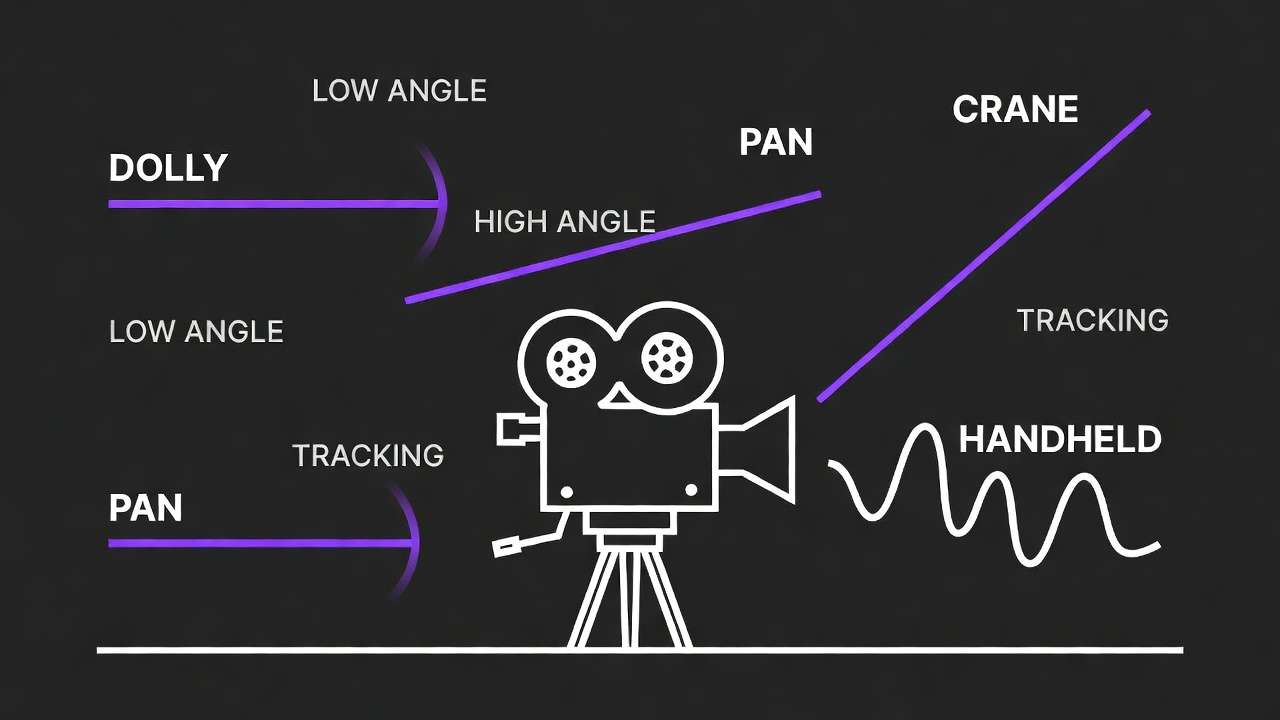
Sora 2 understands story in a way other models don't. It interprets temporal relationships between actions, maintains character performance across 20-second generations, and produces emotionally coherent sequences rather than technically impressive but narratively empty clips. When something needs to happen in your video - when it needs to feel like a scene from a film rather than a motion graphics piece - Sora 2 is the routing choice.
Key capabilities:
- 1080p native, up to 20 seconds (longest single-generation duration available)
- Character performance: natural body language, facial micro-expressions, multi-step physical actions
- Narrative coherence across long durations
- Strong text-to-video interpretation
Best for: Storytelling, social media narrative content, cinematic scenes with character performance, any shot requiring emotional arc or multi-step action within a single generation.
Falls short: Camera precision (interprets rather than executes camera instructions), image-to-video fidelity (doesn't lock visual identity from reference as tightly as Runway), and native audio (not available). No 4K option.
Deep dives: Sora 2 complete guide · Sora 2 prompt library · Sora 2 vs Runway Gen-4 Turbo · Mastering Sora for professional production · Sora 2 Pro vs Standard · Sora 2 release analysis · Sora 2 complete tutorial
4. Runway Gen-4 Turbo - The Motion Control Specialist
Provider: Runway | On Cliprise since: 2025
Runway Gen-4 Turbo doesn't try to understand your narrative or interpret your scene. It takes a reference image and applies precisely controlled motion. This is the model for creators who need exact camera behavior - dolly vs push, crane vs tilt, with mechanical precision rather than creative interpretation.
Key capabilities:
- 1080p native, up to 10 seconds
- Best-in-class image-to-video pipeline
- Precise parametric camera control
- Widest stylization range of any video model (photorealistic to abstract to anime)
- Reference image fidelity - visual identity locks from your uploaded starting frame
Best for: Image-to-video workflows, commercial product animation, architecture and spatial visualization, stylized or non-photorealistic content, any project where the starting image is pre-approved and needs precise animation.
Falls short: Character performance (simple actions only), duration (10s cap), and text-to-video (the model expects image input; text-only prompting produces less consistent results).
Deep dives: Runway Gen-4 Turbo tutorial · Runway Gen-4 Turbo prompts · Sora 2 vs Runway Gen-4 Turbo · Kling 3.0 vs Runway Gen-4 Turbo · Hailuo vs Runway · Cliprise vs Runway platform
5. Seedance - The Audio-Video Pioneer
Provider: ByteDance | On Cliprise since: Early 2026
Seedance occupies a category of one: native audio-synchronized video generation. Every other model on this list generates video silently and requires audio to be added separately. Seedance generates both simultaneously, with lip sync, ambient sound, music, and dialogue synchronized to the visual output at the generation level.
Key capabilities:
- Audio branch + video branch generating simultaneously
- Lip sync from dialogue prompts
- Ambient sound and environmental audio
- Music generation synchronized to visual rhythm
Best for: Content requiring synchronized audio (talking head content, dialogue scenes, music videos, podcast visualizations), any project where adding audio in post adds cost and complexity.
Falls short: Video-only quality (Kling 3.0, Veo 3, and Sora 2 all produce higher visual quality when audio isn't needed), duration limits, and limited camera control options.
Deep dives: Seedance complete guide
6. Hailuo 02 - The Stylization Expert
Provider: MiniMax | On Cliprise since: 2025

Hailuo 02 produces the most visually distinctive output of any model on the list. Where other models optimize for photorealism or cinematic accuracy, Hailuo leans into stylization - anime, painterly, cel-shaded, watercolor, graphic novel, and hyper-stylized aesthetics that other models either can't produce or produce inconsistently.
Key capabilities:
- 1080p native
- Exceptional stylized and animated output
- Strong character design consistency within stylized frameworks
- Unique visual personality distinct from all other models
Best for: Anime and cartoon-style content, music videos with artistic direction, social content requiring visual distinctiveness, illustrated/stylized commercial work, gaming content.
Falls short: Photorealism (not its goal), camera precision (less controlled than Runway or Kling), and enterprise/commercial work requiring photographic output.
Deep dives: Hailuo 02 complete guide · Kling vs Hailuo for social video · Hailuo vs Runway use cases
Also Available: Supporting Models
Kling 2.6 - Still available alongside 3.0. Lower credit cost, good for quick drafts and exploration when 4K isn't needed. The Kling 2.6 advanced guide covers its specific motion control capabilities. See the 2.6 vs 3.0 upgrade comparison for when the older version still makes sense.
Wan 2.6 - Budget-tier Chinese video model. Lower quality ceiling but significantly cheaper per generation. See Wan 2.6 vs Kling 2.6 for the quality/cost tradeoff.
Luma Dream Machine - Solid mid-tier option with good motion quality. See Luma vs Kling for positioning.
Runway Gen-3 - Previous generation, still available at lower credit cost. See Runway Gen-3 vs Kling.
The Decision Matrix
Rather than choosing one model for everything, route each shot to the model that handles it best:
| Your Need | Best Model | Runner-Up |
|---|---|---|
| 4K resolution | Kling 3.0 | None (only native 4K option) |
| Maximum photorealism | Veo 3.1 Quality | Sora 2 |
| Character performance | Sora 2 | Kling 3.0 |
| Precise camera control | Runway Gen-4 Turbo | Kling 3.0 |
| Long duration (15-20s) | Sora 2 (20s) | Kling 3.0 (15s) |
| Image-to-video | Runway Gen-4 Turbo | Kling 3.0 |
| Synchronized audio | Seedance | Kling 3.0 (native audio) |
| Stylized/anime | Hailuo 02 | Runway Gen-4 Turbo |
| Multi-cut storyboard | Kling 3.0 | None (unique feature) |
| Slow motion (native) | Kling 3.0 (60fps) | None at 60fps |
| Social media (quick) | Kling 3.0 or Sora 2 | Hailuo 02 for visual distinctiveness |
| Product showcase | Veo 3.1 + Runway Gen-4 | Kling 3.0 |
| Budget-conscious | Kling 2.6 or Wan 2.6 | Hailuo 02 |
For the complete routing framework covering all 47+ models (including image models), see multi-model workflows on Cliprise. The multi-model strategy guide covers when and why to switch mid-project.
How to Get the Most Out of Every Model
Each model responds differently to prompts. Writing the same prompt for every model is the most common mistake creators make - and the most expensive, because it wastes credits on suboptimal results.
Prompt ordering matters. Kling 3.0 responds best when camera instructions come first. Sora 2 responds best when action and character come first. Runway Gen-4 Turbo expects motion-only prompts because visuals come from the reference image. Veo 3.1 responds best when visual properties (lighting, lens, material) come first.
The comprehensive prompting guide and the advanced prompt engineering guide break down model-specific prompt structure in detail. Individual prompt libraries exist for each major model: Kling 3.0 prompts, Sora 2 prompts, Veo 3 prompts, Runway Gen-4 prompts.
Technical settings vary by model. Resolution, frame rate, CFG scale, and duration defaults aren't universal. The AI video resolution guide covers when 4K matters vs when 1080p is sufficient. The frame rate guide explains the 24fps vs 30fps vs 60fps decision for each model. The CFG scale guide covers how different settings affect prompt adherence per model. The video duration guide helps with planning generation length.
Image-to-video is the most important technique to master. Generating a high-quality starting frame with the best image model, then animating it with the best video model, consistently produces higher quality than text-to-video alone. The image-to-motion guide and the image-to-video vs text-to-video comparison cover this pipeline in detail. For reference image techniques, the image reference upload guide.
Credit Strategy Across Models
Not every shot needs the most expensive model. A production-efficient workflow uses three tiers:
Tier 1 - Exploration (cheapest). Use fast modes, lower-resolution options, or budget models (Kling 2.6, Wan 2.6) to test concepts, iterate on prompts, and find the right approach. This is where you spend 60-70% of your generations but a much smaller percentage of credits.
Tier 2 - Refinement (mid-cost). Once the concept works, switch to the target model in standard mode. Refine prompts, test angles, and lock down the approach.
Tier 3 - Delivery (highest quality). Final generations in quality mode on the best model for the specific shot. This is where credits matter most, and this is where routing to the correct model pays off.
The cost optimization guide breaks this down with specific credit math. For plan options, see Cliprise pricing. Credit packs for project-based purchasing: credit packs guide.
What's Coming Next
The AI video model space is moving fast. Models that launched in January are already being updated. Here's what to watch:
- Kling 3.0 ecosystem expansion - Kuaishou is actively expanding Kling 3.0's capabilities. The storyboard and Omni features represent a direction other models will follow.
- Veo next iteration - Google DeepMind's pace on Veo improvements suggests further photorealism gains and longer duration support.
- Sora updates - OpenAI has signaled improvements to camera control and image-to-video capability, which would address Sora 2's current weaknesses.
- New entrants - The model landscape continues to expand, and Cliprise adds new models as they reach production viability.
The state of AI video 2026 market report provides the broader industry analysis. For how the stock footage industry is being affected, see the death of stock footage.
This guide will be updated as models launch, update, and shift in capability. Check back monthly or follow the AI video generation complete guide for the comprehensive view.
The Complete Model Comparison
For side-by-side comparisons between any two models, see the 47-model comparison tool and the AI video speed test. For workflow context on Chinese AI video models, see Chinese AI video models analysis. The premium vs budget model comparison helps with credit allocation decisions.
For platform-level comparisons showing why multi-model access matters: single vs multi-model platforms, Cliprise vs Runway, Cliprise vs Leonardo AI, Cliprise vs Midjourney.
Start generating: cliprise.app