Introduction: Kling 3.0 in Production Video Workflows
This Kling 3.0 review examines how this iteration addresses critical limitations in temporal consistency and motion realism that constrained earlier models. While previous versions struggled with object permanence across frames and produced motion that felt computationally generated rather than physically natural, the Kling 3.0 text-to-video AI implements architectural improvements in diffusion-based temporal conditioning that materially impact output quality.
Understanding how to use Kling 3.0 effectively matters for production workflows because it handles specific technical challenges differently than competing systems. Temporal artifacts-flickering textures, morphing objects, inconsistent lighting-occur less frequently. Motion prediction follows physics more reliably. Camera movements feel intentional rather than random. These improvements translate directly into reduced regeneration cycles and fewer outputs requiring post-production correction.
Kling 3.0 operates within a larger ecosystem of specialized ai video generation models. Understanding where it excels and where alternatives perform better enables strategic model selection rather than forcing one text to video generator to handle every scenario. Professional workflows using an AI Video Generator benefit from accessing multiple models and routing prompts based on content requirements, shot complexity, and stylistic goals. For Seedance 2.0 vs Kling 3.0 on Cliprise (reference-heavy multimodal briefs vs dialogue- and shot-led scenes), start with the dedicated comparison guide.
When to Use Kling 2.5 Turbo Instead
If you are producing high-volume 5–10 second social clips where audio will be added in post-production and cost-per-clip matters, Kling 2.5 Turbo is often the more efficient choice. See the dedicated guide: Kling 2.5 Turbo Complete Guide →.
This guide examines Kling 3.0's architecture, capabilities, practical applications, comparative performance against Sora 2 and Veo 3, prompt engineering strategies, parameter optimization, and integration into multi-model production workflows. The focus remains on actionable technical knowledge rather than theoretical capabilities or marketing positioning.
Key Takeaways
- Kling 3.0 excels at temporal consistency through improved diffusion architecture with temporal attention mechanisms, reducing flickering and morphing artifacts compared to earlier versions
- Motion prediction follows physics more reliably, particularly for linear movements, human locomotion, and camera operations like dolly shots and crane movements
- Camera control accuracy responds well to cinematography terminology, generating intentional-feeling movements when prompts specify technical camera specifications
- Image-to-video strengths include controlled camera movements over static scenes, architectural visualization, and product photography with subtle animation
- Generation duration spans 3 to 15 seconds, enabling everything from quick social media cuts to extended establishing shots and multi-shot storyboard sequences
- Multi-model workflows deliver superior results by routing prompts to optimal generators-use Kling 3.0 for straightforward cinematography, Sora 2 for complex scenes, Veo 3 for photorealism
- Prompt engineering significantly impacts quality: specific camera vocabulary, motion direction, spatial grounding, and negative prompts reduce ambiguity and improve adherence
- Iterative refinement is essential-professional workflows generate 3-5 attempts per shot, using standard quality for exploration and high quality for finals
What Is Kling 3.0?
Kling 3.0 implements a diffusion-based architecture augmented with temporal attention mechanisms that condition each frame's generation on surrounding frames within the sequence. This differs from frame-independent generation where each frame synthesizes separately, then concatenates into video. Temporal conditioning creates coherence across the sequence-objects maintain visual identity, motion follows continuous trajectories, lighting remains consistent.
The model uses a 3D U-Net architecture processing spatial dimensions (height and width) and temporal dimension (frame sequence) simultaneously. Convolutional layers extract features within individual frames. Temporal attention layers create dependencies across frames, allowing the model to reference earlier and later frames when generating any specific frame. This architecture prevents the temporal drift that causes objects to morph or textures to flicker in less sophisticated systems.
Motion Coherence Improvements
Kling 3.0's motion prediction network underwent substantial training on diverse movement patterns-human locomotion, vehicle dynamics, fluid behavior, camera operations. The model learned statistical relationships between prompt descriptions and actual motion mechanics. When you specify "person walking left to right," the system generates gait patterns matching real biomechanics rather than sliding or floating movement.
Improvements over Kling 2.x manifest in measurable ways. Frame-to-frame consistency scores show noticeable improvement in testing. Motion vector coherence improved, meaning velocity and direction changes follow smooth curves rather than sudden jumps. Physics plausibility increased, particularly for falling objects, liquid dynamics, and collision interactions.
Frame Stability and Temporal Artifacts
Frame stability refers to how well objects maintain appearance across the sequence. Poor stability produces flickering-a subject's clothing pattern changes randomly between frames, facial features shift subtly, or background elements morph. Kling 3.0 reduces this through stronger temporal conditioning and improved training data curation that emphasized consistency.
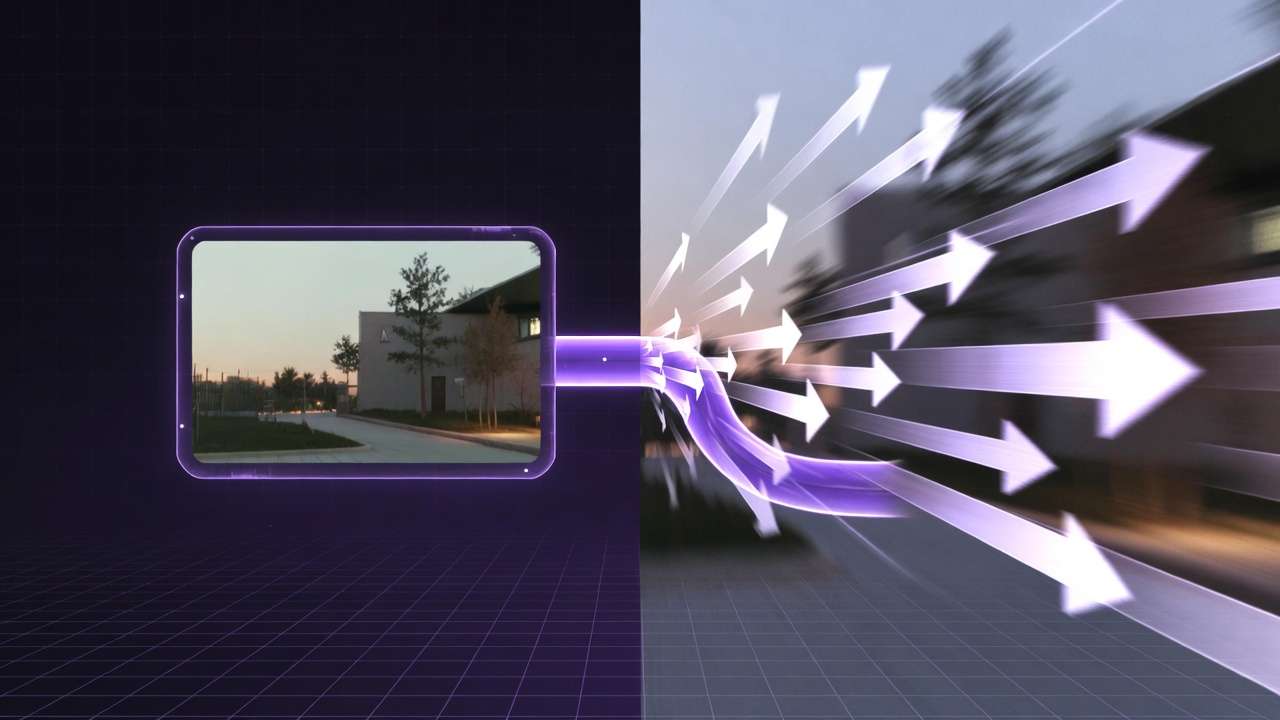
Temporal artifacts still occur under specific conditions. Complex scenes with numerous interacting objects challenge the model's capacity to maintain all relationships simultaneously. Rapid camera movements occasionally produce edge artifacts or motion blur inconsistencies. Extreme prompt complexity-describing ten objects with specific colors, placements, and individual motions-overwhelms generation capacity, resulting in omitted elements or merged objects.
The model handles these edge cases better than earlier versions but doesn't eliminate them. Understanding these limitations informs prompt strategy and expectations. When artifacts appear, they're typically addressable through prompt simplification, seed adjustment, or model switching rather than fundamental generation failure.
Physics Modeling and Natural Motion
Physics modeling influences how generated motion matches real-world expectations. Kling 3.0 demonstrates improved understanding of gravity, momentum, friction, and collision dynamics. A bouncing ball follows parabolic trajectories with appropriate energy dissipation. Water flows around obstacles with realistic fluid dynamics. Fabric moves with natural draping and fold behavior.
These improvements stem from training data that included physics simulation outputs alongside real-world footage. The model learned correlations between visual patterns and physical behavior, enabling it to generate motion that appears physically plausible even for scenarios it never encountered during training.
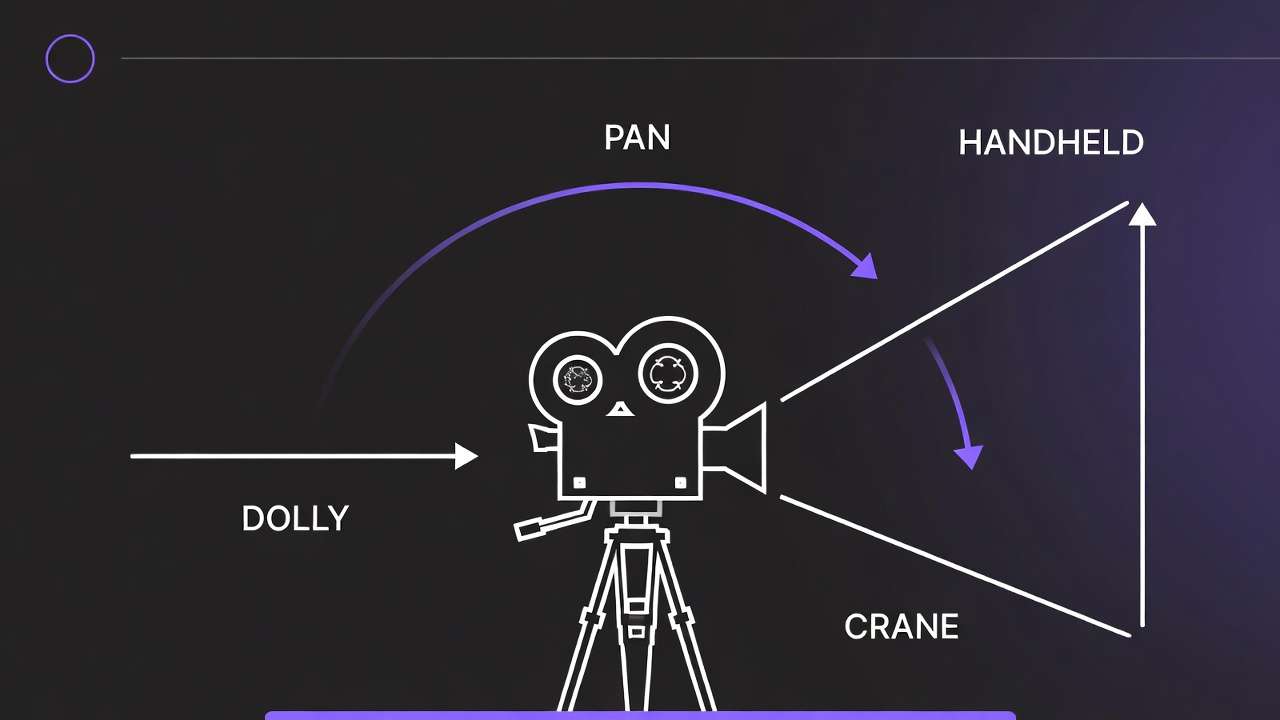
Camera motion understanding also advanced. The model differentiates between dolly movements (camera moving through space), crane shots (vertical elevation changes), pan and tilt operations (rotation without translation), and handheld characteristics (subtle position and orientation variation). Prompts specifying these camera operations produce outputs matching professional cinematography conventions rather than arbitrary camera behavior.
Kling 3.0 Capabilities
Text-to-Video Performance
Kling 3.0's text-to-video pipeline converts natural language descriptions into video sequences without requiring reference images. Prompt parsing extracts entities, actions, spatial relationships, temporal progression, camera specifications, and stylistic attributes. The semantic embeddings guide frame synthesis through the diffusion process.
Performance varies by prompt complexity and scene characteristics. Simple prompts describing single subjects with clear actions in defined environments generate reliably. "Wide shot of red sports car accelerating down coastal highway at sunset, tracking camera following vehicle" produces consistent results matching the description. The model understands vehicles, motion direction, environmental context, lighting conditions, and camera operation.
Complex prompts introducing multiple subjects, intricate interactions, or abstract concepts challenge generation. "Three people having animated conversation while walking through busy marketplace, camera circling around group, vendors in background conducting transactions" may omit background activity, simplify character interactions, or produce less convincing camera movement. The model prioritizes primary elements over secondary details when computational capacity constrains full scene realization.
Prompt specificity directly impacts output quality. Generic descriptions like "nice outdoor scene" provide minimal guidance, resulting in generic outputs. Specific prompts-"establishing shot, alpine mountain peaks with snow-covered summits, golden hour side-lighting casting long shadows, slow upward crane movement revealing lake in foreground, atmospheric depth with layered ridges fading into distance"-activate learned associations between professional terminology and visual patterns.
Image-to-Video Strengths
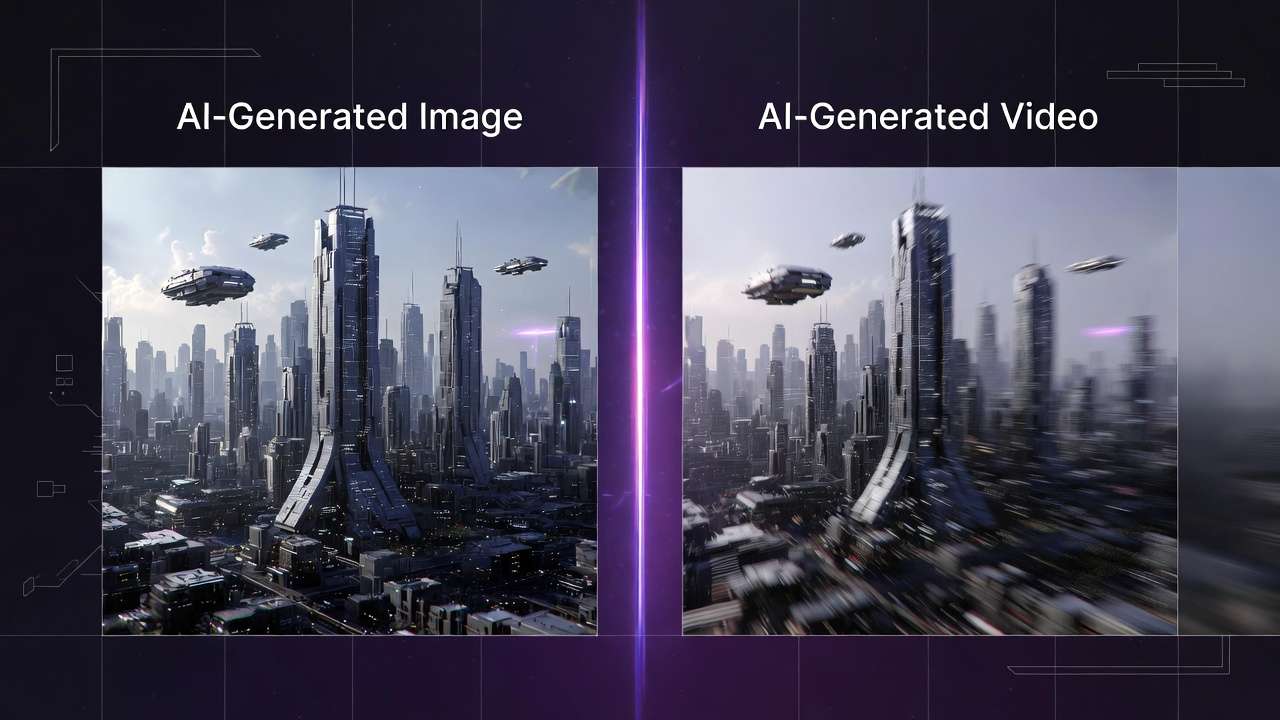
Image-to-video generation animates static source images using text prompts that describe desired motion. Source images from an AI Image Generator provide composition, subject matter, style, and lighting as fixed constraints. Kling 3.0 adds temporal dynamics-camera movement, subject animation, environmental effects-while maintaining visual coherence with the source.
The model excels at controlled camera movements over static scenes. Architectural visualization benefits significantly-a rendered building exterior becomes a smooth dolly shot revealing different facades. Product photography gains dimension through subtle rotation or zoom that shows item details. Landscape images transform into establishing shots with subtle camera drift and atmospheric movement.
Subject animation proves more challenging. Animating human faces requires maintaining identity, natural expression changes, and realistic motion. Kling 3.0 handles subtle movements-eye blinks, slight head turns, breathing motion-more reliably than complex actions. Full body animation introducing walking, gesturing, or object interaction often produces artifacts or uncanny motion patterns.
Style preservation during animation maintains the source image's aesthetic. Photographic images remain photographic. Illustrations maintain illustration characteristics. This consistency enables workflows where static brand assets animate without stylistic drift that would violate brand guidelines.
Camera Control Accuracy
Camera control represents a critical differentiator between models. Kling 3.0 interprets camera terminology-dolly, crane, pan, tilt, handheld, steadicam-and generates corresponding motion with reasonable accuracy. A motion control guide details the vocabulary that improves adherence. Professional terminology in prompts activates learned patterns from training data that included cinematography from films, commercials, and high-quality content.
Dolly movements, where the camera physically moves through space, produce appropriate parallax and depth perspective changes. Foreground objects move faster across frame than background elements. Focus shifts naturally if depth of field is specified. These cues create dimensional space rather than flat image translation.
Crane shots with vertical elevation changes generate perspective shifts matching actual camera lifting or lowering. An upward crane movement reveals more ground plane. A downward movement emphasizes foreground elements. The model understands these geometric relationships and applies them consistently.
Limitations appear with complex camera combinations or extreme movements. "Simultaneous dolly forward while craning up and panning right" may produce outputs where one movement dominates or movements feel mechanically linked rather than smoothly integrated. Extreme speed-"rapid whip pan" or "fast dolly rush"-occasionally generates motion blur inconsistencies or temporal artifacts.
Cinematic Quality and Aesthetic
Cinematic quality encompasses composition principles, lighting sophistication, depth of field simulation, and overall production value. Kling 3.0 generates outputs that approximate professional cinematography when prompts specify appropriate technical details.

Composition follows rules-of-thirds, leading lines, negative space, and balanced framing when prompted. The model learned these principles from training data featuring professionally composed imagery. "Rule of thirds composition, subject positioned at left third intersection" typically produces outputs respecting this guideline, though not with pixel-perfect accuracy.
Lighting simulation includes directional characteristics, quality (hard versus soft), and atmospheric effects. "Dramatic side-lighting creating strong shadows" generates high-contrast imagery with defined shadow edges. "Soft diffused overhead lighting" produces even illumination with gentle shadows. The model understands these lighting patterns and their visual effects.
Depth of field simulation-selective focus with foreground and background blur-adds production value. "Shallow depth of field, subject in sharp focus, background bokeh" produces outputs where the subject stands sharp against soft backgrounds. This effect separates amateur from professional footage and Kling 3.0 handles it competently when explicitly requested in prompts.
Color grading characteristics apply when specified. "Desaturated color palette with teal and orange color grading" produces outputs matching this commercial aesthetic. "High contrast with crushed blacks" generates imagery with deep shadows and pronounced highlights. The model interprets these technical terms through learned associations.
Facial Realism and Character Animation
Human faces present particular challenges for AI video generation. Facial features must maintain identity across frames, expressions must appear natural, and motion must follow biomechanical constraints. Kling 3.0 improved facial handling compared to earlier versions but limitations persist.
Static or subtly moving faces generate with higher consistency than animated expressions or speech. A portrait with minimal movement-slight breathing, occasional blink, small head position adjustments-maintains facial integrity reliably. Larger expressions-smiling, talking, emotional reactions-sometimes produce morphing artifacts or uncanny valley effects where features move unnaturally.
Identity preservation across extended sequences challenges the model. A character appearing in multiple shots may show slight feature variation-eye color shifts, facial structure changes, hair texture differs. This inconsistency becomes problematic for narrative content requiring character recognition across scenes.
Professional workflows address this through careful prompt engineering and seed management. Locking seeds helps maintain appearance consistency. Reference images provided through image-to-video workflows establish identity constraints. Limiting face prominence-medium shots rather than close-ups, subjects partially turned, lower-light scenes-reduces scrutiny on facial detail.
Lighting Consistency Across Sequences
Lighting consistency affects whether generated shots feel part of the same scene or disconnected clips. Kling 3.0 maintains lighting direction, quality, and color temperature within individual generations better than across separate generations even with similar prompts.
Single generations show strong internal lighting consistency. If a shot establishes side-lighting from camera right, that lighting remains consistent throughout the clip duration. Shadow directions stay stable. Highlight positions move appropriately as subjects or camera shifts. This internal coherence creates believable footage within each generation.
Across multiple generations intended as sequence, lighting variation appears without explicit controls. Generating several shots of the same scene with identical prompts often produces different lighting characteristics-angle shifts, intensity changes, color temperature variation. This inconsistency breaks continuity in narrative sequences.
Mitigation strategies include seed management for related shots, extremely detailed lighting specifications repeated across prompts, and post-production color matching. Some workflows generate master lighting reference, then use image-to-video approaches for subsequent shots to maintain visual coherence.
Motion in Complex Scenes
Complex scenes with multiple moving elements, interacting subjects, or environmental dynamics test generation limits. Kling 3.0 handles moderate complexity but degrades with excessive simultaneous motion demands.
Simple scenes-single subject, straightforward action, static background-generate reliably. "Person jogging through park, steady tracking shot" produces clean output with the runner moving naturally and background passing smoothly.
Moderate complexity-two or three subjects, simple interactions, some environmental movement-succeeds with prompt precision. "Two people walking side by side having conversation, trees moving gently in wind, steady cam following subjects" typically generates acceptably, though background elements may show less detail or reduced animation quality.
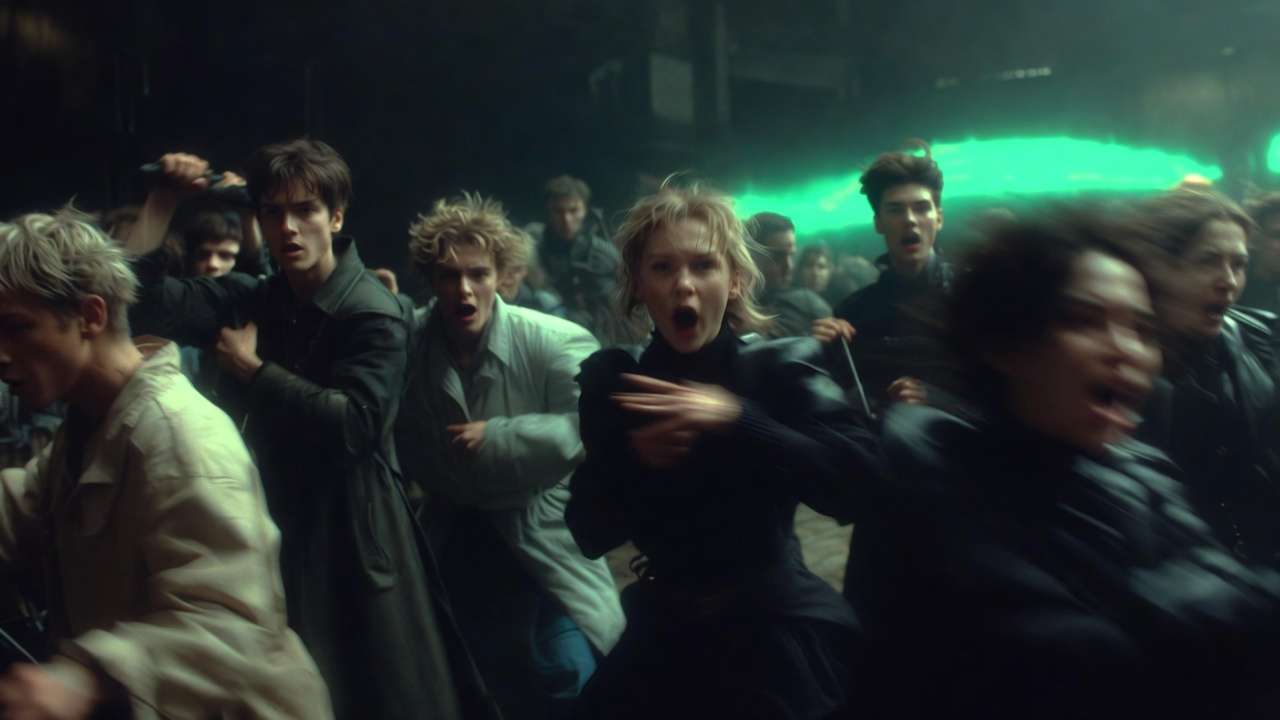
High complexity-many subjects, intricate interactions, numerous environmental animations-overwhelms generation capacity. "Busy marketplace with vendors arranging produce, customers examining items, children running between stalls, birds flying overhead, decorative banners hanging, warm afternoon lighting, camera panning left to right" likely produces simplified output where some elements lack animation, interactions feel disconnected, or the model focuses computational resources on primary elements while neglecting background activity.
Understanding these capacity constraints informs prompt strategy. For complex scenes, reduce simultaneous motion demands or generate in layers-background environment separately from foreground subjects-then composite in post-production.
Kling 3.0 vs Sora 2 vs Veo 3: Technical Comparison
Motion Stability Analysis
Motion stability-how smoothly objects and camera move without jitter, sudden position jumps, or velocity inconsistencies-varies across models based on architectural choices and training approaches.
Kling 3.0 demonstrates strong motion stability for linear movements and simple trajectories. Camera dolly shots, subjects walking or running in straight lines, and vehicles traveling along paths generate with smooth velocity profiles. Optical flow analysis shows consistent motion vectors without sudden direction or speed changes.
The Sora 2 complete guide details how Sora 2 excels at complex motion patterns involving multiple simultaneously moving elements. Crowd scenes, intricate choreography, or scenarios with many interacting objects maintain better motion coherence in Sora outputs. The model's training emphasized diverse motion scenarios, enabling it to handle complexity that challenges other systems. For the same decision framed around ByteDance's multimodal line, see Seedance 2.0 vs Sora 2.
Veo 3 prioritizes photorealistic motion matching real-world physics. Falling objects, fluid dynamics, and collision interactions often look more physically plausible in Veo generations-the Veo 3 tutorial covers advanced settings for these scenarios. The training incorporated physics simulation data, teaching the model correlations between visual patterns and physical behavior.
For production use, these differences matter when selecting models for specific shots. Kling 3.0 suits straightforward cinematography with clear subject movement. Sora 2 handles complex scenes with numerous motion elements. Veo 3 delivers when physical realism in motion is critical-product drops, liquid pours, impact effects.
Model Comparison Table
| Feature | Kling 3.0 | Sora 2 | Veo 3 |
|---|---|---|---|
| Max duration | 15 seconds | 25 seconds | 8 seconds |
| Native resolution | Up to 4K/60fps | 1080p | 1080p/24fps |
| Motion stability | High | Very High | High |
| Photorealism | Moderate | High | Very High |
| Complex scenes | Moderate | Very High | High |
| Camera control | Strong | Moderate | Strong |
| Native audio | Yes (multilingual) | Yes | Yes |
| Multi-shot storyboard | Yes (up to 6 cuts) | Yes (Storyboard UI) | No |
| Best for | Cinematic control, scale | Narrative, complex scenes | Commercial polish |

Prompt Adherence and Interpretation
Prompt adherence-how reliably generation matches textual descriptions-affects iteration efficiency and creative control. Models differ in interpretation accuracy and which prompt elements they prioritize.
Kling 3.0 shows strong adherence to camera specifications and composition instructions. Prompts describing specific shot types, camera movements, and framing typically produce outputs matching these technical directions. Subject placement and environmental elements may vary more from prompts, particularly in complex scenes.
Sora 2 emphasizes subject accuracy and action fidelity. Prompts describing what subjects do-their actions, interactions, expressions-generally produce outputs matching these behavioral specifications. Camera work may feel less intentional unless heavily specified, suggesting the model prioritizes content over cinematography in its training balance.
Veo 3 balances technical cinematography with photorealistic rendering. Prompts combining camera specifications with lighting details and material descriptions generate outputs that look filmed rather than synthesized. The model interprets professional photography terminology accurately-f-stop references, lighting ratios, exposure characteristics-producing appropriate visual results.
Misinterpretation patterns differ across models. Kling 3.0 occasionally simplifies complex scenes, omitting secondary elements. Sora 2 sometimes generates additional elements not specified in prompts, particularly background activity. Veo 3 may interpret abstract or artistic style requests more literally than intended, producing photorealistic representations of conceptual ideas rather than stylized interpretations.
Detail Fidelity and Resolution Quality
Detail fidelity-texture sharpness, object definition, spatial resolution-impacts whether outputs suit professional distribution or require upscaling and enhancement.
Kling 3.0 generates natively at up to 4K resolution (3840x2160) at 60fps without relying on post-generation upscaling, making it the first AI video model to achieve this. Native 4K means sharper textures, more accurate grain structures, and better preservation of fine details like hair strands and fabric weave. Standard 1080p and 720p modes are available for faster generation during iteration cycles.
Sora 2 produces higher native detail in facial features and close-range subjects. Portraits and product close-ups retain sharpness that holds up under scrutiny. Wide environmental shots may show less background detail as the model allocates resolution to primary subjects.
Veo 3 emphasizes photorealistic detail across the frame, from foreground through background. Training on high-quality photography teaches the model how detail diminishes with distance, how depth of field affects sharpness, and how different materials reflect light. Outputs often require less enhancement for professional distribution.
For content requiring additional resolution enhancement beyond native output, the universal upscaler provides specialized processing that preserves detail while increasing resolution.
Cinematic Feel and Production Value
Cinematic feel-the intangible quality making footage look professionally produced rather than computationally generated-separates outputs suitable for commercial distribution from test content.
Kling 3.0's cinematography understanding produces intentional-feeling camera work. Movements have acceleration and deceleration curves matching professional operators. Framing respects composition principles. Lighting shows directionality and purpose. The overall aesthetic suggests deliberate creative choices rather than random generation parameters.
Sora 2 emphasizes narrative coherence and subject focus. Outputs feel story-driven with clear primary subjects and supporting elements. The model's training on narrative content teaches it storytelling visual language-establishing shots, character emphasis, reaction cutaways. This serves video essays, documentaries, and character-focused content.
Veo 3 delivers commercial production value through photorealistic rendering and lighting sophistication. Outputs look filmed with professional equipment-appropriate depth of field, accurate color response, natural lens characteristics. This suits advertising, product showcases, and contexts requiring high production standards.
Production teams evaluate these aesthetic differences through test generations across models. Kling 3.0 provides solid cinematic baseline for general content. Sora 2 enhances narrative sequences. Veo 3 delivers when photorealism and commercial polish matter most.
Temporal Artifact Frequency
Temporal artifacts-flickering, morphing, disappearing objects, lighting inconsistencies-require regeneration or post-production correction. Artifact frequency directly impacts production efficiency.
Kling 3.0 shows reduced artifact rates compared to earlier versions, particularly for moderate-complexity scenes. Simple scenarios generate with high consistency across attempts. Complex scenes see lower success rates. Artifacts typically manifest as texture flickering or slight object position drift rather than severe morphing.
Sora 2 maintains lower overall artifact rates, especially for complex scenes with multiple moving elements. Training specifically targeted temporal consistency, producing a model that prioritizes coherence across frames. When artifacts appear, they're usually minor rather than generation-breaking.
Veo 3 produces artifacts primarily in motion-heavy scenes or rapid camera movements. Static or slowly moving shots generate nearly artifact-free outputs. Action sequences or fast camera work sees reduced success rates. Artifacts tend toward motion blur inconsistencies and edge definition issues rather than object morphing.
Professional workflows factor these success rates into timelines and budgets. Higher artifact rates require more generation attempts and increased compute costs. Model selection based on scene requirements optimizes efficiency-use models with lower artifact rates for specific content types.
Best Use Cases Per Model
Strategic model selection routes prompts to optimal generators based on technical requirements and content characteristics.
Kling 3.0 optimal use cases:
- Straightforward cinematography with clear camera movements
- Medium shots avoiding extreme close-ups or distant wide shots
- Single to three subjects without complex interactions
- Multi-shot storyboard sequences with up to 6 camera cuts
- Scenes prioritizing camera control over ultimate photorealism
- Iterative concept exploration where generation speed matters
- Budget-conscious projects balancing quality and cost
Sora 2 optimal use cases:
- Complex scenes with numerous moving elements
- Narrative sequences requiring character focus and storytelling
- Crowd shots, group interactions, environmental bustle
- Content where subject behavior matters more than cinematography
- Projects requiring consistent character appearance across shots
- Long-form single clips up to 25 seconds
Veo 3 optimal use cases:
- Commercial advertising requiring maximum photorealism
- Product showcases emphasizing material quality and lighting
- Establishing shots and environmental beauty content
- Projects with stringent photographic quality requirements
- Scenarios needing accurate physics in motion
- Final hero shots in multi-model workflows
Multi-model workflows generate critical shots across several models, compare outputs, and select the best result per shot. A structured multi-model strategy informs when to switch between Kling 3.0, Sora 2, and Veo 3. This approach maximizes quality by leveraging each model's strengths rather than accepting one model's limitations across an entire project.
Advanced Prompt Engineering for Kling 3.0
Camera Vocabulary and Shot Specifications
Effective prompts use cinematography terminology that activates Kling 3.0's learned associations from professional video training data. Generic descriptions produce generic camera work. Technical specifications generate intentional cinematography.
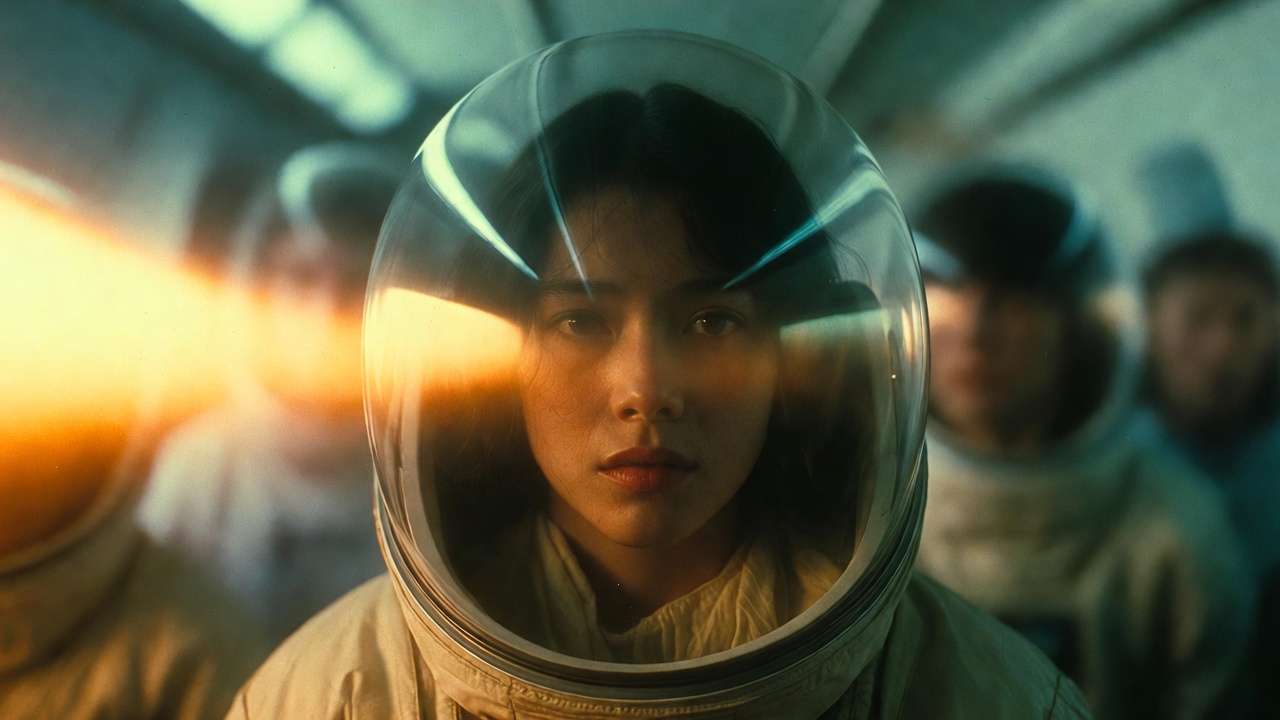
Camera movement vocabulary:
- "Slow dolly forward toward subject" - camera physically moves closer through space
- "Smooth crane shot rising from ground level to elevated view" - vertical camera elevation
- "Steady pan left to right revealing environment" - horizontal rotation without translation
- "Handheld tracking shot following subject, subtle position variation" - mobile camera with natural operator movement
- "Static wide shot, locked camera position" - no camera movement, establishes space
- "Orbit shot circling around subject, maintaining consistent distance" - camera circles subject
Focal length and lens characteristics:
- "Wide-angle 24mm perspective, exaggerated depth" - broad field of view, foreground emphasis
- "85mm portrait lens, compressed perspective, shallow depth of field" - telephoto compression, selective focus
- "Macro lens, extreme close-up showing fine detail" - magnified view of small subjects
Camera height and angle:
- "Low angle looking up at subject" - camera below subject eye level
- "High angle looking down on scene" - camera above subject
- "Eye-level neutral perspective" - camera at natural viewing height
- "Bird's eye view directly overhead" - perpendicular to ground plane
Combining multiple specifications requires balance. "Slow dolly forward, 85mm lens, shallow depth of field, golden hour lighting, tracking subject walking" provides clear direction without overloading. Adding ten additional specifications dilutes focus and increases generation complexity.
Motion Control and Subject Direction
Subject motion specifications guide how elements move within generated scenes. Precise direction reduces ambiguity and improves adherence.
Linear movement:
- "Subject walks left to right across frame in medium shot" - clear direction and framing
- "Vehicle accelerates away from camera down road" - movement axis and action
- "Athlete sprints toward camera, closes distance rapidly" - direction and speed
Rotation and orientation:
- "Subject slowly turns to face camera" - rotational motion
- "Object rotates 180 degrees revealing all sides" - specific rotation amount
- "Character looks over shoulder toward off-camera sound" - partial rotation with motivation
Complex motion:
- "Dancer spins and jumps, arms extended, graceful movement" - choreographed action
- "Ball bounces three times with decreasing height, rolls to stop" - physics-based sequence
- "Fabric drapes and falls in slow motion" - material dynamics
Motion specifications work best when matched to Kling 3.0's capabilities. Simple linear movements generate reliably. Rotations and turns succeed with moderate complexity. Intricate choreography or precise timing often requires multiple attempts or image-to-video workflows providing reference motion.
Scene Anchoring and Composition
Scene anchoring establishes spatial relationships, preventing subjects from floating ambiguously in space. Composition specifications guide visual organization.
Spatial grounding:
- "Subject stands on concrete platform, urban environment background" - clear ground plane reference
- "Product placed on wooden table, studio lighting from above" - surface relationship and context
- "Character sits in office chair at desk" - furniture interaction provides spatial anchors
Depth layering:
- "Foreground flowers in focus, middle-ground subject sharp, background mountains soft and distant" - defined depth zones
- "Layered composition with tree trunk in foreground, subject in midground, sunset in background" - spatial organization
Compositional balance:
- "Rule of thirds, subject positioned at right third intersection" - specific framing guideline
- "Centered symmetrical composition, subject faces camera" - balanced arrangement
- "Negative space left of frame, subject positioned right, room for text overlay" - intentional emptiness
These structural specifications reduce generation randomness. Without spatial anchoring, subjects may float or exist in ambiguous relationships to their environment. Clear composition direction produces more professionally organized frames.
Negative Prompt Strategy
Negative prompts specify what to exclude, guiding generation away from common artifacts or unwanted elements. Kling 3.0 responds to negative prompting, though effectiveness varies by exclusion type.
Common artifact exclusions:
- "no blur, no distortion, no flickering textures" - temporal artifact reduction
- "no morphing, no floating objects" - object consistency
- "no watermarks, no text overlays, no interface elements" - clean outputs
- "no grain, no compression artifacts" - quality maintenance
Unwanted content exclusions:
- "no extra limbs, no distorted faces" - anatomical correctness
- "no crowds, no background people" - simplify complex scenes
- "no vehicles, no modern elements" - period accuracy or style control
Style and aesthetic exclusions:
- "not animated, not cartoon-like" - photorealism emphasis
- "not oversaturated, not HDR processed" - natural color rendering
- "not dark, not low-light" - brightness control
Negative prompts work best when excluding specific elements rather than broad categories. "No motion blur" targets a concrete issue. "Nothing bad" provides insufficient guidance. Testing negative prompt effectiveness requires generating with and without exclusions to measure impact.
Maintaining Consistency Across Clips
Multi-clip sequences require visual coherence-matching lighting, similar framing, consistent style. Kling 3.0 doesn't maintain memory across generations, requiring explicit prompt strategies.
Seed management: Lock seeds when generating related shots-seed values explained helps maintain consistency. Identical seeds with modified prompts maintain underlying compositional structure while varying specific elements. If seed 12345 produces excellent composition for shot A, using seed 12345 for shots B and C increases stylistic consistency.
Prompt templates: Create detailed prompt templates encoding style, lighting, and technical specifications. Variable elements-subject actions, camera angles-change while base template remains constant. This ensures consistent aesthetic across variations.
Example template: "[VARIABLE ACTION], cinematic 24mm wide shot, golden hour side-lighting from camera right, desaturated color grade with teal shadows, shallow depth of field, professional production quality"
Replace [VARIABLE ACTION] with specific shot descriptions while maintaining technical consistency.
Reference image workflow: Generate master shot establishing look and feel. Use as reference image for subsequent image-to-video generations. This provides visual consistency anchor that text prompts alone cannot achieve.
Character element locking (Kling 3.0 Omni): Upload 3-5 reference images of your character from different angles, optionally with a 3-8 second voice clip. The model extracts and locks visual traits-face structure, body type, clothing, posture-and voice characteristics. These persist across all subsequent generations using that character element, enabling consistent identity across entire projects.
Detailed specification: The more specifically prompts describe visual characteristics, the higher likelihood of consistency. Vague prompts generate with high variance. Detailed technical specifications constrain outputs toward consistent aesthetic.
Kling 3.0 Prompt Templates (Copy/Paste)
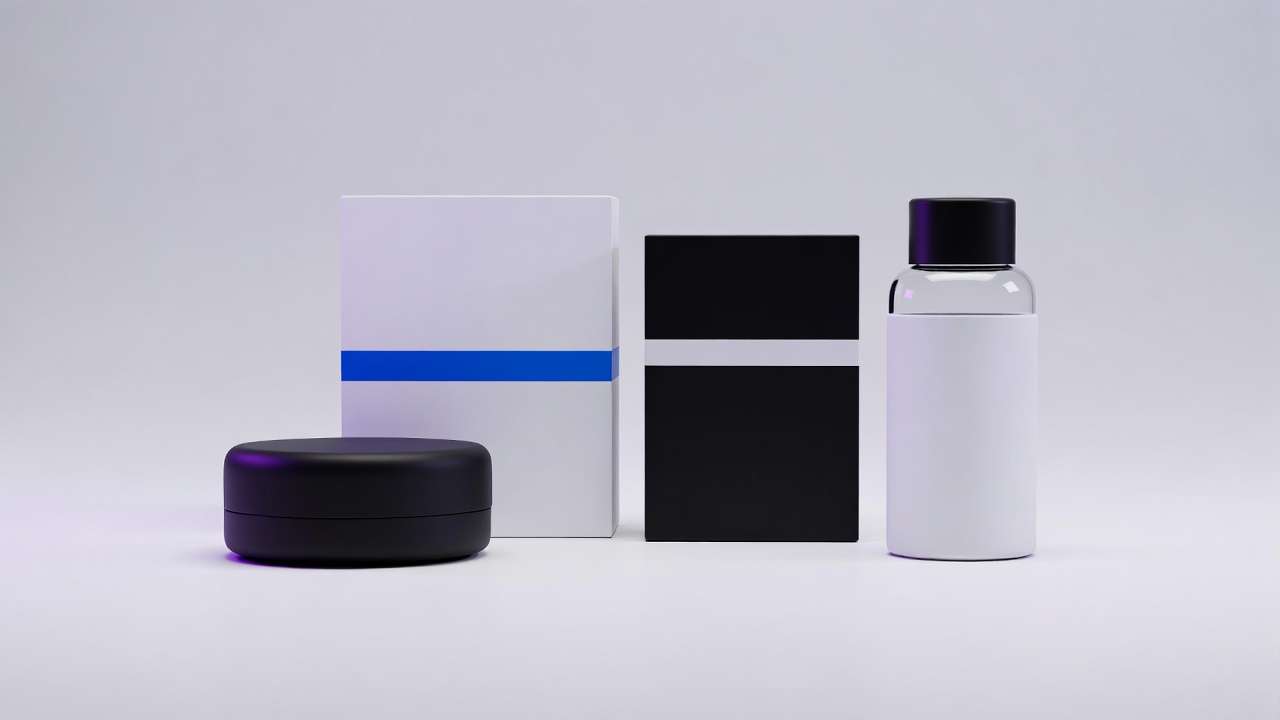
Product Showcase Templates
Premium product on white pedestal, soft overhead studio lighting with gentle shadows,
slow 360 degree rotation revealing all sides, shallow depth of field,
clean minimal background, professional product photography aesthetic,
no blur, no distortion
Extreme close-up of product detail, macro lens showing material texture,
studio lighting highlighting surface quality, slow dolly forward movement,
cool color grading, crisp sharp focus on metal grain and leather texture,
professional product photography, high-end commercial aesthetic,
no grain, no artifacts
Real Estate & Architecture Templates
Wide establishing shot of modern house exterior, golden hour lighting from left,
slow dolly forward toward entrance, architectural photography style,
clean lines emphasized, professional real estate video quality,
no people, no vehicles in frame
Interior walkthrough, smooth steadicam movement through living space,
natural window lighting, slow pan revealing room features,
neutral color palette, high-end interior design aesthetic,
no blur, no distortion
Fitness & Action Templates
Medium shot of athlete performing exercise, gym environment background soft focus,
side-lighting highlighting muscle definition, tracking camera following movement,
motivational commercial aesthetic, 24fps cinematic motion,
no shaky cam, no blur
Close-up of running shoes on pavement, low angle camera tracking alongside,
morning sunlight creating dynamic shadows, shallow depth of field,
athletic brand commercial style, smooth motion,
no grain, no overexposure
Cinematic B-Roll Templates
Wide landscape vista, mountain peaks with atmospheric haze,
slow crane shot rising to reveal environment, golden hour side-lighting,
cinematic color grade with crushed blacks, epic establishing shot feel,
no people, no modern elements
Urban street scene at dusk, bokeh lights in background,
slow dolly through environment, moody cinematic aesthetic,
teal and orange color grading, shallow depth of field,
no crowds, no text visible
Image-to-Video Templates
Animate this image with slow zoom in toward subject,
subtle environmental movement (leaves, hair, fabric), maintain original composition,
add gentle depth of field blur to background, preserve lighting,
no morphing, no style changes
Add smooth camera orbit around subject in this image,
maintain subject position and lighting, reveal environment through rotation,
slow controlled movement, preserve photographic quality,
no blur, no distortion
Consistency Templates (Multi-Shot Sequences)
[Shot A] Wide establishing shot, [SUBJECT] in [ENVIRONMENT],
cinematic 24mm lens, golden hour side-lighting from camera right,
desaturated color palette, rule of thirds composition, seed: [NUMBER],
no blur, no artifacts

[Shot B] Medium shot of [SUBJECT], same lighting as previous shot,
tracking camera following action, maintain color grade and aesthetic,
85mm lens shallow depth of field, seed: [NUMBER],
no inconsistent lighting, no style drift
Best Settings for Kling 3.0
Duration Optimization: 3-Second to 15-Second Generations
Kling 3.0 supports generation lengths from 3 to 15 seconds. Duration choice impacts temporal consistency, generation time, credit cost, and output usability.
Short generation advantages (3-5 seconds):
- Fastest processing times, enabling rapid iteration cycles
- Highest temporal consistency-shorter sequences are easier to maintain coherence
- More iterations possible within time and credit budgets
- Reduced artifact risk in shorter temporal windows
- Suitable for social media cuts, product reveals, reaction shots, and B-roll inserts
Mid-range generation (5-10 seconds):
- Best balance of duration and quality for most production use cases
- Adequate time for complete camera movements and subject actions
- Strong temporal coherence with manageable render times
- Ideal for narrative clips, character interactions, and action sequences
Extended generation advantages (10-15 seconds):
- Longer takes enable complex multi-shot storyboard sequences with up to 6 camera cuts
- More time for action completion-complex movements and narrative arcs need duration
- Fewer edit points in final sequences, reducing post-production assembly
- Better for establishing shots requiring slow reveals and atmospheric pacing
- Supports multi-character dialogue scenes with language switching
Strategic selection: Use 3-5 second generations for rapid iteration, testing prompts, and content destined for quick cuts. Use 5-10 seconds for the majority of production work where motion and narrative need room to develop. Reserve 10-15 seconds for establishing shots, storyboard sequences, and scenes requiring multiple narrative beats.
Many workflows generate at shorter durations during concept development, then regenerate selected shots at full length for final output. This optimizes iteration speed while delivering appropriate duration for finished content.
Frame Rate Strategy
Kling 3.0 generates at up to 60fps, with 24fps, 30fps, and 60fps as primary options. Frame rate affects motion smoothness, file size, and compatibility with editing workflows.

24fps characteristics:
- Cinematic standard matching film production
- Slightly less smooth motion than higher frame rates
- Smaller file sizes
- Better for narrative content, commercial aesthetics
- Native compatibility with cinema-standard workflows
30fps characteristics:
- Web video standard
- Smoother motion, particularly for fast action
- Larger file sizes
- Better for social media, online distribution
- Native compatibility with web-standard workflows
60fps characteristics:
- Superior for high-motion content-sports, action sequences, product reveals with rapid movement
- Noticeably smoother playback on devices supporting high frame rates
- Highest credit cost per generation
- Useful for generating at 60fps and converting to 24fps in post for speed ramping flexibility
Frame rate choice should match delivery platform and aesthetic goals. Cinematic content intended for premium distribution benefits from 24fps matching professional standards. Social media content destined for web platforms suits 30fps. Matching editing timeline frame rate avoids conversion artifacts.
Aspect Ratio Selection
Aspect ratio determines frame shape, influencing composition and platform optimization.
16:9 landscape:
- YouTube, web video, presentations
- Traditional cinematic framing
- Horizontal compositions, environmental emphasis
9:16 vertical:
- Instagram Stories, TikTok, Reels, mobile-first content
- Vertical compositions, subject emphasis
- Mobile device native orientation
1:1 square:
- Instagram feed, Facebook, universal compatibility
- Centered compositions, minimal waste in crops
- Less cinematic feel, more graphic design aesthetic
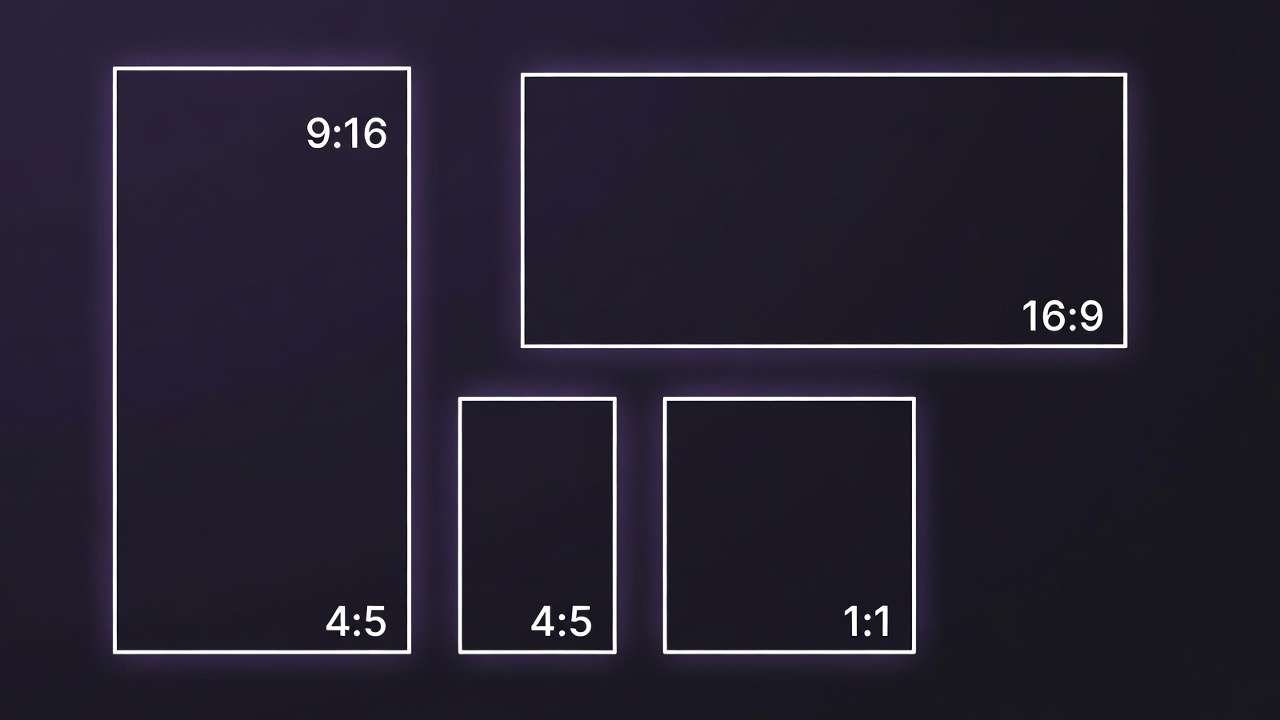
Custom ratios:
- 2.39:1 anamorphic widescreen for cinematic projects
- 4:5 vertical for Instagram feed optimization
- Project-specific requirements
Generate at the aspect ratio matching final delivery to avoid cropping quality loss. Cropping 16:9 to 9:16 loses significant frame area and often requires reframing. Generating natively in target ratio preserves compositional intent.
Quality Mode Trade-offs
Kling 3.0 offers standard and professional generation modes. Quality modes trade processing time against output fidelity.
Standard quality characteristics:
- Faster generation time
- Suitable for iteration and concept testing
- Minor detail reduction versus professional mode
- Appropriate for most social media delivery
- Temporal consistency equivalent to professional mode
Professional quality characteristics:
- Longer generation time but maximum detail fidelity
- Full HD/4K output with enhanced cinematic quality and refined motion dynamics
- Better for professional distribution and client deliverables
- Enhanced texture definition and edge sharpness
- No temporal consistency advantage over standard
Strategic workflow: Iterate at standard quality during creative development. Generate multiple prompt variations, test different approaches, refine concepts. Processing speed enables more iteration cycles within fixed time budgets. Once concepts are validated, regenerate final selections at professional quality for delivery.
This two-tier approach optimizes both iteration velocity and final output quality. Many production workflows generate 10-20 concept variations at standard quality, then produce 2-3 finals at professional quality, balancing exploration with polish.
Iteration Workflow Structure
Structured iteration reduces wasted generations and accelerates concept refinement.
Phase 1: Broad exploration (standard quality, 3-5 seconds, multiple seeds) Generate 5-10 variations exploring different compositions, camera angles, lighting approaches. Use varied seeds to sample diverse possibilities. Review all outputs, identify promising directions.
Phase 2: Refinement (standard quality, 5-10 seconds, prompt adjustments) Take promising directions from Phase 1. Refine prompts addressing issues-improve motion specification, adjust lighting description, modify composition. Generate 3-5 variations per promising direction. Narrow to best approach.
Phase 3: Finalization (professional quality, target duration, optimized prompt) Generate final output using optimized prompt at maximum quality settings. If artifacts appear, regenerate with seed adjustments rather than returning to Phase 1. For multi-shot storyboards, use the full 15-second window with defined shot structure.
This phased approach prevents premature optimization-spending professional-quality generation time on unvalidated concepts-while ensuring final outputs meet quality standards.
Multi-Model Workflow Strategy
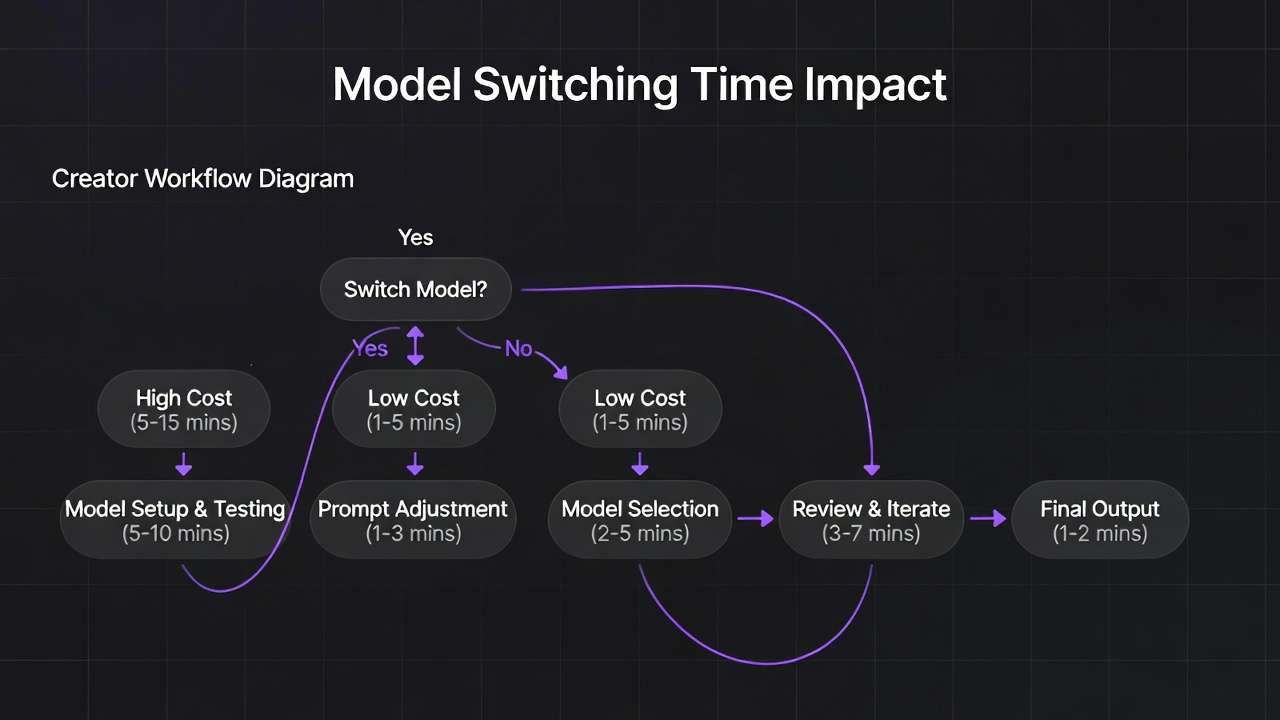
When to Switch from Kling 3.0 to Alternative Models
Model switching occurs when specific shot requirements align better with alternative model strengths or when Kling 3.0 repeatedly fails to achieve desired results.
Switch to Sora 2 when:
- Complex scenes with numerous interacting subjects
- Crowd dynamics or environmental bustle
- Narrative content requiring character consistency
- You need single-clip duration beyond 15 seconds (Sora 2 supports up to 25 seconds)
- Kling 3.0 generates acceptable composition but simplified scene complexity
Switch to Veo 3 when:
- Maximum photorealism requirements
- Commercial advertising demanding premium production value
- Physics-based motion critical (falls, pours, impacts)
- Broadcast-grade cinematic polish with 24fps film look
- Kling 3.0 produces correct motion but insufficient photographic quality
Switch to Runway when:
- Stylized or artistic aesthetics
- Lower motion demands, higher style emphasis
- Budget constraints favor faster cheaper models
- Experimental visual approaches
Switching decisions follow testing. Generate challenging shots across multiple models, compare results, identify which model best serves specific shot requirements. This empirical approach beats theoretical model selection based on marketing claims.
Comparative Generation and Selection
Comparative workflows generate identical prompts across multiple models, then select best outputs per shot. This maximizes quality by accessing each model's strengths.
Implementation process:
- Identify critical shots requiring highest quality
- Craft detailed prompts optimized for clarity
- Generate across Kling 3.0, Sora 2, Veo 3
- Review outputs evaluating motion quality, aesthetic fit, technical requirements
- Select best result per shot regardless of source model
- Regenerate selected approach if any artifacts present
This approach increases generation costs-3x compute for triple generation-but delivers superior results compared to single-model constraints. Budget this strategy for hero shots, client-facing content, or technically challenging sequences where quality justifies cost.
Routing Prompts Based on Content Type
Systematic routing assigns shot types to optimal models based on historical performance data and model capabilities.
Kling 3.0 routing:
- Standard cinematography, medium complexity
- Product showcases with clear camera movements
- Multi-shot storyboard sequences
- Establishing shots with architectural emphasis
- Most iterative concept work
- High-volume social media content production
Sora 2 routing:
- Character-focused narrative scenes
- Crowd shots, group interactions
- Action sequences with multiple moving elements
- Shots requiring character identity consistency
- Long-form single clips beyond 15 seconds
Veo 3 routing:
- Hero shots, key visuals, primary deliverables
- Product close-ups demanding photorealism
- Establishing shots requiring environmental beauty
- Final outputs after concept validation
Build routing decision frameworks through testing. Document which model performs best for recurring project types. Standardize routing decisions to reduce cognitive overhead during production.
Integration with the AI Models Library
Multi-model platforms provide unified interfaces accessing diverse generators. The AI models library centralizes model access, eliminating separate subscriptions and interface learning curves. Open the Seedance 2.0 model page when you want native audio and multimodal references beside Kling in one index.
Unified workflows maintain consistent prompt management, asset organization, and output handling regardless of underlying model. Generate across models through single interface. Compare outputs side-by-side. Download from centralized asset library. This integration reduces friction inherent in managing multiple platform accounts.
Cost optimization benefits from unified credit systems. Rather than maintaining separate subscriptions with unused capacity across multiple platforms, consolidated credits allocate to highest-value generations. Use expensive high-quality models strategically while leveraging faster cheaper options for iteration.
Version management improves through centralized architecture. When Kling releases version 3.1 or Sora updates to 2.5, access new versions through existing interface without relearning workflows. Platform handles version management, providing consistent experience despite underlying model evolution.
Common Mistakes with Kling 3.0
Overloading Prompts with Excessive Detail
Prompt overload dilutes generation focus across too many elements. The model prioritizes unpredictably, often omitting specified items or simplifying complex requirements.
Problematic overload example: "Wide shot of bustling marketplace with five vendors arranging colorful produce including red tomatoes, green peppers, yellow bananas, purple eggplants, vendor wearing blue shirt and white apron, second vendor in red dress, three customers examining items, one holding basket, another pointing at fruit, third vendor counting money, children running between stalls, birds flying overhead, decorative banners hanging, warm afternoon lighting, camera panning left to right"
This prompt contains 20+ specifications. Kling 3.0 likely simplifies, generates fewer vendors, reduces customer interactions, omits flying birds or running children. The model focuses computational resources on primary elements while neglecting secondary details.
Improved focused approach: "Wide shot of marketplace, vendors arranging produce at stalls, customers browsing, warm afternoon lighting, slow pan left to right"
Simplified prompt provides clear direction without overwhelming generation capacity. Accept that secondary details emerge organically rather than forcing exhaustive specification.
Wrong Camera Instructions for Scene Type
Camera movement selection must match scene characteristics and subject action. Inappropriate camera work creates disconnected or confusing outputs.
Problematic mismatch: "Extreme close-up of subject's eyes with fast dolly movement"
Close-ups suit static cameras or subtle movements. Fast dolly at extreme magnification produces disorienting motion and challenges focus maintenance.
Better approach: "Extreme close-up of subject's eyes, static locked camera, subtle head movement"
Another mismatch: "Wide establishing shot of mountain landscape with rapid handheld shaking"
Establishing shots traditionally use stable camera work emphasizing environment. Rapid handheld feels unmotivated and distracts from landscape beauty.
Better approach: "Wide establishing shot of mountain landscape, slow steady crane movement rising to reveal peaks"
Match camera movement to content and emotional intent. Action sequences justify handheld energy. Contemplative scenes suit smooth stable work. Product showcases use deliberate controlled movements.
Unrealistic Scene Density Expectations
Expecting Kling 3.0 to generate scenes with complexity matching high-budget productions sets unrealistic expectations and leads to disappointment.
Complex scenes in traditional production involve dozens of crew members, controlled lighting, choreographed extras, and multiple takes. AI generation compresses this into single prompt interpretation. Expecting equivalent complexity misunderstands current capabilities.
Unrealistic expectation: "Recreate the opening sequence of Blade Runner with flying cars, animated billboards, crowds of people, rain effects, complex lighting, camera flying through buildings"
Kling 3.0 cannot match this scene complexity, visual effects density, or production value in single generation.
Realistic alternative: "Wide shot of futuristic city street at night, rain-slicked pavement reflecting neon lights, few pedestrians with umbrellas, slow forward dolly"
Simplified scene achieves cyberpunk aesthetic without overwhelming generation capacity. Accept limitations and design content within feasible complexity bounds.
Expecting First-Generation Perfection
Probabilistic generation means outputs vary significantly even with identical prompts. Expecting first attempts to perfectly match vision misunderstands the technology.
Professional workflows budget multiple generation attempts per shot. Initial generations explore possibilities, subsequent attempts refine toward specific goals. First-attempt perfection occasionally occurs but shouldn't be expected.
Typical professional workflow generates 3-5 attempts per shot, reviewing each for different strengths. One attempt might have perfect composition but wrong lighting. Another achieves correct motion but weak framing. Third-attempt learning from previous results often produces best outputs.
Budget time and compute resources for iteration. Projects with 20 final shots might require 60-100 total generations to achieve desired quality across all shots. Factor this reality into timelines and costs.
Ignoring Iteration and Refinement
Related to previous point but broader: treating generation as one-shot rather than iterative process limits quality potential.
Iteration workflow:
- Generate initial concept with broad prompt
- Review output identifying strengths and weaknesses
- Refine prompt addressing weaknesses while preserving strengths
- Regenerate with improved prompt
- Compare outputs, identify best elements from each
- Synthesize learning into next iteration
- Continue until achieving requirements
This systematic approach produces better results than hoping one perfect prompt generates ideal output. Learning compounds across iterations as you discover which specifications influence outputs and which the model ignores.
Document successful prompts, seeds, and settings for future reference. Build personal knowledge base of what works for your content types, accelerating future projects.
Real Workflow Example: Product Showcase Video
Concept and Creative Brief
Project: Generate 30-second product showcase for premium wireless headphones emphasizing build quality and lifestyle context.
Deliverables:
- 3 shots: establishing product shot, detail close-up, lifestyle usage
- 10 seconds per shot
- 16:9 format for YouTube
- Cinematic production value
- Consistent lighting and aesthetic across shots
Creative direction:
- Modern minimal aesthetic
- Studio environment with controlled lighting
- Cool color temperature
- Emphasis on product premium materials and craftsmanship
Prompt Development
Shot 1 - Establishing: "Wide studio shot, premium wireless headphones centered on minimalist white pedestal, soft overhead key light with gentle shadows, cool color temperature, matte black and brushed metal finish, subtle rotation of product revealing side profile, shallow depth of field with soft background, professional product photography aesthetic, 24mm lens, slow rotation over 10 seconds"
Shot 2 - Detail Close-up: "Extreme close-up macro shot of headphone ear cup, highlighting brushed metal accents and leather texture, studio lighting emphasizing material quality, slow dolly forward movement toward product detail, cool color grading, crisp sharp focus on metal grain and leather texture, professional product photography, high production value"
Shot 3 - Lifestyle: "Medium shot of person wearing headphones in modern minimalist office, natural window lighting from left, subject focused on work at desk, gentle head movement, professional color grade, shallow depth of field isolating subject, cool tones matching product shots, subtle camera dolly left revealing environment"
Generation and Model Comparison
Kling 3.0 generation: All three shots generated at standard quality for initial review. Shot 1 and 2 produced strong results-clean product rendering, smooth rotation, good lighting. Shot 3 showed some facial inconsistency and less photorealistic person rendering.
Comparative test: Shot 3 regenerated using Veo 3 for better photorealism in human subject. Veo output showed superior facial rendering and more natural lighting on person. Product visibility maintained, environmental context improved.
Selection:
- Shot 1: Kling 3.0 (clean product focus, smooth rotation)
- Shot 2: Kling 3.0 (excellent macro detail)
- Shot 3: Veo 3 (superior human rendering)
Refinement Process
Shot 1 refinement: Initial generation showed good composition but rotation felt slightly fast. Adjusted prompt specifying "very slow rotation" and reduced generation to 8 seconds for tighter timing. Second generation achieved desired pace.
Shot 2 refinement: First attempt maintained focus well but dolly movement felt abrupt. Modified prompt to "extremely slow dolly forward" and specified "smooth acceleration at start." Third generation produced desired smooth approach.
Shot 3 refinement: Veo generation achieved photorealism but background too prominent. Added "deeper depth of field blur on background" to prompt. Regenerated with higher background separation.
Final Assembly and Export
Exported all three shots at professional quality settings after validation. Total generation count: 9 attempts across 3 shots (3+3+3). Processing time: approximately 12 minutes total.
Imported to editing software. Applied minimal color grading for final consistency-slight contrast boost, cooling temperature adjustment in Shot 3 to match product shots. Added subtle crossfade transitions between shots.
Final 30-second video achieved desired aesthetic, demonstrated product features clearly, and maintained professional production value appropriate for brand channels.
Project metrics:
- Concept to final: 45 minutes
- Total generations: 9
- Compute cost: equivalent to ~30 minutes of generation time
- Iteration approach: standard quality testing, professional quality finals
- Multi-model strategy: leveraged both Kling 3.0 and Veo 3 strengths
This workflow demonstrates practical multi-model approach, iterative refinement, strategic quality mode usage, and achievable timelines for professional content.
How to Use Kling 3.0 on Cliprise
You can access Kling 3.0 inside the AI Video Generator. The platform provides unified interface for generating across multiple models including Kling 3.0, Sora 2, and Veo 3.
Step 1: Open the AI Video Generator
Navigate to the video generation interface. Click the "Launch AI Video Generator" button from the main dashboard or features page. The interface loads with model selection, prompt input, and settings controls.
Step 2: Select Kling 3.0 from Models Tab
Click the "Models" dropdown or tab. Scroll to locate Kling 3.0 in the available models list. Click to select-the interface updates showing Kling 3.0-specific settings and capabilities. The model indicator confirms active selection.
Step 3: Choose Duration & Aspect Ratio
Set generation length anywhere from 3 to 15 seconds: use shorter durations (3-5s) for rapid iteration and social cuts, mid-range (5-10s) for most production work, and full length (10-15s) for establishing shots and multi-shot storyboards. Select aspect ratio matching delivery platform: 16:9 for YouTube, 9:16 for Stories/Reels, 1:1 for Instagram feed. Choose frame rate: 24fps for cinematic feel, 30fps for web content, 60fps for high-motion material.
Step 4: Write Your Prompt
Enter detailed prompt following cinematography best practices. Include camera movement ("slow dolly forward"), composition ("rule of thirds"), lighting ("golden hour side-lighting"), and subject action. Add negative prompts to exclude unwanted elements ("no blur, no distortion").
Example prompt: "Medium shot of coffee being poured into white ceramic cup, steam rising, warm morning sunlight from window creating side-lighting, shallow depth of field with kitchen blurred in background, slow motion capture, cozy cafe aesthetic, 85mm lens, no grain"
Step 5: Generate and Iterate
Click "Generate" to start processing. Review output evaluating composition, motion, lighting, and technical quality. If adjustments needed, refine prompt and regenerate. Compare multiple attempts, select best result. Once satisfied, regenerate at professional quality for final deliverable.
Use seed controls to maintain consistency across related shots. Lock seed from successful generation, modify prompt details, regenerate to preserve compositional structure while varying content. Build prompt templates for recurring project types to accelerate future workflows.
FAQ: Kling 3.0
What resolution does Kling 3.0 generate natively?
Kling 3.0 generates natively at up to 4K resolution (3840x2160) at 60fps, making it the first AI video model to achieve this without post-generation upscaling. Standard 1080p and 720p modes are also available for faster generation during iteration. Native 4K quality means sharper textures and better detail preservation compared to models that upscale from lower resolutions.
Can Kling 3.0 maintain character consistency across multiple shots?
The Kling 3.0 Omni variant supports character element locking. Upload 3-5 reference images of your character from different angles, optionally with a voice clip, and the model extracts and locks visual traits across subsequent generations. For the standard Kling 3.0, strategies include using identical seeds for related shots, extremely detailed character descriptions in all prompts, and image-to-video workflows where the first shot's best frame becomes reference for subsequent generations.
How do I reduce temporal artifacts like flickering?
Reduce scene complexity, avoid extreme prompt overload, use negative prompts ("no flickering, no morphing"), generate at shorter durations (3-5s vs 15s), and regenerate with different seeds. Simple scenes with clear subjects and straightforward motion produce fewer artifacts than complex multi-element scenes.
What's the maximum video length Kling 3.0 can generate?
Kling 3.0 supports generation from 3 to 15 seconds per clip. The multi-shot storyboard feature allows up to 6 camera cuts within a single 15-second generation, effectively creating an edited sequence from one prompt. For longer videos, generate multiple clips and join them in editing software, using seed management and detailed template prompts for consistency.
Does camera movement terminology actually affect outputs?
Yes significantly. Kling 3.0 trained on professional cinematography and learned associations between terms like "dolly," "crane," "pan" and actual camera mechanics. Specific terminology produces more intentional camera work than generic descriptions like "camera moves forward."
How does Kling 3.0 handle audio?
Kling 3.0 generates synchronized audio natively-lip-sync dialogue, ambient sound effects, and environmental audio in a single pass. Supported languages include English, Chinese, Japanese, Korean, and Spanish, with regional accent control. Multi-character scenes can include characters speaking different languages in the same conversation with automatic lip-sync matching.
Can I generate photorealistic humans with Kling 3.0?
Kling 3.0 handles human subjects adequately but excels more at medium shots with moderate movement. Close-ups of faces, complex expressions, and detailed animations may show artifacts or uncanny valley effects. For critical human-focused content requiring maximum photorealism, consider testing Veo 3 comparatively.
What's the best workflow for multi-shot sequences?
Two approaches: use the multi-shot storyboard feature to generate up to 6 cuts within a single 15-second clip for rapid prototyping and social content. For higher-quality narrative sequences, create detailed prompt templates with fixed lighting, color grade, and technical specs. Use consistent seeds across related shots. Generate master shot establishing aesthetic, then use image-to-video for subsequent shots to maintain visual coherence. Plan for post-production color matching to unify final sequence.
Conclusion: Kling 3.0 in Modern Video Production
Kling 3.0 represents meaningful advancement in AI video generation, addressing temporal consistency and motion realism limitations that constrained earlier systems. The model generates production-usable content for specific applications-concept visualization, rapid prototyping, B-roll generation, and social media content. Technical improvements in frame stability, native 4K output, multi-shot storyboarding, and integrated audio generation reduce artifact rates and streamline production workflows.
However, Kling 3.0 functions best within multi-model ecosystems where different models excel at different content types, shot complexities, and aesthetic requirements. Professional workflows leverage multiple generators, routing prompts to optimal systems based on project demands. This approach maximizes quality by accessing each model's strengths rather than accepting one model's limitations across entire projects.
Strategic implementation requires understanding capabilities and constraints. Kling 3.0 handles straightforward cinematography, medium-complexity scenes, and clear camera movements effectively. Complex scenes with numerous interacting elements, extreme photorealism requirements, or specialized aesthetics may benefit from alternative models. Testing across systems, building empirical knowledge of model performance, and developing routing frameworks optimizes production efficiency.
The technology continues advancing rapidly. Kling 3.0 improvements over previous versions suggest ongoing development addressing current limitations-extended generation lengths, improved prompt adherence, enhanced detail fidelity. Staying current with model updates and new releases ensures workflows leverage latest capabilities.
Effective teams integrate the ability to create ai videos as one component in larger production pipelines rather than a complete replacement for traditional methods. AI excels at concept exploration, rapid iteration, and generating footage that would be impractical to film. Traditional production maintains advantages for precise control, exact timing, and brand-critical content. Hybrid workflows combining both approaches deliver optimal results.
Cost considerations factor into model selection and usage patterns. Different quality modes, generation lengths, and iteration strategies impact compute costs. Standard quality for exploration, professional quality for finals, and strategic multi-model comparison for critical shots optimizes budget allocation. Review pricing plans to understand cost structures and match generation volume to appropriate subscription tiers.
Kling 3.0 succeeds as specialized tool within comprehensive creative toolkit. Master its specific strengths, understand its limitations, integrate it appropriately into production workflows, and leverage multi-model flexibility for optimal results. The technology enables creative possibilities previously constrained by time and budget while requiring new skills in prompt engineering, model selection, and iterative refinement.
Related Guides & Deep Dives
If you're exploring Kling 3.0 in depth, these related articles expand on key areas:
If the project starts from a product image, app mockup, or reference subject, HappyHorse 1.0 is worth testing alongside Kling 3.0. Kling remains a strong first choice for cinematic camera movement and premium visual polish, while HappyHorse may be the better first test for image-to-video, product motion, reference-driven clips, and short-form marketing workflows.
If the brief starts from a product image, app screen, or reference subject, compare Kling with HappyHorse 1.0. Kling is a strong cinematic model, while HappyHorse is especially relevant for product motion, image-to-video, and reference-driven marketing clips.
- AI Video Generator: Complete Guide 2026 →
- AI Video Generation: The Complete Guide 2026
- Kling 2.6 Advanced Guide: Motion Control & Physics Mastery
- Sora 2 Complete Guide: Professional Video Generation Mastery
- Veo 3.1 Complete Tutorial: First Video & Advanced Settings
- Motion Control Mastery: Camera Angles & Movement in AI Video
- Seed Values Explained: Reproducible AI Generation for Brands
- Multi-Model Strategy: When to Switch Between AI Generators
- Best AI Video Models on Cliprise 2026
- Kling 2.5 Turbo Complete Guide 2026 →