Pillar guide. If you’re new to Cliprise, start with the AI Content Creation Complete Guide and then read the AI Video Generation Complete Guide. For pricing logic and credit strategy, see Pricing. For the product overview, visit the Cliprise homepage. Educational vs product: this page explains concepts and workflows; the in-app video tool is on the AI Video Generator page.
Traditional video production is slow by design: planning, shooting, editing, revisions, exports. In 2026, a modern AI video generator compresses that workflow into minutes-turning prompts (or a single image) into production-ready video clips.
Cliprise is built as a multi-model text-to-video AI platform: you can generate with different engines from one place, compare outputs, and scale workflows without juggling multiple subscriptions. If you want to jump straight in, open the AI Video Generator feature page or browse all models to pick the best engine for your scene.
Why AI Video Generation Matters Now
Traditional video production operates under economic constraints that haven't changed in decades. A 30-second commercial requires pre-production planning, location scouting, equipment rental, crew coordination, talent scheduling, and post-production editing. The timeline stretches across weeks. The budget scales into thousands of dollars for basic quality, tens of thousands for professional output.
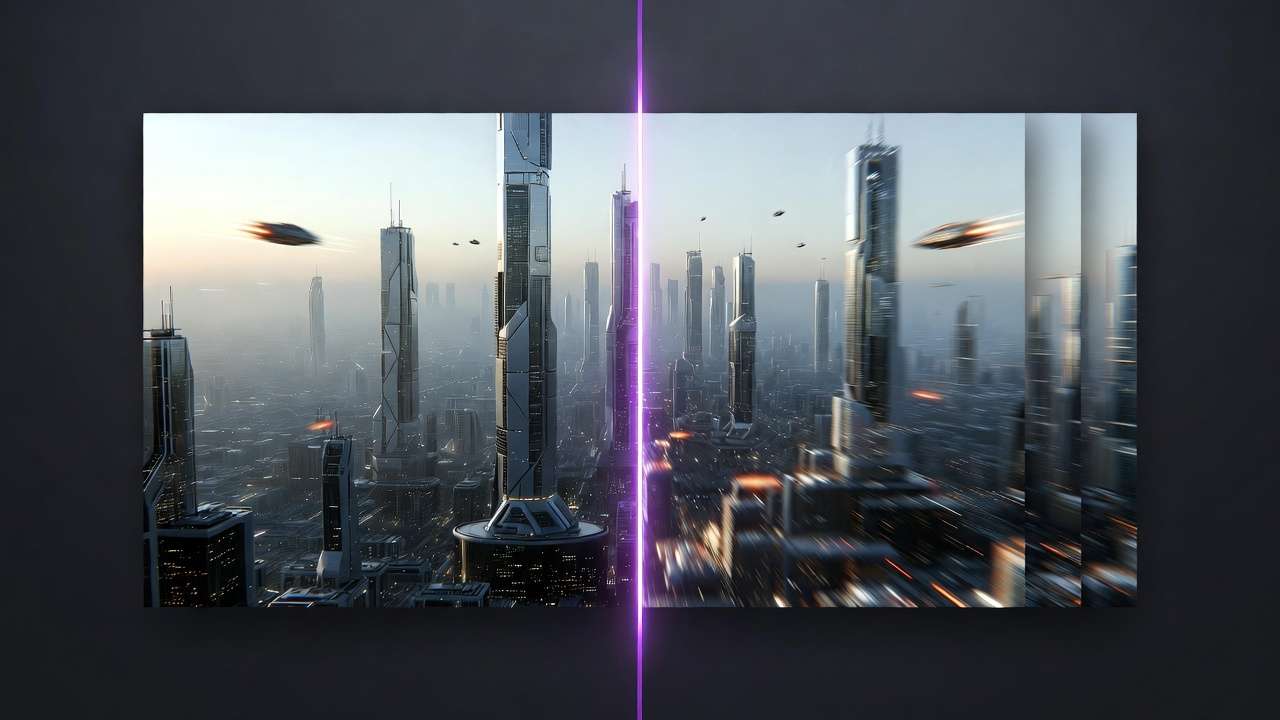
An AI video generator eliminates most of these constraints. Text prompts become storyboards. Storyboards become rendered sequences. Rendered sequences become finished video assets ready for deployment across marketing channels, social media platforms, or client presentations. The timeline compresses from weeks to minutes. The budget shifts from crew costs to compute costs.
This shift isn't theoretical. Marketing teams at agencies now produce video ad variations for A/B testing within hours instead of commissioning separate shoots. YouTube creators generate B-roll footage that would require travel budgets and location permits. Product teams prototype video demos before writing a single line of code. Small businesses create video content without hiring videographers.
The technology reaches production-ready status in 2026. Early experiments with inconsistent outputs and temporal artifacts have given way to models that understand physics, maintain object permanence, and generate camera movements that feel intentional rather than random. The Cliprise platform centralizes access to multiple AI video generation models, letting teams compare outputs, iterate on prompts, and scale workflows without managing separate subscriptions or learning different interfaces.
This guide explains how text-to-video AI works at a technical level, compares model architectures and commercial platforms, analyzes pricing economics, and provides production workflows for creators, agencies, and development teams building automated video pipelines.
What Is an AI Video Generator?
An AI video generator is a neural network system trained on millions of video sequences that learns statistical relationships between language descriptions and visual motion. When you input a text prompt describing a scene, the system doesn't retrieve pre-recorded footage or composite stock assets. Instead, it synthesizes each frame from learned patterns about how objects move, how light behaves, how cameras operate, and how scenes unfold across time.
The architecture combines several specialized components working in sequence. A language model parses your prompt into semantic embeddings that capture meaning beyond individual words. A diffusion model generates initial frames by iteratively refining noise into coherent images based on those embeddings. A temporal consistency module ensures objects maintain visual identity across frames rather than morphing randomly. A motion prediction network interpolates movement between keyframes to create smooth transitions. An upscaling pipeline enhances resolution while preserving detail.
Prompt parsing translates natural language into numerical representations the model can process. When you write "a red sports car accelerates down a coastal highway at sunset," the system extracts entities (car, highway, coast), attributes (red, sports), actions (accelerates), environmental conditions (sunset), and spatial relationships (down, at). These elements become vectors that guide the generation process.
Frame synthesis begins with structured noise-essentially visual static-and progressively refines it through hundreds of denoising steps. Each step moves the image slightly closer to matching the prompt description while maintaining internal consistency. The model has learned from training data that cars have wheels, roads have texture, and sunsets create specific lighting conditions. It applies this knowledge probabilistically to transform noise into recognizable imagery.
Temporal coherence presents the hardest challenge in AI video generation. Static image models can generate stunning single frames, but video requires maintaining object identity and smooth motion across 24 or 30 frames per second. A person walking through a scene must look like the same person in frame 1 and frame 60. Their gait must follow physics. Their clothing must move naturally. Early AI video generators struggled with flickering textures, morphing faces, and disjointed movement. Modern systems use attention mechanisms that let each frame "see" surrounding frames during generation, creating smooth transitions.
Rendering depth determines whether outputs look like flat illustrations or scenes with dimensional space. Advanced models implement Z-axis reasoning that positions objects at different distances from the camera. Foreground elements occlude background elements correctly. Focus blur creates depth-of-field effects. Parallax occurs naturally when the camera moves. This spatial understanding separates production-ready video from experimental demos.
Seed logic controls randomness in generation. Neural networks operate stochastically-running the same prompt twice produces different outputs. Seeds let you lock specific aspects of that randomness, enabling controlled variation. If a generated shot has perfect composition but wrong lighting, you can adjust the prompt while keeping the seed, preserving the composition while modifying other attributes. This becomes critical for iterative refinement and style consistency across video sequences.
Multi-model systems like the multi-model AI platform integrate several specialized generators. One model excels at photorealistic footage. Another handles stylized animation. A third focuses on camera movement dynamics. Teams can route prompts to optimal models based on project requirements, then maintain consistent workflows despite using different underlying architectures. This approach delivers better results than relying on a single model's strengths and weaknesses.
The practical output is a video file-typically MP4 format-ranging from 3 to 10 seconds in current implementations, though longer sequences become possible through concatenation and transition techniques. Resolution varies by model and quality settings, from 720p for rapid iteration to 4K for final deliverables. Frame rates typically match standard video at 24fps or 30fps. Generation time ranges from 30 seconds to several minutes depending on length, resolution, and model complexity.
Understanding these components helps you diagnose issues when generations don't match expectations. If objects flicker between frames, temporal coherence needs improvement through better model selection or prompt refinement. If scenes look compositionally weak, seed experimentation might unlock better arrangements. If motion feels physically implausible, the underlying model may lack sufficient physics training. Technical knowledge translates directly into better creative control.
How Text-to-Video AI Works: Technical Breakdown
The journey from text prompt to rendered video involves multiple neural network stages, each handling specific aspects of the transformation. Understanding this pipeline reveals why certain prompts work better than others and how to optimize for quality, speed, and consistency.
Semantic Parsing and Embedding
Text input begins as raw characters. A tokenizer breaks this into semantic units-words, sub-words, or character sequences the model recognizes. These tokens flow through a transformer-based language model, typically an encoder trained on massive text corpora. The model converts tokens into high-dimensional vectors called embeddings that capture semantic meaning.

The embedding space organizes concepts by similarity. The vectors for "car" and "automobile" sit close together. "Red car" and "blue car" maintain proximity in the color-neutral vehicle region while diverging along color dimensions. "Car accelerating" includes motion components absent from "parked car." The model learns these relationships from training data, building an abstract representation of how language describes visual reality.
Advanced systems use CLIP (Contrastive Language-Image Pre-training) or similar architectures that jointly train on text and images. This creates a shared embedding space where text descriptions and visual content occupy related positions. When you prompt "sunset over mountains," the text embedding sits near embeddings extracted from actual mountain sunset photographs. This alignment guides the generation process toward visually coherent outputs.
Prompt engineering leverages this semantic structure. Specific terminology activates stronger embeddings than vague descriptions. "Wide-angle establishing shot of Gothic cathedral" triggers more precise visual concepts than "cool old building." The model has learned associations between cinematic terms and actual camera work, architectural styles and their visual characteristics, lighting conditions and their atmospheric effects.
Diffusion and Sequence Modeling
Frame generation starts with noise-random pixel values across the entire image. A diffusion model trained on millions of images has learned to predict noise patterns at various corruption levels. The generation process reverses this training: start with complete noise, predict what noise to remove, subtract that noise, repeat hundreds of times until a coherent image emerges.
Each denoising step consults the text embeddings to guide noise removal toward matching the prompt. Early steps establish rough composition-sky versus ground, subject placement, general color palette. Middle steps refine detail-object boundaries, textures, lighting direction. Final steps add fine detail-surface materials, edge sharpness, subtle gradients.
Video generation extends this process across temporal dimensions. Instead of denoising a single frame, the model processes a sequence of noisy frames simultaneously. A 3D U-Net architecture handles both spatial dimensions (width and height) and temporal dimension (frame sequence). Convolutional layers extract features within frames. Temporal attention layers create connections across frames, ensuring visual consistency.
Latent diffusion operates in a compressed representation space rather than raw pixels. An encoder compresses video frames into lower-dimensional latent vectors. The diffusion process happens in this compressed space, making computation more efficient. A decoder expands the denoised latent representation back into full-resolution video. This architecture dramatically reduces processing requirements while maintaining quality.
Classifier-free guidance adjusts generation strength. The model generates both a conditioned output (following your prompt) and an unconditioned output (ignoring the prompt). The final result interpolates between these extremes based on a guidance scale parameter. Higher guidance makes outputs follow prompts more literally but can reduce creative variation. Lower guidance increases diversity but may stray from prompt specifications. Most platforms default to moderate values (7-9 on a 1-20 scale) that balance both concerns.
Motion Prediction and Interpolation
Creating convincing motion requires predicting how scenes evolve across time. Early frame-by-frame generation produced flickering, morphing outputs because each frame generated independently. Modern systems use recurrent architectures or temporal transformers that maintain state across the sequence.
Optical flow estimation predicts pixel movement between frames. If an object moves right, optical flow vectors point rightward from each pixel in frame N to its corresponding position in frame N+1. The model learns these flow patterns from training data showing millions of motion examples-walking people, flowing water, moving vehicles, camera pans.
Interpolation fills gaps between generated keyframes. Computing every frame at full quality would be prohibitively expensive. Instead, the model generates keyframes at intervals (every 5th or 10th frame), then interpolates intermediate frames using flow-based synthesis. This maintains quality while reducing generation time. Advanced interpolation uses learned models rather than simple blending, creating smooth motion that respects physics and object boundaries.
Motion-conditioned generation lets you specify movement explicitly. Some systems accept pose sequences, trajectory paths, or reference videos that guide motion patterns. You might provide a skeleton animation showing how a character should move, then let the model fill in appearance details. This hybrid approach combines procedural control with AI creativity.
Lighting and Camera Logic
Photorealistic video requires physically plausible lighting. Neural rendering networks learn how light interacts with surfaces-diffuse reflection from matte materials, specular highlights on glossy surfaces, subsurface scattering through translucent objects, cast shadows from occluding geometry.
The model infers 3D scene structure from 2D training videos. It learns that objects at different depths receive different lighting, that shadows must connect to occluding objects, that reflections follow geometric laws. While it doesn't build explicit 3D geometry, its learned representations capture spatial relationships that produce believable results.
Camera movement understanding separates amateur from professional output. The model learns cinematic conventions from training data that includes films, commercials, and high-quality video content. It understands establishing shots, tracking shots, dolly movements, crane perspectives. When you prompt "slow dolly forward toward subject," the model generates appropriate perspective shifts and motion parallax.
Depth-of-field effects add production value. Real cameras have limited focal planes-foreground and background blur when focus sits on mid-distance subjects. AI generators can synthesize this blur based on learned depth relationships, creating outputs that feel shot with physical lenses rather than generated computationally.
Upscaling and Enhancement Pipelines
Initial generation often happens at lower resolution for speed, then upscales for final output. Learned super-resolution models don't just enlarge pixels-they hallucinate plausible detail based on training data. A blurry face at 512x512 pixels becomes a sharp face at 2048x2048, with the model inferring detail consistent with facial structure.
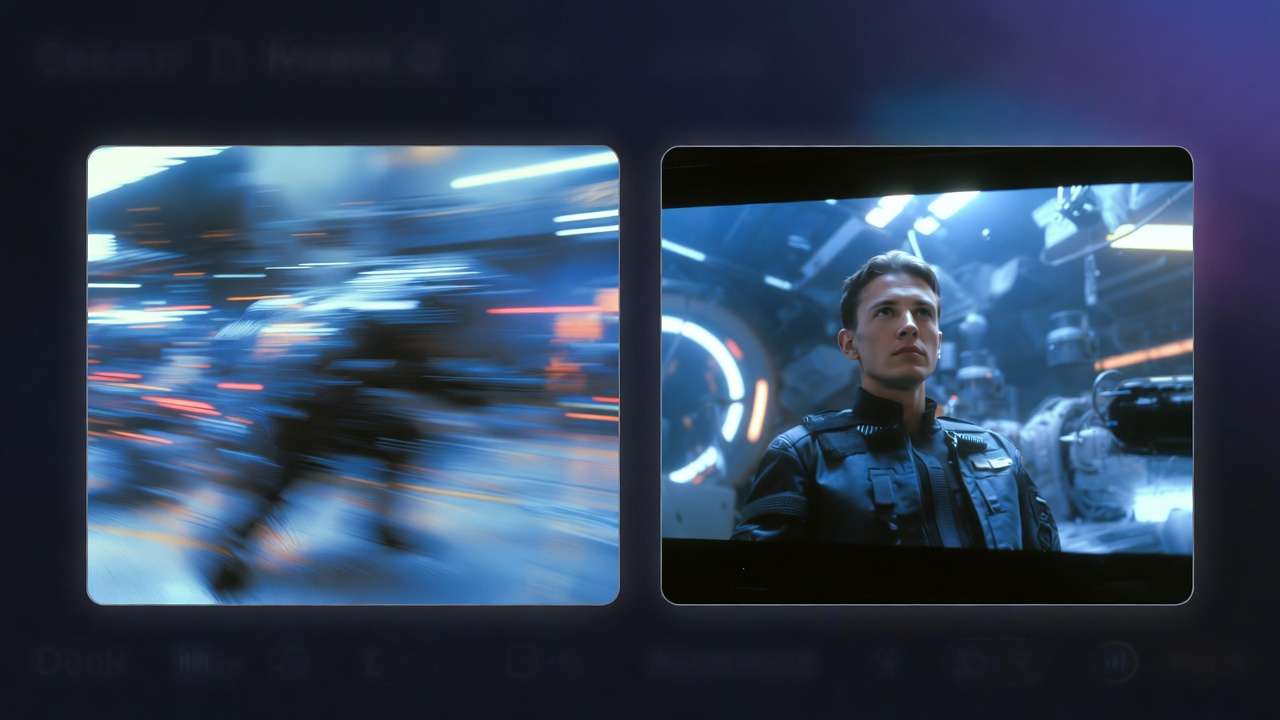
Temporal super-resolution increases frame rate through interpolation. A 12fps generated sequence becomes 24fps or 30fps by synthesizing intermediate frames. Flow-based techniques predict pixel motion between generated frames, creating smooth playback. This approach lets models generate fewer frames at higher quality, then interpolate to standard video frame rates.
Enhancement models refine specific aspects. A denoising network removes compression artifacts. A color grading model adjusts tone curves and saturation. A stabilization algorithm reduces unwanted camera shake. These specialized models, trained on their specific tasks, often outperform end-to-end generation at particular refinement goals.
Concatenation logic combines multiple generated clips into longer sequences. Current models typically generate 3-10 second clips. Longer videos require generating multiple clips with consistent style and content, then stitching them together. Transition frames synthesized specifically for joins help smooth cuts. Some platforms automate this process, letting you describe a multi-shot sequence that generates and combines automatically.
The complete pipeline-from prompt text through semantic encoding, diffusion generation, motion interpolation, and enhancement-typically completes in 1-5 minutes for a 4-second clip at 1080p resolution. Faster generation uses lower quality settings or smaller models. Higher quality or 4K resolution extends processing time. Understanding these tradeoffs lets you balance speed and quality based on project requirements, iterating quickly during creative development and running final renders at maximum quality for deliverables.
Types of AI Video Generators
AI video generation encompasses several distinct approaches, each optimized for different creative workflows and technical requirements. Understanding these categories helps you select the right tool for specific projects.
Text-to-Video AI
Text-to-video represents the most accessible entry point. You describe a scene in natural language, the system generates video matching that description. No prior visual assets required. This approach works best for conceptual ideation, rapid prototyping, and generating footage that would be impractical to shoot-fantasy scenes, historical reconstructions, abstract visualizations.

Strengths include creative flexibility and minimal technical requirements. Anyone who can write a descriptive sentence can generate video. Iteration happens through prompt refinement rather than asset manipulation. You can explore visual directions quickly without committing to specific aesthetic choices early in the creative process.
Limitations center on control precision. Describing exact compositions, specific movement timing, or particular stylistic details through language alone challenges even experienced prompters. The model interprets your words through its training distribution, which may not align with your precise vision. Unexpected elements often appear because natural language leaves room for interpretation.
Production workflows using text-to-video typically involve generating multiple variations, selecting the best results, then refining through controlled techniques like seed adjustment or prompt enhancement. The text-to-video AI workflow breakdown details these iterative processes.
Image-to-Video
Image-to-video generation starts with a static image-a photograph, illustration, or generated image-and animates it based on text prompts or automatic motion analysis. This approach combines visual control from the source image with motion creativity from the AI system.
The source image provides composition, style, subject matter, and lighting as fixed constraints. The generation process adds temporal dynamics-how objects move, how the scene evolves, how the camera perspective shifts. You might start with a portrait photograph and prompt "slow zoom in with wind blowing hair," creating a cinematic moment from a still.
Technical workflows export frames from generated images, feed them to video models with motion prompts, then composite results. Some systems analyze source images automatically to detect subjects, depth relationships, and logical motion opportunities. A landscape photograph might automatically generate gentle camera movement and atmospheric effects. A character portrait might add subtle breathing animation and eye blinks.
The image-to-video workflow guide explains parameter tuning, motion strength controls, and techniques for maintaining image fidelity while adding compelling motion.
Style-Transfer Video
Style-transfer approaches apply artistic styles to video content while preserving underlying motion and composition. You provide source video (or generate it through text/image methods), then apply stylization-watercolor painting, anime aesthetic, impressionist rendering, pixel art, or custom artistic styles.

The technology extends image style transfer to temporal dimensions. Neural style transfer networks learn artistic patterns from reference works, then reinterpret video content through those patterns. Temporal consistency ensures stylization remains stable across frames-brushstrokes don't flicker randomly, artistic elements move coherently with underlying subjects.
Production applications include transforming stock footage into stylized content, creating cohesive visual identities across video projects, or adapting realistic renders for specific artistic contexts. Marketing teams might generate video concepts in photorealistic style for client approval, then apply stylization to match brand guidelines without regenerating from scratch.
Quality depends on maintaining temporal coherence while applying strong stylistic transforms. Weak coherence produces flickering, distracting artifacts. Strong coherence may constrain stylistic intensity, reducing visual impact. The best systems balance both through learned temporal models that understand artistic consistency across motion.
Storyboard-Based Generation
Storyboard workflows combine multiple static frames into video sequences. You provide a series of keyframe images describing a narrative progression-establishing shot, character introduction, action sequence, resolution. The system generates video that transitions between these keyframes while maintaining narrative continuity.
Each keyframe acts as a target state. Interpolation generates frames between keyframes, creating motion that bridges visual gaps. Advanced systems use semantic understanding to create logical transitions rather than simple morphing. If keyframe 1 shows a character standing and keyframe 2 shows them sitting, the generated interpolation includes walking and sitting actions rather than just blending the images.
This approach suits projects requiring precise narrative control. Animated explainer videos benefit from exact visual progression. Product demonstrations need specific feature highlights at planned intervals. Educational content follows structured information sequences. Storyboard generation ensures these requirements are met while AI handles the motion crafting.
Tools range from simple keyframe interpolators to sophisticated narrative engines that understand scene grammar and cinematic language. Professional implementations let you specify timing, camera movement between keyframes, and stylistic continuity requirements. The output feels directed rather than randomly generated.
API-Based Video Generation
API-driven generation integrates AI video creation into automated workflows, applications, and services. Instead of using web interfaces to create videos manually, you send programmatic requests specifying prompts, parameters, and settings. The API returns video files or processing status.

Developer workflows use REST APIs or SDKs in languages like Python, JavaScript, or Go. A typical request includes authentication credentials, prompt text, model selection, quality parameters, and webhook URLs for completion notification. Processing happens asynchronously-requests return immediately with job IDs, completion notifies your application through webhooks or polling.
Batch processing generates hundreds or thousands of video variations automatically. Marketing platforms might generate personalized video ads for different audience segments. E-commerce systems might create product demonstration videos from catalog descriptions. Content aggregators might transform text articles into video summaries. API access enables scale impossible through manual interfaces.
Rate limiting, cost management, and error handling become critical considerations. Video generation consumes significant compute resources. Most providers implement per-minute pricing or credit systems. High-volume users negotiate custom pricing or reserve capacity. Robust applications handle generation failures gracefully and implement retry logic for transient errors.
Enterprise implementations might deploy on-premises models for data sovereignty, low-latency requirements, or cost optimization at extreme scale. This requires managing model infrastructure, GPU clusters, and deployment pipelines-substantial technical investment justified only at large volumes. Most teams use cloud APIs to avoid this complexity.
Each generation type serves distinct use cases. Text-to-video excels at ideation and conceptual exploration. Image-to-video provides precise visual control with added motion. Style-transfer creates brand-consistent aesthetics. Storyboards enable narrative precision. APIs unlock automation scale. The available AI models on comprehensive platforms support multiple approaches, letting you choose optimal methods for each project phase.
Best AI Video Generator in 2026: Comparison Analysis
The AI video generation landscape divides into single-model platforms offering proprietary technology and multi-model platforms aggregating several generators. Each approach presents distinct advantages and tradeoffs.
Single-Model Platform Architecture
Single-model platforms develop and deploy one AI system, optimizing interface and infrastructure around that specific model's capabilities. Examples include dedicated implementations of Sora, Veo, Kling, or proprietary systems from specialized AI companies.
Advantages:
Deeply integrated user experience tailored to model strengths. Interface design reflects specific capabilities-if the model excels at camera movements, the UI emphasizes cinematography controls. If stylization is strong, style presets receive prominent placement.
Focused development resources improve model quality faster. Engineering teams concentrate on single architecture improvements rather than maintaining compatibility across multiple systems. Training runs use larger budgets on one model rather than spreading resources across several.
Simplified pricing structures typically use flat subscriptions or straightforward per-video costs. Users don't choose between models or allocate budgets across different systems. Billing becomes predictable.
Limitations:
Model weaknesses become platform limitations. If the underlying system struggles with human faces, every generated video with people faces this constraint. If motion dynamics feel unnatural, no alternative exists within the platform.
Feature parity issues emerge across different platforms. One platform's model handles realistic rendering well but struggles with animation styles. Another excels at stylization but produces inconsistent photorealism. Users requiring both capabilities must maintain multiple subscriptions and learn separate interfaces.
Upgrade dependency means your access to improvements relies entirely on one company's development roadmap. If they prioritize features irrelevant to your workflow or slow development, you have no alternatives without switching platforms entirely.
Multi-Model Platform Architecture
Multi-model platforms integrate several AI video generators, letting users route prompts to different models based on project requirements. Cliprise exemplifies this approach, providing access to Sora 2, Veo 3.1, Kling, Hunyuan, and other systems through a unified interface.
Advantages:
Model selection flexibility lets you choose optimal generators for specific scenes. Photorealistic corporate footage might route to Veo. Stylized animation might use a different model. Camera movement-heavy sequences might prioritize models excelling at motion dynamics. This approach delivers better results than forcing one model to handle all scenarios.
Risk distribution means no single model failure disrupts your workflow. If one provider experiences downtime or quality regression, you switch to alternatives without changing tools or relearning interfaces. Project continuity doesn't depend on single vendors.
Comparative learning accelerates skill development. Generating the same prompt across multiple models reveals each system's interpretation patterns and strengths. You learn which models suit particular visual styles, motion types, or composition approaches. This knowledge compounds over time, making you more effective across the entire platform.
Price optimization becomes possible when models have different cost structures. Rapid iteration might use faster, cheaper models. Final renders use highest-quality options. Batch processing might distribute across models balancing cost and capability. The pricing and credits page details these economic considerations.
Considerations:
Learning curve increases slightly because you develop familiarity with multiple model behaviors rather than one. However, unified interfaces minimize this-same prompt input, same parameter controls, consistent output handling regardless of underlying model.
Output variation across models means the same prompt produces different results depending on model selection. This is a feature for creative exploration but requires workflow discipline when consistency matters. Seed management and reference image techniques help maintain coherence across model switches.
Practical Comparison Framework
Evaluating platforms requires testing against your specific requirements rather than generic rankings. Consider these dimensions:

| Evaluation Dimension | Single-Model Platform | Multi-Model Platform |
|---|---|---|
| Model quality for your use case | Depends on alignment between model strengths and your requirements | Choose best-performing model for each project type |
| Workflow flexibility | Fixed capabilities, workarounds for limitations | Route different scenes to optimal models |
| Interface learning curve | Learn one interface deeply | Learn one interface accessing multiple models |
| Cost predictability | Simple subscription or per-video | Variable per model but optimizable |
| Vendor lock-in risk | High-workflow built around one system | Lower-switch models within same platform |
| Feature access | New features appear per vendor roadmap | New models added regularly, instant access |
The platform comparison between Cliprise and Leonardo AI examines these dimensions with specific examples and use case analysis.
Technical Quality Benchmarks
Objective quality metrics help separate marketing claims from actual performance:
Temporal consistency measures whether objects maintain identity across frames. Quantified through frame-to-frame similarity scores and object tracking accuracy. Models scoring above 0.85 on temporal consistency metrics produce usably stable outputs. Below 0.75 generates distracting flicker.
Motion realism evaluates whether generated movement follows physics and natural patterns. Measured through motion vector analysis compared to real-world footage. High-quality models cluster within 15% deviation from natural motion distributions. Poor models show 40%+ deviation, creating uncanny valley effects.
Resolution fidelity at different quality settings determines whether upscaling maintains detail or introduces artifacts. Models with strong upscaling generate clean 4K output. Weak upscaling creates softness, edge ringing, or texture smearing visible in production contexts.
Prompt adherence accuracy tracks how often generation matches prompt descriptions. Measured through CLIP similarity scores between prompts and outputs. Scores above 0.75 indicate reliable prompt following. Below 0.65 produces frequent misinterpretations requiring regeneration.
Generation speed per second of video affects iteration velocity and project economics. Models generating 4-second clips in under 90 seconds enable rapid creative exploration. Models requiring 5+ minutes per clip constrain iteration cycles and increase costs.
Domain-Specific Performance
Different models excel at different content types:

Human subjects and faces: Sora 2 and Veo 3.1 lead in generating believable human subjects with natural expressions and realistic skin textures. Other models still struggle with uncanny valley effects or temporal consistency in facial features. The detailed comparison between Veo 3 and Sora 2 explores these capabilities.
Camera cinematography: Models trained specifically on professional footage understand cinematic language better. They generate intentional-feeling camera movements, appropriate shot composition, and production-value lighting. Consumer-focused models may produce random-feeling camera work that lacks professional polish.
Stylization and art: Some models optimize for photorealism, while others handle artistic styles more naturally. If your projects require anime aesthetics, watercolor effects, or illustrated looks, test model performance in those specific styles rather than assuming photorealistic capability transfers.
Environmental dynamics: Water, fire, smoke, and atmospheric effects challenge generation systems. Models with stronger physics understanding create convincing fluid dynamics and particle behavior. Weaker models produce static-looking effects or physically implausible movement.
Text and graphics: Most current models struggle with readable text in generated video. If your workflow requires generating footage containing signage, logos, or text elements, plan for post-production compositing rather than expecting generation quality in-scene text.
The optimal approach in 2026 uses platforms providing model flexibility, letting you select appropriate generators for each project requirement rather than compromising on single-model limitations.
AI Video Generator for Marketing and Agencies
Marketing workflows present distinct requirements-brand consistency, rapid iteration, format adaptation, and performance measurement. AI video generation transforms these workflows by reducing production friction while maintaining creative quality.
AI Video Ads and Performance Marketing
Digital advertising demands high-volume creative variation for audience segmentation and A/B testing. Traditional production economics make testing ten ad variations prohibitively expensive. AI generation inverts this constraint-producing ten variations costs barely more than producing one.

Performance marketers run multivariate tests changing headlines, calls-to-action, visual backgrounds, product angles, and voice-over scripts. AI video generation handles the visual components. Input a structured prompt template with variable slots for different messages, generate complete ad sets with consistent style but varied content, then deploy across ad platforms for performance comparison.
The workflow starts with identifying high-converting verbal messages through text ad testing. Once messaging is validated, generate video creative expressing those messages visually. This reduces creative risk-you're visualizing proven concepts rather than testing unvalidated ideas in expensive video production.
Scaling to platform-specific requirements happens automatically. Facebook prefers square 1:1 video. Instagram Stories require 9:16 vertical. YouTube pre-roll needs 16:9 horizontal. Generate once, crop intelligently for each platform, or generate platform-specific compositions from the start by specifying aspect ratios in prompts. The complete guide to AI video ads for Facebook and Instagram details these platform optimizations.
Attribution connects generated creative to performance metrics. Tag video files with unique identifiers corresponding to prompt variations. When ad platforms report conversion data, correlate performance back to specific creative elements. This feedback loop reveals which visual approaches drive results, informing future generation strategies.
Social Media Content Workflows
Social media teams face relentless content demand. Multiple platforms, daily posting cadences, seasonal campaigns, reactive trending-traditional production can't keep pace. AI generation enables sustainable content velocity without team burnout.
Template-based generation creates consistent brand presence. Develop prompt templates that encode brand visual identity-color schemes, composition rules, motion patterns, lighting styles. Variable elements change per post while underlying aesthetic remains consistent. Audiences recognize your content instantly while each piece delivers fresh messaging.
Reactive content production shortens response windows. When trending topics or breaking news create engagement opportunities, generate relevant video within hours rather than days. Speed becomes a competitive advantage in attention-scarce environments.
Content calendars benefit from advance generation. Bulk-generate evergreen content during low-demand periods, schedule for publication during high-activity times. This smooths workflow intensity and ensures consistent presence even during team capacity constraints.
Repurposing extends content value. Generate a master concept, then create variations optimizing for different platforms, audiences, or messages. A product launch might generate hero content for YouTube, short-form cuts for TikTok, testimonial-focused versions for LinkedIn, and feature-highlighting clips for Instagram.
E-commerce Product Visualization
Product videos drive conversion but scaling video production across catalogs is economically challenging. A 10,000-SKU store cannot feasibly shoot professional video for each product. AI generation makes catalog-scale video possible.

Product demonstrations show items in use without physical prototyping. Generate video showing how furniture fits in living spaces, how clothing moves on bodies, how electronics integrate into work environments. These contextual presentations help customers visualize ownership more effectively than static images.
Seasonal and promotional content adapts quickly. Holiday campaigns require themed visuals-generate product videos with seasonal aesthetics without reshooting inventory. Sales events might emphasize different product features-regenerate highlighting those aspects without additional photography.
Lifestyle contextualization positions products in aspirational settings. A hiking backpack appears in mountain terrain. Kitchen appliances appear in modern kitchens. Fitness equipment appears in home gym contexts. AI generation creates these environments without location shoots or set construction.
Technical specifications visualization translates features into visual demonstrations. Instead of listing "waterproof to 50 meters," generate video showing a watch underwater. Instead of stating "180-degree rotation," generate video demonstrating the movement. Visual proof often persuades more effectively than textual claims.
Agency Client Workflows
Agencies managing multiple clients need workflow efficiency and creative flexibility. AI video generation addresses both requirements while reducing project risk.
Concept presentation accelerates client approvals. Traditional storyboards are static illustrations requiring clients to imagine final results. Generated video previews show actual motion, timing, and aesthetic. Clients see closer approximations to final output, making feedback more specific and decisions more confident.
Revision iteration becomes economically viable. Client feedback requesting compositional changes, different camera angles, or mood adjustments doesn't require re-shoots. Adjust prompts, regenerate, present updated versions. This flexibility improves creative outcomes by removing financial barriers to iteration.
Budget allocation shifts from production costs to creative development and strategy. When generation costs are measured in minutes rather than thousands of dollars, agencies can allocate more budget to research, concept development, and strategic planning. Creative quality improves because teams spend time thinking rather than managing production logistics.
Testing creative approaches before committing to full production reduces risk. Generate multiple creative directions quickly, test with focus groups or small-scale ad deployment, then invest production resources in validated concepts. This staged approach minimizes wasted spend on creative that doesn't resonate.
Client education happens through demonstration. Rather than explaining abstract AI capabilities, show actual generated content tailored to their brand. This tangible evidence helps clients understand value and adopt new workflows. The marketing solutions overview page details agency-specific features and workflows.
Small Business and Startup Applications
Resource-constrained teams gain disproportionate advantages from AI generation. Small businesses and startups typically lack video production expertise, equipment, or budgets. AI generation democratizes access to professional-quality video content.

Founder-created content becomes viable. Non-technical founders without video skills can generate marketing assets, product demos, or social content. The technical learning curve compresses from months of video editing skill development to hours of prompt engineering practice.
Bootstrap marketing strategies stretch further. Limited marketing budgets produce more content through generation efficiency. A $1000 monthly video budget might produce one professional commercial through traditional production but could generate dozens of video assets through AI workflows, enabling more tests and faster iteration.
Product launch momentum builds through content velocity. Startups announcing new features or products need multimedia content across channels-website videos, social clips, ad creative, email attachments. AI generation produces complete content packages quickly enough to maintain launch momentum.
Internationalization and localization adapt content for global audiences. Generate base content, then create variations with culturally appropriate contexts, settings, or visual references. A product demo might generate versions showing the product in different architectural styles, seasonal contexts, or usage scenarios reflecting target market norms.
The common thread across these marketing applications is removing production friction as the bottleneck to creative testing, content velocity, and market responsiveness. Teams shift focus from logistics to strategy, from production constraints to creative optimization, from scarcity mindset to abundance execution.
Free AI Video Generator: What to Watch Out For
Free AI video generation services attract users through zero-cost entry points but often embed limitations that restrict commercial viability or quality. Understanding these constraints helps you evaluate whether free tiers serve your requirements or whether paid options deliver better value.
Watermark Implications
Most free tiers add visible watermarks-branding overlays burned into generated video. Watermarks serve multiple purposes for providers: brand awareness, piracy deterrence, and conversion incentive toward paid tiers.

From a user perspective, watermarks render footage unusable for professional contexts. Client presentations with competitor branding create conflicts. Social media posts with watermarks signal amateur production. Advertising content with third-party logos violates platform policies or dilutes brand messaging.
Watermark placement varies by provider. Corner watermarks may be croppable if you accept composition compromises. Centered watermarks or animated overlays are impossible to remove without sophisticated video inpainting-a process that often introduces artifacts more distracting than the original watermark.
Some services offer watermark-free exports through per-video micropayments even without subscription upgrades. If your usage is occasional, this a-la-carte approach may be more economical than monthly subscriptions. Calculate your actual generation volume and compare pricing models.
Resolution and Quality Limitations
Free tiers typically cap resolution at 720p or 480p. These resolutions suffice for social media mobile viewing but fail quality standards for television, projection, or professional distribution. Upscaling low-resolution outputs introduces softness and artifacts that trained eyes recognize immediately.
Quality settings beyond resolution affect generation sophistication. Free tiers may use simplified models that generate faster but sacrifice temporal consistency, motion realism, or detail fidelity. Side-by-side comparisons between free and paid generations of identical prompts often reveal noticeable quality gaps-more flickering, less convincing motion, weaker compositional coherence.
Frame rate restrictions limit output to 24fps or lower. While technically acceptable, lower frame rates constrain creative options for high-motion content. Action sequences, sports footage, or smooth camera movements benefit from higher frame rates that free tiers don't provide.
Generation length caps restrict outputs to 3-4 seconds on free tiers versus 8-10 seconds on paid plans. Shorter clips limit storytelling capability and require more editing work to build complete narratives. If your workflow needs longer takes, these restrictions force significant additional post-production effort.
Commercial Licensing Constraints
Legal terms matter as much as technical features. Free tier terms of service often restrict commercial use-you can generate content but cannot use it in paid products, advertising, or revenue-generating contexts. Violating these terms creates legal liability, potentially more expensive than paying for appropriate licensing upfront.

Licensing clarity varies widely. Some providers offer explicit commercial usage rights even on free tiers, using free access as growth marketing rather than strict freemium monetization. Others bury restrictions in lengthy terms requiring legal interpretation. Before building workflows around free tools, verify licensing explicitly.
Copyright and attribution requirements may demand crediting the AI provider in derivative works or maintaining attribution metadata. These requirements may conflict with client agreements or brand guidelines. Professional contexts typically require clean rights without attribution obligations.
Model training clauses in terms of service sometimes grant providers rights to use your generated content for model improvement. If your projects involve proprietary concepts, confidential products, or sensitive subject matter, verify whether generated outputs remain private or become training data.
Hidden Cost Traps
Free tiers often implement soft limits that become hard costs under real usage. Common patterns include:
Credit systems provide monthly generation credits that renew on subscription schedules. Free tiers receive minimal monthly credits that exhaust quickly under active usage. Once exhausted, you either wait for monthly renewal or purchase additional credits. If your workflow requires consistent generation volume, monthly subscriptions often cost less than repeatedly buying credit top-ups.
Queue priority places free tier generations in low-priority queues behind paid subscribers. During high-demand periods, free generations may queue for hours while paid generations complete in minutes. If your work has time constraints, queue delays effectively negate free tier value.
Feature restrictions reserve advanced capabilities for paid tiers-seed control for consistency, advanced parameter tuning, batch generation, style transfer, or access to newest models. If these features matter to your workflow, free tiers become learning tools rather than production environments.
Storage limitations cap how many generated videos remain accessible. Free tiers might delete older generations after 30 days or limit total stored outputs. If you need historical access to generation experiments or client revisions, ephemeral storage creates workflow friction.
Export restrictions limit download formats or add encoding that reduces quality beyond stated resolution. Some free tiers only allow web preview without download, requiring screen recording that introduces further quality loss.
Strategic Approach to Free Tiers
Free tiers serve legitimate purposes in specific contexts:

Skill development benefits from zero-cost experimentation. Learning prompt engineering, understanding model behaviors, and developing generation intuition happens through practice. Free tiers reduce financial barriers to this learning process.
Technology evaluation lets you assess whether AI video generation fits your workflow before financial commitment. Generate test content, evaluate quality against requirements, determine feature necessity. Make informed purchase decisions based on actual experience rather than marketing claims.
Proof-of-concept development demonstrates viability to stakeholders. If you need to justify budget allocation for AI generation tools, create compelling examples using free tiers, present to decision-makers, then upgrade once approved.
Low-volume personal use doesn't justify paid subscriptions. If you generate occasionally for personal projects without commercial goals, free tier constraints may be acceptable tradeoffs for zero cost.
For professional production, commercial projects, or volume workflows, paid tiers typically deliver better total value than navigating free tier limitations. Calculate your generation needs realistically, compare against pricing structures, and choose plans matching your actual usage patterns rather than aspirational minimal spending.
The platform comparison should factor total cost of ownership-not just subscription fees but also time spent working around limitations, quality compromises affecting output value, and opportunity costs of delayed iterations due to queue priority or generation caps.
AI Video Generator API and Automation
APIs transform AI video generation from manual creative tool into programmable infrastructure enabling automated workflows, application integration, and large-scale generation systems.
REST API Architecture
Most AI video generation APIs follow REST (Representational State Transfer) conventions. You send HTTP requests to specified endpoints with authentication headers, prompt data, and parameter configurations. The API returns responses containing job identifiers, processing status, or completed video URLs.
Authentication typically uses API keys or OAuth tokens included in request headers. Keys identify your account, track usage for billing, and enforce rate limits. Store credentials securely-exposed keys let attackers generate content charged to your account.
Asynchronous processing handles video generation's compute intensity. Synchronous APIs would keep connections open for minutes while generation completes, creating timeout risks and resource waste. Instead, creation requests return immediately with job identifiers. Your application polls status endpoints or receives webhook notifications when processing finishes.
Request structure includes the prompt text, model selection, quality parameters, aspect ratio, and generation settings. Well-designed APIs use JSON request bodies with clear parameter schemas:
{
  "prompt": "cinematic drone shot over coastal city at sunset",
  "model": "veo-3.1",
  "duration": 5,
  "resolution": "1080p",
  "aspect_ratio": "16:9",
  "seed": 12345,
  "webhook_url": "https://yourapp.com/webhooks/video-complete"
}
Response handling requires parsing JSON responses for job IDs, error messages, or completion data. Robust implementations handle various HTTP status codes-201 for successful creation, 429 for rate limit exceeded, 500 for server errors.
SDK Integration
SDKs (Software Development Kits) wrap raw API calls in language-specific libraries providing cleaner interfaces and handling common concerns like authentication, retries, and response parsing. Official SDKs exist for Python, JavaScript, Go, and other popular languages.
Python SDK example workflow:
from cliprise import Client

client = Client(api_key="your_api_key")

# Submit generation request
job = client.video.generate(
    prompt="wide shot of mountain lake at sunrise",
    model="sora-2",
    quality="high"
)

# Wait for completion
video = job.wait_until_complete(timeout=300)

# Download result
video.download("output.mp4")
SDKs handle authentication automatically once configured, manage async polling internally, and provide typed objects rather than raw JSON. Error handling uses exceptions that carry useful debugging information.
Type safety in statically-typed languages catches configuration errors at compile time. TypeScript SDK usage benefits from IDE autocomplete showing available models, valid parameter ranges, and response object structures.
Bulk Generation Workflows
Batch processing generates large video quantities by iterating through prompt sets, data sources, or template combinations. Common patterns include:

Data-driven generation reads prompts from databases, spreadsheets, or APIs. An e-commerce platform might generate product videos by querying catalog databases for item descriptions, then constructing prompts incorporating product features, use cases, and brand guidelines.
Template expansion combines prompt templates with variable data. A single template "professional product showcase for highlighting " becomes hundreds of prompts when populated with catalog data. Templates ensure consistent style while varying specific content.
Parallel processing submits multiple generation requests simultaneously rather than sequentially. Most APIs allow concurrent requests up to account-based rate limits. Parallel submission reduces total processing time for large batches-submitting 100 requests in parallel might complete in 5 minutes versus 500 minutes serially if each generation takes 5 minutes.
Rate limiting requires respecting API quotas. Typical limits constrain requests per minute, concurrent jobs, or total compute minutes per hour. Exceeding limits triggers 429 HTTP responses. Implement exponential backoff-when rate limited, wait increasing intervals before retrying.
Queue management becomes critical at scale. Maintain local queues tracking submission status, generation progress, and completion state. Persist queue state so application restarts don't lose track of in-flight jobs. Implement failure recovery to resubmit failed generations without manual intervention.
Webhook Integration
Webhooks enable event-driven architectures where generation completion triggers downstream processing automatically. Instead of your application polling for job completion, the API posts completion notifications to your specified URLs.
Webhook requests include job identifiers, generation results, and metadata. Your endpoint receives these POSTs, validates authenticity (typically via signature verification), then processes the completed video-storing to databases, triggering post-production pipelines, or notifying users.
This pattern enables responsive workflows. When a user submits a generation request through your application, you acknowledge the request immediately, submit the API job, and return. When generation completes, your webhook handler notifies the user through push notifications, emails, or in-app alerts.
Security considerations include validating webhook signatures to confirm requests originate from legitimate API sources rather than attackers. Implement idempotency to handle duplicate webhook deliveries gracefully-processing the same completion event twice shouldn't create duplicate records or trigger duplicate actions.
Enterprise Deployment Patterns
High-volume production workflows require infrastructure supporting scale, reliability, and cost control.
Load balancing distributes requests across multiple API accounts or providers. If one provider experiences downtime or rate limiting, fallback to alternatives. This redundancy maintains service availability despite individual vendor issues.
Cost optimization involves routing generations to lowest-cost models meeting quality requirements. Simple background scenes might use fast, cheap models. Complex sequences requiring high fidelity use premium models. Automated routing based on prompt analysis or quality requirements minimizes costs while maintaining standards.
Caching strategies avoid regenerating identical prompts. Before submitting generation requests, check cache storage for existing outputs matching prompt and parameter combinations. If found, return cached results immediately at near-zero cost. Cache hits reduce API costs and improve response times significantly.
Monitoring and observability track generation success rates, processing times, cost per video, and error patterns. Dashboards displaying these metrics help identify issues before they impact production-sudden increases in failure rates might indicate API degradation, requiring failover activation.
The comprehensive API integration guide details implementation patterns, code examples, and production architecture considerations for teams building automated video generation systems.
Integration Examples
Real-world integration patterns demonstrate practical applications:
Content management systems trigger generation when editors publish articles. The CMS extracts article content, constructs prompts summarizing key points, submits generation requests, then embeds completed videos in article pages automatically.
Marketing automation generates personalized video for email campaigns. The system segments audiences, customizes prompts incorporating recipient data, generates individual videos, and includes them in emails. Personalization drives engagement without manual video creation per recipient.
Social media schedulers generate content per posting calendars. The scheduler reads calendar entries, generates videos based on campaign themes, and publishes according to schedule. Content teams focus on strategy while automation handles production.
E-commerce platforms create product videos during catalog imports. When merchants upload products, the platform generates demonstration videos automatically using product descriptions, images, and category templates. Products gain video assets without merchant effort.
Chatbot interfaces allow customers to generate custom videos through conversational prompts. Users describe desired content in natural language, the chatbot constructs formal generation prompts, submits API requests, and returns completed videos. This self-service model scales content creation to customer demand.
API integration transforms AI video generation from manual tool into automated infrastructure, enabling scale, consistency, and workflow integration impossible through manual generation.
Common AI Video Generator Mistakes
Experience across thousands of generation attempts reveals recurring patterns where users inadvertently limit output quality or efficiency. Recognizing and avoiding these mistakes accelerates learning curves and improves results.

Prompt Quality Issues
Vague descriptions provide insufficient guidance for models to generate precise results. "Nice landscape" might produce acceptable generic output but won't match specific vision. Successful prompts balance specificity with creative space-describing composition, lighting, movement, and mood without over-constraining every detail.
Compare: "Beautiful mountain scene" versus "Establishing shot: dramatic mountain peaks with snow-covered summits, golden hour side-lighting creating long shadows, slow upward crane movement revealing alpine lake in foreground, cinematic depth of field."
The specific prompt activates learned associations between cinematic terminology and visual patterns, guiding generation toward professional aesthetics rather than generic interpretations.
Conflicting instructions create internal contradictions models struggle to resolve. "Bright sunny day with dramatic storm clouds" conflicts meteorologically. "Close-up establishing shot" contradicts cinematographic definitions-establishing shots are wide views, close-ups are tight frames. Models attempt to satisfy both requirements, often producing unsatisfying compromises.
Overloaded prompts include excessive detail that dilutes focus. Lists of ten objects, five actions, three lighting conditions, and specific color requirements for each element overwhelm generation systems. Models prioritize different elements unpredictably, often omitting items entirely. Better strategy: generate core scene first, then iterate adding complexity through controlled variations.
Missing temporal specificity for video generation leaves movement ambiguous. "Person walking" doesn't indicate direction, speed, distance, or camera relationship. "Person walking left to right across frame in medium shot, steady cam following movement" provides clear motion intent.
The guide to perfect prompts details prompt construction techniques, example patterns for different content types, and iterative refinement strategies.
Overusing Quality Mode
Generation quality settings control model complexity, processing time, and cost. Maximum quality settings triple processing time and double costs compared to standard quality. Many users default to highest quality for every generation, wasting resources on exploratory iterations where speed matters more than final polish.

Effective workflow stratifies quality by purpose. Rapid iteration for concept exploration uses standard quality and shorter generation times. Test multiple prompt variations quickly, identify promising directions, then regenerate selected concepts at maximum quality for final output.
This tiered approach reduces iteration time dramatically. If concept exploration requires ten generation attempts, using standard quality completes the cycle in 15-20 minutes versus 45-60 minutes at maximum quality. The time savings accelerate creative decision-making without compromising final output quality.
Quality differences manifest primarily in fine detail, temporal smoothness, and resolution fidelity. For evaluating composition, subject placement, motion direction, or color palette, standard quality provides sufficient information. Upgrade to maximum quality only when preparing final deliverables for client presentation or distribution.
Model Mismatch
Different models excel at different content types. Using photorealistic models for stylized animation, or animation-optimized models for documentary footage, produces suboptimal results. Model selection should match content requirements.
Photorealism specialists like Veo 3.1 generate convincing real-world scenes, accurate lighting physics, and believable textures. They struggle with intentionally non-realistic styles like anime, watercolor, or abstract art. Prompting them for stylized output produces outputs that look like photographs of artistic work rather than native artistic styles.
Stylization models handle illustration, animation, and artistic aesthetics naturally. They interpret prompts through artistic conventions rather than photographic realism. Using them for documentary or corporate footage produces outputs that feel illustrated even when prompts specify "photorealistic."
Camera movement models trained specifically on cinematic footage understand professional cinematography conventions. They generate intentional feeling camera work with appropriate acceleration curves, motivated pans, and dramatic reveals. General models may produce camera movements that feel random or unmotivated.
Identifying optimal model selection improves with experience. The comparison between Sora 2 and Veo 3 explores specific model strengths through side-by-side examples.
Multi-model platforms solve this through experimentation freedom. Generate the same prompt across multiple models, compare results, identify which model interpretation best serves project requirements. This comparison-driven selection develops intuition about model capabilities faster than relying on single-model systems.
Ignoring Seeds for Consistency
Seeds control randomness in generation, enabling controlled variation and style consistency across multiple outputs. Many users never touch seed settings, accepting whatever random seed the system assigns. This oversight limits their ability to maintain coherent visual styles across sequences.
Practical seed workflows:
Lock composition, vary content. Generate initial output, note the seed, then modify prompt details while keeping seed constant. If you've achieved perfect composition but wrong subject, changing the subject in the prompt while maintaining the seed preserves the compositional arrangement.
Style consistency across sequences. When generating multiple shots for a narrative sequence, using related seeds (sequential numbers or variations on base seeds) maintains aesthetic coherence. Completely random seeds between shots create stylistic inconsistency that breaks immersion.
Systematic exploration. Test prompt variations using the same seed to isolate prompt effects from random variation. This scientific approach reveals which prompt changes actually improve outputs versus which differences are just random variation.
Finding golden seeds. Some seeds produce systematically better compositions than others for specific prompt patterns. When you discover seeds that reliably generate good results for your content type, document them for reuse. Building a library of effective seeds for common scenarios accelerates future work.
The comprehensive guide to seeds and consistency explains seed mechanics, provides workflow templates, and demonstrates advanced techniques for managing consistency across complex projects.
Insufficient Iteration
First-attempt expectations lead to disappointment. AI generation involves probabilistic processes-outputs vary significantly even with identical inputs. Expecting perfect results from initial prompts sets unrealistic standards.
Professional workflows embrace iteration. Generate multiple variations of initial concepts. Analyze what works and what doesn't. Refine prompts based on observations. Regenerate with improvements. Repeat until outputs meet requirements.
The iteration cycle accelerates with practice as you develop intuition about what prompt changes produce desired output changes. Early iterations might require extensive experimentation. Experienced users often achieve requirements within three to five generation attempts.
Budget iteration into project timelines and costs. If client deadlines assume first-attempt success, scope and budget don't reflect reality. Professional estimates include time for multiple generation rounds, quality assessment, and refinement.
Neglecting Post-Production Integration
Treating AI generation as complete production pipeline ignores reality. Generated outputs typically require post-production integration-color grading, sound design, transitions, compositing with other elements, text overlays, or editing into longer sequences.
Outputs straight from generators rarely meet broadcast or professional standards without enhancement. Planning for post-production from the start produces better results than treating it as optional cleanup.
Technical specifications matter. Generate at resolution and frame rates compatible with your editing workflow. Output formats should match what your editing software handles natively. Color space and bit depth considerations affect grading headroom.
Asset organization prevents chaos at scale. Implement consistent naming conventions, metadata tagging, and storage structures for generated outputs. Without organization, finding specific clips among hundreds becomes impossible.
Misunderstanding Licensing
Assuming generated content grants unlimited rights creates legal risk. Different platforms have different licensing terms for generated outputs, particularly regarding commercial use, derivative works, and model training on user-generated content.
Read terms of service carefully before building businesses on generated content. Verify whether you can:
- Use outputs in commercial projects requiring client licensing
- Create derivative works from generated footage
- Retain exclusive rights versus platform sharing ownership
- Remove platform attribution from outputs
- Sublicense outputs to third parties
When building client deliverables, ensure your platform license permits commercial distribution to clients. Some licenses grant personal use rights but restrict commercial licensing, creating conflicts when clients expect full ownership.
Document licensing clearly in client contracts. Specify that certain elements are AI-generated with associated licensing constraints. This transparency prevents future disputes about usage rights.
Avoiding these common mistakes-through better prompting, strategic quality mode usage, appropriate model selection, seed management, realistic iteration expectations, post-production planning, and license awareness-dramatically improves outcomes and workflow efficiency.
Production-Ready Workflows and Future Direction
AI video generation in 2026 reaches commercial maturity where production teams integrate it as standard workflow infrastructure rather than experimental novelty. Understanding what this maturity enables, where limitations still exist, and how the technology continues evolving helps teams make strategic decisions about adoption.
Current Production Capabilities
Concept visualization transforms abstract ideas into concrete visual references faster than traditional methods. Creative directors generate multiple visual directions in hours, letting stakeholders evaluate options early in development cycles. This front-loaded visualization reduces costly later-stage revisions.
Rapid prototyping tests video concepts before committing resources to full production. If a commercial concept requires expensive locations or complex cinematography, generate proof-of-concept versions first. Validate creative approach, refine messaging, test audience response, then invest in traditional production for final execution.
B-roll generation fills content gaps without additional shoots. Documentary projects might need establishing shots of locations unavailable for filming. Corporate videos might require conceptual visualization of abstract processes. Marketing content might need supplementary footage illustrating points made in interviews. AI generation creates these supporting elements economically.
Versioning and localization adapt core content for different contexts. Generate the same scene in different seasons, time periods, or cultural settings. Create versions optimized for different platforms, aspect ratios, or duration requirements. Maintain creative consistency while varying specific elements.
Pre-visualization for complex productions shows directors and cinematographers what planned shots will look like before bringing crews on set. This reduces on-set uncertainty, improves shot planning, and helps communicate vision to departments handling lighting, production design, and camera operation.
Workflow Integration Points
Successful integration treats AI generation as one component in larger production pipelines rather than standalone solution.
Scriptwriting integration happens when writers develop scenes while simultaneously generating visual references. This tight coupling between story development and visual exploration often reveals creative opportunities or identifies challenges early.
Storyboard augmentation combines traditional drawn storyboards with generated reference clips. Artists sketch compositions and camera movements, then generate variations showing how motion would actually look. This hybrid approach maintains artistic control while adding temporal dimension to planning.
Editorial workflows import generated clips into non-linear editing systems like Premiere, Final Cut, or DaVinci Resolve. Editors treat AI-generated footage as B-roll, compositing it with live-action, motion graphics, and other elements. Standard editing techniques apply-color matching, transitions, audio synchronization, effects.
Motion graphics pipelines use generated footage as animated backgrounds, textural elements, or style references. Motion designers often generate abstract animations, particle effects, or environmental footage that would be difficult to create through traditional animation or stock footage searches.
Sound design workflows add audio layers to generated video. While current models don't generate synchronized audio, dedicated audio AI tools or traditional sound design workflows create soundscapes matching generated visuals. Proper audio elevates generated footage from interesting visuals to immersive content.
Remaining Limitations
Understanding current boundaries prevents frustrated expectations and helps identify where traditional production still excels.
Extended duration remains challenging. Most models generate 3-10 second clips. Longer narratives require concatenating multiple generations with transitions, creating consistency challenges across clips. True long-form generation maintaining narrative coherence across minutes doesn't exist yet.
Precise control at frame level eludes current systems. You can influence composition, style, and general motion but cannot specify exact object positions, precise timing, or frame-accurate events. Projects requiring this precision still need traditional animation or CGI.
Complex interactions between multiple characters or objects challenge generation systems. Simple scenes with one or two subjects work well. Complex scenes with many interacting elements often produce temporal inconsistencies or physically implausible arrangements.
Brand precision for logos, products, or specific real-world items doesn't reliably generate. Models trained on generic concepts don't have learned representations of specific branded items. Workflows requiring exact product appearance typically generate generic scenes, then composite real product imagery in post-production.
Text rendering within generated scenes rarely produces readable, properly formatted text. Signage, documents, or interface elements in generated footage usually show text-like shapes rather than actual text. When readable text matters, plan for compositing or post-production text addition.
Multi-Model Strategy
The market trend toward consolidated platforms providing multiple model access reflects practical production realities. Different projects need different model strengths. Restricting yourself to single models or managing separate platform subscriptions creates unnecessary friction.
Centralized workflows using multi-model AI platforms enable strategic model selection while maintaining consistent interfaces, unified asset management, and simplified billing. This consolidation reduces cognitive overhead and administrative complexity.
Professional teams develop model selection frameworks matching project requirements to optimal generators. A decision matrix might route:
- Photorealistic corporate content → Veo 3.1
- Stylized brand content → Kling or specialized style models
- Camera-movement-heavy cinematography → Sora 2
- Quick iterations and testing → Fastest available model
- Final high-quality renders → Highest quality model regardless of speed
These frameworks develop through experience comparing model outputs on actual projects rather than theoretical specifications.
Economic Analysis
Cost structures favor AI generation for specific use cases while traditional production remains more economical for others.
High-volume, short-form content sees dramatic cost advantages. Social media posts, ad variations, product demos at catalog scale-these scenarios involve generating many similar videos where creative templates apply across variations. Traditional production scales linearly with quantity. AI generation costs scale sub-linearly once templates and workflows are established.
Experimental and testing content benefits from generation economics. When you need to test ten creative approaches to identify the most effective, generating all ten costs incrementally more than generating one. Traditional production makes testing ten approaches prohibitively expensive, forcing teams to make creative decisions without validation.
Conceptual and impossible content that cannot be filmed traditionally finds AI generation economically viable. Fantasy scenes, historical reconstructions, abstract visualizations, or content requiring VFX work often costs less to generate than to produce traditionally even for single executions.
Long-form premium content with precise requirements still favors traditional production. Feature films, television shows, or commercial productions requiring exact creative control, precise timing, and brand-critical execution justify traditional production costs. AI generation supplements these productions with concept exploration, pre-visualization, or supplementary footage but doesn't replace core production.
Future Technical Evolution
Understanding development trajectories helps teams prepare for capabilities emerging over the next 12-24 months.
Extended generation lengths are expanding. Models now in research labs generate 30-60 second sequences with maintained consistency. Commercial release likely within 2026 enables longer single takes, reducing concatenation requirements and simplifying workflow.
Improved prompt adherence through better language understanding and visual reasoning will reduce misinterpretation rates. Models will more reliably generate exactly what prompts specify, requiring fewer regeneration attempts to achieve desired results.
Interactive editing capabilities are emerging where you can modify generated video directly-changing specific objects, adjusting motion, refining composition-without regenerating entirely. This frame-level control bridges the gap between generation and traditional editing.
Audio synchronization will integrate sound generation with video, creating matched audiovisual outputs. This eliminates separate sound design workflows for certain content types, though professional sound design will remain valuable for premium work.
Style customization through fine-tuning lets enterprises train models on brand-specific visual languages. A company could fine-tune a base model with their creative guidelines, producing outputs that automatically match brand aesthetics without extensive prompt engineering.
Strategic Recommendations
For teams evaluating AI video generation adoption:
Start with non-critical content to build skills without project pressure. Generate social media content, internal communications, or experimental work where lower stakes permit learning. Transfer developed skills to critical projects once competency is established.
Invest in prompt engineering capability through systematic experimentation. Document what works, analyze why certain prompts produce better results, build prompt libraries for common scenarios. This intellectual property becomes increasingly valuable as generation becomes standard workflow.
Develop hybrid workflows combining AI generation strengths with traditional production capabilities. Don't treat them as competing alternatives-use each where it excels. Generate concepts with AI, shoot key footage traditionally, combine both in editorial.
Plan infrastructure for managing generated assets. Storage systems, metadata schemas, version control, and team collaboration tools prevent organizational chaos as generation volume increases. Infrastructure challenges grow faster than generation volume-address them early.
Monitor technology evolution through regular capability assessments. AI video generation advances rapidly. Capabilities unavailable six months ago now exist commercially. Quarterly reviews of available features, new models, and emerging techniques ensure your workflows leverage current capabilities rather than outdated assumptions.
The transformation from traditional video production monopoly to hybrid workflows incorporating AI generation is underway. Teams adopting strategically-understanding capabilities, limitations, and integration patterns-gain significant competitive advantages through increased creative output, reduced timelines, and optimized budgets.
Related Resources
Campaigns, listings, and full-stack assets around video:
- AI Video Generator for Small Business 2026
- How to Generate AI Video: Step-by-Step Guide
- AI Video Generator Without Watermark: Free Options
- AI Real Estate Photos & Video 2026: Complete Guide
- Text to Speech AI 2026: Complete Guide
- AI Voice Generator 2026: ElevenLabs TTS and Voice Tools
- AI Avatar Generator 2026: Complete Guide
- AI Music Generator 2026: Honest Guide to Music Workflows
- How to Make an AI Music Video: Beginner Guide
- AI Art Maker 2026: Create Original AI Art
- How to Remove Background with AI: Fast Guide
Continue exploring AI video generation through these comprehensive guides:
- Complete AI Video Generation Guide 2026 - Deep technical workflows and advanced techniques
- Ultimate AI Creator's Guide 2026 - Strategic framework for content creators
- Sora 2 Complete Professional Guide - Master OpenAI's video model
- Veo 3.1 Complete Tutorial - Google's photorealistic generation system
- Image-to-Video Workflow Guide - Animate static images with AI
Compare platforms and models:
- Cliprise vs Leonardo AI Platform Comparison - Multi-model vs single-model analysis
- Google Veo 3 vs OpenAI Sora 2 - Technical model comparison
Explore features and pricing:
- AI Video Generator Features - Platform capabilities overview
- Pricing and Credits - Cost structures and subscription details
- Available AI Models - Complete model catalog
- API Documentation - Developer integration resources
Optimize your workflow:
- Perfect Prompt Engineering - Prompt construction techniques
- Seeds and Consistency Guide - Maintain visual coherence
- API Integration and Automation - Build automated pipelines
- AI Video Ads for Facebook and Instagram - Performance marketing workflows
- Marketing Solutions - Agency and business applications