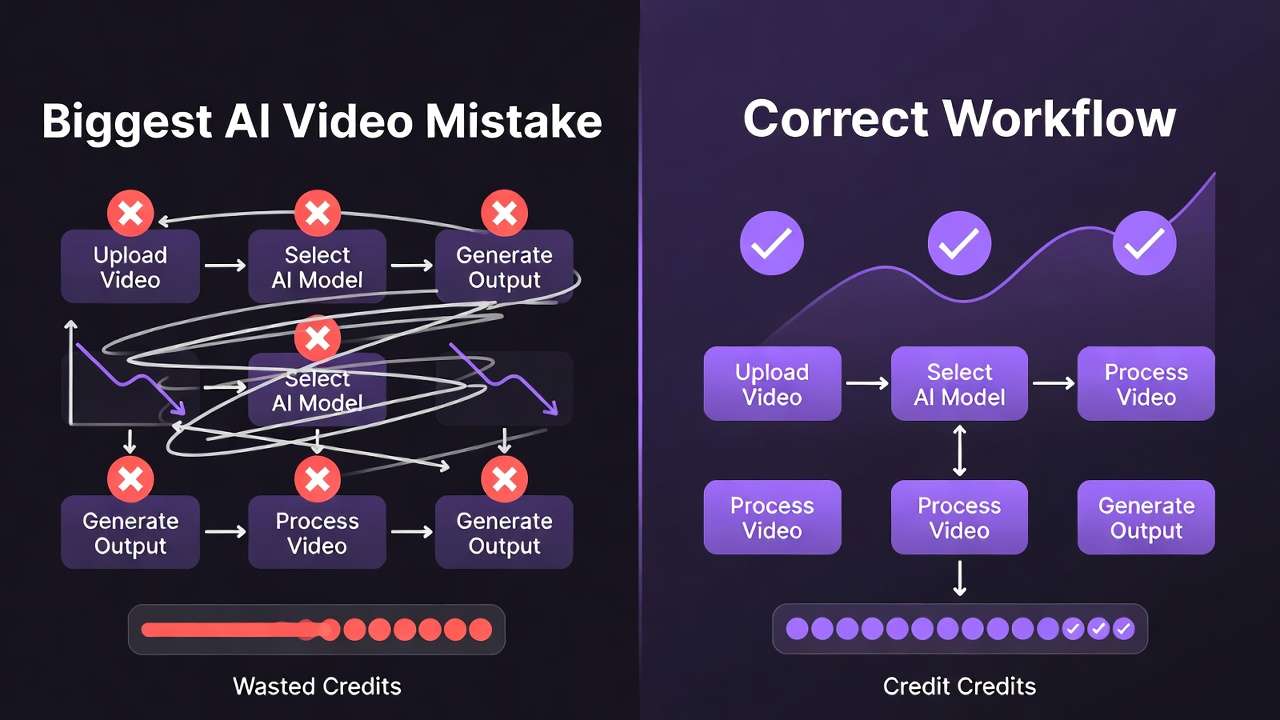
Text-to-video generation and video editing sound like complementary features until workflows collide with credit budgets. Hailuo's suite (02, Pro, 2.3) specializes in generating clips from prompts, while Runway splits focus between Gen4 Turbo for creation and Aleph for editing-two fundamentally different pipeline positions. Creators defaulting to "just pick the newest ai video maker" waste credits regenerating when the wrong tool type tackles their task. On Cliprise, where both integrate under VideoGen and VideoEdit categories, understanding which model type matches your workflow stage-raw generation versus refinement-determines whether you iterate efficiently or drain resources on mismatched capabilities.
I. Introduction to Hailuo and Runway Integration
Cliprise aggregates third-party AI models, including Hailuo variants such as Hailuo 02, Hailuo Pro, and Hailuo 2.3 for video generation, alongside Runway's Gen4 Turbo for generation and Aleph for editing, all unified under a credit-based system. This setup enables users to generate content without managing multiple subscriptions, as every operation draws from a shared credit pool tied to subscription plans or one-time purchases.

The user journey on Cliprise begins at the /models index page, where individuals browse a catalog of 26 model landing pages organized by category. Each page details specifications, features, and use cases for models like Hailuo 02 or Runway Gen4 Turbo. For instance, a user interested in Hailuo Pro might review its video generation parameters, then click the "Launch in Cliprise" call-to-action, which redirects to app.cliprise.app for hands-on interaction. This flow ensures seamless transitions from discovery to execution, with Cliprise handling the backend aggregation of providers like those behind Hailuo and Runway.
In practice, Cliprise's integration means no need to switch between Hailuo's native interfaces and Runway's dashboard. Credits consumed during generation-whether for a Hailuo 02 text-to-video clip or a Runway Aleph edit-reset according to plan cycles: daily for free tiers with defined limitations, or monthly/yearly for paid options. This structure supports experimentation across models, as users on Cliprise can pivot from Hailuo's generation strengths to Runway's editing tools within the same session.
Cliprise's model pages emphasize real-world applicability, listing supported controls like prompt text, aspect ratios, durations (5s, 10s, or 15s where available), seeds for reproducibility, negative prompts, and CFG scale for applicable models. For Hailuo and Runway, these parameters allow fine-tuning outputs, though results vary due to each model's training data and algorithms, which users cannot directly control.
II. Core Capabilities Comparison
Hailuo models on Cliprise, categorized under VideoGen, focus on creating videos from text prompts. Hailuo 02, Pro, and 2.3 enable generation of clips with options for durations up to 15 seconds, aspect ratios tailored to social media or ads, and seed-based repeatability where supported. Users input descriptive prompts, adjust negatives to exclude elements, and set CFG scales to balance adherence to instructions versus creativity.
Runway complements this with dual roles: Gen4 Turbo in VideoGen for prompt-driven video creation, similar to Hailuo in supporting text inputs and duration controls, and Aleph in VideoEdit for modifying existing footage. Gen4 Turbo handles turbo variants suited for quicker outputs, while Aleph processes edits like alterations or enhancements on pre-generated videos.
Both are accessible via Cliprise's prompt interface, where controls such as aspect ratio (e.g., 16:9 for landscapes or 9:16 for verticals) and duration selections apply. Seeds ensure some reproducibility across runs, though non-seed-supported modes yield variations. For comprehensive workflows, see Instagram Reels creation, travel agency marketing strategies, and video-to-video style transfer techniques. Negative prompts refine outputs by omitting undesired traits, and CFG scale adjusts guidance strength, available where the underlying model permits.
Generation on Cliprise involves a queue system with plan-based limits: free users face restrictions on concurrent jobs, while paid plans accommodate more extensive processing. All consume credits, with costs displayed pre-generation. Jobs process asynchronously with queue management, entering queues based on plan allowances. This applies uniformly to Hailuo and Runway, ensuring predictable workflows despite third-party processing times.
Cliprise's aggregation shines here-users test Hailuo 02 for a dynamic scene like "a bustling city street at dusk," then switch to Runway Gen4 Turbo for a speed-optimized variant, all under one credit ledger. Editing with Aleph follows naturally, perhaps masking elements or applying effects post-generation.
III. Pricing and Credit Consumption
Credit costs on Cliprise vary by model and quality, drawn from pricing.json (version 1.0.25, last updated 2025). Hailuo Standard requires a model-specific credit allocation per generation, while Hailuo Pro uses a higher allocation reflecting its processing characteristics or output complexity.
Runway models operate on the same credit system, with Gen4 Turbo and Aleph costs aligned to VideoGen and VideoEdit categories, respectively-exact figures available via pricing.json for comparable video tasks. For context, similar VideoGen models feature allocations calibrated to their operational demands, positioning Runway access within the platform's structured framework.
| Model | Credits per Generation | Plan Availability |
|---|---|---|
| Hailuo Standard | Model-specific allocation | All plans (free limited) |
| Hailuo Pro | Model-specific allocation | Paid plans |
| Hailuo 2.3 | Credit-based (per pricing.json) | Paid plans |
| Runway Gen4 Turbo | Credit-based (VideoGen) | All plans (free limited) |
| Runway Aleph | Credit-based (VideoEdit) | Paid plans |
Free tier constraints apply across both: limited daily credits resetting every 24 hours, 1 video generation per day, and duration limits per plan guidelines. Paid plans unlock fuller access, with monthly resets aligned to billing cycles. Top-ups available on paid accounts add flexibility for extended usage.
In a session, a user might allocate credits for a Hailuo Standard generation toward a 10s clip, then follow with Pro for further refinement, fitting within entry-level plan capacities. Runway Aleph edits, paired with upscalers like Topaz for resolution enhancements, extend budgets strategically across workflows. Cliprise displays costs upfront, prompting upgrades if balances approach thresholds based on ongoing activity.
IV. Real-World Use Case 1: Short Social Media Clips (5-10s)
For platforms like Instagram or TikTok, where 5-10 second clips dominate, Hailuo 02 on Cliprise generates from text prompts efficiently. A prompt like "energetic dancer in neon lights, vertical format, 10s loop" leverages 5s/10s durations, aspect ratios, and seeds for consistent branding across posts. With its designated credit allocation, it fits free tier experiments within daily limits, producing downloadable media for direct upload-public by default on free plans.
Runway Gen4 Turbo suits similar scenarios with its VideoGen focus, optimized for faster integration in high-volume workflows. Users generate "product unboxing in slow motion, 9:16, 10s," applying negative prompts to avoid distortions. Credits align with video generation norms, enabling back-to-back tests on Cliprise.
Cliprise users download outputs directly, with free creations potentially showcased publicly. This workflow supports creators iterating 2-3 clips daily on free plans under the 1 video limit per day, scaling to paid for greater volume. Pairing Hailuo's motion fluidity with Runway's turbo speed reveals preferences: Hailuo for narrative scenes, Runway for dynamic reveals.
For example, a marketer could generate a Hailuo 02 clip of "coffee pour-over timelapse," refine via seed tweaks, download, and post-allocating credits in line with model specifications. Runway Gen4 Turbo follows for variants, highlighting Cliprise's model-switching efficiency across sessions.
V. Real-World Use Case 2: Video Modification and Upscaling
Runway Aleph stands out in VideoEdit on Cliprise, processing user-uploaded footage for modifications like object removal or style transfers. Post-Hailuo generation, apply Aleph to extend a clip or alter backgrounds, consuming VideoEdit credits based on task requirements.

Hailuo models remain generation-centric, without dedicated edit listings, directing users to tools like Runway Aleph or Luma Modify. Follow with Topaz Video Upscaler for resolution improvements, enhancing outputs for professional deliverables through structured credit usage.
A workflow: Generate via Hailuo Pro with its allocated credits, edit in Aleph using VideoEdit allocations, upscale in Topaz for higher resolutions. Free users hit limits quickly with the 1 video per day cap, but paid plans support higher concurrency for streamlined chains. Cliprise supports async processing for such workflows, accommodating sequential steps effectively.
This sequence suits YouTubers upscaling social clips or advertisers refining ads, with Cliprise aggregating steps into one dashboard for cohesive management.
VI. Real-World Use Case 3: Professional Workflows with Audio/Video Sync
Hailuo Pro handles pro-level generation on Cliprise, supporting complex prompts for synced elements through its designated credit framework. Experimental features like audio synchronization, as noted in similar models such as Veo 3.1 with potential unavailability in certain cases, apply where supported, with durations up to 15s.
Extend via ElevenLabs TTS for voiceovers: generate Hailuo video, overlay narration like "narrate product benefits," syncing in-app through integrated tools. Runway Gen4 Turbo pairs similarly for base gen, Aleph for post-sync edits to refine alignments.
In agency settings, higher-tier plans accommodate extensive daily workflows: Hailuo for core video generation, ElevenLabs for audio components where applicable, Topaz for upscaling. Cliprise's queue manages concurrency based on plan levels, blocking only on unverified emails or insufficient credits relative to task demands.
VII. Performance Constraints in Practice
Cliprise enforces model-specific prompt lengths, displaying token costs pre-generation. Hailuo and Runway jobs queue within plan-dependent limits, processing asynchronously.
Blocks occur on unverified emails or insufficient credits; free videos cap at 1/day. Reliability is maintained through platform mechanisms, with variations arising from model internals, mitigated by seeds and CFG adjustments where available.
Users on Cliprise monitor via app.cliprise.app, upgrading for more favorable reset cycles aligned to monthly or yearly billing.
VIII. Accessing Both on Cliprise
Seamless model switching via PocketBase-fetched lists at app.cliprise.app. Platforms include iOS, Android, and Web PWA apps with Firebase Analytics integration configured. Cliprise unifies access across these devices for consistent experiences.

IX. Comparison Table: Key Metrics
| Aspect | Hailuo | Runway | Cliprise Context |
|---|---|---|---|
| Primary Category | VideoGen (02/Pro/2.3) | VideoGen (Gen4 Turbo), VideoEdit (Aleph) | Unified credits across categories |
| Sample Credits | Model-specific (pricing.json) | Model-specific (pricing.json) | Daily resets for free tiers |
| Duration Support | 5s/10s/15s | 5s/10s/15s | Plan-based duration options |
| Controls | Prompt, aspect, seed, negatives | Same + edit-specific for Aleph | Pre-gen cost display |
| Queue Concurrency | Plan-dependent | Plan-dependent | Async processing |
| Use Cases | Text-to-video clips | Gen + modification/upscale | Social clips to pro chains |
Related Articles
- Runway Gen-3 vs Kling Performance
- Luma Dream Machine vs Kling
- DALL-E 3 vs Midjourney 2026: Comprehensive Comparison Guide
- Flux 2 Pro vs Flux 2 Flex: In-Depth Analysis on Cliprise
- Flux 2 Pro vs Midjourney: Photorealism Battle 2026
- Google Veo 3 vs OpenAI Sora 2: The New AI Video War
X. Conclusion: Choosing Based on Needs
Hailuo suits text-to-video generation on Cliprise, while Runway extends to editing with Gen4 Turbo and Aleph. Free tier with daily limitations allows initial tests before upgrading to paid plans.

Cliprise's unified access facilitates direct comparisons, informing choices based on credit efficiency and workflow fit. Users scale from free explorations to paid volumes, leveraging model pages for informed selections.