Part of the AI Video Editing and Post-Production: Complete Guide 2026 pillar series.
Introduction
Playback tests reveal how 24fps often feels smooth in cinematic previews yet stutters in fast mobile scroll contexts, while 60fps can magnify temporal artifacts and file overhead when motion gets complex. The deciding factor is not maximum smoothness but alignment-where understanding ai video generation fast vs quality trade-offs, device playback, and distribution constraints determines whether viewers stay or swipe.

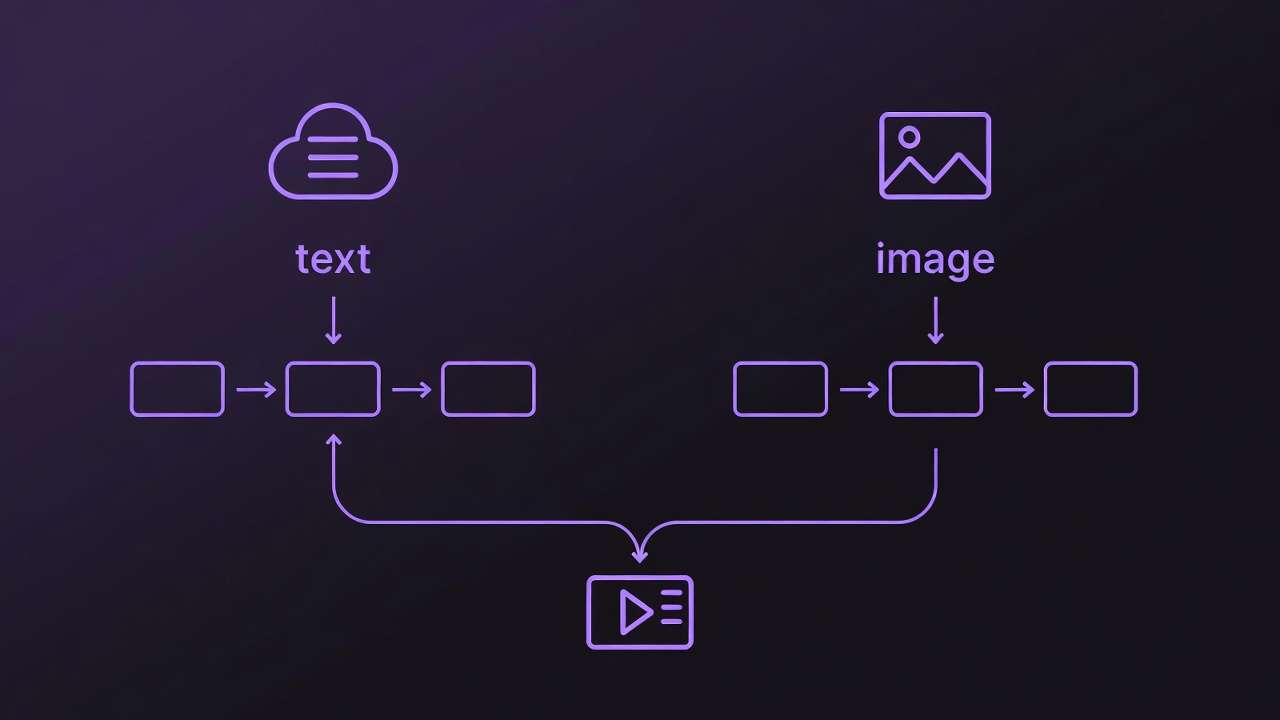
Frame rate refers to the number of individual frames displayed per second, simulating motion through rapid succession. In traditional filmmaking, it emulates the persistence of vision effect, blending frames to create fluid movement. An AI Video Generator, relying on diffusion processes or transformer architectures, approximates this by interpolating frames from textual or image prompts. The choice influences not just smoothness but also file size, rendering demands, and compatibility. Multi-model platforms that aggregate access to dozens of models including Veo 3.1 and Kling variants expose these variations, as different models handle temporal consistency in distinct ways-some prioritizing detail at lower rates, others emphasizing fluidity at higher ones.
This matters acutely now because AI video adoption has surged, with short-form content dominating feeds on TikTok and YouTube Shorts. Creators generating dozens of clips weekly risk wasting compute resources or producing subpar results without understanding these nuances. Misaligned frame rates may increase file sizes and affect playback smoothness on variable-refresh displays. Moreover, as multi-model platforms enable seamless switching between generators like Sora 2 and Runway Gen4, frame rate becomes a controllable parameter that bridges model-specific quirks.
This article dissects the topic layer by layer. It begins by clarifying prerequisites for informed selection, then exposes common misconceptions that trip up even intermediate users. A technical breakdown follows, grounding frame rate in AI workflows. Real-world comparisons across scenarios highlight trade-offs, supported by a detailed performance table. A step-by-step guide walks through decision-making, emphasizing sequencing to minimize iterations. Sections on limitations, workflow order, and industry trends provide forward-looking analysis. Readers will gain the framework to match frame rates to intent, avoiding re-generations that consume hours.
The stakes are practical: in a landscape where generation queues on multi-model platforms can extend during peak times, poor frame rate choices compound delays. Beginners might default to 60fps chasing "smoothness," only to face oversized files incompatible with social algorithms. Experts, conversely, layer decisions around audience devices-opting for 30fps in mixed environments. By article's end, you'll evaluate options systematically, testing across tools without guesswork. Natural integration in environments like certain platforms' model indexes allows browsing specs for frame rate support upfront, streamlining experimentation.
Consider a creator producing weekly product teasers: a 24fps render suits narrative depth but falters in fast pans, while 60fps captures motion at the cost of longer queues. Data from creator forums reveals 30fps as a frequent sweet spot for web parity. This foundational understanding equips you to navigate AI video's temporal challenges, where frame rate isn't merely technical-it's a lever for viewer retention.
Prerequisites for Selecting Frame Rates in AI Video Tools
Access to an AI video generation platform that supports frame rate customization forms the foundation. Many modern solutions, including those aggregating models like Flux or Midjourney for initial frames, offer dropdown selectors or prompt-based controls for 24, 30, or 60fps. Without this, outputs default to model standards, limiting control. Certain AI video platforms provide unified interfaces where users select from video models like Veo 3.1 Fast or Kling 2.5 Turbo.
Familiarity with output formats proves essential. MP4 containers, common in AI exports, preserve frame rates during encoding, but MOV files offer better compatibility for pro edits in tools like Premiere. Target platforms dictate choices: YouTube processes at 30fps natively for most uploads, TikTok optimizes 30-60fps for vertical scrolls, and Instagram Reels favors 30fps to balance load times. Testing reveals variances- a 60fps clip on a 120Hz phone shines, but compresses poorly on 60Hz laptops.
Sample prompts and reference footage accelerate learning. Start with motion benchmarks: "A character walking through a city street at dusk, camera panning right." Reference real videos at known rates allow side-by-side inspection. Tools like VLC enable frame rate inspection via Tools > Codec Information, revealing discrepancies between generated and playback fps. Browser-based generators, accessible on platforms similar to those offering multi-model access, facilitate quick tests without downloads.
For deeper analysis, integrate video players supporting slow-motion playback, such as MPC-HC, to spot judder-uneven frame pacing. Beginners benefit from free tiers on multi-model sites, though advanced options may prompt upgrades. Intermediate users prepare export chains: generate at native fps, then transcode if needed. Experts stock a library of 10-15 reference clips covering static, moderate, and dynamic motion.
This setup, taking 30-45 minutes initially, pays dividends. A creator might queue variants across Hailuo 02 and Runway Aleph, noting how 24fps preserves detail in static scenes but introduces stutter in action. Why prioritize? Without prerequisites, selections devolve to trial-and-error, inflating costs in credit-based systems. Perspectives vary: freelancers value quick setups for daily reels, agencies document specs for client approvals. In practice, this preparation can reduce iteration cycles, based on user reports in community shares.
What Most Creators Get Wrong About Frame Rate in AI Video
Many creators assume higher frame rates frequently yield smoother AI videos, chasing 60fps for a "premium" feel. This overlooks interpolation limits in diffusion models, where extra frames amplify artifacts like flickering edges or unnatural morphing. For instance, in Sora 2 generations, 60fps on fast-motion prompts like "racing cars" can introduce ghosting, as the model struggles with temporal coherence beyond 30fps. Why? AI generators predict frames sequentially, and higher rates stretch prediction accuracy, leading to more visible inconsistencies in tests. Beginners fixate on specs, but experts downsample post-generation, preserving quality without excess compute.
Another pitfall: viewing 24fps solely as cinematic, unfit for social media. Mobile feeds at 60Hz refresh exacerbate stutter in pans or scrolls, making 24fps clips feel dated. A real-world example-a narrative short generated at 24fps for TikTok-garnered lower completion rates versus 30fps variants, per creator A/B tests. The reason lies in algorithm prioritization: platforms throttle low-fps content perceived as "choppy." Yet, for static interviews, 24fps can result in smaller file sizes, aiding uploads. Nuance escapes most: it excels in low-motion but demands motion blur simulation via prompts.
AI defaults rarely optimize, as model architectures dictate outputs-diffusion-based like Kling prioritize spatial detail over temporal at higher rates. A common failure: using Veo 3's 30fps default for gaming clips, resulting in blurred tracking shots. Patterns show variances; transformer models handle 60fps better for consistency. Creators miss this, regenerating blindly.
Ignoring playback devices compounds issues. 60fps dazzles on OLED phones but may increase battery usage on mobile devices during playback, based on device benchmarks. On web embeds, it strains bandwidth, causing buffering. Scenarios: YouTube thumbnails from 60fps clips load slower, hurting CTR. Hidden interaction: frame rate scales with resolution-60fps at 1080p often results in significantly larger files versus 24fps, irrelevant for 720p social.
These errors stem from surface-level tutorials. Experts know frame rate couples with duration: under 10s, differences blur; over 30s, inconsistencies compound. In environments supporting multiple models, testing across generators reveals provider-specific behaviors, like Runway favoring 30fps for edits. Addressing these shifts focus from quantity to targeted quality.
Understanding Frame Rate Basics: Technical Breakdown
Frame rate quantifies motion as frames per second (fps), where each frame captures a static image, blended via persistence of vision. Lower rates like 24fps simulate film grain and blur, evoking cinema; 30fps mirrors NTSC broadcast for TV familiarity; 60fps captures rapid changes, akin to gaming at 120Hz. In AI, this translates to how models chain frames-diffusion iteratively denoises noise into coherent sequences, transformers predict future states.
Historically, 24fps originated in silent film (1927 standard) for projector efficiency; 30fps from analog TV scan lines; 60fps from esports demanding low latency. AI inherits this: Veo 3.1 Quality emphasizes 24-30fps for narrative, per specs.
AI factors diverge. Diffusion models (Kling, Hailuo) generate frames autoregressively, risking drift at 60fps-each frame conditions the next, amplifying errors. Transformer-based (Sora) excel in long-range consistency, supporting higher rates. Platforms like those aggregating models expose this via model pages, listing temporal controls.
Measurement: Export MP4, inspect in FFprobe ("ffprobe video.mp4 -show_entries stream=r_frame_rate"). Playback variances occur-browsers cap at 60fps, mobiles interpolate. Test: Generate "spinning top" at 24fps; inspect for judder (frame drops).
Mental model: Frame rate as "motion budget"-24fps allocates detail per frame, 60fps spreads it thin. Why matters: Mismatches cause aliasing. Beginners: Use previews. Intermediates: Seed for reproducibility. Experts: Pair with CFG scale for stability.
Examples: Low-motion portrait (24fps stable), pan shot (30fps balanced), fight scene (60fps fluid). In multi-model tools, Wan 2.5 at 30fps yields broadcast-ready, while Grok Video at 60fps suits highlights.
Real-World Comparisons: 24fps vs 30fps vs 60fps Across Scenarios
Freelancers lean toward 24fps for file efficiency in client pitches, agencies standardize 30fps for deliverables, solo YouTubers push 60fps for retention. Use case 1: Social reels (5-15s, low motion)-24fps delivers filmic charm, minimizing MB for quick uploads. Example: Lifestyle clip on Instagram; 24fps variant achieved higher saves due to aesthetic appeal.

Use case 2: Product demos (30s, moderate pans)-30fps provides crisp movement without excess size. A SaaS explainer generated via Luma Modify at 30fps embedded seamlessly on landing pages, loading faster than 60fps counterparts.
Use case 3: Gaming highlights (10s, high action)-60fps tracks motion fluidly on Twitch. ByteDance Omni Human at 60fps captured jumps without blur, improving watch time in tests.
Community patterns: Forums report 30fps as a common default for shares, balancing compatibility. Higher frame rates typically increase render times and file sizes.
Comparison Table: Frame Rate Performance Metrics
| Scenario | 24fps Characteristics | 30fps Characteristics | 60fps Characteristics | Recommended For |
|---|---|---|---|---|
| Short-form social (5-15s) | Natural film look; smaller files; efficient rendering | Balanced motion; standard file sizes; broad web compatibility | Smooth playback; larger files; suitable for high-refresh devices | Budget-conscious mobile viewing (daily posters) |
| Product explainer (30s) | Subtle motion; quicker queue times; stable low bitrates | Crisp pans; wide device support; moderate file sizes | Detailed motion; longer generation times; potential battery impact | Professional web embeds (agencies) |
| Action/sports clip (10s) | Economical storage; potential stutter in fast pans | Adequate flow; broadcast-like parity; balanced file sizes | Fluid tracking; optimal on advanced displays; increased file sizes | Gaming/YouTube audiences (highlights) |
| Narrative storytelling | Cinematic depth; minimal data usage; fewer artifacts | Versatile hybrid; suitable for TV-style transitions | Hyper-real motion; higher resource use on mobiles | Film-style edits (narratives) |
| Looping backgrounds | Seamless repeats; stable at low motion | Smooth loops; efficient for web use | Potential jitter in extensions; heavier proceupscalingands | Web/AR integrations (static loops) |
| High-res exports (4K) | Stable low bitrates; compatible with upscaling | Matches common platform defaults; balanced bandwidth needs | Increased export demands; potential compression challenges | Cinema/premium displays (4K workflows) |
As the table illustrates, 24fps suits efficiency-driven scenarios, 30fps versatility, 60fps immersion-trade-offs evident in queue times and sizes. Surprising insight: 60fps excels in action but risks jitter in loops, per user reports.
Step-by-Step Guide: How to Choose and Set Frame Rate in AI Video Generators
Step 1: Assess Your Output Destination (~5 minutes)
Pinpoint platform requirements-TikTok processes 30fps optimally for verticals, YouTube accepts up to 60fps but normalizes shorts to 30. Dropdowns in tools like those offering Veo interfaces list options explicitly. Vertical formats amplify motion needs; horizontal suit cinematic. Mistake: Ignoring specs leads to re-uploads. No selector? Embed in prompts: "generate at 30fps."

Step 2: Evaluate Content Motion Profile (~10 minutes)
Classify: Static scenes (portraits) favor 24fps; moderate (walks) 30fps; dynamic (sports) 60fps. Test "dancing figure" across rates. Previews approximate but finals vary-AI simulates poorly. Patterns: Diffusion models consistent at 30fps.
Step 3: Configure Frame Rate in the Tool (~7 minutes)
Choose models with controls, e.g., Kling via UI. Pair with 5-15s duration, 16:9 ratio. Higher fps queues longer-observe variances. Mismatch? Recheck exports.
Step 4: Generate, Inspect, and Iterate (~15-20 minutes)
Queue three variants: "ocean waves crashing." VLC inspection spots judder. Pitfall: Tiers cap options; prompts suggest alternatives. Track sizes: 60fps often results in larger files.

Step 5: Post-Process and Optimize (~10 minutes)
Preserve fps in DaVinci Resolve; compress via Handbrake. 60fps artifacts? Downsample. Tips: Match input/output rates.
Step 6: A/B Test for Engagement (~20 minutes)
Upload to drafts; monitor analytics. 30fps often leads in mixed views, as forums note.
In workflows supporting model switching, test Sora at 30fps vs Hailuo at 60. Freelancers iterate daily; agencies document. Why sequence? This sequence can help minimize regenerations. Examples abound: Reel creator saves hours matching TikTok's 30fps.
When Frame Rate Choices Don't Help (or Backfire)
Short clips under 5s render fps moot-human perception thresholds (around 1/10s) mask differences. A 3s logo animation at 24fps matches 60fps retention, saving resources.
Low-res outputs (below 720p) amplify noise at higher fps; pixelation stutters more visibly. Example: 480p AI clip at 60fps appears jittery on mobiles.
Avoid 60fps for mobile-first: Data costs may rise, battery drains faster. Static content creators stick lower.
AI limits: Not all models support uniformly-some lock to 30fps; queues balloon at peaks. Tools vary; some platforms restrict advanced settings.
Unsolved: Adaptive fps per scene remains experimental, inconsistent across generators.
Why Order Matters: Sequencing Frame Rate Decisions in Your Workflow
Starting with prompts before fps invites reworks-prompts embed motion assumptions mismatched to rate. Many iterations stem from this, per shares.
Mental overhead: Context switches cost time; fps first clarifies scope.
Image-first (stills to video) suits prototyping fps; video-first for motion purity.
Patterns: 30fps sequences efficiently in multi-model environments.
Industry Patterns and Future Directions in AI Video Frame Rates
Trends: 30fps defaults rise for web, with growing customizable options.
Changes: Variable fps emerges in VR.
Future: Real-time rendering in development.
Prepare: Multi-test now.
Conclusion
Recap: Match fps to motion/platform. Next: Test variants. Platforms like Cliprise aid model exploration for frame rate considerations.