Related hubs: Compare AI models hub, AI video models ranked, and Cliprise models without a long guide yet.
"AI video no watermark" and "AI video generator without watermark free" together generate over 70,000 monthly searches. That number exists because most standalone AI video platforms still watermark free output - and creators only notice after the first export.
This page covers the watermark situation clearly: which platforms watermark, what each charges to remove them elsewhere, and how Cliprise differs - no Cliprise watermark on Free or paid; you scale for credits, commercial rights, and premium model tiers - not to remove branding.
Quick answer: Outside Cliprise, free tiers are usually watermarked and paid tiers remove them. On Cliprise, exports stay clean; Starter ($9.99/mo) unlocks far more monthly credits and full commercial use across Kling 3.0, Sora 2, Veo 3.1, Runway Gen-4 Turbo, and the rest of the catalog.
Why Most Platforms Watermark Free Output
The business logic is straightforward on standalone tools: watermarks convert free users to paid users. A creator who generates a genuinely useful video but cannot publish it without a visible watermark has a clear incentive to upgrade.
Cliprise is different on branding: we do not add a Cliprise watermark on Free or paid - your constraint is credits, model access, and licensing, not stripping an overlay.
This is not a gotcha for those vendors - it is the standard freemium model across many AI video platforms. The useful question becomes: "what is the most cost-efficient way to get publishable output at the quality I need?" - which is credits and model mix on Cliprise, and often paying to remove the vendor's watermark elsewhere.
Watermark Policies by Platform: The Real Numbers
| Platform | Free tier: vendor mark? | Typical entry paid (verify live) | When that vendor's mark goes away |
|---|---|---|---|
| Kling AI | Usually yes | From ~$6.99/mo (Standard - verify klingai.com) | Paid tier that includes clean export |
| Runway | Usually yes | From ~$15/mo (Standard, monthly - verify runwayml.com) | Standard+ where Runway documents clean export |
| Pika | Usually yes | ~$8/mo (check pika.art/pricing) | Paid tier that includes clean export |
| Hailuo / MiniMax | Usually yes | ~$10/mo (verify hailuo.ai) | Vendor paid plan |
| Sora (via OpenAI) | No durable free tier (policy changes - verify OpenAI) | e.g. ChatGPT Plus ~$20/mo | Per OpenAI product terms |
| CapCut AI | Depends on feature | ~$7.99/mo (verify capcut.com) | Paid feature bundle |
| Cliprise | No Cliprise overlay on exports (Free + paid) | $9.99/mo Starter for more credits & commercial use | N/A for Cliprise branding; provider marks (e.g. some Sora) → see Sora 2 Watermark Remove |
The important distinction in the Cliprise row: no Cliprise branding overlay on exports, even on Free. You upgrade to Starter/Pro for credits, commercial rights, and premium quality tiers - not to strip a Cliprise logo. For non-Cliprise marks some routes still carry (often discussed with Sora), use Sora 2 Watermark Remove when the app supports it - not a different subscription "because Cliprise watermark."
If you need each vendor's watermark-free output from three different video models - say Kling, Runway Standard, and Sora 2 - on separate platforms, that costs $6.99 + $15 + $20 = $41.99/month minimum. On Cliprise: Starter at $9.99/month bundles credit access across those models (and dozens more) with no Cliprise watermark - subject to each model's credit pricing and your usage.
What "Without Watermark" Actually Requires
Being specific about this prevents frustration:
On Cliprise: The free tier includes daily credits that are applicable across models, and exports do not carry a Cliprise watermark. Upgrading to Starter or Pro is about more credits, commercial licensing, and premium model tiers - not removing a Cliprise overlay.
Provider watermarks (separate topic): Some upstream video can still carry a third-party visible mark (for example certain Sora outputs). That is not the same as “Cliprise watermarked my free export.” When you need those frames cleaned for delivery, use the documented post-process utility Sora 2 Watermark Remove - credits and support depend on the live app.
On many standalone platforms: free tier is often visibly watermarked; paying that vendor usually removes their mark. Policies differ - verify each site - and each subscription is separate.
Unlimited "free" AI video at production quality without limits does not exist in 2026. Cliprise Free still ships clean exports (no Cliprise watermark) with 30 signup credits once and 10/day refill; elsewhere, truly free unlimited watermark-free video is usually low quality, heavily capped, or a temporary promo.
For current free tier details and credit limits: Cliprise Pricing.
The Multi-Model Watermark Math
The watermark cost conversation changes significantly when you are working with multiple models - which most professional creators are in 2026.
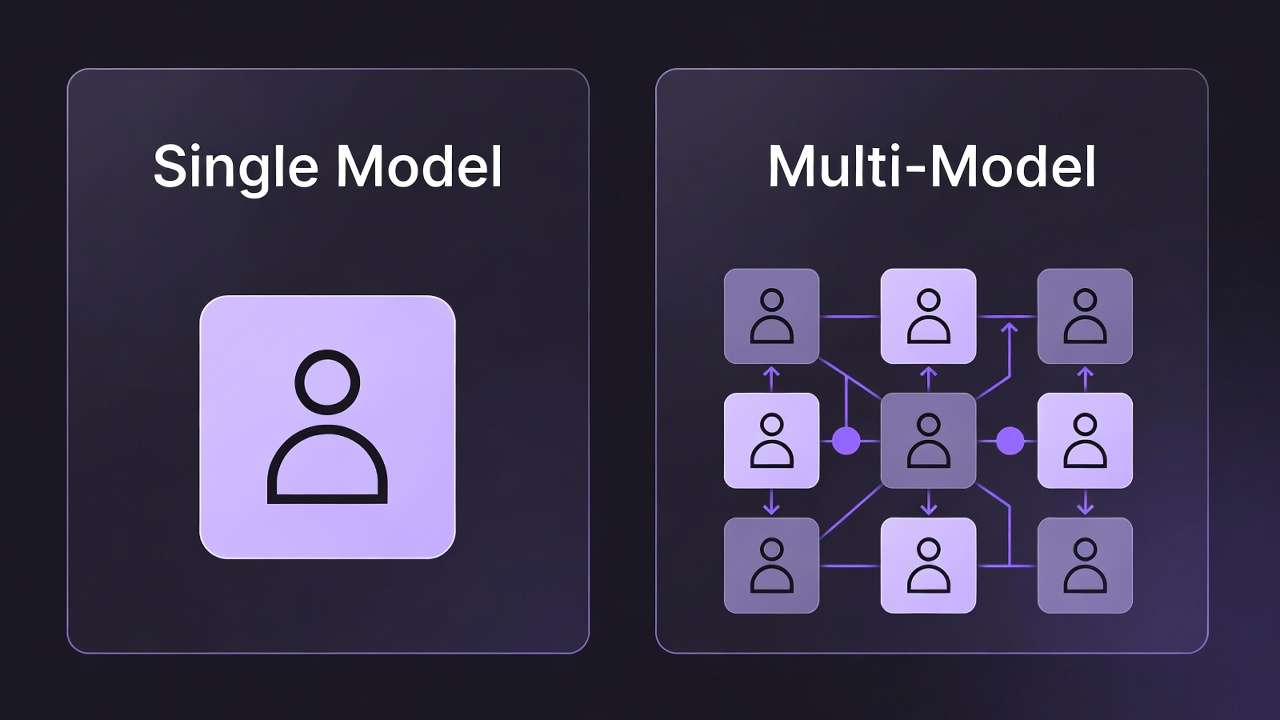
Single-model creator scenario: A creator who only uses Kling AI typically pays from about $6.99/month (Standard - verify klingai.com) for that vendor's watermark-free export on Kling's own product. Straightforward if you only need one toolchain.
Multi-model creator scenario: A creator who uses Kling for product video, Runway Gen-4 Turbo for commercial content, and Sora 2 for conceptual work needs three separate subscriptions for watermark-free output:
- Kling Standard: $6.99/month
- Runway Standard: ~$15/month
- OpenAI ChatGPT Plus (for Sora): $20/month
- Total: ~$42/month for watermark-free access to three models
On Cliprise: Starter at $9.99/month for pooled credits across all three of those models plus 44 others - again without a Cliprise watermark; your spend is credits, not removing our branding.
For the full value case: Cheap AI Video Generator: Real Cost Comparison 2026 and Multi-Model Platforms vs Single-Tool Subscriptions.
Which model for which job (on Cliprise)
No Cliprise branding watermark applies to normal exports on every plan; model choice is about look, length, resolution, and credits - not paying to remove a Cliprise logo. If a provider still puts a visible mark on a given route (common discussion: Sora), treat that as a pipeline issue and use Sora 2 Watermark Remove when supported, not a plan upgrade "for Cliprise."
Kling 3.0 - 4K/60fps photorealistic video Best for product demos, lifestyle content, commercial video, and any content requiring smooth high-frame-rate motion. No Cliprise watermark on exports (all plans). Guide: Kling 3.0 Complete Guide.
Veo 3.1 Quality - Atmospheric video with native spatial audio Best for environmental, narrative, and atmospheric content. The only video model that generates audio alongside the video. No Cliprise watermark on exports (all plans). Guide: Veo 3.1 Complete Tutorial.
Veo 3.1 Fast - 1080p, lower credit cost Best for social media content, draft generation, and any content where 1080p is sufficient. Faster and more credit-efficient than Quality mode. No Cliprise watermark on exports (all plans).
Sora 2 - Long-form creative video Best for abstract, conceptual, and long-duration (up to 20 seconds) content. No Cliprise watermark on exports (all plans). Some provider routes can still show a non-Cliprise visible mark - when your brief needs a clean frame, follow in-app guidance and Sora 2 Watermark Remove on supported clips. Guide: Sora 2 Complete Guide.
Runway Gen-4 Turbo - Commercial quality generation Best for professional commercial video where Gen-4 Turbo's specific output characteristics are required. No Cliprise watermark on exports (all plans). Guide: Runway Gen-4 Turbo Tutorial.
Hailuo 02, Wan 2.6, Seedance v1 - Additional video models with distinct motion and cost profiles. On Cliprise they ship without a Cliprise branding overlay on normal exports; always confirm third-party / provider rules and in-app labels for your exact route before client delivery.
For the full video model comparison: Sora 2 vs Kling 3.0 vs Veo 3.1: Three-Way Comparison and Best AI Video Models on Cliprise 2026.
Image Generation Without Watermarks
The same logic applies to AI image generation - many competitors still watermark their own free-tier exports. On Cliprise, image exports do not add a Cliprise branding watermark on Free or paid - limits are credits and which models you can run:
- Midjourney alternatives - no Cliprise overlay on Cliprise exports (verify upstream terms)
- Flux 2 - no Cliprise overlay
- Google Imagen 4 - no Cliprise overlay
- Ideogram v3 - no Cliprise overlay
- Seedream 4.5 - no Cliprise overlay
One Starter+ subscription pools credits across the catalog for production volume. For the image model landscape: Best Image Generators on Cliprise Complete Guide.
Free-Tier Strategy: Getting the Most Before Upgrading
If you are on a free tier and evaluating whether to upgrade, the most efficient approach:
Test across models first. The Cliprise free tier provides daily credits applicable across models. Use this to identify which models produce the best results for your specific use case before committing to a paid plan. Upgrading with a clear model preference is more efficient than upgrading blind.
Generate reference outputs, not finals. Use free-tier credits to establish compositional direction, prompt language, and visual style. Once you have confirmed the output direction works, upgrade for more credits and commercial rights - not because Cliprise adds a watermark on Free.
Note what the watermark covers (on competitors' free tiers). On some platforms, watermarks are placed in corners and can be cropped without affecting the main composition. On others (particularly video), they are more prominent. Evaluating whether a watermark obstructs the core content helps you prioritize which platform's paid plan is most urgent.
For mobile: Mobile Video Generation Guide covers the free-to-paid workflow on iOS and Android.
Specific Scenarios
Social media content creator (TikTok/Reels/YouTube Shorts): Vertical 9:16 format, clean exports matter for anything you publish. On Cliprise: one plan covers Kling 3.0 and Veo 3.1 Fast for vertical format with no Cliprise watermark. For the TikTok workflow: TikTok Creator Viral AI Video Workflow.
E-commerce brand (product video): Product demo and lifestyle clips need to look client-ready. Kling 3.0 at 4K/60fps for product video on Cliprise ships without a Cliprise watermark - upgrade for credits and licensing. For the product workflow: Creating E-Commerce Product Videos.
Marketing agency (multiple client content): Multiple models, multiple client deliverables. One Cliprise plan keeps clean exports across models - you scale for credits and collaboration, not watermark removal. For the agency case: Best AI Platform for Marketing Agencies 2026.
YouTube creator (b-roll and thumbnails): B-roll and thumbnails need to look intentional, not “free-tier branded.” Cliprise exports stay free of a Cliprise watermark on every tier - budget for credits and model choice instead. For the YouTube workflow: Best AI Platform for YouTube Creators 2026.
Frequently Asked Questions
Is there a free AI video generator without watermarks? Unlimited free production-quality video does not exist in 2026. Many competitors watermark free output; Cliprise Free still gives clean exports (no Cliprise watermark) with 30 signup credits once plus 10/day refill - upgrade for credits, commercial rights, and premium tiers.
What is the cheapest way to get AI video without watermarks? On a single-model basis: Kling Standard at $6.99/month or Pika Basic (~$8/month, verify current price) are common entry points. For multi-model access with clean Cliprise exports on every plan tier: start on Cliprise Free, then Starter at $9.99/month for 900 monthly credits across 47+ models.
Does Cliprise's free tier have watermarks? No Cliprise branding watermark on exports - limits are credits, models, and licensing (see pricing). Some provider routes (e.g. certain Sora clips) can still carry a non-Cliprise visible mark; use Sora 2 Watermark Remove when supported, not a random crop workflow.
Can Sora clips from Cliprise still show a non-Cliprise watermark? Sometimes - OpenAI/provider rules can still apply. That is unrelated to Free vs Starter for Cliprise branding. For delivery-grade clean frames on supported inputs, use Sora 2 Watermark Remove and confirm behavior in-app.
Do watermarks affect video quality? A visible overlay does not change how the model generated the pixels - it sits on top. Paying a vendor for a clean tier (or using a documented first-party removal step) gives you the same underlying picture without that layer.
Can I remove watermarks in post-production? Ad-hoc inpainting in a generic editor is slow, risky for quality, and often breaches someone else's terms. Prefer the vendor's paid clean-export tier, or - on Cliprise - first-party utilities such as Sora 2 Watermark Remove for supported provider marks, instead of third-party "AI watermark remover" apps.
Related Articles
- Sora 2 Watermark Remove (Cliprise utility)
- Private Mode & Watermark Explained
- Cheap AI Video Generator: Real Cost Comparison 2026
- Sora 2 vs Kling 3.0 vs Veo 3.1: Three-Way Comparison
- Best AI Video Models on Cliprise 2026
- Runway Alternative: Best Options for Video Creators 2026
- Best Midjourney Alternative in 2026
- Multi-Model Platforms vs Single-Tool Subscriptions
Conclusion
Most standalone AI video platforms still watermark free output; paying them removes their branding - not a universal law, but the default in the market.
For single-model use, standalone paid plans often start at $6.99-$15/month. For multi-model use - the reality for most professional creators who need different models for different content types - separate subscriptions add up to $40-$95+/month for vendor watermark-free access across three or four models.
On Cliprise, exports never carry a Cliprise watermark on Free or paid. Starter at $9.99/month is the practical multi-model floor for credits and commercial use across 47+ models - not for buying off a Cliprise logo. When provider marks still appear on a supported route, plan credits for Sora 2 Watermark Remove as part of the same delivery stack (confirm in-app).