AI Video + AI Voice: The Complete Social Media Content Workflow (2026)
Part of the AI Social Media Content Creation: Complete Guide 2026 pillar series.
There's a specific category of social content that performs differently from everything else. It's not higher production quality - if anything, it often looks deliberately rough. It's not better editing. What separates it is this: everything in the frame and on the audio track is intentional. Every second has a purpose. The voice is there because it was supposed to be there. The sound effects hit on the beat. The pacing of the edit matches the pacing of the speech.
The creators doing this in 2026 are not working with larger teams or bigger budgets. They've built a workflow where visual generation, voiceover, and sound design happen in one place, to one production standard, in a fraction of the time traditional production required. This guide documents that workflow - platform by platform, step by step.
Why Audio Is the Missing Half of Most AI Video Content
The default state of AI video production is visual-first, audio-afterthought. A creator generates a video clip with Kling 3.0 or Sora 2, exports it, opens it in CapCut, drops a trending audio track underneath, and publishes. The content performs at "fine" - it gets some views, some engagement, no breakout performance.
The breakout content in the same niche is doing something different: the audio is doing work. Not just filling silence, but actively contributing to the message. A voice hook pulls scroll-stoppers into the first 3 seconds. Ambient sound makes the visual feel real and expensive. A sound effect hits exactly on the visual cut point and creates a micro-burst of dopamine that the algorithm recognizes as a completion signal.
The measurable difference between intentional audio and afterthought audio in social content is documented across multiple platform studies. Meta's own research found that video ads with clear voiceover narration had 23% higher completion rates than equivalent visuals-only content with background music. YouTube's creator data shows that Shorts with spoken narration average 40% longer watch time than equivalent silent or music-only Shorts. TikTok's internal engagement research consistently shows that original audio (non-trending) with clear voiceover outperforms trending audio usage for content in the educational and how-to categories.
The tools to produce this level of audio intentionality have been on Cliprise the whole time. Most creators haven't connected them to their video workflow. This guide does that.
The Complete Platform-by-Platform Audio Strategy
Audio strategy is not one-size-fits-all across social platforms. TikTok, Instagram Reels, YouTube Shorts, and LinkedIn Video each have distinct audio cultures, distinct viewer behaviors, and distinct algorithmic responses to audio choices. Before building the workflow, understand what each platform rewards.
TikTok
TikTok's algorithm treats audio as a first-class ranking signal. Content that uses trending sounds gets boosted through the For You Page because TikTok surfaces trending sounds to amplify trends. However, for branded content and business accounts, trending audio carries risk: if the trend dies, the content's organic distribution drops with it.
The competing strategy - original audio with a strong voice hook - trades trend amplification for long-tail discoverability. A video with a clear voiceover explaining a specific topic becomes findable via TikTok Search, which is increasingly how users 25+ discover content on the platform. Original audio content indexed to relevant searches has a discovery half-life measured in months versus trending audio's days.
TikTok audio brief: Strong voice hook in the first 1.5 seconds. Rapid pacing - 155-170 words per minute. Informal, direct register. Sound effects used for emphasis, not atmosphere. Music optional and low in the mix if present.
Instagram Reels
Reels have a higher tolerance for polished production than TikTok - the Instagram audience expects slightly higher production quality and responds well to it. Voice narration on Reels reads as intentional quality signal rather than trying-too-hard.
Critical Reels factor: approximately 40% of Reels are watched on mute. Captions are not optional - they're mandatory for accessibility and reach. Content structured to work on mute (strong visual storytelling, captions carrying the voice content) with the audio as an enhancement layer performs better than content that requires audio to be understood.
Reels audio brief: Clear, warm narration. Slightly slower than TikTok pace (140-155 wpm). Music higher in the mix relative to TikTok. Sound design for scene authenticity. Captions always. Content should communicate its core message on mute.
YouTube Shorts
Shorts viewers arrive with slightly more intent than TikTok viewers - they're often on YouTube with a browsing purpose, and Shorts appear as interruptions between that purpose. The first 2 seconds must be immediately relevant to a topic the viewer was already interested in.
Narration on Shorts signals educational or explanatory intent, which is the highest-completion content format on the platform. A Shorts video that teaches something specific - a technique, a fact, a workflow - retains far better than entertainment-only content from non-celebrity creators.
Shorts audio brief: Immediately topically specific hook. Educational pacing (125-145 wpm). Authoritative but accessible voice register. Minimal music - YouTube Shorts viewers are less conditioned to expect music than TikTok viewers. Captions for accessibility.
LinkedIn Video
LinkedIn is the outlier in this set. The platform's audience is professional-context - viewers are in work mode, watching content relevant to professional development, business, and industry. Audio standards are correspondingly higher: poor-quality audio reads as unprofessional in a way it doesn't on TikTok.
LinkedIn videos with professional voiceover outperform equivalent caption-only content because LinkedIn users are more likely to have audio on than TikTok users, and professional narration signals the content's authority.
LinkedIn audio brief: Professional, measured, authoritative. 130-140 wpm. Minimal music - professional context doesn't reward trendy audio. Sound design should be invisible. Specific, data-backed narration outperforms general claims.
The Production Stack: What You're Using and Why
This workflow uses six tools, all available on Cliprise under one subscription:
| Tool | Role | Platform best suited |
|---|---|---|
| Pika 2.5 / Kling 3.0 | Short-form social video generation (5-15s clips) | TikTok, Reels, Shorts |
| Kling 3.0 / Sora 2 | Higher-quality clips for narrative-forward content | LinkedIn, YouTube Shorts, Reels |
| Veo 3.1 | Environmental/lifestyle content with native ambient audio | All platforms - lifestyle/nature content |
| Nano Banana 2 | Thumbnail and still-frame visual generation, text overlays | YouTube Shorts thumbnail, Reels cover |
| ElevenLabs TTS | Voiceover narration in any language, 3,000+ voices | All platforms |
| ElevenLabs Sound Effect v2 | Hook sounds, ambient atmosphere, emphasis effects | TikTok, Reels (highest impact) |
| ElevenLabs Speech-to-Text | Caption generation from finished video | All platforms (mandatory) |
The model selection per video is not fixed - it's routed by brief. See AI Model Selection Guide → for the complete routing framework.
Core Workflow: From Brief to Published Post
This is the backbone workflow. Platform-specific variations follow.
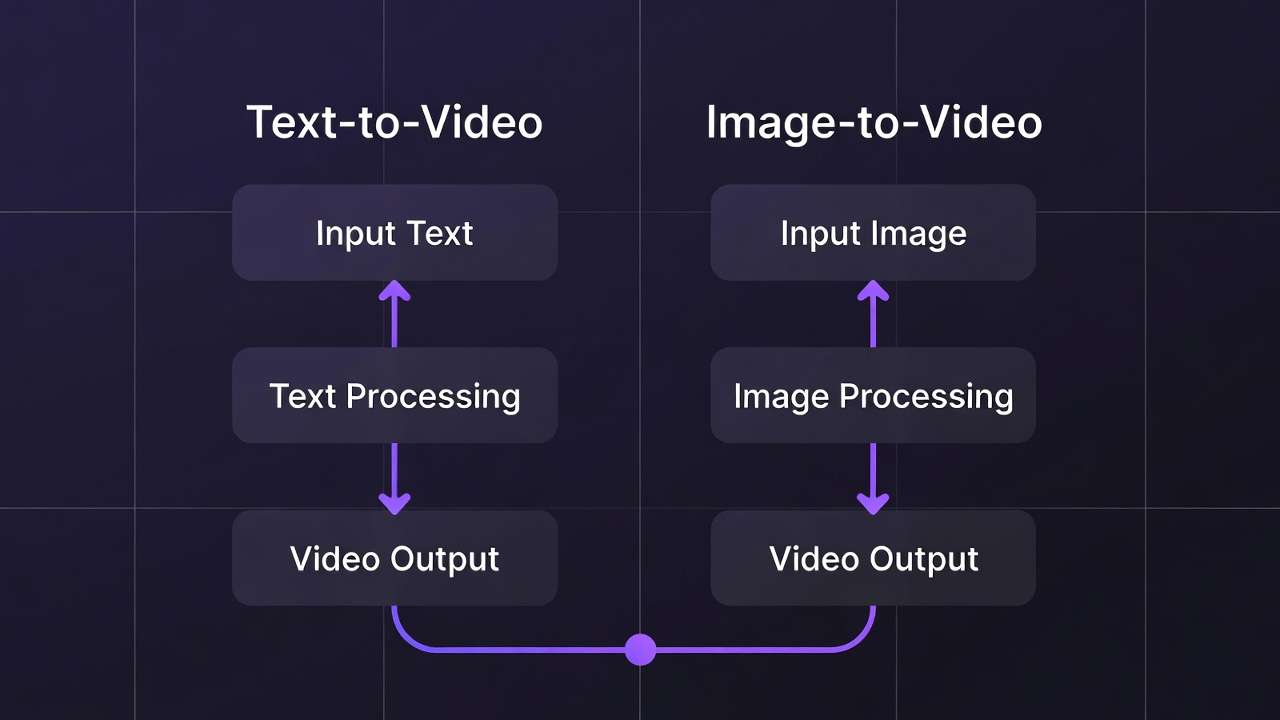
1. Define the hook - audio first. Before opening any generation tool, write the first spoken line of your video. This is not the topic of the video - it's the reason a scrolling viewer stops. The hook is a specific statement, question, or claim that the viewer recognizes as directly relevant to them. Write it as a spoken line, read it aloud, time it at under 3 seconds.
2. Write the complete voice script. Write the full narration script before generating any visuals. 60 seconds = 130-155 words. Format for TTS: short sentences, numbers spelled out, punctuation as pacing control. Build the storyboard column alongside the script - note the visual for each line. This becomes your generation brief.
3. Generate voiceover on Cliprise. Select your voice in ElevenLabs TTS. Generate the script in 3-5 paragraph segments for selective revision control. Keep settings consistent across all segments. Listen to assembled audio before generating any visuals - fix script issues at this stage, not after visual generation.
4. Generate video clips to script. Generate clips aligned to the storyboard column from your script. Match clip duration to the voiceover segment duration. Route models by content type: Pika 2.5 for rapid social content, Kling 3.0 for quality-priority clips, Veo 3.1 for environmental content. Generate 2-3 variants per clip and select the strongest.
5. Generate sound design. Identify 2-3 audio moments in the video that benefit from sound design: the opening hook (1 sound), any key visual action (1-2 sounds), and optionally an ambient atmosphere. Generate with ElevenLabs Sound Effect v2 using specific descriptions. Keep a small sound library organized by category.
6. Assemble in CapCut. Import video clips, voiceover, sound effects, and music. Layer audio: music lowest (-15dB), sound effects mid (-8dB), voiceover dominant (0dB reference). Align visual cuts to voice pacing. Keep transitions minimal - hard cuts with beat-aligned timing outperform motion transitions for social content.
7. Generate and add captions. Export the assembled video, upload to ElevenLabs Speech-to-Text for a timestamped transcript, import SRT back into CapCut. Style captions with brand fonts and colors. Mandatory for all platforms. Expand to full-screen word-by-word animation for TikTok and Reels where this format has demonstrably higher engagement.
8. Export to platform specs. Export at platform-native resolution and ratio. Use CapCut's Auto Reframe to adapt a master 9:16 edit to 1:1 (Instagram feed) or 16:9 (LinkedIn). Verify caption safe zone alignment in each ratio before upload.
Platform Workflow Variations
TikTok: Maximum Velocity Content
TikTok rewards publishing frequency more than any other platform. The top-performing TikTok creators in content-heavy categories (business, education, how-to) are publishing 1-3 videos per day. That cadence is impossible with traditional production and very achievable with an AI workflow.
The TikTok velocity workflow is designed for speed without sacrificing the audio quality that separates high-performing content from low-performing content in the same niche.
Target: 15-45 second videos. Complete production time: 45-75 minutes per video.
Voice hook patterns that perform on TikTok:
The hook is the entire distribution strategy for TikTok organic content. The 1.5-second spoken hook determines whether the algorithm shows the video to more people or less. Five hook patterns with high TikTok scroll-stop rates:
-
The counter-intuitive claim: "The most expensive-looking AI content costs almost nothing to make." Generates cognitive dissonance that demands resolution.
-
The specific number: "Three things I wish I knew before spending $2,000 on AI video tools." Specificity implies useful information density.
-
The direct problem naming: "Your AI videos look generated. Here's exactly why." Speaks directly to an experienced frustration.
-
The challenge: "I made 30 social videos in 3 hours. Here's the full workflow." Stakes a specific, impressive claim that demands proof.
-
The reversal: "Stop using trending audio for business content. It's hurting you." Contradicts a common behavior with stated consequence.
TikTok-specific audio notes:
Pacing: 155-170 words per minute feels native to TikTok. Slower pacing reads as educational content (fine if that's your positioning) or as slow-moving content (bad if it's not intentional). At 165 wpm, a 45-second TikTok has 123 words - about 8-10 sentences.
Sound effect timing: The hook sound effect (1 sound, first half-second) is the highest-ROI audio investment in TikTok production. A sharp, relevant sound before the first spoken word - a cash register, a notification, a door slam, a crowd react - pre-loads the viewer's attention before the hook line lands.
Generate a library of 20-30 hook sounds with ElevenLabs Sound Effect v2 categorized by emotional register: urgency, curiosity, social proof, reward. Reuse from the library rather than generating fresh for every video.
TikTok model recommendation:
Pika 2.5 is the most efficient model for high-volume TikTok production: 42-second generation time, social-native quality, and PikaEffects for the creative transformation effects that perform well organically. For content where quality ceiling matters more than generation speed, use Kling 3.0.
See full AI Video for TikTok guide →
Instagram Reels: Quality-First with Mute Compatibility
Reels have a different production philosophy from TikTok: quality signal matters more than velocity, and mute-compatibility is not optional.
The Reels dual-track production approach:
Every Reel should be produced with two simultaneous audience considerations: (1) viewers with audio on, and (2) viewers watching on mute. The audio layer serves the first group; the visual story and captions serve the second. Content that only works with audio fails 40% of its potential audience before they've even made a choice.
Mute-compatible structure:
- Open with a visual statement that communicates the topic without audio (a before/after, a product in use, a result being achieved)
- Use dynamic word-by-word captions that carry the narrative even without sound
- Include at least one full-screen text card stating the key takeaway
Reels-specific voice character:
Reels tolerate - and reward - slightly higher production polish than TikTok. A voice that's slightly more refined, slightly slower, slightly warmer reads as quality on Reels. Select ElevenLabs voices in the "warm professional" range rather than the "high energy conversational" range that performs on TikTok.
Stability setting: 0.65-0.75 for Reels (higher consistency across a longer clip reads better in a more polished format).
Reels music strategy:
Reels rewards music more than TikTok rewards music for non-entertainment content. A background music track at -12dB to -15dB underneath clear narration signals production quality and is expected by Instagram audiences. Use Suno for AI-generated original music (avoids ContentID restriction on boosted posts), or license from Epidemic Sound for cleared tracks.
Reels model recommendation:
Kling 3.0 for lifestyle and brand content - the 4K quality and character consistency hold up to the larger display real estate of a scrolled Instagram feed. Veo 3.1 for environmental and lifestyle content where ambient audio authenticity matters.
See Creating Instagram Reels with AI Video →
YouTube Shorts: Educational-Authority Content
YouTube Shorts is the platform where clear, topically specific narration has the highest performance premium. YouTube's search algorithm indexes Shorts content by topic - meaning a Shorts video narrated clearly about a specific, searchable topic continues generating views months after publication via search discovery.
The Shorts authority format:
-
Topic hook (0-2s): immediately name the specific thing this Short teaches. "Here's why your AI videos always look AI-generated." Not a general topic - a specific, searchable question.
-
Core explanation (2-45s): deliver the answer in 3-5 clear steps or points. One idea per sentence. No filler. Pacing: measured enough to follow, dense enough to feel worth the viewer's time.
-
Takeaway (45-55s): state the key lesson in one sentence. Make it quotable - if the viewer wants to share the insight, they should be able to do it in a single line.
-
CTA (55-60s): one action. "Follow for more" works but underperforms relative to a specific next-step suggestion: "The full workflow is in the pinned comment."
Shorts-specific audio: go minimal
YouTube Shorts audiences are less conditioned to expect background music than TikTok audiences, and background music in Shorts can feel like an indicator of low-effort content (the kind of Shorts that slap trending music under a looped clip). For authority-positioned content, no music or very low-level ambient audio signals confidence: the content is strong enough to stand without audio scaffolding.
If music is used: royalty-free, neutral, -18dB in the mix. Should not be audible as a distinct musical presence - just an anti-silence signal.
Shorts model recommendation:
Sora 2 for single-character explanation content - the cinematic motion quality reads well on YouTube's higher-quality display expectations. Nano Banana 2 for Shorts thumbnail generation - the text rendering and character consistency produce thumbnails that increase click-through in the Shorts feed.
See AI Video Generation for YouTube →
LinkedIn Video: Professional Authority Standard
LinkedIn video is the under-optimized platform in most creator stacks. The audience is professional-context - people at work, on their phones between meetings, with high tolerance for depth and low tolerance for fluff. The average LinkedIn video engagement rate is 3x higher than the platform's text post engagement rate. The creator competition is, in most professional niches, relatively thin.
LinkedIn voice brief in specific terms:
Select a voice with a slight authoritative edge - deeper register, measured pace, confident without being aggressive. Stability 0.75-0.80 (professional consistency across the recording). Clarity 0.70-0.75 (crisp consonants for professional authority signal).
Pace: 130-140 wpm. LinkedIn viewers are professionals - they read fast and they expect content to match their reading speed. Slower than this reads as condescending; faster reads as breathless.
LinkedIn audio structure:
Open with a professional-context observation, not a platform-style hook: "Most agencies have the same AI video production bottleneck. It's not the models - it's the audio." This addresses the professional directly, signals expertise, and creates a specific tension.
No trending sound effects. No music hooks. Ambient sound if the content benefits from it (a conference environment, a professional workspace). The audio production should feel like a high-quality podcast clip - polished, authoritative, no obvious AI production artifacts.
LinkedIn model recommendation:
Sora 2 for professional environments - the cinematic quality and physical plausibility of the spacetime transformer architecture produces office and professional settings that don't read as AI-generated to LinkedIn's professional audience. For presentations and data-heavy content, use Nano Banana 2 for clean infographic-style visuals with accurate text rendering.
See How Agencies Scale AI Video Production →
The Sound Design Library: Build It Once, Use Forever
The highest-leverage audio production investment is not per-video - it's building a reusable sound library that you draw from for every video. A well-organized library of 40-60 sounds, categorized by function, reduces per-video sound design time from 15-20 minutes to 2-3 minutes.
Library categories to build:
Hook sounds (10-12 sounds): Sharp, attention-grabbing sounds for the first half-second of content. Generate from descriptions like: "cash register ding, satisfying", "social media notification chime, clean and modern", "crowd gasp, surprised", "winning fanfare, short 1 second", "record scratch, vintage vinyl", "deep impact boom, cinematic", "typing keyboard, rapid and professional".
Ambient atmospheres (8-10 sounds): Background environment audio for different content contexts. "Modern open office - keyboards, light conversation, HVAC hum", "busy coffee shop - espresso machine, background conversation, muted music", "outdoor city park - birds, distant traffic, light wind", "corporate boardroom - quiet, slight room reverb, no background".
Transition effects (6-8 sounds): Audio cues for cuts and transitions. "Whoosh transition, fast and clean", "film projector click, transitional", "digital beep, information signal", "soft chime, positive transition".
Emphasis effects (8-10 sounds): Audio emphasis on key visual moments. "Subtle pop, satisfying", "low rumble, tension building", "high-pitched ding, revelation moment", "countdown beep sequence, 3 beats".
Product-category specific: Generate sound effects specific to the products or services you most commonly create content about. Physical product sounds. UI sounds. Service category atmospheres.
Generate each category using ElevenLabs Sound Effect v2 on Cliprise, name files descriptively, and organize in a folder by category. This library is a production asset that compounds in value with every video.
Scaling: From 1 Video to a Full Week's Content
The workflow described above produces one polished video per session. The scaling question is: how do you produce a full week of multi-platform content - 5 TikToks, 3 Reels, 2 Shorts, and 1 LinkedIn video - without working a full week on production?
The batch production model:
Professional creators using AI workflows are not producing content linearly - one video start to finish, then the next. They're batching each stage across multiple pieces of content at once.
Monday (2-3 hours): Script and audio batch Write scripts for the week's 11 pieces simultaneously. Generate all voiceovers in a single session, keeping all audio settings consistent. By the end of Monday, you have complete, review-ready audio for 11 videos.
Tuesday (3-4 hours): Visual generation batch Generate all video clips across all 11 pieces. Route to models by content type (see AI Model Selection Guide). Running multiple generations in parallel on Cliprise (Kling + Sora + Pika running simultaneously) significantly reduces total generation time.
Wednesday (2 hours): Sound design batch Pull from your sound library for most pieces (2-3 minutes per video if the library is well-organized). Generate new sounds only for scenarios your library doesn't cover.
Thursday (3-4 hours): Assembly and caption batch Import all assets into CapCut. Assemble, layer audio, add captions for all 11 videos in one session. Export each to platform-native specs using preset export profiles.
Friday: Schedule and review Upload and schedule in Buffer, Hootsuite, or native platform scheduling. Review previous week's performance data - identify the content types with highest completion rates, adjust next week's production accordingly.
This batch workflow produces 11 pieces of fully produced social content in approximately 10-13 production hours spread across the week - a schedule that's achievable alongside a full-time workload.

See High Output Creator Systems → | Batch AI Generation: Streamline Your Workflow →
Performance Measurement: What Audio Actually Moves
Producing audio-intentional content is only half the system. Measuring the audio's contribution to performance closes the feedback loop and informs next week's production.
The metrics that indicate audio is working:
Completion rate (most important): Platform algorithms surface content by completion rate - the percentage of viewers who watch to the end. Audio is the primary driver of completion rate because audio dropout (muting the video or abandoning it) is the most common exit behavior. If your completion rate is below 30% on TikTok, 25% on Reels, or 50% on Shorts, audio is likely a contributing factor.
Sound-on viewing percentage: Available in TikTok and Instagram analytics. If sound-on rate is below 60% for your content, either your hook sound isn't compelling enough to turn volume on, or viewers aren't getting to the point where they turn volume on.
Saves and shares: Content that viewers want to reference later (saves) or share with others gets saved when the audio information is specifically useful - a clear workflow, a specific fact, a memorable line. Shares happen when the content is emotionally resonant or socially relevant - which audio character (warm, authoritative, energetic, funny) contributes to significantly.
Adaptation signal: If a piece of content performs significantly above your average and it has a specific audio element that differs from your usual production - a new voice, a specific hook sound, a particular pacing - that's a signal to replicate. Document and systematize high-performing audio elements the same way you would document high-performing visual prompts.
Common Audio Mistakes in Social Video Production
The "background music is audio" assumption. Background music is not audio strategy. It fills silence without doing the conversion work that voiceover, sound effects, and intentional pacing do. Content with background music but no voiceover is producing at half capacity.
Choosing voice before choosing register. Voice selection in ElevenLabs is not primarily about which voice sounds best in isolation - it's about which voice fits your specific audience's trust register. A high-energy youthful voice on a B2B LinkedIn video undermines authority regardless of production quality. Audit your voice selection against your audience profile, not against your personal preference.
Generating the full script in one TTS pass. Single-pass generation of long scripts produces pace and tone drift across the recording. Generating in paragraph segments allows selective regeneration of individual sections and produces more consistent quality across the complete audio.
Sound effects that announce themselves. Sound design should be felt, not noticed. Effects that are clearly added as effects - obviously slapped-on whooshes, comically loud notification sounds, obvious loop points in ambient audio - read as amateur production. The standard: if a viewer's attention is on the sound effect rather than the content, the sound effect is too loud or too obvious.
Skipping captions because "my audience watches with sound on." Your audience watches on mute more than you think. Captions increase completion rate regardless of sound-on behavior - they reduce the cognitive load of following spoken content, which slightly increases the probability that a viewer stays to the end even when they have audio on.
Note
Build your complete AI video + voice workflow. ElevenLabs TTS, Sound Effects, Speech-to-Text - combined with Kling 3.0, Sora 2, Veo 3.1, and Pika 2.5 - all from one Cliprise subscription. 10 free credits daily. Start on Cliprise →
Frequently Asked Questions
What's the difference between adding AI voiceover to AI video versus AI video that generates its own audio?
Models like Veo 3.1, Kling 3.0, and Seedance 2.0 can generate ambient audio synchronized to the visual content - environmental sound, atmospheric audio, and scene-appropriate sound effects. This generated audio is good for making the visual feel real and expensive. It is not a replacement for narration voiceover, which requires a script and intentional delivery. The best production approach uses both: AI-generated ambient audio as a layer beneath separately generated ElevenLabs narration.
Can I use ElevenLabs-generated voiceover on monetized YouTube content?
Yes. ElevenLabs-generated audio does not trigger Content ID claims because it is AI-generated original audio, not a reproduction of a copyrighted work. YouTube monetization is compatible with AI-generated voiceover on paid ElevenLabs plans and Cliprise paid plans. Commercial use rights are included. Verify current terms in your Cliprise subscription agreement.
What voice pace is best for TikTok vs YouTube Shorts?
TikTok performs best at 155-170 words per minute - faster-paced, energy-forward delivery that matches the platform's scroll velocity. YouTube Shorts performs better at 125-145 wpm - more measured, educational delivery that suits the slightly higher intent level of YouTube viewers. Instagram Reels falls between the two at 140-155 wpm.
How do I maintain consistent voice character across a long content series?
Document your exact settings after your first successful video: voice name, stability setting, clarity setting, and any pronunciation customizations. Store this as a 'brand voice profile' document alongside your prompt library. Always generate from the same settings. For long-form series, generate all episodes' narration in the same session where possible - session consistency is slightly higher than cross-session consistency even with identical settings.
Is it worth building a sound library before producing content, or should I generate sounds per video?
Build the library first - specifically the hook sounds and ambient atmosphere categories. These are the two highest-frequency uses in social content production, and per-video generation of sounds you've already generated before is inefficient. 2-3 hours of Sound Effect v2 generation produces a library that reduces per-video sound design time from 20 minutes to 3 minutes for the next 50+ videos.
Can this workflow produce content in languages other than English?
Yes, fully. ElevenLabs TTS supports 32 languages. Write your script in the target language, select a voice from ElevenLabs' library for that language, and generate. The visual content from Kling, Sora, or Veo requires no language adjustment - prompt in English, generate visuals that are culturally neutral or use Nano Banana 2's world knowledge grounding to generate culturally specific visuals for the target market.
Related Guides and Articles
Audio workflow:
- AI Video Generator with Audio, Voice and Sound
- ElevenLabs Complete Guide →
- ElevenLabs V3 Text to Dialogue →
- AI Explainer Video Workflow →
- Complete AI Video Production Stack 2026 →
Platform-specific workflows:
- AI social media video guide →
- AI Video for TikTok: Complete Guide →
- Creating Instagram Reels with AI Video →
- AI Video Generator for YouTube and YouTube Shorts
- AI Video Generation for YouTube →
- How Agencies Scale AI Video Production →
Model guides used in this workflow:
Scaling and systems:
- High Output Creator Systems →
- Batch AI Generation →
- Multi-Model Workflows on Cliprise →
- AI Social Media Content Creation →
Models on Cliprise:
- ElevenLabs TTS →
- Sound Effect v2 →
- Speech-to-Text →
- ElevenLabs Sound Effects: Complete Guide →
- AI Voice Generator 2026: ElevenLabs TTS and Voice Tools →
Workflow tested on Cliprise with ElevenLabs TTS, Sound Effect v2, Kling 3.0, Sora 2, Veo 3.1, and Pika 2.5.