ElevenLabs on Cliprise: Complete Voice-Over Guide for AI Video Production
Most AI video production guides stop at the picture. They walk you through generating visuals with Kling 3.0 or Sora 2, drop in a note about "adding music," and call it done. The problem is that audio is responsible for roughly half the perceived quality of finished video content - and generic background music plus no narration is immediately recognizable as amateur production.
The teams producing AI video content that actually converts - for ads, courses, product demos, explainers - are using ElevenLabs audio alongside their video generation. They're adding professional voiceover to product demonstrations, turning each project into an ai storytelling generator. They're generating synchronized sound effects for social content. They're stripping noisy audio from reference footage and replacing it cleanly. And they're doing all of it from the same platform where they generated the video.

This guide covers the complete ElevenLabs capability set available on Cliprise - four distinct models with different functions - and how each fits into production workflows for creators, marketers, and businesses.
The Four ElevenLabs Models on Cliprise
Cliprise provides access to four distinct ElevenLabs audio tools, each solving a different production problem:
| Model | What it does | When to use it |
|---|---|---|
| ElevenLabs TTS | Text → professional voiceover in any language, 3,000+ voices | Explainers, ads, product demos, course narration |
| ElevenLabs Text to Dialogue | Multi-character conversational speech with emotion and turn-taking | Podcast scripts, character dialogue, interview formats, interactive content |
| ElevenLabs Sound Effect v2 | Text prompt → sound effects and ambient audio | Social video hooks, product demos, branded audio, scene sound |
| ElevenLabs Speech-to-Text | Audio/video file → accurate transcript with speaker labels | Subtitles, content repurposing, captioning, research |
| ElevenLabs Audio Isolation | Remove background noise from any audio source | Cleaning location audio, repurposing old footage, salvaging recordings |
None of these models require audio expertise to use. You write text, upload a file, or describe a sound - and get professional-quality audio output. The skill investment is in understanding which model to use when, and how to structure inputs for best results.
ElevenLabs TTS: Professional Voiceover at Scale
What It Is
ElevenLabs TTS (Text-to-Speech) converts written text into spoken audio with voice quality that rivals professional voice actors in controlled conditions. The model supports 3,000+ voices across 32 languages, with control over speaking pace, emotional tone, and pronunciation of brand-specific terms.
At the quality level ElevenLabs TTS operates at in 2026, the distinction between human and AI voice is not reliably detectable in standard listening conditions - social media playback, podcast apps, YouTube auto-play. At close critical listening (audiophile headphones, focused attention), subtle AI voice signatures remain detectable. For most commercial production, this distinction is commercially irrelevant.
Voice Selection: The Most Important Decision
The voice selection is the highest-leverage choice in TTS production. ElevenLabs' library includes voices categorized by:
- Age and gender expression (young female, middle-aged male, elderly, child-adjacent)
- Accent and regional variety (American, British, Australian, Indian English, European accents)
- Tone character (authoritative, warm, conversational, energetic, soothing)
- Use case optimization (narration, advertising, conversational, audiobook)
Selection approach by content type:
For product advertising: warm, confident, mid-pace. Avoid voices that read as "announcer" (associated with low-trust direct response) or "corporate" (impersonal). Test: does this voice sound like someone you'd trust a recommendation from?
For explainer video narration: clear, authoritative, moderate pace. Slightly faster than conversational - explainer viewers are engaged and want information density, not pause time.
For educational course content: clear, warm, measured. Slow enough for note-taking, not so slow that it feels condescending. Accent choice should match the expected audience.
For social media hooks: high-energy, shorter sentences, punchy pacing. Voice should match the editing rhythm of the video.
Stability and Clarity Settings
ElevenLabs TTS provides two primary quality settings:
Stability controls how consistent the voice is across the recording. High stability = consistent, predictable, suitable for long-form narration. Low stability = more dynamic, expressively variable, suitable for short punchy content but inconsistent across paragraphs.
Clarity + Enhancement sharpens consonants and reduces the slightly softened quality that AI voices can have. For content where intelligibility matters (instructions, technical content, noisy playback environments), higher clarity settings improve comprehension.
Recommended starting settings:
- Explainer / narration: Stability 0.75, Clarity 0.65
- Product ads: Stability 0.55, Clarity 0.70
- Social hooks: Stability 0.45, Clarity 0.75
Writing Text for TTS: Key Differences from Visual Copy
Text written for reading behaves differently when spoken. Several adjustments improve TTS output quality significantly:
Spell out numbers and abbreviations. "47+" reads awkwardly; "forty-seven-plus" or "more than forty-seven" flows naturally. "AI" at the start of a sentence may read as "Ay Eye" - write "Artificial intelligence" or "AI tools" to avoid the first-word stress artifact.
Use punctuation as pacing control. Commas create brief pauses. Em-dashes create mid-sentence breaks. Full stops create natural sentence-end drops. For TTS, over-punctuating is better than under-punctuating - pauses help comprehension.
Avoid complex subordinate clauses. "The model, which was released last month by ByteDance and has since become one of the most discussed AI tools among creators on social media platforms, supports up to 12 reference inputs" is hard to follow spoken. Break it: "The model supports up to 12 reference inputs. ByteDance released it last month. It's become one of the most discussed AI tools among creators."
Mark pronunciation explicitly when needed. Brand names, technical terms, and unusual words can be pre-tested. If Cliprise is being mispronounced, a phonetic spelling in the script ("Clip-rise") guides the model.
Multilingual Production Workflow
For brands producing content in multiple languages, ElevenLabs TTS is the most efficient localization workflow currently available. The same script, fed to ElevenLabs in different language versions, produces voiceover in each target language from the same voice family - maintaining the tonal character of the original recording.
Combined with Nano Banana 2's in-image text localization, a complete multilingual campaign can be produced within a single Cliprise session:
- Generate visual assets with Nano Banana 2 in the target market's cultural context
- Produce localized voiceover with ElevenLabs TTS in the target language
- Combine in CapCut or Premiere
This workflow has no equivalent in traditional production. Separately hiring voice talent in six languages at studio rates would cost $2,000-10,000+ for a short campaign. ElevenLabs TTS produces all six language tracks in under an hour, at a fraction of this cost.
ElevenLabs Text to Dialogue: Multi-Character Conversations
What It Is
ElevenLabs V3 Text to Dialogue is a distinct model from TTS, specifically trained to generate natural multi-character conversational speech. Where TTS produces monologue narration, Text to Dialogue produces dialogue - with natural turn-taking, emotional responsiveness between characters, and conversational speech patterns.
The output quality difference between TTS for dialogue and Text to Dialogue is significant. TTS reading a two-character script sounds like two separate narration tracks edited together - rhythmically off, tonally inconsistent, without the micro-adjustments in pace and energy that make real conversations feel natural. Text to Dialogue is trained specifically on conversational patterns and generates audio that sounds like two people actually talking.
Production Use Cases
Podcast-format content. Short "interview" episodes featuring AI hosts discussing a topic - a content format that has become standard in creator marketing. Text to Dialogue generates the host and guest voices with different personalities and natural conversational rhythms.
Customer testimonial simulation. A "customer" describing their experience in their own voice, with an interviewer asking follow-up questions. This is a format for testimonial-style ads that performs well on social platforms.
Educational dialogue. Question-and-answer format explainers - an instructor asking a question, a student responding, the instructor building on the response. This format increases information retention compared to straight narration.
Brand character conversations. Two brand characters discussing a product's benefits in character, rather than narrating them as advertising copy.
See ElevenLabs TTS vs Text to Dialogue: Which to Use for a full comparison.
ElevenLabs Sound Effect v2: Audio for Every Scene
What It Is
Sound Effect v2 converts text descriptions into sound effects and ambient audio - up to 22 seconds of audio per generation. The model handles: specific sound effects (footsteps, door slam, typing), atmospheric ambient audio (coffee shop background, forest morning, construction noise), and audio transitions (whoosh, impact, rise).
Why Sound Effects Matter for AI Video
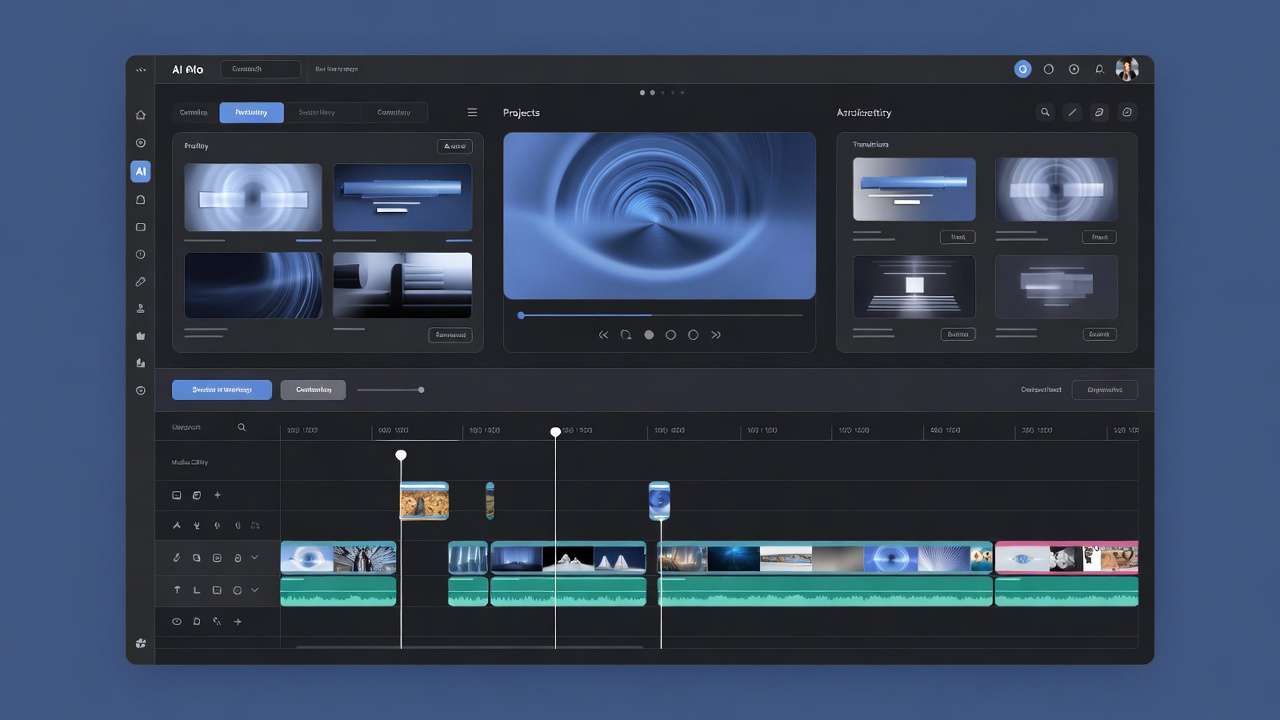
AI-generated video is visually clean but tonally hollow without sound design. The human auditory system uses ambient sound to validate the reality of what it's seeing - if the visual suggests a busy city street but there's only music, the production disconnect is felt even when it's not consciously identified. When the ambient sound matches the visual, the entire production feels more expensive.
Three specific sound design applications for AI video:
Hook audio for social content. The first 2-3 seconds of a TikTok or Reel are the scroll-stop window. A relevant, surprising, or high-impact sound effect in the first second - a cash register, an explosion, a heartbeat, a crowd gasp - increases completion rates independent of the visual hook. Generate a library of hook sounds with Sound Effect v2 and apply them strategically.
Product interaction audio. E-commerce product videos where someone uses a product are significantly more compelling with diegetic sound - the click of a cap closing, the fizz of a drink, the zip of a bag. Generate the sound that accompanies each product interaction.
Atmospheric scene-setting. Lifestyle content set in a specific environment - a kitchen, a gym, an office - benefits from the ambient audio of that space underneath the music track. A coffee shop lifestyle video with light café background murmur sounds more immersive than the same video with only licensed music.
Prompting Sound Effects Effectively
Sound Effect v2 interprets natural language descriptions. More specific descriptions produce more targeted output:
Too generic: "outdoor sound" Better: "city park on a spring morning - birds, distant traffic, light breeze through leaves"
Too generic: "notification sound" Better: "iOS-style soft notification ding, single tone, clean and modern"
Too generic: "car sound" Better: "luxury car door closing with a solid thud, slight echo in a parking garage"
Generate 3-5 variants per description and select the best match. Sound Effect v2 has generation variance, and the best variant from five is significantly better than the first variant from one.
ElevenLabs Speech-to-Text: Transcription and Repurposing
What It Is
Speech-to-Text converts audio and video files to accurate text transcripts with speaker identification. Accuracy is competitive with professional transcription services on clear audio sources, and significantly better than most automated alternatives on accented speech, overlapping dialogue, and audio with moderate background noise.
On Cliprise, that capability is powered by ElevenLabs Scribe v2 - Batch for long-form files with heavy diarization, Realtime for sub-150ms voice-agent stacks. The Scribe v2 launch breakdown explains the two-model split and why it matters for captions versus conversational AI.
Production Workflow Applications
Subtitle and caption generation. Upload your finished AI video (after audio is added), receive a timestamped transcript, and export as SRT or VTT for platform upload. YouTube, Instagram, and TikTok all accept standard subtitle formats. Captions increase video completion rates measurably - particularly on mobile, where significant viewing happens on mute.
Content repurposing pipeline. Record a longer video - a product walkthrough, an explainer, a tutorial - transcribe with Speech-to-Text, then use the transcript to:
- Generate written blog post content from video content
- Extract key quotes for social media text posts
- Identify the highest-value segments for clipping into short-form content
- Feed the transcript to an AI writing tool for reformatting into different content types
Reference video repurposing. Have existing video content with valuable but imperfect audio? Transcribe the original audio with Speech-to-Text, clean up the transcript, then use ElevenLabs TTS to re-record the narration with a professional AI voice over the existing video edit. This is the workflow for giving legacy content a production upgrade without re-shooting.
Research and brief development. Transcribe competitor video content, customer call recordings, or research interview footage for analysis. Speech-to-Text with speaker labels produces structured transcripts that can be analyzed, summarized, or fed into Claude for insight extraction.
ElevenLabs Audio Isolation: Clean Up Any Recording
What It Is
Audio Isolation separates speech from background noise in any audio recording - removing wind, traffic, crowd noise, HVAC hum, echo, and other non-speech audio contamination from recorded dialogue or narration.
When You Actually Need This
Audio Isolation serves two distinct use cases in AI video production workflows:
Salvaging location-recorded audio. If your production involves any real-world recorded audio - a product spokesperson on-site, a customer interview, a field recording for documentary-style content - background noise is almost certain. Rather than re-recording in a controlled environment, Audio Isolation can clean enough noise from most location recordings to bring them to broadcast-acceptable quality.
Repurposing AI-generated video with mixed audio. When AI video generation produces audio alongside video (as with Kling 3.0 and Veo 3.1), the generated audio is often usable for ambient sound but not ideal as the primary audio track alongside professional TTS narration. Audio Isolation can strip the generated ambient audio, allowing clean voiceover to sit over the video without competing audio layers.
Cleaning AI-generated speech. Some AI voice outputs have subtle artifacts - a faint electronic quality, a background hum, slight consonant distortion. Audio Isolation can reduce these artifacts to bring AI voice recordings closer to the quality of clean studio recordings.
The Complete AI Video + Audio Workflow
Bringing all four ElevenLabs models together into a complete production workflow:
1. Script development - Write your script in a format optimized for TTS - short sentences, punctuated for pacing, abbreviations spelled out. For multi-character content, use dialogue format with speaker labels.
2. Visual generation - Generate video with your chosen model (Kling 3.0, Sora 2, Veo 3.1, Pika 2.5) on Cliprise. For product content, use Imagen 4 for stills + Kling 3.0 for motion. For brand storytelling, use Sora 2 Storyboard mode.
3. Voiceover generation - Feed the script to ElevenLabs TTS (single narrator) or Text to Dialogue (multi-character). Select the voice that matches your brand's tone. Generate 2-3 takes and select the best for key lines.
4. Sound design - Generate scene-specific sound effects with Sound Effect v2. Build a small library: ambient atmosphere, product interaction sounds, hook audio. Keep generation descriptions specific.
5. Audio cleaning (if needed) - If any audio - from the generated AI video or from real-world recordings - has noise or quality issues, run through Audio Isolation before assembly.
6. Assembly and sync - Import video, voiceover, sound effects, and music into CapCut or Premiere. Layer: ambient sound lowest, music below voiceover, voiceover dominant. Align audio to visual action points.
7. Caption generation - Upload finished video to Speech-to-Text to generate timestamped transcript. Export as SRT and upload to YouTube, Instagram, or TikTok for automatic captioning.
This workflow produces a complete, professional-standard video from generation to captioned final at a total production cost in the $30-150 range (credit costs + tool subscriptions) versus $3,000-15,000 for equivalent traditional production.
Cost Breakdown: ElevenLabs on Cliprise vs Direct Subscription
ElevenLabs direct subscription costs $5/month (Starter) to $330/month (Business), with audio character limits at each tier. For creators generating moderate volumes of voice content, direct ElevenLabs subscription is cost-effective.
The advantage of accessing ElevenLabs through Cliprise:
Single credit system across audio, image, and video. Rather than managing an ElevenLabs subscription + Midjourney subscription + Kling API credits + Sora 2 ChatGPT Pro subscription, Cliprise provides all models under one credit pool. One platform, one invoice, one credit balance.
No minimum audio tier required. If your production needs are primarily video with occasional audio, paying for an ElevenLabs tier sized for your video production volume is inefficient. On Cliprise, audio credits are consumed from the same pool as video and image credits - you only pay for what you generate.
Access to ElevenLabs alongside 46 other models. The Nano Banana 2 image generation, Kling 3.0 video generation, and ElevenLabs audio - all in one workflow without export/import between platforms.
Note
Add professional audio to every AI video - ElevenLabs TTS, Text to Dialogue, Sound Effects, Speech-to-Text, and Audio Isolation - all on Cliprise alongside 47+ image and video models. Start from $9.99/month →
Use Case Guides: Audio for Specific Content Types
Social Media Content (TikTok, Reels, Shorts)
For short-form social content, audio strategy focuses on three elements:
- Hook audio (Sound Effect v2): a sharp, relevant sound in the first 1-2 seconds
- Voice hook (ElevenLabs TTS): first spoken line delivered punchy, fast, high-energy
- Music (Suno or licensed): underneath and supporting, not competing with voice
The voice should feel native to the platform - conversational, rapid-fire, slightly informal. Select from ElevenLabs' younger, more energetic voice range for TikTok and Reels content. More measured pacing works for YouTube Shorts where viewer intent is slightly more deliberate.
See AI Video for TikTok: Complete Guide →
Product Demo Videos (E-Commerce)
Product demo audio has a specific brief: build desire and confidence. The voice should convey that the product is worth the price and does what it claims.
Voice choice: warm, confident, knowledgeable - sounds like a friend who happens to be an expert in this product category. Avoid "ad voice" (overly emphatic, fake enthusiastic).
Script structure: problem → product introduction → demonstration narration → social proof → call to action. Each section has a different pacing character - the problem statement is measured and empathetic, the demonstration is precise and informative, the CTA is clear and direct.
Sound design: product interaction sounds (generated with Sound Effect v2) underneath the narration make demonstration videos feel more real. A physical product being used should sound like it's being used.
See AI Product Photography Complete Guide → | AI Video Ads →
Online Course and Educational Content
Educational narration has the most specific audio requirements of any content type:
- Pace: slow enough for note-taking (approximately 130-150 words per minute vs 160-180 for advertising)
- Clarity: highest intelligibility setting, clear consonants
- Consistency: high stability across long recordings - a voice that varies in quality mid-lecture is distracting
- Accent: appropriate to the audience; international audiences tolerate clear neutral accents better than strong regional accents
For multi-chapter courses, generate all narration in the same session with consistent settings. Document your exact voice selection and settings at the start of production - regenerating chapters months later with different settings creates audible inconsistency.
Advertising (Meta, YouTube Pre-Roll)
Ad audio requires one specific quality above all others: it must not be immediately identifiable as an ad. Human pattern recognition skips content it categorizes as advertising. The voice, script pacing, and audio production should feel content-native, not ad-native.
For Meta and YouTube, the most effective ad audio pattern in 2026 is: conversational hook → problem acknowledgment → casual product mention → genuine close. This sounds like a recommendation from a knowledgeable friend, not a commercial.
Sound design for ads: subtle. A light product sound effect or atmospheric ambient that sets the scene without announcing itself as "sound design." The best ad sound design is the kind the viewer doesn't consciously notice.
See AI Video Ads for Facebook and Instagram →
Common Mistakes in AI Voice-Over Production
Generating from copy written for reading. Marketing copy written for websites, emails, or print does not translate directly to spoken audio. Rewrite scripts specifically for speech before generating. Shorter sentences, no parenthetical clauses, spoken contractions.
Using the first generated voice that sounds good. The first voice you test is probably not the best voice for your specific content and audience. Generate 5-10 lines with 4-5 different voice candidates before committing. The voice selection affects conversion more than most creators expect.
Maximum stability for all content. High stability is appropriate for long-form narration. For social content and advertising, lower stability produces more dynamic, expressive speech that's more engaging in short-form contexts. Match the stability setting to the content type.
Ignoring Audio Isolation as a quality improvement tool. Even AI-generated voice output can benefit from a light Audio Isolation pass to reduce subtle electronic artifacts. It takes 30 seconds and sometimes produces a measurable quality improvement.
Treating audio as an afterthought. Audio is not the decoration added to finished video. The script, the voice, and the sound design should be planned before or during visual generation - not as a post-production addition. Planning audio alongside the visual production produces tighter sync and better overall quality.
Frequently Asked Questions
Can I use ElevenLabs voice-over commercially on Cliprise?
Yes. Commercial use rights are included in paid Cliprise plans. The generated audio can be used in advertising, marketing content, YouTube monetized videos, client work, and other commercial applications. Review the current Cliprise terms of service for any use-case-specific restrictions.
What's the difference between ElevenLabs TTS and Text to Dialogue on Cliprise?
TTS is for single-voice narration - explainers, product demos, course content, advertising voiceover. Text to Dialogue is for multi-character conversational speech - podcast formats, dialogue scenes, interview-style content. TTS reads a script in one voice; Text to Dialogue generates a conversation between two or more characters with natural turn-taking and emotional responsiveness.
How many languages does ElevenLabs TTS support?
ElevenLabs TTS supports 32 languages. The quality varies by language - English and major European languages (Spanish, French, German, Italian, Portuguese) produce the highest quality output. Less common languages may have fewer voice options and slightly lower naturalness scores.
Can ElevenLabs Audio Isolation remove music from a video, leaving only the voice?
Audio Isolation is primarily designed to separate speech from noise - it works best for removing ambient environmental noise, HVAC, wind, and crowd noise from dialogue recordings. Separating mixed music from voice (vocal isolation from a music track) is a different technical problem that Audio Isolation partially addresses but doesn't fully solve at production quality. For clean voice-only tracks, recording voice separately and adding music in post is more reliable.
What's the maximum length for ElevenLabs TTS generation on Cliprise?
Standard TTS generation handles paragraph-length inputs. For long-form narration (full chapters, extended scripts), break the script into paragraph chunks of 300-500 characters and generate each separately, then assemble in your editing software. This also allows selective re-generation of specific lines if any section needs revision.
Related Guides and Articles
ElevenLabs model documentation:
- ElevenLabs TTS: Complete Guide → - voice selection, scripting, and production workflows
- ElevenLabs Speech to Text: Complete Guide → - Scribe v2, speaker diarization, and keyterms
- ElevenLabs V3 Text to Dialogue: Complete Guide →
- ElevenLabs TTS vs Text to Dialogue →
- ElevenLabs TTS model →
- Sound Effects v2 model →
- Audio Isolation Complete Guide →
- Audio Isolation model →
Video workflow integration:
- AI Video Generator with Audio, Voice and Sound
- AI Video for Marketing: Complete Guide →
- AI Video Ads: Complete Guide →
- AI Video for TikTok →
- AI Video for YouTube →
- Chaining Image → Video → Upscaling →
Production tools:
- Complete AI Video Production Stack 2026 →
- Multi-Model Workflows on Cliprise →
- AI Content Creation Complete Guide →
- Text to Speech AI 2026: Complete Guide →
- ElevenLabs Sound Effects: Complete Guide →
ElevenLabs models on Cliprise: TTS, Text to Dialogue, Sound Effect v2, Speech-to-Text, Audio Isolation.