Most people searching for the "best AI video generator" are asking the wrong question.
They want a single tool. A winner. One app to rule everything.
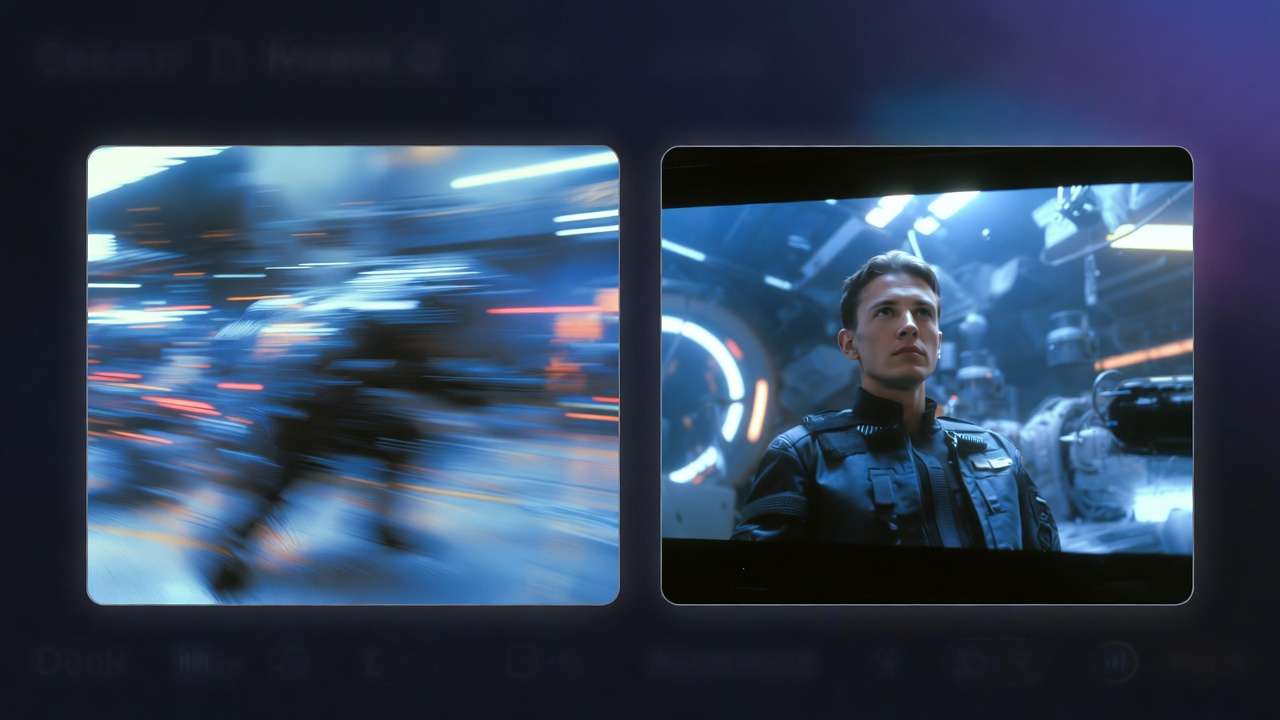
But here's the reality of 2026: no single model dominates every use case. Sora 2 leads in cinematic realism. Kling 3.0 owns 4K/60fps motion. Veo 3.1 wins on physics accuracy. Each model has a context where it's unmatched - and a context where it fails.
The real question is: how do you build a workflow that uses the right model at the right moment?
This guide breaks down every major AI video generator available in 2026, tests them across the dimensions that actually matter for production use, and shows you exactly how to think about choosing between them - or better yet, how to stop choosing and start orchestrating. For deeper workflows, see our AI Video Generation Complete Guide and multi-model workflows playbook.
To run text-to-video and image-to-video across models inside Cliprise, use the AI Video Generator feature page. For text-only briefs, see the best text-to-video AI generators workflow comparison.
When headline benchmarks clash with your brief, read AI video leaderboards vs real workflows. For workflow context on Chinese AI video models (HappyHorse, Seedance, Kling, Wan), see Chinese AI video models analysis. For HappyHorse-first campaign sequencing (hooks, variants, social cuts), see HappyHorse AI video marketing workflows.
A new model to add to the testing set is HappyHorse 1.0, now available on Cliprise. It is not a replacement for every cinematic model, but it is a strong candidate for product teasers, image-to-video workflows, reference-driven clips, app promos, and e-commerce video. For creators comparing current Chinese AI video models, the practical question is not whether HappyHorse permanently beats Seedance or Kling, but when it should be tested first. See the full HappyHorse vs Seedance vs Kling comparison.
.jpg)
Why 2026 Changed Everything
Twelve months ago, AI video was still a demo category. Generations were 3-5 seconds, resolution was soft at best, and temporal consistency was a known failure mode.

That era is over.
In 2026, we're working with:
- 4K/60fps generation (Kling 3.0, Veo 3.1)
- Up to 60-second generations (Sora 2)
- Real-physics simulation at the model level
- Consistent character and scene anchoring across cuts
- Audio synchronization baked into the generation pipeline
This is production-grade infrastructure now. The tools you pick in 2026 will shape your output quality for the next 18 months.
The Contenders: Full Breakdown
1. Sora 2 (OpenAI)
Sora 2 is the benchmark for cinematic realism. When you need complex scene understanding, accurate lighting behavior, and narrative-consistent video over longer durations, Sora 2 is the reference point. For shot-by-shot scene planning, see Sora 2 Pro Storyboard: Complete Guide to Scene-by-Scene Video Planning →.
Strengths:
- Exceptional spatial reasoning - objects behave correctly in 3D space
- Consistent character appearance across frames
- Handles complex prompt nuance better than any other model
- Supports up to 60-second generations
- Strong text-in-video rendering
Weaknesses:
- Access requires an OpenAI subscription ($20-$200/mo depending on tier)
- Direct API access for high-volume use is expensive
- Slower generation speed compared to Kling
- Not available in all regions without workarounds
Best for: Cinematic short films, brand films, complex narrative sequences, any content where physical accuracy and scene understanding are non-negotiable.
Cliprise access: You can run Sora 2 directly inside Cliprise without an OpenAI subscription. Unified credits, no separate billing.
2. Kling 3.0 (Kuaishou)
Kling 3.0 is the workhorse. It's the model you reach for when output quality needs to be 4K/60fps and generation speed matters. It's also the model that quietly became the top choice for agency workflows in early 2026.
Strengths:
- Native 4K/60fps - the first model to offer this at production scale
- Fast generation times (30-50% faster than Sora 2 at comparable quality)
- Excellent motion quality: fluid, natural, non-jittery
- Strong scene consistency in longer clips
- Highly controllable via reference images and style anchors
Weaknesses:
- Complex abstract concepts require more prompt engineering
- Less consistent on text-in-video
- Cinematic depth-of-field effects not as nuanced as Sora 2
Best for: High-volume content production, social media, advertising, any workflow where 4K output and fast turnaround define the brief.
Cliprise access: Kling 3.0 on Cliprise is available with full 4K/60fps output on all paid plans.
3. Veo 3.1 (Google DeepMind)
Veo 3.1 is Google's answer to Sora, and in specific categories, it wins convincingly. Physics simulation is where Veo leads the field - fluid dynamics, particle systems, realistic material behavior. If your content involves water, fire, smoke, or complex environmental interaction, Veo 3.1 is the right model.
Strengths:
- Best-in-class physics simulation
- Excellent environmental rendering (weather, natural light, outdoor scenes)
- Strong semantic understanding of spatial relationships
- Competitive generation speed
- Audio-visual synchronization built in
Weaknesses:
- Human character consistency still slightly below Sora 2
- Access is limited outside of Google Workspace/Vertex AI without a platform aggregator
- Pricing via Google infrastructure can be opaque
Best for: Nature/documentary style content, product videos with environmental context, scientific visualization, any content where realistic physics are the priority.
For head-to-head analysis, see our Kling 3.0 vs Veo 3 comparison.
4. Runway Gen-4
Runway remains the brand-recognition leader for creative professionals - but in 2026, it's falling behind on the model dimension while pricing has stayed aggressive ($95/mo for standard access).
Strengths:
- Well-designed interface, lowest learning curve
- Strong camera control features
- Consistent brand and character packs
- Good for beginners
Weaknesses:
- Single proprietary model - no access to Sora, Kling, or Veo
- $95/mo starting price
- 4K is limited to higher-tier plans
- No cross-model comparison or orchestration
Best for: Agencies or freelancers who need one tool with minimal configuration and have the budget to absorb the monthly cost.
See our Sora 2 vs Runway Gen-4 Turbo comparison for a detailed breakdown.
5. Pika 2.0
Pika has carved out a solid niche in social-first, short-form content. Fast, accessible, consumer-grade.
Strengths:
- Excellent UI/UX, fastest time-to-output
- Strong for short-form (8-12 seconds) social content
- Good lip-sync and face animation features
Weaknesses:
- Not production-grade for commercial deliverables
- 4K not available
- Single-model, limited orchestration
- Output quality ceiling is lower than top-tier models
Best for: Social content creators, rapid iteration, personal projects. For marketing use cases at scale, explore our Marketing Solutions page.
Side-by-Side Comparison
| Model | Max Resolution | Max Length | Physics | Speed | Access Price | Best Use Case |
|---|---|---|---|---|---|---|
| Sora 2 | 1080p (4K in dev) | 60 sec | ★★★★☆ | Medium | $20-$200/mo (OpenAI) | Cinematic / Narrative |
| Kling 3.0 | 4K/60fps | 30 sec | ★★★★☆ | Fast | Platform-dependent | Agency / Advertising |
| Veo 3.1 | 4K | 60 sec | ★★★★★ | Medium | Platform-dependent | Physics / Environment |
| Runway Gen-4 | 4K (Pro+) | 16 sec | ★★★☆☆ | Fast | $95/mo | Beginner / Creative |
| Pika 2.0 | 1080p | 10 sec | ★★☆☆☆ | Very Fast | $8/mo | Social Content |
The Real Problem No One Talks About: Tool Fragmentation
You've read the comparisons. You can see that Sora 2 wins cinematics, Kling wins throughput, Veo wins physics.
Now what?
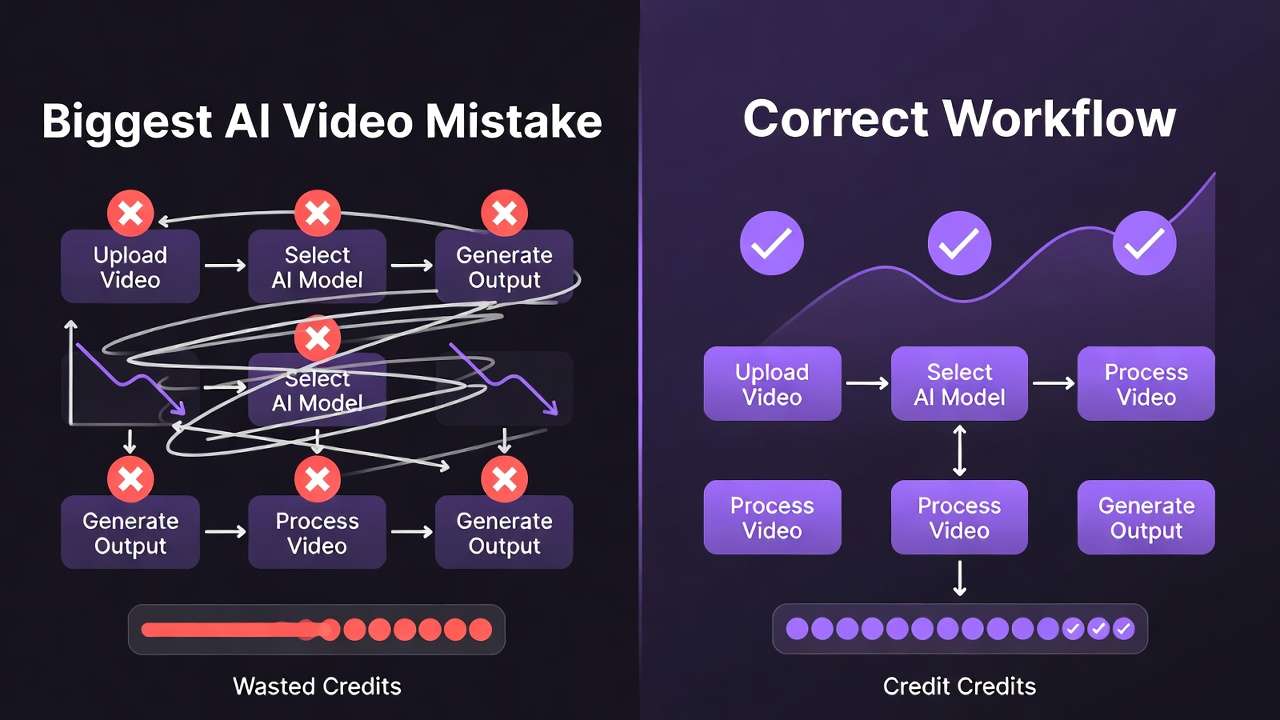
The default response is to subscribe to all of them. And that's where the real problem starts.
Subscriptions required if you build independently:
- OpenAI (Sora 2): $200/mo (ChatGPT Pro) or API at scale
- Runway Gen-4: $95/mo
- Midjourney (for stills): $10-$60/mo
- Image generators (Flux, Imagen): pay-per-use via separate APIs
Total: $300-400+/mo before you've generated a single commercial deliverable at scale.
Beyond cost, there's the workflow cost: four different platforms, four different billing systems, four different output formats, four different rate limits. Switching between them mid-project doesn't just take time - it breaks cognitive flow and introduces quality inconsistency.
This is the problem that production-grade infrastructure solves. Our single vs multi-model platforms guide explores the economics in depth.
The Multi-Model Approach: How Professional Teams Actually Work in 2026
The teams shipping at scale in 2026 are not picking one ai video maker. They're building workflows where model selection is a routing decision, not a platform decision.
The workflow looks like this:
- Intake brief → identify content type (cinematic / product / social / scientific)
- Route to model → Kling 3.0 for 4K product, Sora 2 for cinematic, Veo 3.1 for environment
- Generate → single credit system, single interface
- Compare outputs → run the same prompt across models, select the winner
- Export → watermark-free, format-ready for the delivery pipeline
This is what a unified multi-model platform like our AI video generator is built for. Not to replace the models - but to orchestrate them.
47+ models. One credit system. One workflow. No tool switching.
Detailed Use Case Guide: Which Model Should You Use?
Scenario A: You're producing a brand film for a mid-size company
Use: Sora 2 for hero shots, Kling 3.0 for b-roll and lifestyle content
Why: Sora's scene understanding and Kling's speed give you quality + throughput
Scenario B: You're running a social media agency producing 50+ videos/week
Use: Kling 3.0 as your primary, Pika 2.0 for quick reactive content
Why: Kling's 4K/60fps and generation speed are built for this volume
Scenario C: You're creating educational or documentary content
Use: Veo 3.1 for visual concepts, Sora 2 for narrative sequences

Why: Veo's physics and Sora's narrative coherence are the right combination
Scenario D: You're a solo ai video creator testing AI video for the first time
Use: Runway for onboarding, then migrate to a multi-model platform when volume increases
Why: Runway's UX reduces friction at the start, but the $95/mo price becomes hard to justify once you understand model differences
Scenario E: You need watermark-free output for commercial delivery
Use: Any paid plan on a production-grade platform
Why: Free tiers on all models add visible watermarks. This is a binary requirement for commercial work - either your platform handles clean export or it doesn't. See AI Video No Watermark Guide, Cheap AI Video Generator Guide, and Private Mode & Watermark Explained.
What to Look For: The 6 Variables That Actually Matter
When evaluating any AI video generator in 2026, these are the dimensions that should drive the decision:
1. Model Access
Does the platform give you one proprietary model or access to multiple best-in-class models? Single-model platforms are already limiting your output ceiling.
2. Resolution and Frame Rate
4K/60fps is the production standard for 2026 deliverables. If a platform doesn't support it, it's a consumer tool, not a production tool.
3. Generation Length
Anything under 15 seconds limits your storytelling options. Look for platforms with 30-60 second generation capability.
4. Credit Economics
Proprietary credits that only work on one platform are a pricing trap. Unified credits across models give you flexibility and budget efficiency.
5. Export Control
Watermark-free output, format options (MP4, MOV, ProRes), and resolution export settings are non-negotiable for professional delivery.
6. Scalability
Can the platform handle your volume in 6 months? Check API access, concurrent generation limits, and team/collaboration features.
2026 AI Video Generator Rankings: Final Verdict
There is no single winner. This is the answer you didn't want, but it's the only honest one.
| Rank | Model | Why |
|---|---|---|
| #1 Overall System | Cliprise (multi-model) | Access to all top models, unified billing, one workflow |
| #1 Cinematic Quality | Sora 2 | Best scene understanding, narrative coherence |
| #1 Production Throughput | Kling 3.0 | 4K/60fps, fast generation, reliable output |
| #1 Physics Accuracy | Veo 3.1 | Best-in-class environmental and physics rendering |
| #1 Beginner UX | Runway | Lowest friction, best onboarding |
| #1 Social Content | Pika 2.0 | Speed and format-fit for short-form |

If you're building a serious production workflow - one where the output quality, export standards, and cost-per-output actually matter - the architecture decision matters more than the model decision.
How to Get Started
Option 1: Single-model testing
Pick the model that fits your primary use case from the table above. Test with the free tier, understand the output ceiling, then decide if the monthly cost is justified at your volume.
Option 2: Multi-model workflow (recommended for production)
Start with a platform that gives you access to multiple models under one subscription. Run the same prompt through Sora 2, Kling 3.0, and Veo 3.1. Choose the output. Scale.
The Cliprise AI video generator starts at $9.99/mo and includes access to 47+ models - Sora 2, Kling 3.0, Veo 3.1, Flux 2, and more - under a single credit system with watermark-free export on all paid plans.
That's not a comparison point. That's a structural advantage.
Frequently Asked Questions
What is the best AI video generator in 2026?
There is no single answer. Sora 2 leads on cinematic quality. Kling 3.0 leads on 4K throughput. Veo 3.1 leads on physics simulation. If you're testing MiniMax's cinematic physics style for short narrative beats, include Hailuo 02: Complete Guide to MiniMax's Cinematic AI Video Model →. The best system is one that gives you access to all three - like a multi-model platform with unified orchestration.
Can I use AI video generators for free?
All major generators offer free tiers, but they come with significant limitations: watermarks, reduced resolution (720p or lower), short generation lengths (under 5 seconds), and daily credit caps. Free tiers are for testing, not production.
How much does AI video generation cost in 2026?
Costs range from $8/mo (Pika 2.0) to $200/mo (OpenAI Pro for Sora 2 access) if you subscribe platform by platform. A multi-model platform like Cliprise offers access to all major models starting at $9.99/mo via a unified credit system.
What resolution do AI video generators support in 2026?
The current standard for top-tier models is 4K/60fps (Kling 3.0, Veo 3.1). Sora 2 operates at 1080p natively with 4K in development. Consumer-grade generators (Pika, Runway standard) cap at 1080p on mid-tier plans.
What's the difference between ai video generation and AI video editing?
A text to video ai tool creates video from a prompt or reference image from scratch. Editing uses AI to modify existing footage (upscale, remove objects, change style). Most 2026 platforms offer both, but they operate on different model architectures.
Do AI video generators add watermarks?
Yes - on free and entry tiers. All major platforms, including Cliprise, add watermarks on free plans. Paid plans remove them. For commercial delivery, always use a paid plan with explicit watermark-free output guarantees.
Next Steps
- Compare Sora 2 on Cliprise →
- See Kling 3.0 capabilities →
- View full AI video generator feature set →
- Kling 3.0 vs Sora 2: Head-to-head analysis →
- Sora vs Kling vs Veo: Ultimate 2026 Showdown →
Related Guides & Deep Dives
- Sora 2 AI Video Generator: Alternatives and Prompting Guide
- Pixverse AI Video Generator: Alternatives and Workflow
- AI Video Generator: Complete Guide 2026 →
- AI Video No Watermark Platform Comparison 2026 → - Watermark and export by platform
- AI Video Generation: Complete Guide 2026 - 22+ models, workflows, and production pipelines
- Best AI Video Models on Cliprise 2026 - Leaderboard and scenario-based selection
- Multi-Model Workflows on Cliprise - Orchestrate Sora, Kling, Veo in one workflow
- Kling 3.0 vs Sora 2 - Detailed head-to-head comparison
- Sora vs Kling vs Veo: Ultimate 2026 Showdown - Three-way comparison of the top models
- Best AI Image Generator 2026: Tested & Ranked - Flux 2, Imagen 4, Midjourney ranked by category
- Single vs Multi-Model Platforms - Economics and workflow comparison
- Runway Alternative 2026: Best Options →
- Kling AI Alternative 2026 →
- Luma AI Alternative 2026 →
- Marketing Solutions - AI video for campaigns and ads at scale