"Cheap" is the wrong word. But it's the right search.
When creators look for a cheap AI video generator, they're not looking for low quality. They're looking for the highest possible quality at the lowest sustainable cost. They're asking: can a free ai video maker deliver excellent AI video production, and what does it actually have to cost - and is the premium I'm paying justified?
In 2026, the answer to that question is more interesting than most budget guides admit. The gap between tools that make ai video free and "premium" tools has narrowed significantly at the model level. What you're mostly paying for at the high end isn't better model output - it's brand, interface, and the assumption that professional tools have to be expensive.
That assumption is wrong. And this guide is going to prove it with specifics.
What "Cheap" Really Means for AI Video in 2026
Let's set a working definition. "Cheap AI video generation" in 2026 means:
- Under $30/mo for a single-user plan
- Production-grade output (1080p minimum, ideally 4K)
- Watermark-free export on commercial deliverables
- Generation length sufficient for real content (15+ seconds)
- Commercial usage rights included
Notice what's not in that definition: low quality, limited models, or amateur output. The budget question is about price architecture, not output ceiling.
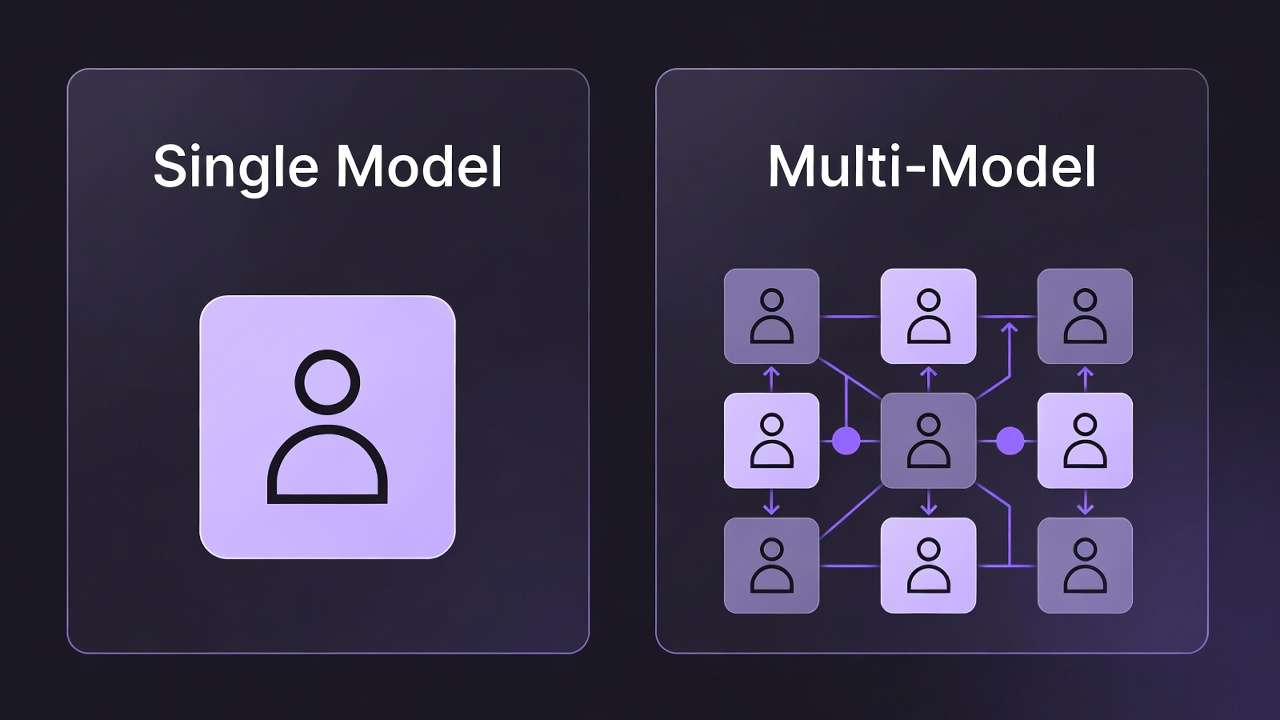
The uncomfortable truth for expensive platforms: in 2026, the price you pay does not reliably predict the quality you receive. A $9.99/mo plan on a well-structured multi-model platform can deliver 4K/60fps output that a $95/mo single-model platform cannot match - because the multi-model platform is routing to Kling 3.0, and the expensive single-model platform is capped by its own proprietary model. See Runway alternative for the full cost comparison.
Price and quality have decoupled. This guide maps the actual terrain.
The AI Video Generator Price Spectrum in 2026
Here's the honest landscape across all major platforms:
| Platform | Starting Price | 4K Output | Max Length | Watermark-Free | Models Available |
|---|---|---|---|---|---|
| Pika 2.0 | $8/mo | No (1080p max) | 10 sec | Yes (paid) | 1 |
| Cliprise | $9.99/mo | Yes (4K/60fps via Kling 3.0) | 60 sec | Yes (all paid) | 47+ |
| Kling 3.0 | ~$10-15/mo (direct) | Yes (4K/60fps) | 30 sec | Yes (paid) | 1 |
| Runway Basic | $15/mo | No (1080p) | 16 sec | Partial | 1 |
| Runway Standard | $95/mo | Yes (Pro tier) | 16 sec | Yes | 1 |
| Midjourney (image) | $10/mo | N/A (images only) | N/A | Yes (paid) | 1 |
| ChatGPT Pro (Sora 2) | $200/mo | In development | 60 sec | Yes | 1 |
The table tells a clear story. The most expensive options - Runway Standard at $95/mo, ChatGPT Pro at $200/mo - are single-model platforms. The lowest-cost option that delivers 4K output, 60-second generation, watermark-free export, and access to 47+ models is Cliprise at $9.99/mo. See Best AI Video Generator 2026 for full model-by-model breakdown.
This is not a coincidence of timing. It's a structural advantage of the multi-model aggregator model over single-platform subscriptions.
The Budget Creator's Real Problem: Cost Per Usable Output
Monthly subscription cost is the wrong metric for evaluating AI video tool value. The right metric is cost per usable output - how much does it cost to produce one generation that you'd actually use in finished work?
This metric accounts for:
- How often the model produces output that meets your quality standard on the first attempt
- How many retries a typical generation requires
- What percentage of your generations are usable vs. discarded
- Whether the resolution and format match your delivery requirements
Let's model this for a creator producing 10 usable video clips per month:
Scenario A: Runway Standard ($95/mo)
- Assume 40% first-pass acceptance rate (generous for a single-model platform)
- To get 10 usable clips: approximately 25 generations
- Runway Standard includes unlimited relaxed generations (slower queue)
- Cost per usable clip: $95 ÷ 10 = $9.50/usable clip
- 4K not available on this plan - 1080p ceiling
Scenario B: ChatGPT Pro ($200/mo)
- Sora 2 first-pass quality is high - assume 60% acceptance rate
- To get 10 usable clips: approximately 17 generations
- Cost per usable clip: $200 ÷ 10 = $20/usable clip
- Cinematic quality is excellent - but $20 per clip is a significant unit cost
Scenario C: Cliprise ($9.99/mo base)
- Access to multiple models: route brief to the model most likely to succeed
- Multi-model routing increases first-pass acceptance (right model for right brief)
- 4K/60fps output via Kling 3.0 included
- Cost per usable clip at base tier: significantly lower than single-model alternatives
The cost-per-output metric consistently favors multi-model platforms over single-model premium subscriptions - because the ability to route to the right model increases first-pass quality and reduces wasted generations. See multi-model strategy.
What You Lose at the Cheap End (And What You Don't)
This guide is not going to pretend that all cheap AI video generators are equal. Some budget options have real limitations worth understanding. Here's the honest breakdown of what you sacrifice vs. what you keep at the low end of the price spectrum.
What You Genuinely Sacrifice at $8-10/mo on Limited Platforms
Generation length - Single-model budget platforms like Pika 2.0 cap at 10 seconds. For content beyond social short-form, this is a hard constraint.
Resolution - Several budget platforms top out at 1080p. In a 4K delivery world, this limits distribution options.
Model quality ceiling - A cheap plan on a platform with a weak proprietary model gives you cheap output from a weak model. The ceiling is real.
Generation volume - Free and very low-cost tiers often have monthly generation caps that limit production volume.
What You Don't Have to Sacrifice at $9.99/mo on a Multi-Model Platform
Output quality ceiling - On Cliprise, the model ceiling is Sora 2 and Kling 3.0. These are the same models that cost $200/mo and $30+/mo accessed directly. The quality ceiling is identical to premium platforms.
Resolution - 4K/60fps via Kling 3.0 is available on paid Cliprise plans. The same resolution as the most expensive alternatives.
Generation length - Up to 60 seconds via Sora 2. No artificial cap imposed by the platform.
Watermark-free export - All paid Cliprise plans include clean output. Commercial delivery is not restricted to higher tiers. See AI video no watermark.
Commercial rights - Included on paid plans. No commercial license upgrade required.
The logic is counterintuitive but real: the limitation of budget AI video is usually the platform's model, not the price point. When the price point gives you access to the best models, the budget option and the premium option converge on output quality.
The 5 Best Cheap AI Video Generators in 2026
1. Cliprise - Best Value for Production-Grade Output
At $9.99/mo, Cliprise delivers what no other sub-$30 platform can match: 4K/60fps generation via Kling 3.0, 60-second generation via Sora 2, watermark-free export, and access to 47+ models under one credit system.
For budget creators who need professional output, this is the correct architecture. You're not making a quality compromise - you're making a pricing decision in your favor.
The Cliprise AI video generator supports the full range of production use cases: brand video, product video, social content, short-form narrative, b-roll generation. All from one plan, all from one interface.
Best for: Any creator who needs production-grade output without the production-grade subscription cost. The answer to "can I get 4K AI video for under $10/mo?" is yes - and this is where. Full pricing breakdown.
2. Pika 2.0 - Best for Social-First Budget Creators
At $8/mo, Pika 2.0 is the most affordable standalone AI video generator with watermark-free output. For creators whose entire output is short-form social content - Instagram Reels, TikTok, YouTube Shorts - Pika 2.0 is a legitimate professional option at a genuinely low price.
What you get: 1080p output, up to 10 seconds per generation, watermark-free on paid plan, strong lip-sync and face animation, fast generation times.
What you don't get: 4K, longer generations, multiple models, or production-grade output for commercial deliverables beyond social.
Best for: Solo social creators, content managers producing short-form at volume, anyone whose entire output fits in a 10-second, 1080p box.
The ceiling: Pika 2.0's model quality is below Sora 2 and Kling 3.0 on every technical benchmark. At $8/mo, you're paying for accessibility and speed, not output quality ceiling.
3. Kling 3.0 (Direct Access) - Best Single-Model Budget Option for 4K
Direct Kling 3.0 access is available at competitive price points through Kuaishou's platform and regional distributors. For creators whose entire workflow centers on 4K/60fps video generation - product video, advertising, lifestyle content - Kling 3.0 accessed directly provides the best single-model quality at a budget price.
What you get: 4K/60fps, 30-second generations, fast generation times, strong motion quality, watermark-free on paid plans.
What you don't get: Sora 2 access, multiple model types, image generation, or audio generation under the same subscription. See Kling 3.0 complete guide.
Best for: Focused 4K video production workflows where Kling's specific strengths (resolution, speed, motion quality) cover 90%+ of your use cases.
Regional note: Direct Kling access availability and pricing varies by region. Platform aggregators like Cliprise provide more consistent access regardless of location. Compare Kling 3.0 vs Sora 2.
4. Runway Basic ($15/mo) - Best for Beginners Prioritizing Interface
Runway's Basic plan at $15/mo is the cheapest entry point to Runway's interface - which remains one of the most polished in the category. For new creators who prioritize learning curve over output ceiling, it's a reasonable starting point.
What you get: Runway's interface and camera controls, 1080p output, 16-second generation limit, basic generation volume.
What you don't get: 4K, long generations, watermark-free on all exports, or access to models beyond Runway Gen-4.
The honest assessment: Runway Basic at $15/mo has significant restrictions that limit its practical usefulness for anything beyond testing and learning. For production use, you'd quickly outgrow this tier and face a $95/mo upgrade. The value case for Runway Basic as a long-term budget solution is weak.
Best for: Beginners specifically evaluating Runway's interface before committing to a production platform. See Runway alternative guide.
5. Stable Diffusion (Self-Hosted) - Best for Technical Creators with Hardware
For technically sophisticated creators with access to capable GPU hardware, self-hosted Stable Diffusion video models (SVD, AnimateDiff, and successors) provide essentially unlimited generation at zero ongoing subscription cost.

What you get: No subscription cost, unlimited generation volume, full model control, local privacy, ability to fine-tune on custom data.
What you don't get: Sora 2, Kling 3.0, or any closed-source model quality. Self-hosted open models are behind the closed-source frontier by a meaningful margin in 2026. Plus: significant setup time, hardware requirements (minimum 16GB VRAM for usable video), and ongoing maintenance overhead.
Best for: Developers, researchers, creators who need volume generation at zero marginal cost and are willing to accept the quality ceiling of open-source models. Not the right path for commercial client work requiring frontier model output. See Top 5 Budget AI Models on Cliprise for budget model selection within platforms.
How to Think About "Cheap" vs. "Affordable"
There's a meaningful distinction between cheap and affordable that budget guides usually blur.
Cheap means lowest absolute price, often at the expense of quality, capability, or sustainability.
Affordable means the best value at a price point you can sustain, without sacrificing what you actually need to do the work.
A $8/mo plan that produces 1080p, 10-second clips is cheap. For a creator who delivers 4K brand video to clients, it's not affordable - because it can't do the job, making it effectively infinitely expensive for that use case.
A $9.99/mo plan that delivers 4K/60fps via Kling 3.0, 60-second generations via Sora 2, watermark-free output, and 47+ model access is affordable. For the same creator, it covers the production requirement at the minimum viable subscription cost.
The budget question is not "what's the cheapest plan?" It's "what's the cheapest plan that doesn't compromise the output I need to deliver?"
In most professional contexts in 2026, the answer is a multi-model platform - not a restricted single-model budget tier.
The Hidden Cost of Cheap Tools That Don't Deliver
Budget optimization that focuses on subscription cost alone misses the largest cost in AI video production: time spent compensating for tool limitations.
When a cheap tool can't deliver what you need, the cost shows up in:
- Re-generation volume - prompting around a weak model's limitations means more attempts per usable output
- Post-processing time - upscaling 1080p to 4K, removing watermarks (legally, via upgrade), reformatting for delivery
- Client revision rounds - output that doesn't meet brief expectations generates feedback cycles that cost more time than the subscription savings
- Missed briefs - work you couldn't take because your tool couldn't deliver the spec
The most expensive AI video tool is the one that can't do the job you paid for it to do. The cheapest tool is the one that delivers your production spec at the lowest subscription cost - which is a different calculation than "lowest monthly fee."
Budget Creator Workflow: Getting Maximum Output at Minimum Cost
If you've decided on your platform and want to maximize output per credit, here are the principles that apply regardless of which tool you use.
Front-Load Your Prompt Quality
Every generation costs credits. Prompts that produce usable output on the first attempt are worth the time investment. Detailed, specific prompts consistently outperform short prompts on first-pass quality - across all models. Spend 10 minutes on a prompt before generating; save three generations worth of credits. See AI prompt engineering.
Route Briefs to the Right Model
If you have multi-model access, the highest-ROI habit is model routing - deliberately choosing which model to use for which brief before generating. Don't default to the same model for every job. Kling 3.0 for 4K product video. Sora 2 for narrative. Veo 3.1 for environmental. Right model, right brief, higher first-pass quality, fewer wasted credits. See AI video models ranked.
Generate in Batches, Not One-at-a-Time
Running 3-4 variations of a prompt simultaneously is more efficient than running one, evaluating, adjusting, running another. The variance between outputs is useful - the best of four is consistently better than any single generation - and batch generation uses the same processing time as sequential generation on most platforms.
Use Credits on Hero Shots, Not B-Roll
Not every clip in a project deserves equal credit investment. Hero shots - the opening frame, the product reveal, the establishing scene - warrant multiple generations and model comparison. B-roll, transitions, and filler elements warrant one or two attempts with whichever model is fastest. Allocate credits to quality where quality matters. See cost optimization.
Frequently Asked Questions
What is the cheapest AI video generator that produces 4K output?
In 2026, Cliprise at $9.99/mo is the lowest-price platform offering 4K/60fps video generation via Kling 3.0. No cheaper platform currently offers 4K output with watermark-free export and commercial usage rights.
Can I make professional AI videos on a budget under $20/mo?
Yes. Cliprise at $9.99/mo provides access to Sora 2, Kling 3.0, and 45+ other models with 4K output, 60-second generation length, and watermark-free export. This meets the technical requirements for professional video delivery at a fraction of single-platform premium costs.
Is there a best free ai video generator worth using for real work?
No. Free tiers across all major platforms include watermarks, resolution caps (480p-720p), very short generation lengths (5 seconds or less), and no commercial usage rights. Free tiers are appropriate for testing model behavior - they are not appropriate for commercial deliverables. See how to use Sora 2 for free for what free access actually provides.
What's the difference between Pika 2.0 and Cliprise for a budget creator?
Pika 2.0 ($8/mo) offers one model with 1080p output and 10-second maximum generation length. Cliprise ($9.99/mo) offers 47+ models including Sora 2 and Kling 3.0, with 4K/60fps output and 60-second generation length. For social-only creators with no 4K requirements, Pika 2.0 works. For any creator needing production-grade output, the additional $1.99/mo for dramatically expanded capability makes Cliprise the clear choice.
Does cheap AI video mean lower quality in 2026?
Not necessarily. The quality of AI video output is primarily determined by which model you're using, not how much you're paying for platform access. A multi-model platform at $9.99/mo that gives you access to Kling 3.0 and Sora 2 produces higher quality output than a $95/mo platform locked to a weaker proprietary model. Platform price and model quality have decoupled.
How many videos can I make per month on a budget plan?
Depends on the platform's credit system and generation parameters. On Cliprise, credit volume scales with plan tier. At the $9.99/mo base tier, budget creators producing short-to-medium content can typically complete 15-30 production-ready clips per month depending on generation length and resolution settings.
Is Stable Diffusion a viable cheap alternative for professional work?
For creators with technical skills and GPU hardware, self-hosted models offer unlimited generation at zero ongoing cost. The quality ceiling is meaningfully below closed-source frontier models (Sora 2, Kling 3.0) in 2026. For personal projects and high-volume experimentation, viable. For commercial client work requiring frontier model quality, the gap is real.
The Bottom Line
Budget AI video in 2026 is not what it was in 2024. The tools have changed. The price architecture has changed. The assumption that professional output requires a professional-tier price tag is no longer true.
The right budget AI video setup in 2026:
- Multi-model platform rather than single-model budget tool
- 4K capability included rather than capped at 1080p
- Watermark-free on paid plans as a baseline, not a premium
- Commercial rights included without an enterprise tier upgrade
- Credit system that works across models without per-platform allocation decisions
That setup exists. It starts at $9.99/mo. The "cheap" option and the "quality" option are the same option - if you're choosing the right architecture.
Next Steps
Related Guides & Deep Dives
Production workflows & adjacent guides:
-
AI Video Generator Without Watermark: Free Options → - Watermark-free platforms and models
-
Best AI Video Generator 2026 - Full model comparison
-
Top 5 Budget AI Models on Cliprise - Budget model selection
-
Premium vs Budget: AI Model Choices - When to spend more
-
Runway Alternative: Why Creators Are Switching - Cost comparison
-
How to Use Sora 2 for Free - Free access paths
-
AI Video No Watermark Guide - Commercial output
-
AI Video Models Ranked 2026 - Model selection
-
Cost Optimization: Maximize Credits - Credit strategies
-
Multi-Model Strategy: When to Switch - Routing briefs