You spent 45 minutes crafting the perfect prompt. The generation came back exactly right - motion, lighting, composition, timing. You export it.
Then you see it. Bottom right corner. A logo. A platform badge. A permanent reminder that this tool owns your output more than you do.
Watermarks on AI video output are not a physics law - they are usually a business model on standalone tools: pay this vendor, or your export carries their mark. Cliprise does not add that kind of Cliprise branding overlay on normal exports; you still budget for credits, commercial rights, and sometimes a provider-specific cleanup step (for example Sora 2 Watermark Remove on supported Sora clips).
For hobbyists, that's a manageable nuisance. For professionals delivering to clients, brands, or commercial placements, it's a hard blocker. No agency presents watermarked footage to a client. No brand runs watermarked video in a paid campaign. No professional among ai video editors drops watermarked b-roll into a final cut.
This guide explains how visible vendor watermarks work, where Cliprise fits (no Cliprise branding overlay; optional Sora 2 Watermark Remove for supported provider marks), how to stay on the right side of each vendor's terms, and what professional delivery still requires in 2026.
How AI Video Watermarks Work
Watermarks in AI video generation fall into three categories. Understanding the difference matters for how you address them.

1. Visual Watermarks (Most Common)
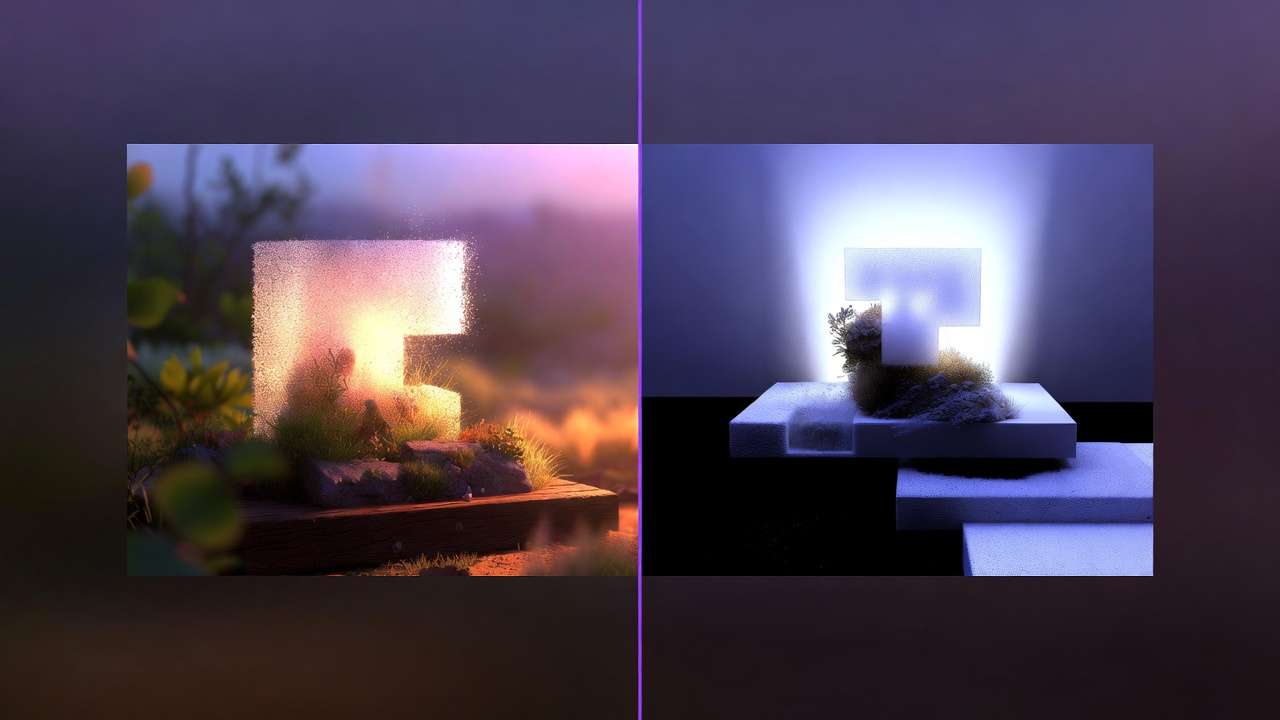
A semi-transparent logo, platform name, or badge overlaid directly on the video frame. Usually positioned in a corner, sometimes centered. The opacity varies - some are barely visible at full resolution, others are aggressively prominent on free tiers.
This is the most common type. It's added at the export stage, after generation, as a rendering layer. The underlying video is clean - the watermark is applied on top.
2. Embedded Metadata Watermarks
Some platforms embed invisible metadata into the video file identifying it as AI-generated on their platform. This doesn't affect visual quality but can create issues in certain distribution pipelines that scan for AI provenance markers.
In 2026, this is increasingly standard practice for copyright and attribution reasons - and largely separate from the "pay to remove the logo" watermark discussion.
3. Steganographic Watermarks
Invisible to the human eye but detectable by software. Encoded into the pixel data itself rather than layered on top. Some platforms use this in combination with visual watermarks; others use it independently.
Steganographic watermarks cannot be removed by cropping, color grading, or visual editing. This is worth knowing if you're considering workarounds.
Why most platforms still use watermarks on free tiers
The business logic is straightforward for standalone tools: visible watermarks convert free users into paying customers.
A creator who uses a competitor's free tier and produces content they are happy with often faces a binary choice: ship with the vendor's logo visible, or pay to remove it.
Cliprise does not use that lever for branding: we do not add a Cliprise watermark on Free or paid exports. Free tiers are still constrained by credits, which models you can run, and licensing - but not by a Cliprise overlay.
Most standalone platforms have tuned watermark visibility to motivate upgrades. That pattern is not unique to AI video; stock libraries and screen recorders have used it for decades. On Cliprise, the upgrade motivation is capacity and rights instead.
Which Platforms Watermark AI Video (And Which Don't)
Free tiers - usually watermarked (Cliprise exception)
Most standalone AI video platforms still watermark free output in 2026. Cliprise Free is an exception for platform branding: exports do not carry a Cliprise watermark; you are limited by daily credits, model access, and plan rules instead.
Always read the fine print elsewhere - "no watermark" sometimes means no visible logo while the file still carries metadata provenance signals.

Platforms with particularly aggressive free-tier watermarks:
- Pika 2.0 - centered logo on all free generations
- Runway - bottom-right badge on Basic plan
- Kling - visible platform watermark on free generations
- Sora 2 (direct OpenAI path) - OpenAI may apply their own visibility/mark rules on limited or consumer tiers; on Cliprise there is still no Cliprise watermark - check provider marks separately and use Sora 2 Watermark Remove when the app supports your clip
Paid Tiers - Variable Policy
This is where it gets more nuanced. Not all paid tiers remove watermarks completely.
| Platform | Paid Plan | Watermark-Free? | Notes |
|---|---|---|---|
| Runway | Standard ($95/mo) | Yes | Clean export |
| Runway | Basic ($15/mo) | Partial | Some assets still marked |
| Pika 2.0 | Standard ($8/mo) | Yes | Clean export on paid |
| Sora 2 | Via OpenAI ($200/mo) | Yes | Clean export |
| Cliprise | Free + all paid plans | Yes (no Cliprise watermark) | Clean exports on every tier; upgrade for credits & commercial rights |
| Kling 3.0 | Via platform | Varies | Depends on access path |
The most important column here is starting price for each vendor's own watermark-free output. Runway requires Standard ($95/mo) for fully clean exports on their product. On Cliprise, you are not paying Starter ($9.99/mo) to remove a Cliprise logo - you are buying monthly credits and commercial licensing while running Kling 3.0, Sora 2, Veo 3.1, and the rest of the catalog.
The Legal Reality: How to Remove Watermarks (And What You Shouldn't Do)
Watermark removal is a topic that generates a lot of bad advice online. Let's be precise.
What Is Legal
Paying the vendor for a tier that explicitly grants clean export of their watermarked output. On Kling, Runway, Pika, and similar, that usually means subscribing to the plan their docs say removes their corner logo. This also typically includes commercial usage rights - verify separately. See copyright and commercial use.
Using infrastructure that never adds a Cliprise branding overlay. On Cliprise, Free and paid exports are not finished with a mandatory Cliprise logo - you scale plans for credits and licensing, not to buy off Cliprise branding.
First-party post-processing your aggregator documents. On Cliprise, Sora 2 Watermark Remove is a sanctioned utility for supported provider marks on Sora-sourced video (credits and eligibility - confirm in-app). That is not the same bucket as random "watermark remover" sites.
Cropping, if the original platform's terms allow it. Some vendors permit cropping out their mark in narrow cases; read the specific terms.
What Is Risky or Often Against Rules
Third-party "AI watermark remover" apps on someone else's watermarked output. Using unknown tools to strip another company's mark without permission typically breaches that platform's terms and can create copyright and client-trust issues.
DIY inpainting in a generic editor to hide a vendor mark without rights. Same quality artifacts as above, plus legal gray area.
Cropping without permission. If terms do not allow it, cropping a vendor watermark is still a violation even if the frame looks clean.
Color grading to obscure. Obfuscation is not the same as a licensed clean export.
Practical takeaway: prefer vendor-paid clean tiers, Cliprise-documented removal for supported provider marks, or content that was never watermarked by the rights holder - avoid anonymous remover bots for commercial delivery.
What "Watermark-Free" Actually Means for Professional Use
Clean export is necessary but not sufficient for commercial use. When evaluating AI video platforms for professional work, "watermark-free" should be the floor, not the ceiling of your requirements checklist.
The complete professional requirements list:
1. Clean visual export (for your delivery spec)
No unlicensed vendor logo on the frame your client signs off on. On Cliprise that starts with no Cliprise branding watermark; for some Sora routes you may still need an explicit provider-mark step - Sora 2 Watermark Remove when supported.
2. Commercial usage rights
Most paid plans include commercial usage rights, but verify explicitly. Some platforms grant you rights only for personal use even on paid tiers. Read the licensing section of the terms of service, not just the feature list.
3. Format and resolution options
Professional delivery pipelines have specific format requirements. Verify that the platform exports in your required format (MP4, MOV, ProRes) at your required resolution (1080p, 4K) before committing to a production workflow.
4. No embedded AI attribution requirements
Some platforms require you to disclose AI generation in distribution metadata or captions as a condition of use. This is not always a problem - AI disclosure is increasingly standard practice - but it is worth knowing before client commitments. See AI regulation update.
5. Output ownership
Who owns the generated video? Most paid platforms grant you full ownership of generated output. Verify this explicitly. A small number of platforms retain co-ownership or licensing rights to outputs generated on their infrastructure.
AI Video Watermark-Free: Platform Comparison for Production Use
If you are building a production workflow where watermark-free, commercially usable output is a hard requirement, here is how the current landscape stacks up.
Cliprise - clean exports on every plan, credits scale on paid
Cliprise does not add a Cliprise branding watermark on Free or paid exports. Sora 2, Kling 3.0, Veo 3.1, Flux 2, and the rest of the catalog export without a Cliprise overlay; you scale Starter ($9.99/mo) and above for far more credits, commercial rights, and premium model tiers - not to "unlock" watermark removal.
For production teams running multiple model types in one workflow, that matters: you are not stacking separate vendor subscriptions just to strip each tool's corner logo before you even talk about model quality.
Provider watermarks are a different lever: some pipelines (notably certain Sora outputs) can still include third-party visible branding. That is unrelated to “unlocking Cliprise Free.” When your delivery spec requires a clean frame, use Cliprise’s post-process utility Sora 2 Watermark Remove on eligible clips - same credit system as other models; confirm current behavior in-app.
Explore the Cliprise AI video generator for specs. For who sees your work inside the app (Community visibility) versus exports versus removal utilities, see Private Mode & Watermark Explained.
Runway - Watermark-Free at Higher Tier
Runway offers clean export on their Standard plan ($95/mo) and above. Their Basic plan ($15/mo) has watermark restrictions. If you are already on Runway Standard for other reasons, the watermark-free output is included. If you would be upgrading specifically to remove watermarks, the cost comparison against alternatives is significant. See Runway alternative comparison.
Sora 2 Direct - Watermark-Free at Premium Price
Direct OpenAI access via ChatGPT Pro ($200/mo) includes clean Sora 2 output with commercial usage rights. For teams that specifically need Sora 2 and have the budget, this is a clean path. For teams that want Sora 2 among other models at a lower price point, an aggregator platform is the better architecture. Compare Sora 2 vs Runway Gen-4.
Pika 2.0 - Watermark-Free at Entry Price
Pika 2.0's paid plan ($8/mo) removes watermarks. For social content at 1080p, it is the lowest-cost path to clean output. For production-grade 4K or generation lengths beyond 10 seconds, it is not the right tool - but the watermark removal is clean at the paid tier. See Best AI Video Generator 2026 for full model comparison.
Building a Watermark-Free AI Video Workflow
For production teams and serious solo operators, here is the practical architecture for clean output at scale.
Step 1: Establish Your Tier on a Production Platform
Do not use competitors' free tiers for anything that will be reviewed or shipped - watermarked drafts train stakeholders to ask "is this final?" every time.
On Cliprise Free, exports are still clean of a Cliprise watermark, but you may lack commercial rights, headroom, or frontier models for real delivery - use Free to learn, then Starter+ when you are billing clients or running volume.
Pick a paid plan when you need licensing, credits, and model depth across the types of work you sell. Multi-model platforms are the right architecture if you jump between providers. See single vs multi-model platforms.
Step 2: Verify Commercial Rights Before First Delivery
Read the commercial usage terms for your specific plan before the first client delivery. This takes 10 minutes and prevents a conversation you do not want to have after the fact. Look specifically for:
- Commercial use permitted: Yes/No
- Output ownership: Creator / Platform / Shared
- Attribution requirements: Required / Optional / None
- Jurisdiction: Relevant if your client operates across multiple regions
Step 3: Establish Export Standards
Define your delivery format upfront: resolution, frame rate, file format, codec. Verify the platform can export to those specs. Generate a test file before committing to a client timeline.
Step 4: Build Metadata Disclosure Into Your Workflow
In 2026, AI content disclosure is increasingly a legal and platform requirement in many jurisdictions and distribution channels. Instagram, YouTube, and major ad networks have AI content labeling policies. Build disclosure into your delivery workflow rather than handling it case-by-case.
This is separate from the watermark question - it is about metadata and caption disclosure, not visual overlays. But it is part of the professional AI video production checklist in 2026.
The Watermark as a Decision Signal

Here is a reframe that is useful for evaluating platforms: the watermark policy tells you something about how the platform thinks about its users.
A platform that adds aggressive watermarks on entry-level paid tiers - not just free tiers - is treating watermark removal as a premium feature rather than a basic right. That is a business model choice that reflects the platform's view of its relationship with creators.
A platform that never adds its own branding watermark - even on Free - is signaling that clean frames are not the hostage item; credits and rights are.
That distinction matters beyond the watermark itself. It tends to correlate with how the platform handles other creator-facing decisions - API access, commercial rights, export options, billing transparency.
When you are evaluating an AI video platform for serious production use, the watermark policy is a fast proxy for the platform's overall orientation toward professional users.
Frequently Asked Questions
Is there a truly free AI video generator with no watermark?
Unlimited free production video does not exist in 2026—the economics do not close. Cliprise Free is different on branding: there is no Cliprise watermark on exports, with 30 signup credits once plus 10/day refill and plan limits on models and commercial use. Elsewhere, "free + clean" is usually a short trial or a hard cap; always read terms.
Can I remove a watermark from AI-generated video legally?
Case A - another vendor's free-tier logo: the clean path is almost always pay that vendor for a tier that grants unmarked export (or do not use that asset commercially).
Case B - Cliprise + Sora provider marks: use first-party steps Cliprise documents - Sora 2 Watermark Remove on supported clips - rather than random third-party "AI watermark remover" apps.
Case C - random tools on someone else's video: high legal and quality risk; avoid for paid client work.
Does paying for Runway remove the watermark?
Yes, on the Standard plan ($95/mo) and above. The Basic plan ($15/mo) has partial watermark restrictions. Verify on Runway's current pricing page before subscribing, as tier features can change.
Which AI video generator removes watermarks at the lowest price?
In 2026, platforms starting at $8-9.99/mo often remove their own watermark on paid tiers. Pika 2.0 at $8/mo is a low entry point but is limited to 1080p and short clips. For multi-model access with no Cliprise watermark on any tier, Cliprise Starter at $9.99/mo is the practical entry for 900 monthly credits and commercial use across the bundled catalog - compare pricing.
Do AI video platforms own the videos I generate?
Most production-grade platforms grant you full ownership of generated output on paid plans. Read the specific terms for your platform and plan. Look for language around "output ownership," "generated content rights," and "commercial license." Some platforms retain limited rights; others grant full ownership.
What is the difference between a watermark and AI content disclosure?
A watermark is a visual overlay added by the platform to the video frame. AI content disclosure is a metadata or caption requirement in some jurisdictions and distribution platforms indicating that content was AI-generated. They are different requirements. Removing a platform watermark does not address AI disclosure requirements.
Will AI-generated video always require disclosure?
Regulatory requirements vary by jurisdiction and are evolving. In the EU and several US states, AI-generated content disclosure is increasingly required for commercial and political content. Distribution platforms including Instagram, YouTube, and major ad networks have their own labeling policies. Assume disclosure requirements will increase, not decrease, and build the habit now.
The Bottom Line
Vendor watermarks on standalone tools are mostly a pricing and licensing mechanism: pay the vendor, get their mark removed.
Cliprise is different on Cliprise branding: there is no Cliprise overlay to buy off on Free or paid - you pay for credits and commercial depth. You still treat upstream marks (often discussed with Sora) as a separate checklist item: Sora 2 Watermark Remove when the product supports your clip, plus normal rights review.
For commercial work, the winning calculation is still: licensed clean frames + documented workflow, not ad-hoc hacks in an editor.
Build on infrastructure where your delivery story matches reality in the terms UI - that is the right foundation for production AI video in 2026.
Next Steps
- Explore AI video generation on Cliprise →
- Sora 2 Watermark Remove (provider-mark workflow) →
- View pricing plans →
Related Guides & Deep Dives
- AI Video No Watermark Platform Comparison 2026 → - Vendors vs Cliprise (branding vs provider marks)
- Sora 2 Watermark Remove → - Documented post-process for supported provider-visible marks
- AI Video Generator Without Watermark: Free Options → - Platforms and models for watermark-free output
- Cheap AI Video Generator: Budget Creators Guide 2026 → - Low-cost watermark-free options
- Private Mode & Watermark Explained - Community visibility, exports, and provider metadata (no Cliprise branding watermark)
- Best AI Video Generator 2026 - Model comparison, credits, and delivery considerations
- Copyright & AI Art: Legal Guide - Commercial rights and licensing
- AI Regulation Update 2026 - Disclosure requirements by jurisdiction
- Runway Alternative: Why Creators Are Switching - Cost and 4K comparison
- Safety & Copyright Essentials - Content protection and terms
- Single vs Multi-Model Platforms - Why platform choice matters for output rights