When Google's Nano Banana image generator went viral in mid-2025, it was the original Flash-speed model. Nano Banana Pro, released November 20, 2025, is what happens when you build the same capabilities on top of Gemini 3 Pro's reasoning engine - the full intelligence of Google's flagship model applied to image generation and editing.
The result is a model that does not just generate images from prompts. It reasons about what you want, grounds the output in real-world knowledge through Google Search, and applies studio-quality controls that let you manage camera angles, lighting, color grading, and composition through natural language.
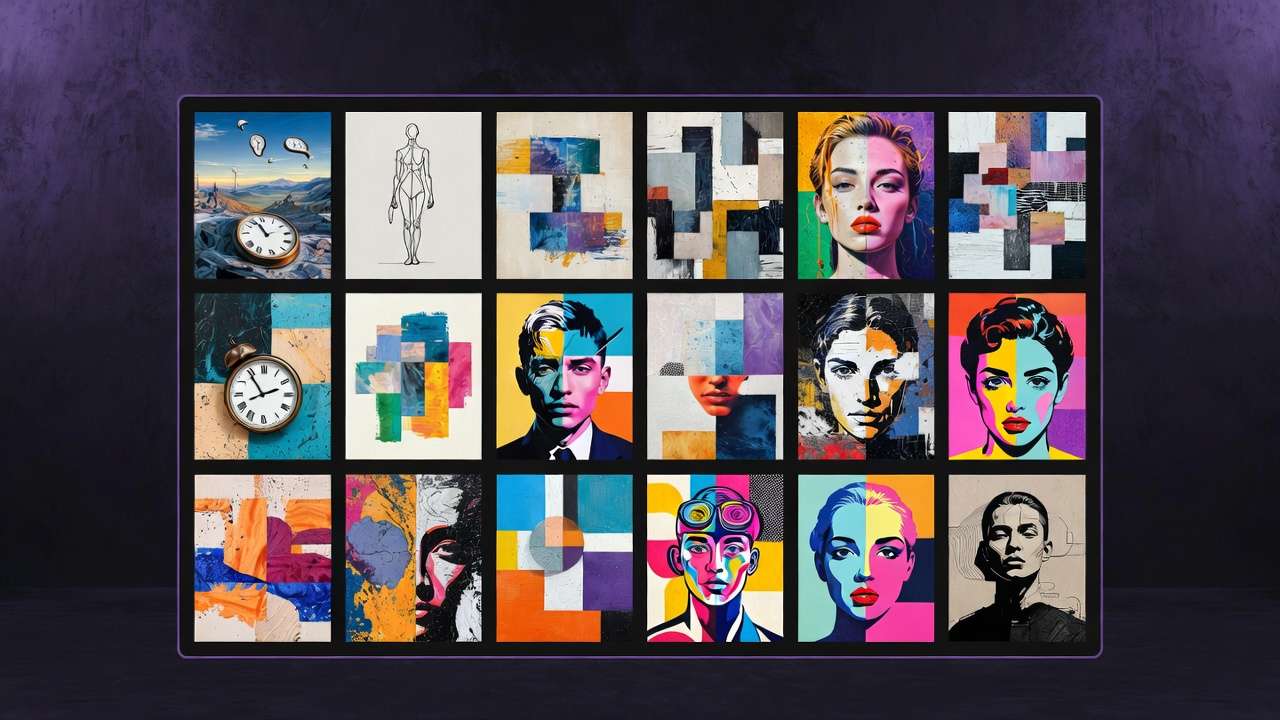
What Makes Nano Banana Pro Different
Reasoning-Driven Generation
Nano Banana Pro is built on Gemini 3 Pro, which means it has access to the same chain-of-thought reasoning that makes Gemini 3 Pro exceptional at complex language and analysis tasks. Applied to image generation, this changes what the model can do with complex prompts.
An infographic prompt describing a multi-section comparison chart with specific data, labels, icons, and color coding - a standard image model produces something vaguely in that direction. Nano Banana Pro reasons through the compositional problem, understands what information hierarchy should look like, and generates something that actually functions as an infographic.
A product poster prompt specifying specific copy, specific brand elements, specific compositional hierarchy - the model plans the layout before rendering, rather than generating and hoping the layout is coherent.
Activate this reasoning explicitly by enabling thinking mode in the generation settings. The additional processing time is worth it for complex, structured, or text-heavy compositions.
Real-World Knowledge via Google Search
Nano Banana Pro connects to Google Search during generation. If your prompt references a real location, a real product, a real architectural style, a historical period, or any specific real-world context - the model pulls current information to ensure the image reflects actual reality rather than a training-data interpretation of it.
Generate a diagram of a real geographical area and it reflects the actual layout. Generate a poster for a real-world event with a real venue and the details are accurate. Generate a product mock-up referencing a specific brand style and the model understands what that brand actually looks like.
This capability is strongest for technical accuracy requirements - diagrams, maps, reference-accurate visualizations, educational content - where most image models hallucinate plausible-looking but incorrect details.
Multilingual Text Rendering
Text rendering in images has been a persistent weakness across AI image models - garbled letters, incorrect characters, inconsistent spacing. Nano Banana Pro handles text rendering as a first-class capability, including non-Latin scripts.
Supported: English, Chinese, Japanese, Korean, Arabic, European languages, and others. The model not only renders the text correctly but understands typographic hierarchy - where a headline should sit relative to body copy, how text relates to the image composition it is part of.
Practical applications:
Localized marketing materials - generate once in English, re-render with translated text across target language markets while preserving the visual design.
Bilingual content - posters, signage, packaging designs that need text in two languages simultaneously.
Technical diagrams - labeled charts, anatomical illustrations, architectural blueprints with annotations in any language.
Up to 14 Reference Images
Upload up to 14 reference images to guide a single generation. The model uses them to understand and reproduce:
- Visual style - the aesthetic treatment of images you provide as style references
- Character or subject identity - maintaining consistent appearance of a person, product, or character
- Brand identity - color system, typographic style, compositional conventions from brand examples
- Product specifications - exact shape, finish, and material of a product from multiple angles
The 14-reference capacity is what enables full style guide upload. A brand's complete visual identity can be loaded simultaneously - logo, hero image, color reference, typography example, composition guide - and the model generates within that context rather than approximating from a single example.
Studio-Quality Editing Controls
Nano Banana Pro supports editing operations through natural language, with specific controls typically reserved for professional design tools:
Camera angle adjustment. Change perspective - bird's eye view, low angle, straight-on, three-quarter - with the subject staying compositionally consistent.
Lighting modification. Turn day into night. Change from overcast to golden hour. Apply dramatic rim lighting. Create a bokeh effect. The model recalculates how the entire scene looks under the new light, not just applies a filter.
Color grading. Apply cinematic color treatments - warm tones, cool desaturated palettes, vintage film looks, high contrast. The grading applies with visual coherence across the whole image.
Depth of field control. Blur backgrounds, shift focus to specific subjects, adjust the depth of focus plane.
Selective editing. "Change the jacket to deep navy" - modifies only the jacket while preserving face, lighting, background, and everything else. This precision is one of the clearest advantages over standard image generation: edits are surgical rather than regenerative.
Aspect ratio adaptation. Reframe a generated image to a different aspect ratio while keeping subjects in position - the model fills the new area with coherent image content rather than blank padding.
Nano Banana Pro vs Nano Banana 2
Both are available on Cliprise. The distinction matters for workflow efficiency.
| Use case | Model | Why |
|---|---|---|
| Final hero shot, maximum quality | Nano Banana Pro | Highest quality ceiling, reasoning mode |
| Complex prompt - infographic, multi-element composition | Nano Banana Pro | Thinking mode for compositional planning |
| Rapid iteration, testing prompt directions | Nano Banana 2 | 3-4x faster |
| High-volume social content | Nano Banana 2 | Speed at quality sufficient for social |
| Multilingual text rendering | Either | Both handle it; Pro is more accurate |
Use Nano Banana Pro for final deliverables and complex prompts. Use Nano Banana 2 for the iteration phase - testing 10-20 prompt variations - then switch to Pro for the final generation once you have the right direction.
Prompting for Nano Banana Pro
The model responds to detail and specificity. Reasoning mode processes long, structured prompts effectively - unlike models that degrade with overly complex prompts, Nano Banana Pro uses complexity as signal.
For structured compositions and infographics:
Create a [content type] for [audience/purpose]:
Title: "[exact title text]"
[Section 1]: [content description with any specific text to render]
[Section 2]: [content description]
Color scheme: [specific colors or palette description]
Style: [professional/minimal/editorial/etc.]
Layout: [description of desired layout logic]
Resolution: 4K
For commercial imagery with brand control:
[Product/subject description],
[scene and context],
[lighting: specific description],
[camera: specific angle and framing],
Style references: [describe the reference images you've uploaded]
Output: [platform] format, [resolution], [aspect ratio]
For text-in-image content: Always include the exact text you want rendered in quotation marks within the prompt. Nano Banana Pro reads the quoted text as literal instruction rather than approximate direction.
Note
Nano Banana Pro is on Cliprise. Start from the Nano Banana Pro model page, then compare it with Nano Banana 2, Flux 2, and Midjourney alternatives before checking current pricing.
Related Articles
Google image model family:
- Nano Banana 2 vs Imagen 4 vs Flux 2 →
- Midjourney alternatives (Nano Banana Pro & multi-model stacks) →
Image model comparisons:
- Best AI Image Generator 2026: Tested and Ranked →
- GPT Image 1.5 Complete Guide →
- Seedream 4.5 Complete Guide →
Image generation guides:
Infographic and marketing workflows:
Models on Cliprise: