Open your browser tabs right now. Count the AI tools you have logged in.
For most creators and teams who've been building with AI since 2024, the count is somewhere between five and twelve. Each with its own login. Its own billing cycle. Its own credit system. Its own interface logic. Its own rate limits. Its own export pipeline.
This is ai content creation tool chaos. And it's costing you more than money.
The average professional AI user in 2026 spends 23 minutes per day switching contexts between AI tools. That's not generating. That's not editing. That's navigation overhead - the invisible tax of building your workflow on ten disconnected platforms instead of one coherent system.
Beyond the time cost, there's the financial cost. Individual subscriptions to the best-in-class AI tools add up fast. Most people who've tried to calculate their total AI tool spend in a given month are surprised by the number. This guide does that math explicitly - and shows what a unified alternative actually looks like.
The Real Cost of Subscribing to AI Tools Individually
Let's build the honest stack. If you're a creator or small team using the best available tools across video generation, image generation, and language models, here's what individual subscriptions cost in 2026:

| Tool | What It Does | Monthly Cost |
|---|---|---|
| ChatGPT Pro (Sora 2) | AI video - cinematic, long-form | $200/mo |
| Runway Standard | AI video - creative interface | $95/mo |
| Midjourney Pro | AI image - artistic | $60/mo |
| Adobe Firefly | AI image - licensed, CC integrated | $54.99/mo |
| ElevenLabs Creator | AI voice/audio | $22/mo |
| Kling 3.0 | AI video - 4K throughput | ~$30/mo |
| Pika 2.0 | AI video - social short-form | $8/mo |
Total if you subscribe to everything: $469.99/mo
Most working creators don't subscribe to all of these. But most working creators subscribe to at least three to five, landing somewhere in the $150-300/mo range - for tools that don't talk to each other, don't share credits, and require full context switches between every session.
This is the tool chaos problem quantified.
What Tool Chaos Actually Costs Beyond the Invoice
The financial cost is visible. The operational cost is less visible but equally real.
Context Switching Overhead
Every time you move from one AI platform to another, you lose cognitive context. You were mid-workflow in Runway, you switch to Midjourney for reference images, you switch to ChatGPT for copy, you come back to Runway. Each switch costs 5-10 minutes of re-orientation - finding where you were, re-loading project context, re-establishing the mental model of what you were building.
At five switches per working session, that's 25-50 minutes of pure overhead per day. Per week, that's 2-4 hours. Per month, that's a full working day - lost to navigation, not creation.
Credit System Fragmentation
Each platform has its own credit system with its own logic. Runway credits work differently from Midjourney Fast Hours. OpenAI API credits are separate from ChatGPT Plus usage. Pika has its own generation limits. None of these cross-apply.
The result: you're constantly making micro-decisions about which credits to spend on which platform for which task. Should you use your remaining Runway credits on this generation, or save them for the client project next week? Do you have enough Midjourney Fast Hours left this month to run the batch you need?
This is cognitive overhead that has nothing to do with the quality of your output. It's billing complexity masquerading as workflow decisions.
Version and Prompt Fragmentation
When your workflow spans five platforms, your prompt history is split across five interfaces. Your successful prompts for product photography are in Midjourney. Your video prompts are in Runway. Your reference images are in Firefly. None of them are searchable in one place. None of them cross-reference.
Recreating a successful output from three months ago means finding the right platform, finding the right project, finding the right prompt. In a fragmented stack, this often takes longer than re-generating from scratch.
Quality Inconsistency
Different platforms have different output processing pipelines. When your image comes from Midjourney, your video comes from Runway, and your audio comes from ElevenLabs, the assembly stage - getting everything to work together visually and technically - introduces a consistency challenge that a unified pipeline doesn't have. See multi-model workflows for orchestration patterns.
The Alternative: One Platform, All Models
The architectural answer to tool chaos is not "use fewer tools." Fewer tools means lower quality ceiling - you're cutting model access to reduce workflow friction.
The right answer is one interface across multiple models. All the best-in-class models. One credit system. One login. One workflow.
This is what Cliprise is built for.
What's unified on one platform:
- 47+ AI models - video, image, audio, and multimodal
- One credit system - credits work across all models, no per-platform allocation
- One interface - Web, iOS, Android; same interface regardless of which model you're running
- One billing relationship - one invoice, one plan, one renewal date
- One export pipeline - consistent output format and quality settings across all generations
The models included:
Video: Sora 2, Kling 3.0, Veo 3.1, Runway Gen-4, Pika 2.0, and more
Image: Flux 2, Imagen 4, DALL-E 3, Stable Diffusion XL, Midjourney, and more
Audio/multimodal: Additional models across categories
Accessing all of these individually through separate subscriptions: $469.99/mo at the stack we modeled above.
Accessing them through Cliprise: from $9.99/mo.
See single vs multi-model platforms for the full economics.
How a Unified Credit System Changes Your Workflow
The credit system is where the operational advantage of a unified platform is most concrete. Let's walk through what it looks like in practice.
On Fragmented Tools (Current State)
You're producing a brand video for a client. The workflow:
- Generate reference images in Midjourney - spends Midjourney Fast Hours
- Use those references to generate video in Runway - spends Runway credits
- Generate additional b-roll in Kling - requires separate Kling billing
- Generate voice narration in ElevenLabs - spends ElevenLabs credits
- Go back to Midjourney for additional stills - check if you have Fast Hours remaining
- Realize you're out of Runway credits mid-project - top up or wait for billing cycle
Total management overhead: ongoing throughout the project. Multiple billing decisions interrupting creative decisions.
On a Unified Platform (Cliprise)
You're producing the same brand video. The workflow:
- Generate reference images - spends credits
- Generate video using those references - spends credits
- Generate b-roll - spends credits
- Generate voice narration - spends credits
- Generate additional stills - spends credits
- Credits are low - top up once, from one place, instantly
Total management overhead: one top-up decision when credits run low. Everything else is creative decision-making, not billing decision-making. See cost optimization for credit strategies.
The Styles feature on Cliprise is built specifically for this workflow - structured orchestration across model types within a single project context, with unified credit tracking throughout.
The Subscription Math: What You Actually Save
Let's model three realistic creator profiles and compare the fragmented stack vs. unified platform cost.
Profile 1: Solo Content Creator
Current fragmented stack:
- ChatGPT Plus (for writing + limited image): $20/mo
- Midjourney Basic (for images): $10/mo
- Pika 2.0 (for short video): $8/mo
- Total: $38/mo
On Cliprise: Access to all three use cases plus 44+ additional models - from $9.99/mo
Monthly savings: ~$28/mo ($336/yr)
Profile 2: Freelance Creative / Small Agency
Current fragmented stack:
- Midjourney Pro: $60/mo
- Runway Standard: $95/mo
- ElevenLabs: $22/mo
- ChatGPT Plus: $20/mo
- Total: $197/mo
On Cliprise: All model categories covered in one plan - see pricing for volume tiers
Monthly savings: significant - plus complete workflow consolidation
Profile 3: Production Team (3-5 People)
Current fragmented stack:
- ChatGPT Pro (Sora 2): $200/mo
- Runway Standard: $95/mo
- Midjourney Pro (per seat): $60/mo × 3 = $180/mo
- Adobe Firefly (CC): $54.99/mo
- ElevenLabs: $22/mo
- Total: $551.99/mo
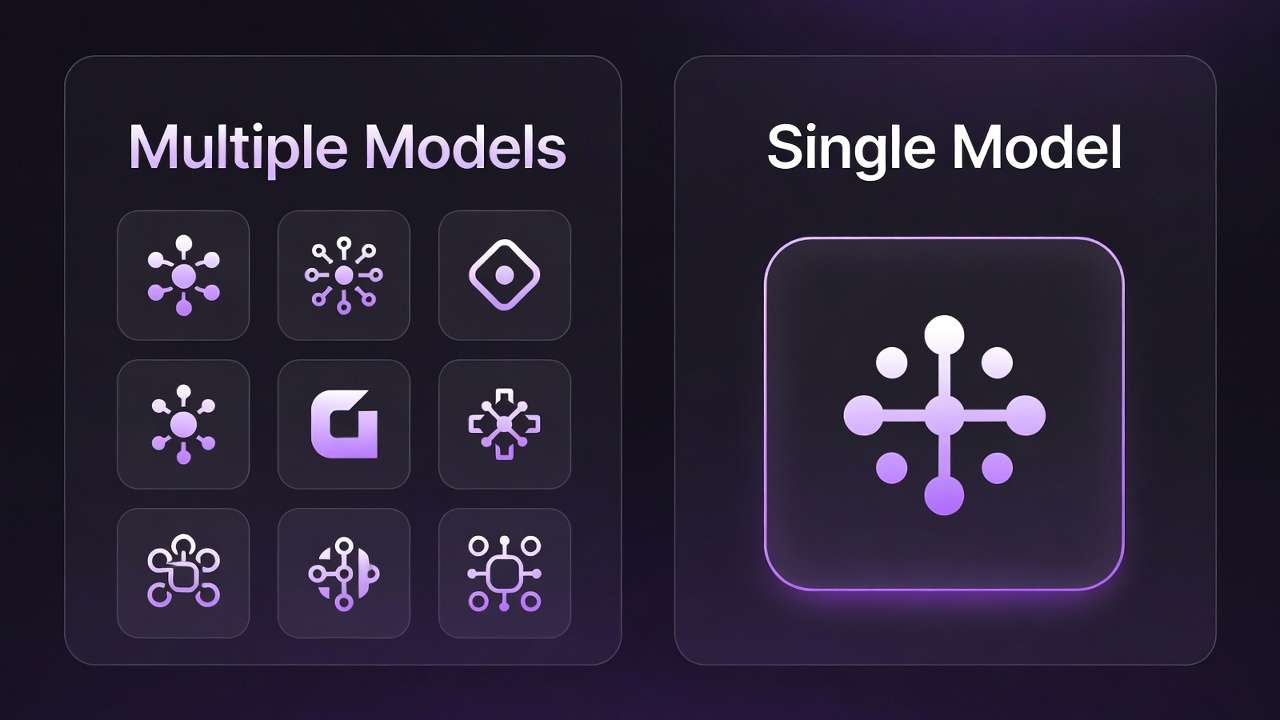
On Cliprise: Multi-seat plans with shared credit pool across all models - fraction of per-tool cost
Annual savings vs. fragmented stack: potentially $3,000-5,000+
The math is not subtle at any profile level. Fragmented subscriptions compound quickly. Unified infrastructure doesn't.
"But What If I Need a Feature That's Only in One Specific Tool?"
This is the most common pushback on the unified platform argument, and it deserves a direct answer.
Every specialized platform has interface features built specifically for their model - Runway's camera controls, Midjourney's variation system, ElevenLabs' voice cloning workflow. These interface layers are built by teams whose entire product focus is one model.
A multi-model platform's interface is necessarily more general - it needs to work across many models rather than being optimized for one.
The honest tradeoff: If 90% of your workflow can be handled equally well on a unified platform, and 10% requires a specialized interface feature that only exists on a dedicated platform, you have two options:
- Maintain the unified platform for 90% of your work and keep one specialized tool for the 10% that genuinely needs it
- Stay entirely on fragmented tools and pay the full cost
Option 1 is still dramatically cheaper and more efficient than Option 2. Most creators who make this comparison find that the "must-have" specialized features are less essential than they assumed once they're working in a well-designed unified interface. See multi-model strategy for routing decisions.
For the Cliprise-specific version: Styles is built to handle the orchestration layer that most creators need - side-by-side model comparison, project-level credit tracking, and structured generation workflows - without requiring you to master five different interface paradigms.
What to Look for in a Unified AI Platform
If you're evaluating unified platforms - not just Cliprise - here are the criteria that actually matter:
1. Model breadth and quality
How many models are included, and are they the current best-in-class versions? A platform with 47+ models including Sora 2, Kling 3.0, Veo 3.1, Flux 2, and Imagen 4 is a different proposition from one with 10 models including older versions of the same tools.
2. Credit system flexibility
Can you use credits across all models without restriction? Or are certain models gated behind higher tiers or separate credit pools? True unification means one credit system that works everywhere.
3. Update cadence
AI models evolve fast. A platform that integrated models current as of 2024 but hasn't updated in 12 months is not actually giving you state-of-the-art access. Check when models were last updated.
4. Export and commercial rights
Watermark-free export and commercial usage rights should be standard on paid plans, not a premium add-on. Verify explicitly. See AI video no watermark guide.
5. API access
For teams that want to integrate AI generation into their own production pipelines, API access is essential. Verify availability and pricing.
6. Platform stability
Unified platforms are infrastructure, not just software. Check uptime history, support responsiveness, and company trajectory before building your production workflow on a new platform.
The Workflow You're Actually Building Toward
Here's what a mature, unified AI production workflow looks like in 2026 - the destination that tool chaos is preventing you from reaching:
Morning brief arrives. You open one interface. You read the brief.
Image generation. You run the concept through Flux 2 and Imagen 4 simultaneously. You see both outputs side-by-side. You pick the direction. See best image generators.
Video generation. You route the image reference to Kling 3.0 for the product shots (4K/60fps), to Sora 2 for the brand film opening (cinematic, 30-second), and to Veo 3.1 for the environmental b-roll (physics-accurate outdoor). All in one interface. All billed from one credit pool. See AI video models ranked.
Review. You compare model outputs within the platform. You select the best from each batch.
Export. Watermark-free. Your resolution spec. Your format. Directly to your delivery pipeline.
End of session. One credit pool, slightly lower. One interface, closed. No tab management. No billing reconciliation. No context switching overhead.
This is not a hypothetical. This is what the right infrastructure makes possible.
Frequently Asked Questions
What does "all AI models in one subscription" actually mean?
It means a platform that aggregates API access to multiple best-in-class AI models - video, image, audio - under a single subscription and credit system. Instead of subscribing individually to Sora 2 ($200/mo direct), Kling, Midjourney, and image generators separately, you access all of them through one platform account. The underlying models are the same; the billing and interface are unified. See why 47 models beat one.
Is the quality different when accessing models through a unified platform?
No. When a unified platform provides access to Sora 2, Flux 2, or Kling 3.0, it is accessing the same underlying model via the same API as a direct subscription. Output quality is identical. The platform adds interface, credit management, and workflow features on top of the raw model access.
How does a unified credit system work?
A unified credit system means one pool of credits that can be spent on any model on the platform. If you generate a Sora 2 video, it costs X credits. If you then generate a Flux 2 image, it costs Y credits from the same pool. You're never managing separate credit pools per platform or making decisions about which platform's credits to conserve.
What happens if a model on the platform gets updated?
On a well-maintained unified platform, model updates are handled at the platform level. When Sora 3 or Kling 4.0 are released, the platform integrates the new versions. You don't need to re-subscribe or migrate. This is one of the infrastructure advantages of unified platforms over direct subscriptions.
Can I still use specialized tools alongside a unified platform?
Yes. Many professional teams use a unified platform for 80-90% of their workflow and maintain one or two specialized subscriptions for specific interface features or edge-case requirements. The economics still favor this approach over maintaining a full fragmented stack.
Is Cliprise the only unified AI platform available?
No - there are several platforms attempting to aggregate AI model access. The differentiating factors are model breadth (how many models, which specific ones), credit system design (truly unified vs. per-model credits), update cadence, and pricing. Evaluate against the criteria in the "What to Look for" section above.
What's the minimum I need to spend to get meaningful multi-model access?
On Cliprise, paid plans start at $9.99/mo with access to the full model library. This is the lowest price point we're aware of for production-grade multi-model access including Sora 2, Kling 3.0, and Veo 3.1 under a single credit system.
The Bottom Line
Tool chaos is not inevitable. It's a choice - usually a default choice made by building on whatever tools were best-in-class at the moment you started, without revisiting the architecture as the market evolved.
In 2026, the market has evolved enough that the unified platform option is mature, model-complete, and dramatically cheaper than the fragmented alternative.
The math is clear. The workflow case is clear. The only remaining question is how long the switching cost of moving from a fragmented stack to a unified platform is worth delaying.
For most teams, the answer is: it's not.
One subscription. All the models. No chaos.
Next Steps

Related Guides & Deep Dives
- Cliprise Desktop App: Windows & Mac →
- Cliprise vs OpenAI: When One AI Company Isn't Enough →
- Multi-Model AI Platforms: Why Creators Are Ditching Single-Tool Subscriptions - The industry shift
- Single vs Multi-Model Platforms - Economics and architecture
- Multiple AI Models One Platform: Why It Matters - Architectural case for unified platform
- Why 47 AI Models Beat One - The multi-model advantage
- Multi-Model Workflows on Cliprise - Orchestration patterns
- Cost Optimization: Maximize Credits - Credit strategies
- Multi-Model Strategy: When to Switch - Routing briefs
- Best AI Video Generator 2026 - Model comparison
- AI Video No Watermark Guide - Export and commercial rights
- Behind the Scenes: How We Integrated 47+ AI Models - Platform architecture