The debate about which AI model is best is the wrong debate.
It assumes that one model can be best across all use cases. It can't. It never could. And in 2026, the evidence is so clear that continuing to frame the conversation around single-model supremacy is either lazy or uninformed.
Sora 2 is the best cinematic engine. Kling 3.0 is the best 4K throughput model. Veo 3.1 is the best physics simulator. Flux 2 is the best text to image ai for photorealism. Imagen 4 renders text in images better than anything else on the market.
These are not opinions. They are documented technical differentials across specific capability dimensions-see our Sora vs Kling vs Veo: Ultimate 2026 Showdown for video and Best AI Image Generator 2026: Tested & Ranked for image. And they create a concrete operational question for anyone building serious AI workflows in 2026:
If no single model is best at everything, why are you building your workflow around one?
This article is about the architectural answer to that question - what it actually means to run multiple AI models inside one platform, why the interface layer matters as much as the model layer, and what changes operationally when you stop choosing between models and start orchestrating them.
The Single-Model Ceiling Problem
Every platform built around a single proprietary model has the same structural limitation: the model's capability ceiling is the workflow's capability ceiling.

When that model is strong, the limitation is invisible. When the brief requires something the model doesn't do well - and every model has those categories - the limitation becomes the workflow.
The response to this limitation in single-model platforms is always the same: prompt engineering. Re-prompt. Adjust the language. Try a different approach. Hope the model produces something closer to what you need.
Prompt engineering around a model's weaknesses is not a workflow. It's a workaround. And workarounds compound. The more briefs you have that push against a model's weakness, the more time your workflow spends on iteration rather than output.
The multi-model alternative is not to prompt around weaknesses. It's to route around them - send the brief to the model that's actually strong in that category, and get production-grade output on the first or second attempt rather than the fifth or tenth.
What "Multiple Models, One Platform" Actually Means
The phrase is used loosely, so let's be precise.
What it does NOT mean:
A platform with multiple proprietary models built by the same company. This is a common marketing framing - "we offer three different modes!" - that doesn't provide the architectural benefit of genuine multi-model access. If the same research team built all three models, they share training biases, capability ceilings, and failure modes.
Multiple export presets or style filters on a single model. A model with "cinematic," "realistic," and "animated" modes is one model with three output configurations. The underlying capability ceiling is identical regardless of mode.
What it DOES mean:
Access to genuinely distinct models built by different research teams, trained on different data, with different architectural approaches to the same problem. Sora 2 (OpenAI), Kling 3.0 (Kuaishou), Veo 3.1 (Google DeepMind), Flux 2 (Black Forest Labs), and Imagen 4 (Google) are genuinely different systems. Their strengths and failure modes are different. Their outputs on the same prompt are meaningfully different. Accessing all of them through one interface, one credit system, and one workflow is the architectural advantage.
Cliprise's Styles is built specifically for this - structured orchestration across genuinely distinct model types, within a single project context, with unified credit tracking and side-by-side output comparison.
The Productivity Cost of Platform Switching
The operational case for multi-model single-platform access is built on a number that most workflows don't track: context switching cost.
Context switching cost is the productivity lost every time you move from one tool to another. It includes:
- Navigation time (finding the right tool, logging in, locating the project)
- Re-orientation time (re-establishing where you were in the workflow)
- Mental context reload (remembering what parameters you were using, what direction you were pursuing)
- Cross-platform file management (downloading from one platform, uploading to another)
Research on knowledge worker productivity consistently finds that context switching costs 20-40% of productive work time. For AI creative workflows - where the creative direction needs to be held in working memory across tool switches - the cost is at the higher end of that range.
A workflow that runs across five platforms has five context switching events per session minimum. At 5-10 minutes per switch, that's 25-50 minutes of pure overhead per working session, before a single generation is made.
A workflow that runs across one platform has zero context switching events within the generation phase. The overhead is eliminated.
This is not a marginal improvement. At five sessions per week, 50 minutes of daily overhead equals 250 minutes per week - over four hours - lost to navigation rather than creation. Per month, that's a full working day. Per year, that's more than two full working weeks.
What Changes When Models Are in One Interface
The productivity argument above focuses on what you stop losing. There's a second argument about what you gain - capabilities that only exist when multiple models are accessible in the same interface.

Side-by-Side Model Comparison
When Sora 2, Kling 3.0, and Veo 3.1 are in the same interface, you can run the same prompt through all three and see the outputs side-by-side before selecting. This takes 3 minutes. The quality delta between the best and worst output on the same prompt across these models is routinely 20-40% - significant enough that comparison selection consistently outperforms single-model iteration.
On a fragmented stack, this comparison is theoretically possible - but practically prohibitive. You'd need to run the same prompt on three separate platforms, download all outputs, arrange them for comparison, and then return to whichever platform produced the best result to iterate. What takes 3 minutes in a unified interface takes 25-30 minutes across platforms.
Most creators on fragmented stacks skip the comparison. They use the model they know best and iterate until the output is acceptable. They never see what they're leaving on the table. See Sora vs Kling vs Veo: Ultimate 2026 Showdown for a three-way model comparison.
Cross-Model Project Continuity
A brand video project typically needs images (reference, stills, thumbnails), video (hero shots, b-roll, transitions), and potentially audio. On a fragmented stack, these elements are produced on separate platforms with separate project contexts. Keeping them visually and technically consistent requires active management - naming conventions, export standards, visual reference files carried between platforms.
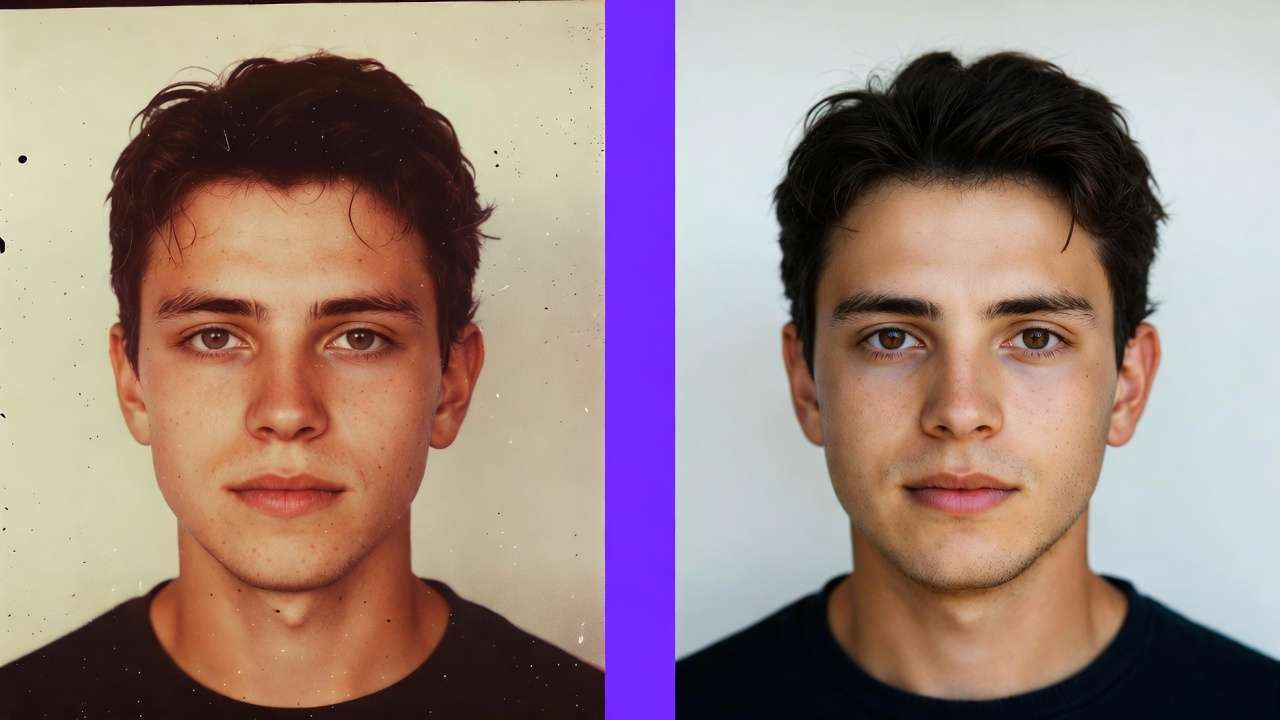
In a unified platform, all project elements exist in the same project context regardless of which model produced them. Visual consistency is easier to maintain. Reference images generated in Flux 2 can directly inform Kling 3.0 video generations. The workflow is continuous, not assembled from parts. See multi-model workflows on Cliprise for orchestration patterns.
Unified Credit Economics
When credits work across all models, you make one decision per generation cycle: which model is right for this brief? You're not also making decisions about which platform's credits to spend, whether you have enough remaining credits on each platform for the project, or how to allocate your budget across five separate billing relationships.
The credit unification removes a class of micro-decisions from the creative workflow. Small individually, significant in aggregate. All AI Models in One Subscription breaks down the cost savings.
The Orchestration Layer: Why Interface Matters as Much as Models
Here's an insight that single-model platform marketing consistently obscures: the value of a multi-model platform is not just the models - it's the orchestration layer built on top of them.
Any team with sufficient budget can subscribe to Sora 2, Kling 3.0, Veo 3.1, Flux 2, and Imagen 4 individually. That's five separate platforms, five billing relationships, five interfaces - but technically, access to all the models.
What they don't have is orchestration.
Orchestration is the layer that makes model access useful at scale. It includes:
Routing intelligence - which model for which brief? A well-designed platform helps you make that decision quickly through interface design, model comparison, and project context.
Credit flow management - how much are you spending per model, per project, per month? Unified credit tracking makes this visible in a way that five separate billing dashboards cannot.
Output management - where are your generations? What prompt produced the best output two weeks ago? Can you find a specific output from a specific project without a half-hour search across platforms?
Consistency controls - when an image generated in one model needs to inform a video generated in another, what's the handoff? A unified interface makes this seamless. A fragmented stack makes it manual.
This is the function of Styles on Cliprise - structured orchestration across model types, project continuity, and credit visibility in a single workflow environment.
Single-Platform Multi-Model vs. Fragmented Stack: Side by Side
Let's make this concrete with a realistic production scenario.
The brief: A brand campaign requiring 5 lifestyle video clips (4K/60fps), 3 cinematic hero shots (60 seconds each), 8 product photography images, and 2 voiceover-synced environmental videos.
Fragmented Stack Approach
| Task | Platform | Switch Event |
|---|---|---|
| Product photography | Flux 2 (own platform) | Login, project setup |
| Lifestyle video clips | Kling 3.0 (direct) | Switch platform, re-login, re-setup |
| Cinematic hero shots | Sora 2 (ChatGPT Pro) | Switch platform, new project |
| Environmental videos | Veo 3.1 (Vertex AI) | Switch platform, API setup |
| Credit review | Four separate dashboards | Manual reconciliation |
| Output assembly | Download from 4 platforms | Manual file management |

Context switches: 5+ minimum. Platforms managed: 4. Monthly cost: $200+ (Sora 2) + $30 (Kling) + usage-based (Veo) + $30 (Flux API) = $260+/mo minimum.
Unified Platform Approach (Cliprise)
| Task | Action |
|---|---|
| Product photography | Select Flux 2, generate - same interface |
| Lifestyle video clips | Select Kling 3.0, generate - same interface |
| Cinematic hero shots | Select Sora 2, generate - same interface |
| Environmental videos | Select Veo 3.1, generate - same interface |
| Credit review | One dashboard, real-time across all models |
| Output assembly | All outputs in one project context |
Context switches: 0 (all in one interface). Platforms managed: 1. Monthly cost: from $9.99/mo.
Same models. Same output quality. Radically different workflow and cost structure.
Who Benefits Most from Multi-Model Single-Platform Access
Not every creator needs the full multi-model stack. Here's where the architecture advantage is most pronounced:

Agencies and studios running multiple client briefs simultaneously. Different clients have different content requirements - a fashion brand needs different models than a tech company, which needs different models than a nature documentary producer. Multi-model access means one platform serves all client types without per-client platform switching.
Solo operators wearing multiple hats. A freelancer producing image work, video content, and social assets for multiple clients can't afford the time cost of managing a six-platform stack. Unified access compresses the tool management overhead to near-zero.
Teams with mixed skill levels. A junior team member who doesn't know which model to use for a given brief benefits from an interface that makes model selection guided and visible. On a fragmented stack, model selection defaults to "whichever platform someone knows how to use."
Anyone scaling volume. At low generation volumes, platform switching is annoying but manageable. At high generation volumes - 50+ generations per week - the context switching overhead is a significant operational cost that compounds with scale.
Builders integrating AI into products. API access to multiple models through a single integration point is dramatically more efficient than building and maintaining five separate API integrations. One key, one authentication flow, one credit system.
The Myth of the "Best Single Model" Workflow
There's a persistent narrative in AI creative communities that professionals should find their "main" model and master it deeply. The argument: depth of knowledge of one model's behavior, failure modes, and prompt patterns produces better output than shallow knowledge of many models.
This argument was reasonable in 2023, when model capabilities were differentiated enough that mastery of one model genuinely produced better outcomes than shallow use of several.
In 2026, it's wrong for two reasons.
First: The capability gaps between top-tier models in the same category have narrowed. The difference between a skilled Sora 2 user and a skilled Kling 3.0 user on their respective model's optimal brief type is smaller than it was two years ago. Prompt mastery on one model transfers more readily to another than it used to.
Second: The category gaps between models have widened. Sora 2 and Kling 3.0 are further apart on their respective strengths - cinematic quality vs. 4K throughput - than they've ever been. The efficiency loss of forcing a 4K product brief through Sora 2 (which doesn't natively support 4K) is larger than the efficiency gain of being a deep Sora 2 expert.
In other words: mastery depth matters less than it used to, and routing accuracy matters more than it ever has. The workflow that routes correctly to the right model produces better outputs more consistently than the workflow that masters one model and bends every brief to fit it. See Single vs Multi-Model Platforms for the full paradigm comparison.
How to Evaluate a Multi-Model Platform
If you're assessing unified AI platforms - beyond Cliprise - here are the criteria that distinguish genuine multi-model orchestration from marketing claims:

Are the models genuinely distinct? Check that the platform offers models from different research organizations, not just different output modes from one underlying model. Sora 2 (OpenAI) + Kling 3.0 (Kuaishou) + Flux 2 (Black Forest Labs) is genuine multi-model. "Three generation styles" from one proprietary model is not.
Is the credit system truly unified? Credits should work identically across all models with no per-model credit pools or tier restrictions that gate specific models behind upgrade walls. Test this explicitly.
Is model comparison native? Can you run the same prompt through multiple models and see outputs side-by-side in the interface? Or do you have to run them sequentially and compare manually? Native comparison is the workflow accelerator that fragmented stacks cannot replicate.
What is the model update cadence? AI models evolve fast. A platform that integrated 2024 model versions and hasn't updated is not providing frontier model access. Ask specifically: when was each model last updated to its current version?
Is API access available? For teams building on top of the platform or integrating AI generation into production pipelines, API access is essential. Verify availability and documentation quality.
What are the commercial rights? Watermark-free output and commercial usage rights should be standard on paid plans. Verify explicitly per model - some platforms have model-specific licensing terms. See AI Video No Watermark Guide.
Frequently Asked Questions
What does "multiple AI models on one platform" mean in practice? It means a single interface, single login, and single credit system that gives you access to multiple distinct AI models - built by different research teams with different architectures - for different generation tasks. You select the model appropriate for your brief, generate, and pay from one unified credit pool. No platform switching, no separate logins, no fragmented billing.
Is the quality the same when accessing models through a platform vs. directly? Yes. When a platform provides access to Sora 2, Kling 3.0, or Flux 2, it is accessing the same underlying model via the same API as a direct subscription. Output quality is identical. The platform provides the interface, orchestration, and credit management layer on top of the raw model access.
How does side-by-side model comparison work? On a unified platform with comparison features, you submit one prompt and select multiple models to run it on simultaneously. The platform generates outputs from each model in parallel and displays them side-by-side for selection. This typically takes 2-5 minutes vs. 20-30 minutes of equivalent manual comparison across separate platforms.
What is Styles? Styles is Cliprise's structured orchestration feature - a workflow environment that maintains project context across model types, tracks credit usage per project, and enables model routing decisions within a continuous creative session rather than across fragmented tool switches. See Cliprise Styles for current feature details.
How many models do I actually need access to? Depends on your output categories. For pure video work, Sora 2 + Kling 3.0 covers 90%+ of professional production briefs. Adding Veo 3.1 covers the physics-intensive edge cases. Adding Flux 2 and Imagen 4 for image generation covers the full creative production stack. Most serious production workflows benefit from 3-5 genuinely distinct models, not dozens.
Does using multiple models require learning five different prompt styles? No. Prompt principles transfer across models - specificity, camera description, temporal action structure. Individual models have optimization quirks, but the foundational prompt approach is consistent across frontier models. The learning curve for each additional model is significantly lower than learning the first.
Is a multi-model platform more expensive than individual subscriptions? No - it's structurally cheaper. Direct subscriptions to Sora 2 ($200/mo), Kling 3.0 (~$30/mo), and Veo 3.1 (usage-based on Google infrastructure) total $230+/mo before adding image models. Multi-model platform access to all of them starts at $9.99/mo.
The Operational Bottom Line
The question at the start of this article was: if no single model is best at everything, why are you building your workflow around one?
The honest answer for most teams is inertia. You started with Midjourney or Runway when they were best-in-class. You learned the tool. You built your workflow around it. Switching has friction.
The cost of that inertia in 2026: a capability ceiling defined by one model's weaknesses, a billing overhead defined by per-platform subscriptions, and a productivity overhead defined by context switching between the additional platforms you've inevitably added to compensate.
The alternative is not complicated. One platform. Multiple best-in-class models. Unified credits. No context switching. The output ceiling is the best available model for each brief type - which is the highest ceiling possible.
Models generate. Systems compound. The platform that orchestrates the best models is the platform that scales.
Next Steps
- Explore Styles on Cliprise →
- See all 47+ models available →
- Best AI Image Generator 2026: Tested & Ranked - Flux 2, Imagen 4, Midjourney ranked
- Single vs Multi-Model Platforms: Complete Guide
- All AI Models in One Subscription
Related Guides
- All AI Models in One Subscription - End tool chaos with one credit system and 47+ models
- Multi-Model Workflows on Cliprise - Orchestrate Sora, Kling, Veo in one workflow
- Single vs Multi-Model Platforms: Complete Guide - When single-model depth beats multi-model breadth
- Why 47 AI Models Beat One - The case for multi-model platforms
- Sora vs Kling vs Veo: Ultimate 2026 Showdown - Three-way comparison of top video models
- Styles - Structured orchestration across model types
- Best AI Image Generator 2026 - Image model ranking (Flux 2, Imagen 4, Midjourney)