Introduction
Part of the Multi-Model AI Platforms series. For the complete guide, see Multi-Model AI Platforms.
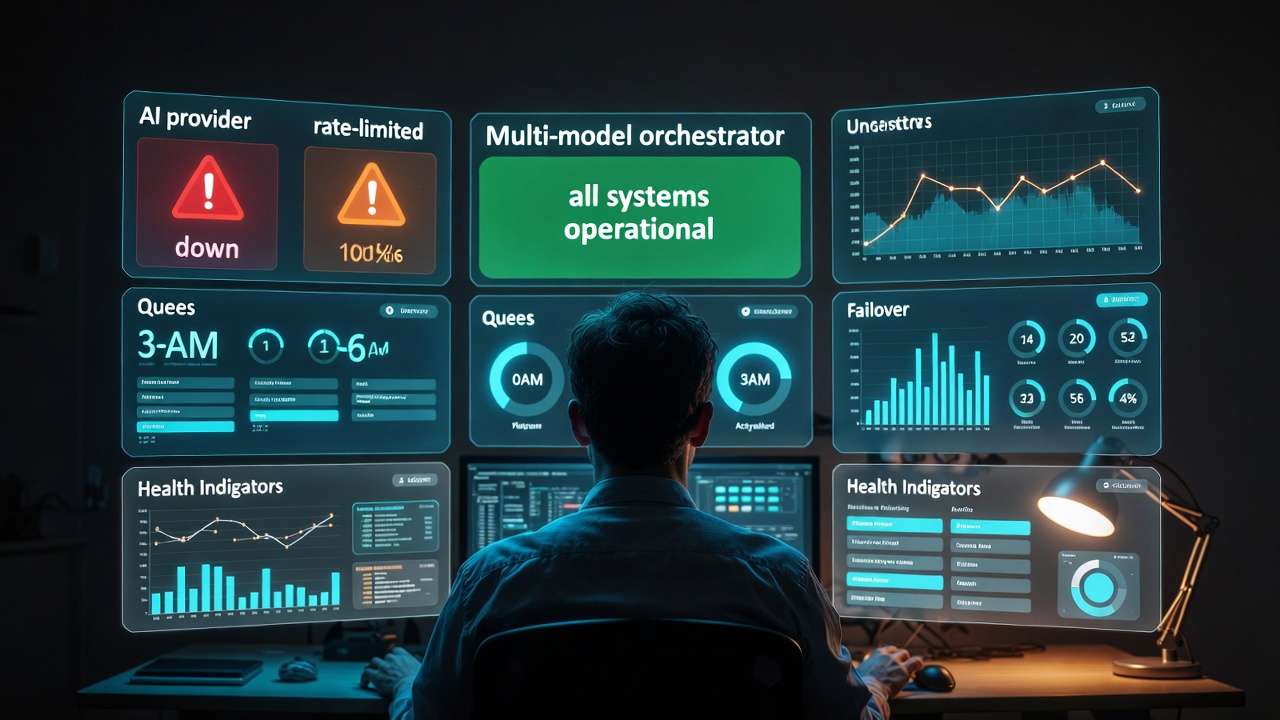

Access to dozens of AI models from providers like Google DeepMind, OpenAI, and Kuaishou promises boundless creativity, yet creators frequently report that stacking more models into their pipelines increases failure points rather than output quality. The contrarian reality is that multi-model integration does not inherently streamline workflows; it exposes gaps in sequencing, compatibility, and resource allocation that single-model tools mask through specialization. Platforms aggregating third-party models, such as those offering Veo 3.1, Sora 2, and Kling variants under one interface, demonstrate this tension daily-where the unified credit system simplifies access but demands precise orchestration to avoid inefficiencies.
Multi-model integration refers to the technical and operational process of aggregating diverse third-party AI models-spanning video generation from Veo 3.1 Quality and Sora 2, ai image generator options via Flux 2 and Imagen 4, editing tools like Runway Aleph and Luma Modify, and voice synthesis with ElevenLabs-into a single dashboard. This approach handles varying inputs like prompts, aspect ratios, durations (such as 5s, 10s, or 15s options), seeds for reproducibility, negative prompts, and CFG scales, routing them through backend workflows without users managing separate APIs. Tools like Cliprise exemplify this by cataloging 47+ models in categories including VideoGen, ImageGen, VideoEdit, ImageEdit, and Voice, fetched from databases and toggled for availability.
If you're deciding whether “multi-model” is actually worth it, pair this technical deep dive with the industry trend analysis and the hands-on feature walkthrough for comparing 47+ models side-by-side.
This matters now because AI content generation has shifted from isolated experiments to production-scale demands. Creators face queues, credit drains, and inconsistent outputs across providers, with elevated failure rates observed in user reports from unoptimized chains due to mismatched formats. Without understanding integration mechanics, teams waste cycles on revisions, especially in image-to-video pipelines where non-seeded models defy client feedback loops. This article dissects the process: starting with common misconceptions that derail beginners, moving to core components and step-by-step orchestration, real-world comparisons across user types, scenarios where multi-model setups falter, the critical role of sequencing, and emerging industry patterns.
Readers gain foundational clarity on why aggregation alone falls short-it's the hidden layers of standardization, error handling, and economic balancing that determine viability. For freelancers prototyping social reels, agencies chaining high-fidelity edits, or solos blending audio-visual elements, missing these insights means prolonged trial-and-error. Platforms like Cliprise, with their model index for browsing specs and use cases before launching workflows, highlight how structured integration mitigates these risks. By the end, you'll recognize patterns in n8n-based orchestration and PocketBase model management, equipping you to evaluate solutions beyond surface-level model counts. The stakes are clear: in a space where third-party dependencies toggle availability and experimental features like synchronized audio carry variability (observed in about 5% of cases for certain videos), mastery of these behind-the-scenes elements separates sustainable creators from those chasing novelty.
Consider a marketing team building a product launch video: starting with Imagen 4 for thumbnails risks style drift when extending to Kling 2.5 Turbo, unless unified controls enforce consistency. This depth reveals why some multi-model environments, including Cliprise's approach, prioritize user selection from documented landing pages-26 categories with features like seed support-over raw volume. As adoption grows, with agencies leading versatile chains while solos prefer simplicity, grasping these fundamentals positions you ahead of the curve.
What Most Creators Get Wrong About Multi-Model AI Integration
Creators often assume that access to 47+ models guarantees superior results, but mismatched capabilities frequently lead to inconsistent outputs, particularly in pipelines bridging image generation to video extension. For instance, generating a base image with Flux 2 Pro's photorealism then feeding it into Sora 2 Standard may yield motion artifacts because the video model interprets styles differently, without shared training emphases. This misconception persists because model pages highlight strengths in isolation-Veo 3.1 excels in quality but queues longer than Veo 3.1 Fast-leading beginners to chain arbitrarily. In practice, observed patterns show freelancers spending significantly more time on revisions when ignoring spec sheets, as non-aligned aspect ratios or prompt structures trigger regenerations.
A second oversight involves API compatibility, where varying input formats contribute to elevated failure rates in untested sequences. Video models like Kling 2.5 Turbo demand specific duration options (5s/10s/15s), while image tools such as Midjourney handle broader CFG scales, but without standardization, prompts fail silently. Creators pasting outputs across tools overlook this, facing async callback errors or watchdog interventions for stuck jobs. Real-world example: a solo creator prototyping reels copies a Hailuo 02 video URL into Runway Gen4 Turbo for editing, only to encounter format mismatches that halt the chain, extending production from minutes to hours. Platforms like Cliprise address this via unified interfaces, but users bypassing model previews repeat the error.
Third, many neglect credit economics, where high-cost video generations (such as Wan 2.5 variants) deplete allocations before low-cost image prototyping. Image edits via Qwen or Recraft Remove BG consume fewer resources, yet jumping to Kling Master drains budgets mid-workflow. This surfaces in agency scenarios: a team exhausts allocations on initial Sora 2 Turbo tests, leaving no margin for ElevenLabs TTS syncing, forcing plan upgrades or delays. Data from user reports indicates this mismatch increases effective costs significantly in unbalanced pipelines, as free-tier constraints amplify the issue with daily resets and concurrency caps.
Finally, treating integration as plug-and-play ignores queueing delays and seed reproducibility variances. Models without seed support, like certain experimental ones, produce non-repeatable results, frustrating revision-heavy work. A freelancer using Cliprise's model index might launch Ideogram V3 for characters, expecting exact replicates via seed, but provider variances introduce drift. Hidden delays from third-party queues-longer for premium like Veo 3.1 Quality-compound when chaining, with concurrency limits (1 for basic access, higher for advanced) blocking parallels. Experts mitigate by previewing specs; beginners face substantially longer production cycles. These errors stem from tutorials glossing over backend realities like n8n orchestration, where prompt enhancers and token tracking enforce discipline.
Across perspectives, beginners chase volume, intermediates chain intuitively, experts sequence by cost and control. When using tools such as Cliprise, where models toggle via databases, awareness shifts focus from quantity to qualified selection, reducing waste.
Core Components of Multi-Model AI Platforms
The Model Aggregation Layer
At the foundation lies the model aggregation layer, which catalogs and manages 47+ third-party models from providers including Google DeepMind (Veo 3.1 variants), OpenAI (Sora 2 Standard and Pro), Kuaishou (Kling 2.5 Turbo), and others like Flux 2, Midjourney alternatives, and ElevenLabs. This layer, often powered by databases such as PocketBase, fetches lists dynamically, categorizing into VideoGen (e.g., Hailuo 02, Runway Gen4 Turbo), ImageGen (Imagen 4, Seedream 4.0), VideoEdit (Luma Modify, Topaz Video Upscaler), ImageEdit (Ideogram V3, Recraft Remove BG), and Voice (ElevenLabs TTS). Toggling availability per model ensures only stable options appear, preventing user exposure to outages. Why this matters: without it, creators navigate fragmented directories; aggregation centralizes discovery, as seen in platforms like Cliprise where users browse 26 landing pages with specs, features, and use cases before selection.
This layer handles partial implementations like multi-image references in select video models or style transfer in image chains, balancing comprehensiveness with reliability. For beginners, it simplifies choice; experts leverage it for niche toggles, such as prioritizing seed-supported models for reproducibility.
Unified User Interface and Controls
Standardized controls form the user-facing core: prompts, aspect ratios, durations (5s/10s/15s), seeds, negative prompts, and CFG scales apply across models, abstracting provider differences. This prevents reformatting friction-e.g., Imagen 4 Fast's quick iterations feed seamlessly into Kling extensions. Platforms implementing this, including Cliprise, display token previews pre-generation, alerting to costs without exact figures. The interface supports perspectives: simple prompts for novices, advanced parameters for pros chaining Flux Kontext Pro to Wan Animate.
Mental model: envision a control panel as a universal remote, mapping diverse APIs to consistent dials. Deviations, like model-specific prompt caps, surface as warnings, maintaining flow.
Backend Orchestration and Workflows
n8n workflows orchestrate generation: image/video/audio pipelines, prompt enhancement, daily resets, and queue management with concurrency (varying by access level). Async callbacks notify completion, watchdogs clear stuck jobs, and verifications block unconfirmed accounts. For audio-visual sync, ElevenLabs TTS integrates into paths like Wan Speech2Video, though variability persists in 5% of experimental cases. This scales for batch prototyping-seed reuse across Imagen 4 and Sora 2-while tracking consumption balances image (lower) versus video (higher) loads.
Examples: A creator enhances a prompt via n8n before Flux 2, then upscales with Topaz 8K; agencies chain Recraft BG removal to Luma Modify. Solos benefit from community feeds for public outputs.
Consumption and Output Management
Token systems track usage across models, with resets and no carry-over enforcing cycles. Outputs default public in basic access, enabling downloads, profiles, and feeds. IP rate limiting and disposable email blocks maintain integrity. Why critical: prevents overconsumption, as high-fidelity like Veo 3.1 Quality demands planning versus Nano Banana's speed.
In Cliprise-like setups, this integrates seamlessly, supporting from quick logos (Ideogram Character) to pro edits (layers, masking). Depth ensures reliability, with partial features like video extension evolving.
Step-by-Step Process for Integrating Multiple AI Models
Step 1: Cataloging and Categorization
Integration begins with cataloging models into categories: VideoGen (Veo 3, Sora 2, Kling 2.6), ImageGen (Flux 2 Pro, Google Imagen 4 Ultra, Qwen), VideoEdit (Runway Aleph, Topaz Upscaler), ImageEdit (Qwen Edit, Ideogram Character), Voice (ElevenLabs Sound FX). Databases like PocketBase store specs-strengths, use cases, seed support-enabling toggles. Platforms like Cliprise organize 26 landing pages here, where users read about duration options or CFG applicability. Why first: mismatched categories derail chains; beginners filter by need (e.g., fast prototypes via Imagen 4 Fast), intermediates by fidelity (Flux Max), experts by editability (Luma Modify).
This step reveals nuances, like partial multi-image support in ByteDance Omni Human.
Step 2: API Standardization and Error Handling
Next, standardize APIs: map prompts, seeds, negatives across providers, handling async variances with callbacks and watchdogs. Error handling covers format mismatches (e.g., Kling's turbo needs specific ratios) and queues. n8n enforces this, previewing costs. Example: feeding Midjourney art to Hailuo Pro triggers auto-adjustments. For freelancers, this cuts failures; agencies scale via concurrency.
Step 3: User Selection and Preview
Users browse indices, view specs (e.g., Veo 3.1 Fast for speed), then launch. In Cliprise environments, "Launch" redirects to workflows, supporting beginner simple prompts or expert CFG tweaks. Previews show expected outputs, reducing surprises.
Step 4: Generation Pipeline Execution
Pipeline activates: verify account, check balance, queue job (1-5 concurrent), enhance prompt, generate. Chains like Flux image to Kling video process sequentially. Daily resets apply; blocks for unverified halt. Perspectives: novices one-off, pros batch with seeds.
Step 5: Output Management and Iteration
Outputs land in feeds (public defaults), downloadable, reportable. Reproducibility via seeds enables revisions; extensions add length. Community profiles showcase, aiding solos. Agencies iterate via layers in pro editors.
This process, observed in tools like Cliprise, demands sequencing-image-first prototypes save resources. Beginners master steps 1-3; experts optimize 4-5 for production.
Real-World Comparisons and Contrasts
Freelancers favor quick prototypes with low-resource models like Imagen 4 Fast or Flux 2 Flex, chaining to Kling 2.5 Turbo for 10s clips, valuing speed over depth. Agencies employ high-fidelity paths: Flux 2 Pro images to Sora 2 Turbo videos, then Topaz 8K upscales and ElevenLabs TTS, handling client revisions via seeds. Solos balance audio-video, using Hailuo 02 reels with Recraft BG removal for social consistency.
Single-model approaches shine in specialization-Midjourney for artistic consistency, Runway for native edits-but limit versatility. Multi-model setups, as in Cliprise workflows, enable switches without re-uploads, suiting varied needs.
Comparison Table: Multi-Model vs. Single-Model Platforms Across Scenarios
| Scenario | Multi-Model Platforms (e.g., 47+ options like Cliprise) | Single-Model Platforms (e.g., Midjourney only) | Key Trade-Off Observed |
|---|---|---|---|
| Image-to-Video Pipeline (10s clip) | Chains Flux 2 image to Kling 2.5 Turbo; short queue times with seed reuse for style match | Native extensions limited to model style; quick processing but no cross-provider motion | Versatility in motion styles vs. locked consistency |
| Batch Prototyping (5 variants) | Seed across Imagen 4/Sora 2; processes varying credit loads in sequence | One style per run; requires manual re-prompting for variants across several steps | Reproducibility across types vs. simplified single-style batches |
| Edit-Heavy Workflow (BG remove + upscale) | Recraft Remove BG + Topaz 2K-8K; supports layered masking in chain | Basic in-app tools; caps at 4K without external upscale, no multi-step | Depth in resolution/editing vs. integrated seamlessness |
| Audio-Visual Sync (TTS + video) | ElevenLabs TTS to Wan Speech2Video; sync holds reliably in most cases, with noted variability around 5% for experimental features | Rare native TTS; manual audio overlay post-gen across additional steps | Native integration paths vs. focused video purity |
| Cost for 720p Video (est. cycles) | Balances low-cost image prototyping to high-cost video sequencing | Fixed per generation; premiums spike without alternatives on repeats | Optimization via cheap prototypes vs. predictable singles |
| Revision Cycles (client feedback) | Seed/CFG across Veo/Sora; fewer iterations via unified controls | Prompt tweaks only; style drift common without seeds, more extensive cycles | Control parameters vs. inherent model stability |
As the table illustrates, multi-model environments like Cliprise offer chaining flexibility, but single-model tools reduce decision overhead. Surprising insight: batch prototyping favors multi by improved efficiency in seeded chains, per user patterns.
Use case 1: Marketing video-a freelancer generates Sora 2 Standard base, edits with Runway Aleph, adds ElevenLabs voice; total several minutes, versatile for A/B tests. Agencies extend to Topaz for 8K client deliverables.
Use case 2: Social reels-solo uses Hailuo 02 for 5s motion, Recraft for BG, Ideogram for overlays; quick chain over several minutes, public feeds amplify reach.
Use case 3: Logos-start Ideogram Character, refine Qwen Edit, upscale Grok; reproducible for branding, suits beginners chaining edits.
Patterns show agencies lead adoption chain deeply, freelancers prototype broadly, solos hybridize. Cliprise-like tools facilitate via feeds.
When Multi-Model Integration Doesn't Help
Non-repeatable models without seed support undermine revision-heavy workflows, where client changes demand exact replicates-e.g., experimental audio sync in Veo 3.1 fails 5% of cases, forcing full regenerations. Free-tier concurrency (1 job) during peaks blocks chains, extending waits from minutes to hours. Creators report notably extended delays when toggled models outage mid-pipeline.
Beginners overwhelmed by 47+ choices abandon setups, preferring single-model familiarity; production pipelines needing under 1-min turnarounds falter on queues. Solos avoid for simplicity.
Limitations include unverified account blocks, model-specific prompt caps, and third-party dependencies toggling availability. No native desktop smooths web/PWA, audio sharing needs permissions.
Unsolved: exact output control remains partial, processing times vary. Vendor honesty: platforms like Cliprise expose these via specs, aiding informed use.
Why Order and Sequencing Matter in Multi-Model Workflows
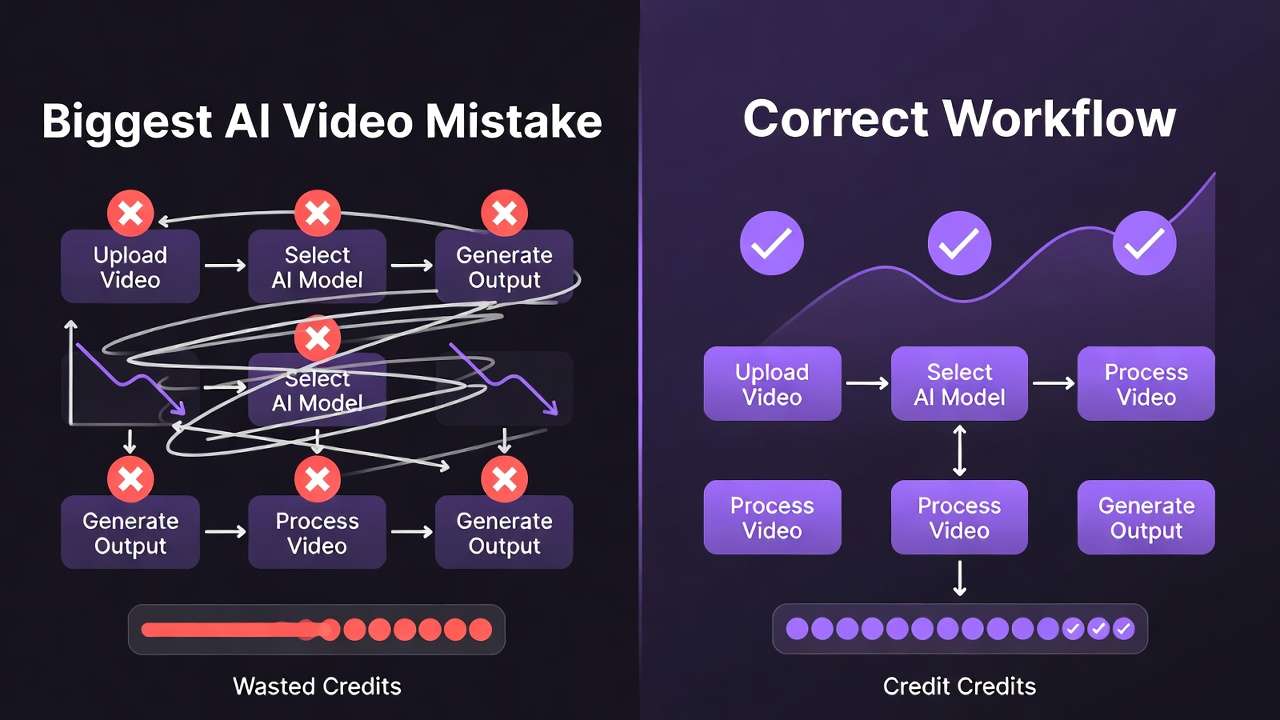
Most start with video generation due to end-goal focus, incurring high costs early-e.g., Veo 3.1 Quality before prototyping, draining credits without validation. This skips low-cost image tests (Flux 2), leading to significantly more waste.
Context switching-toggling dashboards, re-uploading-adds notable mental overhead, fragmenting focus. Unified interfaces like Cliprise mitigate, but poor order amplifies.
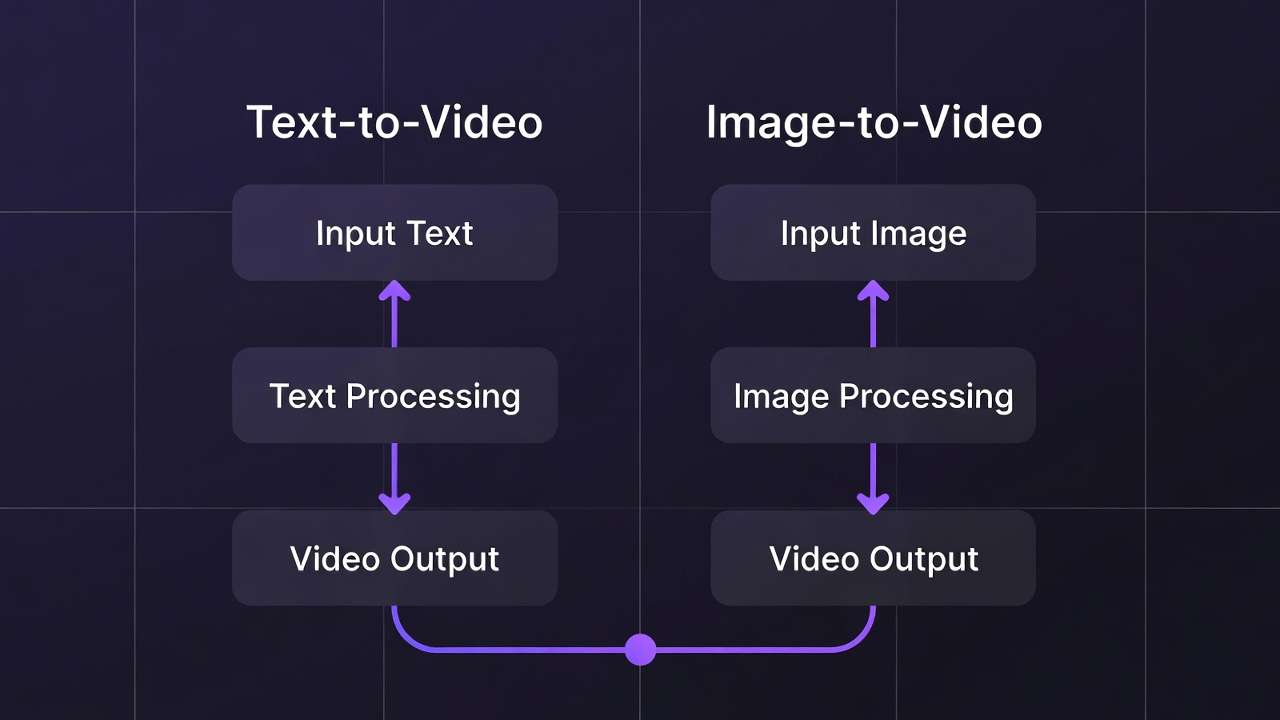
Image-first suits prototypes (product shots to Kling extension); video-first for motion-primary (reels via Hailuo direct). Hybrid for tests.
Patterns: users chaining low-to-high (Imagen → Sora) report improved efficiency; dashboard feeds reduce switches.
Industry Patterns, Challenges, and Future Directions
Agencies lead adoption (versatile chains), solos lag (simplicity); 50+ model hubs rise via n8n/PocketBase.

Shifts: synchronized audio refinements, white-label for enterprise.
In 6-12 months: API expansions, better seeds.
Prepare: master sequencing, test chains.
Conclusion
Key insights: integration aggregates but sequencing resolves bottlenecks; components like unified controls and n8n balance variances.
Next: catalog models, prototype image-first, preview specs.
Platforms like Cliprise demonstrate accessible multi-model creation, preparing for trends.
Related Articles
Related News: