Luma AI alternatives are worth comparing by motion style, product accuracy, native audio, image-to-video control, and workflow fit. A creator searching for Luma, Kling, Sora, Runway, and Dream Machine alternatives usually wants to know which model should handle the next video job, not just which brand name is popular.
Cliprise does not host Luma's generation models. Dream Machine and Ray 3 are Luma's proprietary models, and they're not in Cliprise's library. What Cliprise does host is a broad AI video generator workflow with Kling 3.0, Sora 2, Veo 3.1, Runway Gen-4 Turbo, Wan 2.6, Hailuo 2.3, Luma Modify for video editing, and the full Cliprise image and audio stack.
For most creators who evaluate Luma and want to know what else exists, the Cliprise model library is the most comprehensive answer available. This guide covers when each alternative is the stronger choice.
Why Creators Look for Luma Alternatives
Output quality for specific use cases. Luma Dream Machine is a generalist video model - good across many content types, excellent for fluid motion and cinematic camera movement. For specific use cases (photorealistic commercial video, atmospheric content with native audio, abstract long-form content), purpose-built models outperform Luma.
Video plus the rest of the creative stack. Luma is video-only. Creators who need image generation alongside video - thumbnails, product stills, campaign imagery - need a second platform. Cliprise provides both in one subscription.
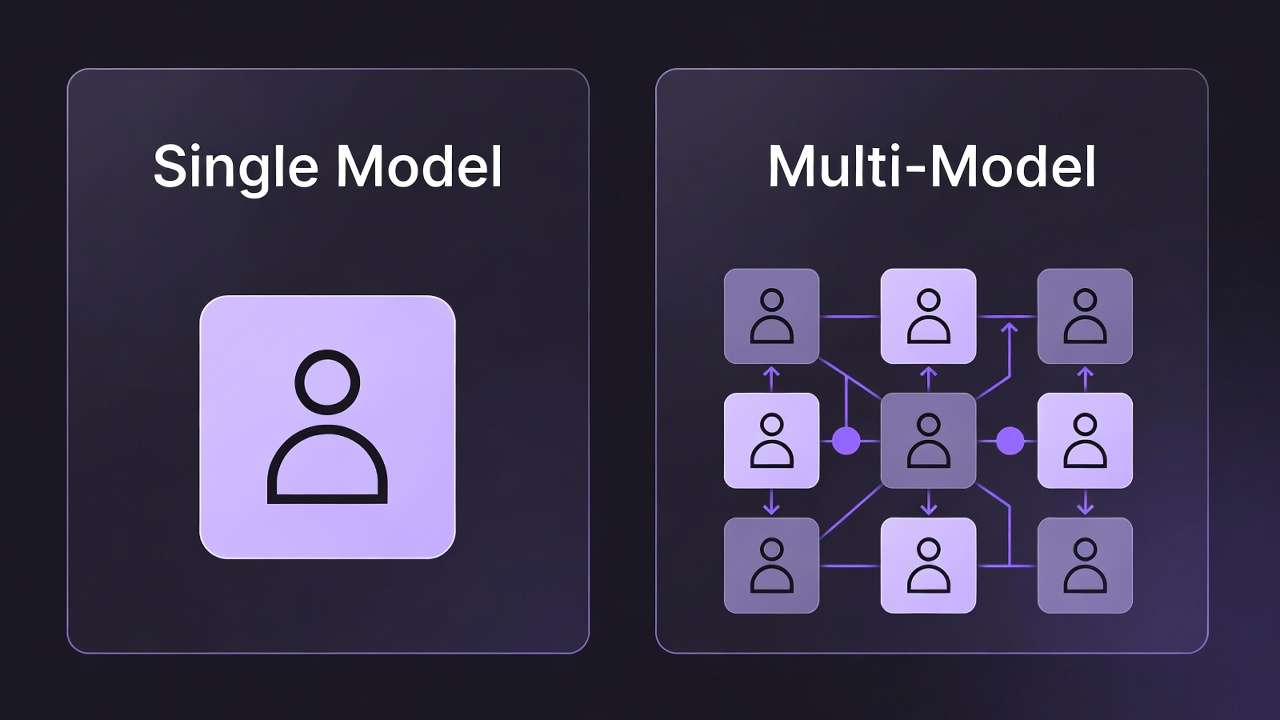
Multi-model comparison before committing. Committing to Luma's model before seeing how Kling 3.0, Veo 3.1, or Sora 2 handle your specific content is how budgets get locked into suboptimal choices. Cliprise lets you run the same prompt across multiple models before choosing a production workflow.
Cost consolidation. Luma plus image generation plus audio production means three separate billing lines. Cliprise covers all three from $9.99/month.
The Strongest Luma Alternatives on Cliprise
Kling 3.0 - Best for Photorealistic Commercial Video
Kling 3.0 is the model that most directly outperforms Luma Dream Machine for commercial and product video production.
The capability gap is documented in direct comparison testing: Luma Dream Machine vs Kling: Video Quality Comparison on Cliprise.
The key advantages over Luma:
- 4K resolution - Luma Dream Machine's standard output is lower resolution
- Up to 60fps - Luma operates at 24fps
- Photorealistic material texture - Kling 3.0's training prioritizes how real surfaces look under real light; product video, lifestyle content, and commercial material render with camera-like accuracy
Best for: Product demos, e-commerce video, lifestyle content, real estate, fashion - any commercial video where the output needs to look like professional camera footage.
Full guide: Kling 3.0 Complete Guide 2026.

Veo 3.1 - Best for Atmospheric Content with Native Audio
Veo 3.1 Quality is the alternative when Luma's strength (fluid, cinematic motion) is needed but native audio is also required.
Veo 3.1 is the only top-tier video model that generates spatial audio simultaneously with video. Waves, wind, ambient crowd noise, environmental sound - produced alongside the visual content, spatially aware of what's in frame. For nature scenes, atmospheric brand films, or any content where ambient sound is part of the story, Veo 3.1 eliminates post-production audio work that Luma cannot avoid.
The tradeoff: Veo 3.1 Quality caps at 8 seconds and 24fps. For long-form content or smooth-motion output, Kling 3.0 is the better choice.
Best for: Brand films, nature and environmental content, documentary b-roll, architectural visualization, any scene where ambient audio is part of the narrative.
For the full Veo 3.1 breakdown: Veo 3.1 Complete Tutorial and Veo 3.1 Fast vs Quality: Complete Guide.
Sora 2 - Best for Abstract, Conceptual, and Long-Form Content
Sora 2 leads the Luma alternative category when content needs to exceed 10 seconds or involves subject matter that doesn't exist in the physical world.
Clip duration: Sora 2 generates up to 20 seconds. Luma Dream Machine's clips are shorter. For content that needs temporal development - a scene that unfolds, a product reveal that builds, a narrative moment that requires duration - Sora 2's length advantage is decisive.
Abstract content: Luma handles real-world cinematic content well. Sora 2 handles content that breaks physical rules - morphing geometry, surreal transitions, conceptual visual metaphors - with more coherence than any alternative.
Storyboard control: Sora 2 Pro Storyboard gives explicit shot sequencing. For multi-scene productions, this level of directorial control isn't available in Luma's current form.
Best for: Music videos, abstract brand films, conceptual creative content, long-form sequences.
Full guide: Sora 2 Complete Guide.
Runway Gen-4 Turbo - Best for Compositing and Video Editing
Runway Gen-4 Turbo and Runway Aleph offer capabilities that Luma Dream Machine doesn't: video inpainting, motion brush, and compositing tools that allow editing existing footage rather than generating new video from scratch.
For production workflows that require manipulating existing video - removing objects, replacing backgrounds, applying motion to specific regions - Runway's toolset is distinct from both Luma and all other video generation models.
Best for: Professional post-production workflows, video inpainting, compositing, and any task requiring editing of existing footage with AI tools.
For the comparison: Kling 3.0 vs Runway Gen-4 Turbo.
Wan 2.6 and Hailuo 2.3 - Best for Fast Social Video
Wan 2.6 and Hailuo 2.3 are the practical alternatives for creators using Luma primarily for fast, accessible short-form social content.
Both models generate stylized video quickly and at lower credit cost per generation than the premium models. For high-volume social content where iteration speed matters more than maximum quality, these models offer the Luma-style accessible workflow without requiring a separate subscription.
Direct comparison: Hailuo vs Runway: Real-World Use Cases on Cliprise and Wan 2.6 vs Kling 2.6: Chinese AI Video Models Compared.
Side-by-Side: Luma vs Cliprise Alternatives
| Luma Dream Machine | Kling 3.0 | Veo 3.1 Quality | Sora 2 | Wan 2.6 | |
|---|---|---|---|---|---|
| Resolution | Standard | 4K | 4K | 1080p | Up to 1080p |
| Frame rate | 24fps | Up to 60fps | 24fps | 24fps | 24fps |
| Max clip duration | Short | 10 seconds | 8 seconds | 20 seconds | 5-10 seconds |
| Native audio | None | None | Full spatial audio | None | None |
| Best for | Fluid cinematic motion | Photorealistic commercial | Atmospheric + narrative | Abstract, long-form | Fast social video |
| Available on Cliprise | No (generation) | Yes | Yes | Yes | Yes |
Luma Modify (video editing) is available on Cliprise. Luma's generation models (Dream Machine, Ray 3) are not currently on Cliprise.
Luma Modify: What Cliprise Does Offer from Luma
Luma Modify is available on Cliprise - not for generation, but for video modification. It allows adjustments to existing video clips: stylization changes, content modifications, and visual transformation of footage that already exists.
For creators whose workflow includes editing generated or existing video rather than purely generating from scratch, Luma Modify on Cliprise adds a useful post-generation step without requiring a separate Luma account.
The Full Stack Argument
The clearest case for Cliprise over Luma native is the content stack around video generation.
Luma is video only. For a creator producing a product campaign that needs a hero image, a product reveal video, an atmospheric brand film, and a voiceover:
| Step | Best model | Available on Cliprise |
|---|---|---|
| Hero product image | Flux 2 | Yes |
| Product reveal video | Kling 3.0 | Yes |
| Atmospheric brand film | Veo 3.1 Quality | Yes |
| Voiceover | ElevenLabs V3 Text to Dialogue | Yes |
Every step in Cliprise, one subscription. On Luma, step one is impossible, step three has no audio, step four requires a third platform.
For the multi-model workflow strategy: Mastering Multi-Model Workflows on Cliprise and AI Video Generation: The Complete Guide 2026.
When to Stay on Luma
This guide would be incomplete without being honest about when Luma is the right choice.
Stay on Luma Dream Machine or Ray 3 if:
- Luma's specific motion quality and visual aesthetic match your content style and your audience expects it
- You prefer Luma's platform interface and workflow tools specifically built around Luma's model
- You're a Luma-focused creator who wants to go deep on Luma's capabilities rather than explore a multi-model stack
Move to Cliprise if:
- You need image generation or audio alongside video
- You want to compare multiple video model outputs for your specific content type
- You're currently managing Luma plus another platform and want to consolidate
- You need 4K/60fps output (Kling 3.0), native audio (Veo 3.1), or 20-second clips (Sora 2) - capabilities Luma doesn't currently offer
Related Articles
- Luma Dream Machine AI Video Generator: Alternatives and Comparison
- Pixverse AI Video Generator: Alternatives and Workflow
- Luma Dream Machine vs Kling: Video Quality Comparison on Cliprise
- Luma Modify Guide: Edit Video With AI →
- Best AI Video Generator 2026: Complete Comparison
- Kling 3.0 Complete Guide 2026
- Veo 3.1 Complete Tutorial
- Sora 2 Complete Guide
- Hailuo 02 Complete Guide: Stylized Video Generation
- AI Video Models Ranked: Cliprise 2026 Leaderboard
Verdict
Luma Dream Machine and Ray 3 have a specific visual quality that earned genuine recognition. No current model is a pixel-for-pixel replacement for Luma's aesthetic - and this guide doesn't pretend otherwise.
What Cliprise offers is the strongest collection of video alternatives: Kling 3.0 for photorealistic commercial output at 4K/60fps, Veo 3.1 for atmospheric content with native spatial audio, Sora 2 for abstract and long-form content, Runway for compositing work, and Wan 2.6 and Hailuo 2.3 for fast social video - alongside image generation and audio production that Luma's platform doesn't cover.
For most creators evaluating Luma, the question becomes: do you want one model that does video, or a platform that does video, image, and audio with the best available model for each task?