Introduction: Seedance 2.0 Multimodal Architecture
Seedance 2.0 represents a significant architectural shift in AI video generation through its multimodal input system that processes up to 12 simultaneous files-images, videos, audio, and text-within a single generation request. ByteDance officially launched Seedance 2.0 on February 12, 2026, building on the audio-video joint generation foundation of Seedance 1.5 Pro. This model addresses a fundamental workflow constraint: most AI video generators operate as isolated single-input systems requiring manual preprocessing and sequential workflows.
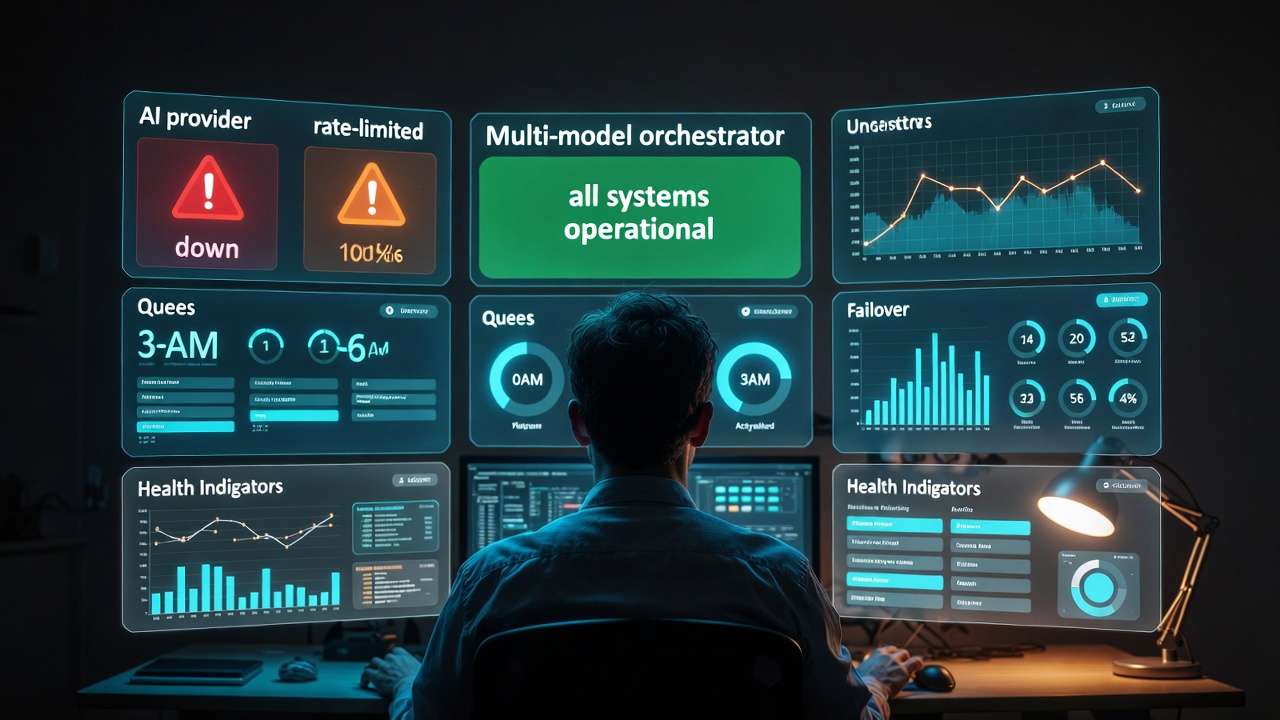
The 12-file multimodal capacity enables production workflows previously requiring multiple tools and manual integration steps. A marketing team building an ai music video can input brand style guide images, product photos, reference video clips, voiceover audio, and text direction simultaneously. The model synthesizes these inputs into coherent video output maintaining style consistency, audio synchronization, and visual continuity across all source materials.
This matters for production because it collapses multi-stage workflows into unified generation processes. Traditional pipelines require separate tools for style reference, audio alignment, visual composition, and final rendering. Seedance 2.0 handles these stages within its generation architecture, reducing technical complexity and iteration cycles while maintaining output quality suitable for commercial distribution.
The model operates within multi-model ecosystems where strategic generator selection based on project requirements optimizes results. Understanding Seedance 2.0's specific strengths-multimodal input handling, style consistency across sources, audio-visual synchronization-enables teams to route appropriate prompts to this model while using alternatives like Sora 2 or Veo 3 for scenarios better suited to their architectures. Professional workflows using an AI video generator benefit from accessing multiple models and matching capabilities to content demands. For Kling 3.0 vs Seedance 2.0 when the same brief could go either reference-first or direction-first, use Seedance 2.0 vs Kling 3.0.
This Seedance 2.0 guide examines the model's multimodal architecture, practical applications, input configuration strategies, comparative performance analysis, production workflows, and integration patterns within comprehensive video generation systems. The focus remains on actionable technical knowledge for creators, agencies, and production teams building scalable content pipelines.
For copy-paste prompt formulas, reference labeling (@image1, @audio1), camera and lighting phrasing, and templates by use case, use the companion Seedance 2.0 prompts: complete working guide.
For a lighter decision guide focused on Seedance prompting, image-to-video, and alternatives, read Seedance AI video generator: prompting and alternatives.
Key Takeaways
- Seedance 2.0's 12-file multimodal input (9 images, 3 video, 3 audio + text) processes diverse assets simultaneously, eliminating multi-tool workflows and manual integration steps
- Native audio-video joint generation with phoneme-level lip-sync across 8+ languages-audio and video created together, not overlaid afterward
- Style consistency engine maintains visual coherence across multiple input sources, enabling brand-consistent output without manual style matching
- Up to 15-second output supports multi-shot sequences and fuller narrative arcs than earlier Seedance versions
- Optimal for brand-heavy content where visual consistency, audio integration, and multi-source synthesis matter more than photorealism or complex motion
- Workflow consolidation benefit reduces 5-7 tool pipeline to unified generation process, accelerating iteration velocity and reducing technical overhead
- Strategic positioning-use Seedance 2.0 for multi-input synthesis and brand content; Sora 2 for complex motion; Veo 3 for photorealism; Seedance 1.5 Pro for dialogue-heavy, single-reference workflows
What Is Seedance 2.0?
Seedance 2.0 is ByteDance's flagship multimodal AI video model that generates synchronized audio and video in a single pass. It implements a unified architecture optimized for processing heterogeneous input types-up to 9 images, 3 video clips, and 3 audio clips plus text-within unified attention mechanisms. Unlike single-modality systems that accept text prompts or image references exclusively, Seedance 2.0's input encoder handles simultaneous text, image, video, and audio streams, creating joint embeddings that guide generation across all modalities.
Technical Specifications
| Specification | Detail |
|---|---|
| Launch | February 12, 2026 |
| Developer | ByteDance (Seed Team) |
| Input modalities | Up to 12 files: 9 images + 3 video clips + 3 audio clips + text |
| Max output duration | Up to 15 seconds (multi-shot sequences) |
| Resolution | 1080p standard, 4K via upscaling |
| Frame rate | 24fps, 30fps |
| Native audio-video | Yes - joint generation in single pass |
| Lip-sync | Phoneme-level across 8+ languages |
| Audio output | Dual-channel (dialogue, ambient, music) |
| Aspect ratios | 16:9, 9:16, 1:1, 4:3, 21:9 |
| Improvements over 1.5 | Complex motion, physics accuracy, visual realism, multi-subject choreography |
The architecture consists of several specialized components working in coordination. A multimodal encoder processes each input type through dedicated pathways-vision transformers for images and video, audio encoders for sound data, language models for text-then projects these representations into a shared embedding space. Cross-attention layers enable interaction between modalities, allowing text descriptions to influence visual style, audio patterns to affect motion timing, and reference images to constrain composition while video clips guide temporal dynamics.
Multimodal Input Architecture
The 12-file input capacity operates through parallel processing channels that maintain modality-specific characteristics while enabling cross-modal influence. Each input file receives encoding appropriate to its type, then these encodings merge through attention mechanisms that weight contributions based on prompt specifications and learned patterns.
When you provide multiple reference images, the model extracts style characteristics, compositional patterns, color palettes, and lighting qualities from each, then synthesizes these attributes into output that balances influences based on their relevance to the generation goal. A brand style guide image contributes color and design language. A compositional reference influences framing and subject placement. A lighting reference affects illumination patterns. The model weights these contributions dynamically rather than applying them sequentially.
Video input handling differs from image processing because temporal information matters. Reference video clips provide motion patterns, camera movement styles, and temporal pacing that influence output dynamics. The model extracts motion vectors, velocity profiles, and temporal coherence patterns from reference videos, applying these learned dynamics to generated sequences. This enables motion style transfer without manual animation specification.
Audio Integration and Synchronization
Audio processing represents a distinguishing capability compared to models treating audio as post-production addition. Seedance 2.0's audio encoder analyzes rhythm, tempo, spectral characteristics, and temporal structure, then influences video generation timing and motion dynamics to create audiovisual synchronization.
When voiceover audio provides narration, the model adjusts pacing, scene transitions, and visual emphasis to align with speech patterns, pauses, and tonal shifts. Music input influences motion dynamics-fast-paced music generates more kinetic movement, slower tempos produce contemplative pacing. This native audio-reactive capability positions Seedance 2.0 as a capable ai music video generator where rhythm drives visual choreography. Sound effects can trigger specific visual elements or motion characteristics corresponding to audio cues.
The synchronization mechanism operates through temporal alignment layers that coordinate audio features with visual generation timesteps. Beat detection in music maps to motion acceleration points. Speech prosody influences scene transition timing. Ambient sound textures affect visual mood and atmospheric qualities. This integration happens during generation rather than requiring manual audio-video alignment in post-production.
Style Consistency Engine
Maintaining visual coherence across multiple input sources presents technical challenges. Each reference image potentially introduces conflicting style attributes-different color palettes, lighting characteristics, or composition principles. Seedance 2.0's style consistency engine resolves these conflicts through learned prioritization and harmonization.
The system extracts style embeddings from each visual input, identifies common characteristics, and synthesizes a unified style representation that balances influences while maintaining coherence. If three reference images share cool color temperatures but differ in saturation levels, the model identifies the temperature commonality as dominant and harmonizes saturation toward a middle ground that prevents jarring stylistic shifts.
Style transfer strength remains controllable through prompt weighting and input ordering. Primary style references listed first in input sequence receive stronger weighting. Text prompt descriptions of desired style characteristics can reinforce or override visual reference influences. This flexibility enables precise style control while leveraging the efficiency of multimodal input processing.
Temporal Dynamics and Motion Synthesis
Motion generation in Seedance 2.0 combines learned patterns from training data with guidance from video references and audio inputs. The model doesn't simply interpolate between frames or apply physics simulation. Instead, it learns complex motion patterns-human locomotion, camera operations, environmental dynamics-then applies these patterns guided by multimodal inputs.
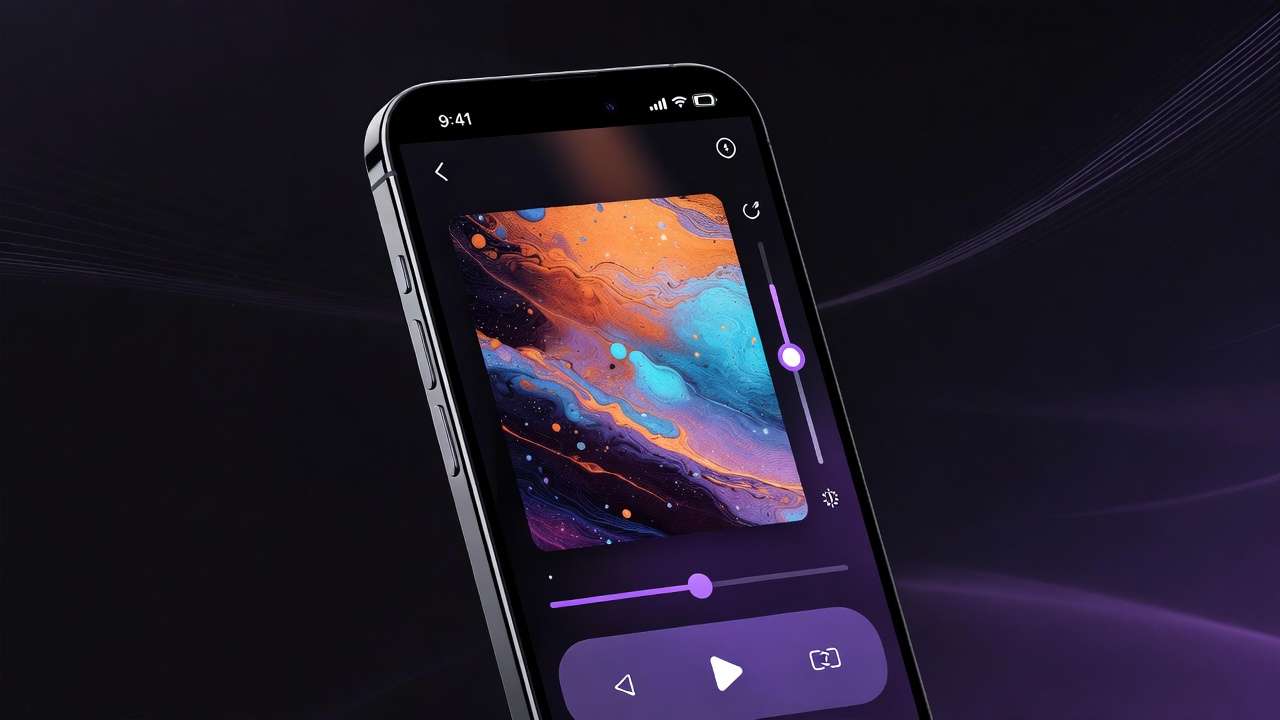
Reference video clips provide motion style templates. A smooth dolly shot reference influences camera movement characteristics in output. Action footage guides subject motion dynamics. Environmental videos showing wind, water, or atmospheric effects inform how similar elements behave in generated scenes. The model extracts these motion patterns through optical flow analysis and temporal attention mechanisms.
Audio-driven motion represents an advanced capability where sound characteristics directly influence visual dynamics. Fast percussion creates kinetic visual motion. Gradual crescendos slow scene transitions. Sudden audio impacts generate visual emphasis or camera movements. This audio-reactive generation happens automatically based on learned associations between sound patterns and motion characteristics.
Seedance 2.0 Capabilities
Text-to-Video Performance
Text-only prompts without additional inputs operate similarly to standard AI video generators but leverage Seedance 2.0's training on multimodal data. The model learned associations between text descriptions and visual outcomes through training that included coordinated text, image, video, and audio examples. This multimodal training context improves text interpretation compared to models trained exclusively on text-video pairs.
Prompt parsing extracts semantic content, stylistic attributes, motion specifications, and compositional directions. "Cinematic dolly shot of mountain landscape at sunset, warm color grading, slow forward movement" activates learned patterns about cinematography, lighting, motion dynamics, and aesthetic characteristics. The model synthesizes video matching these specifications using patterns learned from millions of training examples.
Performance varies by complexity and specificity. Simple scenes with clear subjects, straightforward motion, and defined environments generate reliably. Complex prompts describing multiple subjects, intricate interactions, or abstract concepts challenge generation similar to other models. Seedance 2.0's multimodal training background doesn't eliminate these constraints but provides slightly better handling of stylistic nuance compared to text-only trained systems.
Text prompt quality significantly impacts results. Specific cinematography terminology-focal lengths, lighting directions, camera movements, composition rules-produces better outputs than vague descriptions. The model responds well to structured prompts that separate subject description, environment context, camera specifications, and stylistic attributes into clear components.
Image-to-Video with Style References
Single image animation represents basic image-to-video functionality available in most current models. Seedance 2.0's advantage emerges when combining multiple images as style references, composition guides, and content sources within one generation.

A typical workflow provides a hero image containing the subject to animate, plus 2-4 additional images establishing style characteristics, lighting references, and compositional templates. The model maintains the hero image's subject identity while applying style attributes from references. This enables precise style control without manual preprocessing or separate style transfer operations.
Practical applications include brand content creation where visual identity must remain consistent. Provide brand style guide imagery alongside content images, and outputs maintain brand color palettes, design language, and aesthetic characteristics automatically. Product visualization benefits similarly-reference images showing desired lighting setups and environmental contexts guide how products appear in generated scenes.
The model handles style extraction intelligently rather than literal copying. If a style reference shows dramatic side lighting on a portrait, that lighting characteristic transfers to generated output even when subjects and environments differ. Compositional patterns like rule-of-thirds placement or negative space usage similarly transfer as principles rather than pixel-level templates.
Multi-Image Composition Synthesis
Combining multiple content images into unified scenes represents advanced capability distinguishing Seedance 2.0 from simpler image-to-video systems. You can provide separate images of subjects, backgrounds, and supplementary elements, then generate video that composites these elements into coherent scenes with appropriate spatial relationships and lighting consistency.
A marketing video might combine product photos, brand imagery, environmental backgrounds, and graphical elements from separate source files. Seedance 2.0 synthesizes these disparate inputs into unified video where lighting matches across elements, spatial relationships feel natural, and motion maintains coherence. Traditional workflows require manual compositing and extensive post-production. Multimodal input handling automates much of this integration.
The synthesis quality depends on input image compatibility and prompt clarity. Images with similar lighting characteristics composite more naturally than dramatically different sources. Clear prompts specifying spatial relationships-"product in foreground, brand imagery in background, environmental elements surrounding"-help guide proper integration. The model applies learned scene coherence patterns to blend elements believably.
Technical limitations exist around complex spatial arrangements or physics-violating compositions. The model synthesizes plausible scenes based on training data patterns. Requesting impossible spatial relationships or physically implausible element interactions may produce artifacts or simplifications. Understanding these constraints informs realistic expectations and appropriate use case selection.
Audio-Driven Video Generation
Providing audio without visual references enables pure audio-to-video generation where sound characteristics drive visual creation. Music videos, visualizers, and audio-reactive content benefit from this approach. The model learns associations between audio features and visual patterns, generating video that feels synchronized with sound even when no explicit instructions specify the relationship.
Practical workflows include podcast video generation from audio episodes, music visualization for artist content, and voiceover-driven explainer videos where visuals match narration pacing and content. The model interprets audio semantic content where possible-voiceover discussing specific topics generates relevant visual representations-while also responding to pure audio characteristics like rhythm and dynamics.
Quality varies based on audio complexity and clarity. Clean voiceover with distinct speech patterns generates well-synchronized video with appropriate pacing and scene transitions. Complex musical arrangements with many simultaneous instruments may produce less precise synchronization. Dense audio mixes challenge the model's ability to identify dominant patterns to visualize.
Combining audio with visual references provides maximum control. Music plus style reference images creates visualizers matching specific aesthetic directions. Voiceover plus content images generates explanation videos where visuals align with narration while maintaining brand consistency. This multi-input approach leverages Seedance 2.0's core strength-synthesizing diverse inputs into coherent output.
Reference Stacking for Precise Control
Advanced users stack multiple reference types-style guides, compositional templates, lighting references, motion examples, audio tracks, and text directions-within the 12-file limit to achieve precise creative control. This "reference stacking" workflow replaces multi-tool pipelines with unified generation that balances all inputs intelligently.
A commercial production workflow might include:
- Brand style guide (2-3 images establishing color palette, design language)
- Compositional references (1-2 images showing desired framing, layout)
- Lighting reference (1 image demonstrating illumination style)
- Motion reference (1 video clip showing desired camera work or subject movement)
- Audio track (voiceover or music establishing pacing)
- Text prompt (detailed scene description and technical specifications)
Seedance 2.0 processes all inputs simultaneously, extracting relevant attributes from each and synthesizing output that balances these diverse influences. The result approximates what traditional production achieves through careful planning, multiple specialized tools, and extensive post-production integration.
Success requires understanding input priority and weighting. Files listed earlier in input sequence typically receive stronger influence. Text prompts can explicitly emphasize or de-emphasize specific references. Experimentation reveals how different input combinations affect results, enabling refinement of reference stacking strategies for specific project types.
The @Tag Reference System
The @tag system is Seedance 2.0's defining feature-direct file referencing inside prompts instead of describing everything in text. When you upload reference files, each receives an identifier:
- Images →
@Image1,@Image2,@Image3(up to 9) - Videos →
@Video1,@Video2,@Video3 - Audio →
@Audio1,@Audio2,@Audio3
What each tag type controls:
| Tag type | Primary use |
|---|---|
| @Image | Character appearance, product accuracy, style reference, scene composition |
| @Video | Camera path, scene extension, motion style reference |
| @Audio | Music sync, lip-sync voice, ambient reference for visual matching |
Combined example prompt:
@Image1 as the protagonist, walking through a rain-soaked urban alleyway at night.
Follow @Video1's handheld camera movement - slightly unstable, close-medium distance.
Match visual rhythm to @Audio1 - tense electronic music with a slow build.
Cinematic color grade, heavy shadows, neon reflections on wet pavement.
6-step multimodal workflow: (1) Prepare reference files (1080p+ for images, 5-30s for camera refs), (2) Upload in order-first image = @Image1, (3) Write prompt stating @tag roles first, then scene/action, camera, lighting, (4) Set aspect ratio (16:9, 9:16, 1:1) and duration (5-15s), (5) Generate and review @Image1 accuracy, @Video1 camera match, @Audio1 sync, (6) Iterate with small adjustments rather than full rewrites.
Advanced techniques: Use OPENING FRAME: and CLOSING FRAME: for arc control. Extract a clean frame from a good generation and reuse as @Image1 for consistent characters across clips. For beat-specific sync, specify BPM and beat timestamps in the prompt.
Limitations and Edge Cases
Seedance 2.0's multimodal architecture introduces complexity that creates specific failure modes. Input conflict represents the primary challenge-when references provide contradictory style, composition, or motion guidance, the model must choose resolution strategies that may not match expectations.
Providing a bright, high-contrast style reference alongside a dark, moody lighting reference creates conflict. The model attempts harmonization but may produce muddy middle-ground results rather than strong stylistic commitment. Recognizing and avoiding input conflicts improves consistency.
Processing overhead increases with input count and complexity. Maximum quality generation using 12 diverse inputs takes longer than simple text-to-video generation. This performance tradeoff makes sense for workflows truly requiring multimodal synthesis but represents inefficiency when simpler approaches suffice.
Temporal consistency across long sequences remains challenging despite multimodal capabilities. The model generates up to 15-second clips (multi-shot sequences). Longer content requires concatenating multiple generations, introducing potential style drift between clips even when using consistent reference inputs. Workflow techniques like locking seeds and maintaining identical reference sets help mitigate this but don't eliminate the fundamental limitation.
Seedance 2.0 vs Seedance 1.5 Pro: What Changed
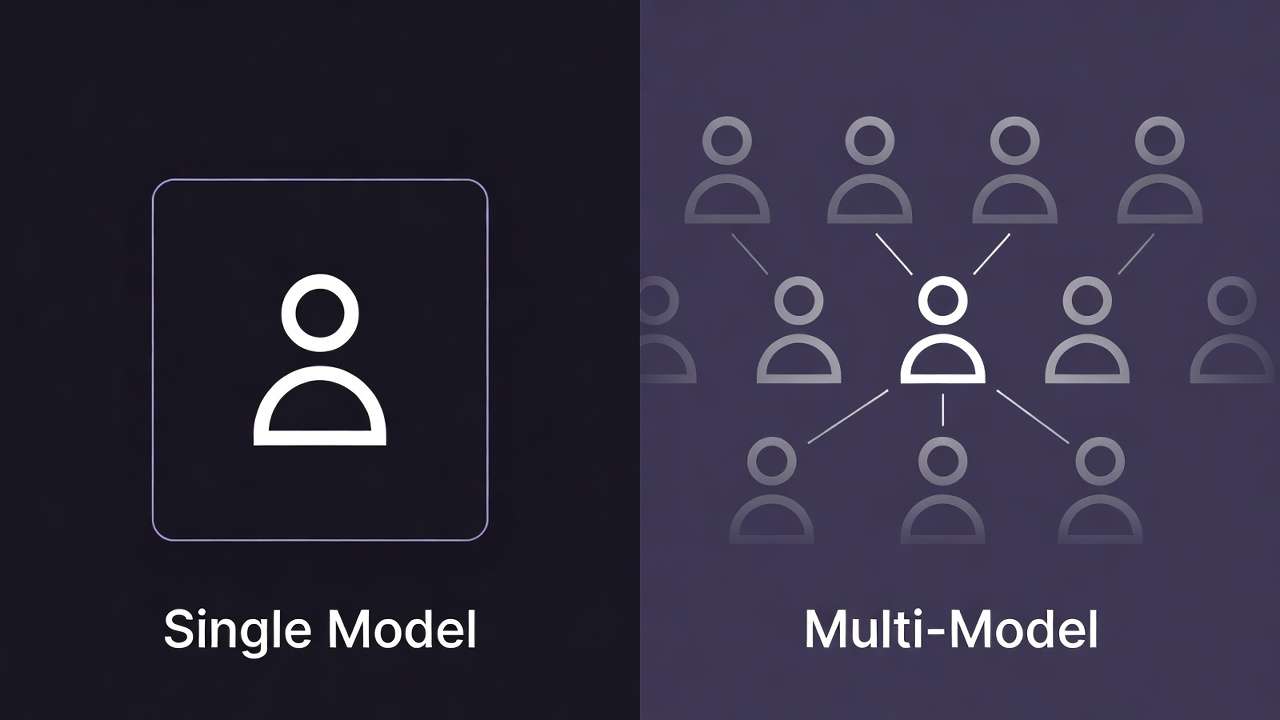
Seedance 2.0 builds directly on Seedance 1.5 Pro, which pioneered joint audio-video generation with phoneme-level lip-sync. Understanding the upgrade path helps you choose between models when both are available on multi-model platforms.
| Capability | Seedance 1.5 Pro | Seedance 2.0 |
|---|---|---|
| Multimodal input | Text + single image | Up to 12 files (9 images, 3 video, 3 audio + text) |
| Max duration | 4-12 seconds | Up to 15 seconds |
| Audio-video sync | Native joint generation | Native, enhanced |
| Complex motion | Moderate | Significantly improved |
| Physics accuracy | Good | Better (per ByteDance bench) |
| Multi-subject choreography | Limited | Reliable (e.g. synchronized figure skating) |
| Best for | Dialogue, talking heads, simple scenes | Brand content, multi-source synthesis, complex interactions |
When to use Seedance 1.5 Pro: Dialogue-heavy content, talking-head explainers, single-reference workflows where lip-sync and audio quality matter most. When to use Seedance 2.0: Brand videos with multiple style references, podcast-to-video with branding, product showcases combining multiple assets, or any workflow where 12-file multimodal input reduces tool count and iteration time.
Seedance 2.0 vs Sora 2 vs Veo 3: Multimodal Comparison
Input Flexibility Analysis
Seedance 2.0's defining advantage lies in input flexibility. The 12-file multimodal system handles more simultaneous inputs than competing models. Sora 2 accepts text and single image references. Veo 3 processes text with optional single image input. Both require sequential workflows for multi-reference synthesis. Seedance 2.0 processes all references simultaneously, eliminating manual preprocessing.
This architectural difference manifests in workflow efficiency. Creating brand-consistent content with specific style requirements, particular compositional approaches, defined lighting characteristics, and custom audio requires Sora 2 or Veo 3 users to generate iteratively, applying one constraint at a time, then manually compositing or selecting results that best approximate all requirements simultaneously. Seedance 2.0 applies all constraints in single generation.
The practical impact depends on project complexity. Simple text-to-video scenarios see minimal difference-all three models handle straightforward prompts competently. Complex brand content, multi-source synthesis, or audio-integrated video shows clear Seedance 2.0 advantages. The model consolidates what would be 3-5 generation cycles with manual integration into unified workflow.
Technical teams appreciate reduced integration complexity. Fewer manual steps mean fewer opportunities for errors, less technical debt in production pipelines, and simpler training for team members. Non-technical creators benefit from unified interface-provide all inputs at once rather than learning sequential workflow choreography across multiple tools or generation passes.
Motion Quality Comparison
Pure motion realism favors Sora 2 and Veo 3 over Seedance 2.0 when multimodal input advantages aren't required. Sora 2 excels at complex multi-subject scenes with intricate interactions. Veo 3 produces highly photorealistic motion matching real-world physics. Seedance 2.0 generates competent motion but prioritizes architectural complexity toward multimodal processing over maximum motion sophistication.
For straightforward cinematography-camera movements, simple subject motion, environmental dynamics-Seedance 2.0 performs adequately. The motion quality suffices for commercial content where style consistency and multimodal integration matter more than ultimate motion realism. Corporate videos, explainer content, social media posts, and brand storytelling work well within Seedance 2.0's motion capabilities.
Complex action sequences, intricate choreography, or scenarios requiring physics-perfect simulation favor alternative models. If a project's critical success factor is motion sophistication rather than multimodal synthesis, Sora 2 or Veo 3 deliver better results. Understanding these tradeoffs informs appropriate model selection.
| Capability | Seedance 2.0 | Sora 2 | Veo 3 |
|---|---|---|---|
| Input modalities | 12-file (9 img, 3 vid, 3 audio + text) | Text + single image | Text + single image |
| Motion complexity | Moderate | Very High | High |
| Photorealism | Moderate | High | Very High |
| Style consistency | Very High | Moderate | High |
| Audio integration | Native | Post-production | Post-production |
| Workflow consolidation | High | Low | Low |
| Best for | Multi-source brand content | Complex motion scenes | Photorealistic commercial |
Photorealism Assessment
Veo 3 produces most photorealistic outputs among current models, trained extensively on high-quality photographic and videographic content. Sora 2 achieves strong photorealism, particularly for human subjects and natural environments. Seedance 2.0 generates competent realism but prioritizes style control and multimodal synthesis over absolute photographic fidelity.
The photorealism difference matters most in contexts where output must be indistinguishable from traditional video-high-end commercial advertising, product showcases requiring material accuracy, or content where any hint of AI generation undermines credibility. These scenarios favor Veo 3 or Sora 2.
Many production contexts don't require maximum photorealism. Brand content often employs stylized aesthetics intentionally. Explainer videos prioritize clarity over photographic accuracy. Social media content succeeds through engagement and messaging rather than technical perfection. Seedance 2.0 serves these use cases well while providing multimodal workflow advantages competitors lack.
Combining models strategically optimizes results. Use Veo 3 for hero shots requiring ultimate realism. Generate supporting content with Seedance 2.0 where multimodal input advantages accelerate production. This hybrid approach leverages each model's strengths rather than forcing single-model uniformity across diverse project requirements.
Audio-Visual Synchronization
Native audio integration distinguishes Seedance 2.0 from competitors requiring post-production audio alignment. Sora 2 and Veo 3 generate silent video. Audio addition happens through separate tools-video editors, audio production software, or specialized synchronization applications. This sequential workflow introduces manual effort and potential timing misalignment.
Seedance 2.0 processes audio during generation, creating inherent synchronization. Motion timing adjusts to audio rhythm. Scene transitions align with audio cues. Visual dynamics respond to sound characteristics. The result feels integrated rather than overlaid, reducing post-production effort while improving audiovisual coherence.
Professional production workflows value this integration for specific content types. Podcast video generation benefits enormously-provide audio episode, generate synchronized visuals automatically. Music visualization happens without manual beat mapping. Explainer videos with voiceover narration generate with appropriate pacing and visual emphasis matching speech patterns.
Traditional high-end production may still prefer manual audio control for maximum precision. But iterative content creation, rapid prototyping, and volume production contexts gain substantial efficiency from native audio integration. The time savings compound across dozens or hundreds of videos, making architectural advantages financially material.
Workflow Integration Patterns
Production teams using multi-model AI platforms route different project types to optimal generators. Seedance 2.0 fits specific workflow patterns where multimodal input and style consistency matter most:

Route to Seedance 2.0:
- Brand content requiring visual identity consistency
- Multi-source synthesis projects (product + brand + environmental elements)
- Audio-driven content (podcast videos, music visualization, voiceover explainers)
- Rapid iteration on style variations with consistent structure
- Workflows consolidation priorities (reducing tool count, simplifying pipelines)
Route to Sora 2:
- Complex motion sequences with multiple interacting subjects
- Narrative content requiring character consistency
- Scenes where motion sophistication drives success
- Projects prioritizing subject behavior over style control
Route to Veo 3:
- Maximum photorealism requirements
- Commercial advertising with stringent quality standards
- Product showcases emphasizing material accuracy
- Hero shots in multi-model workflows
Strategic routing enables teams to use each model where it excels rather than accepting single-model compromises across diverse requirements. This approach requires understanding model capabilities and matching them to project characteristics-precisely the knowledge this guide provides.
Advanced Prompt Engineering for Seedance 2.0
Multimodal Prompt Structure
Effective Seedance 2.0 prompting coordinates text descriptions with input file specifications. Unlike single-modality systems where prompts contain all generation guidance, multimodal prompts must reference, prioritize, and contextualize the various input files while still providing textual direction.
A well-structured multimodal prompt includes several components:
Input file specification (explicit or order-based):
- "Primary style: [style_reference_1.jpg]"
- "Compositional reference: [composition_guide.jpg]"
- "Motion reference: [dolly_movement.mp4]"
- "Audio: [voiceover_track.mp3]"
Synthesis direction (how inputs should combine):
- "Maintain brand colors from style references"
- "Apply composition template to product showcase"
- "Match motion timing to audio rhythm"
- "Synchronize scene transitions with voiceover pacing"
Generation specifications (standard prompt elements):
- Camera details: focal length, movement, angle
- Lighting characteristics
- Scene composition
- Subject actions and placement
- Duration and pacing
Style emphasis (weighting conflicting inputs):
- "Prioritize color palette from brand style guide"
- "Apply lighting from environmental reference"
- "Emphasize motion style from video reference over text description"
This structured approach provides clear guidance balancing multimodal inputs with textual specifications. The model synthesizes these diverse instructions more effectively when prompts explicitly acknowledge and direct the integration process.
Reference File Coordination
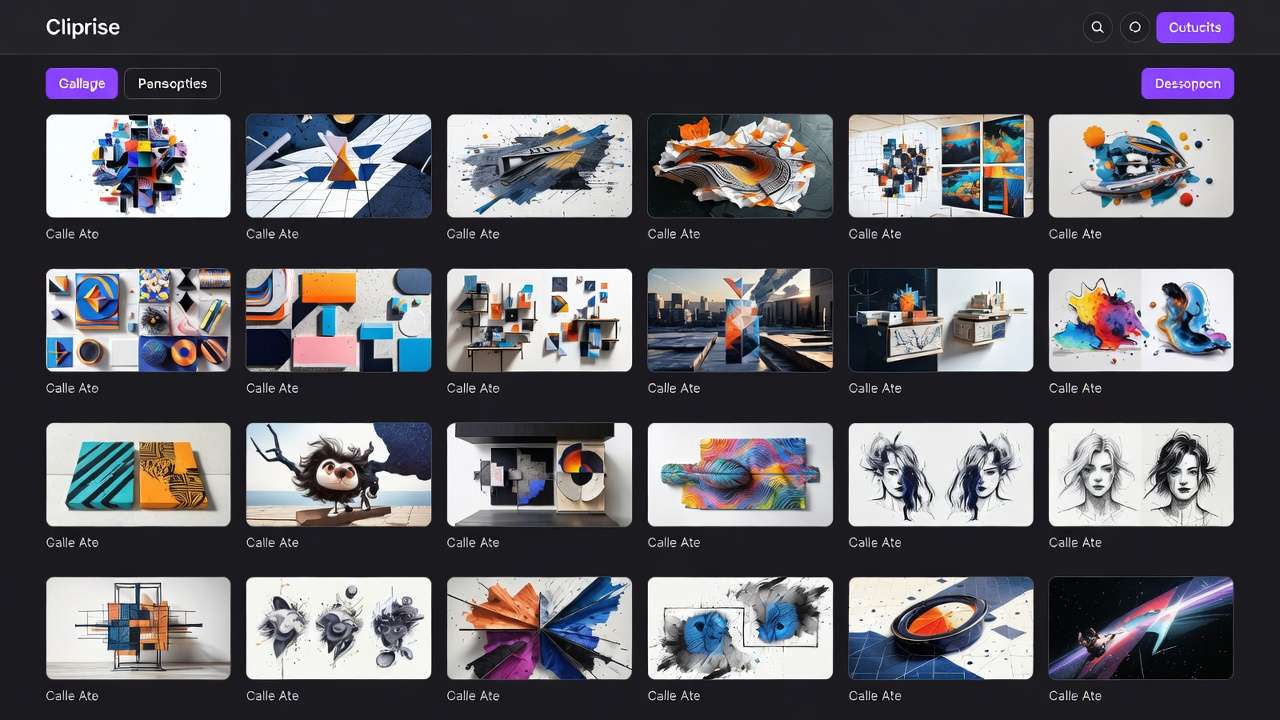
Input file ordering and grouping influences how the model weights contributions. Files listed first typically receive stronger influence. Related inputs (multiple style references, for example) should group together in input sequence.
Optimal ordering pattern:
- Primary style references (2-3 images establishing aesthetic)
- Compositional/structural references (layout, framing templates)
- Content sources (subjects, products, characters to include)
- Motion/temporal references (video clips showing desired dynamics)
- Audio inputs (music, voiceover, sound effects)
This hierarchy reflects typical creative priority-establish overall style first, define structural composition, specify content, guide motion, integrate audio. The model's processing mirrors this logical creative flow.
Prompt text should reference specific files when emphasis or clarification helps: "Apply warm color grading from sunset_reference.jpg while maintaining composition structure from layout_template.jpg." This explicit direction prevents ambiguity when multiple inputs might conflict.
Audio-Driven Prompting Strategies
Audio inputs provide temporal and rhythmic guidance but may require textual context for semantic understanding. Music carries rhythm and mood but not narrative content. Voiceover conveys semantic meaning but may need visual interpretation guidance. Effective audio-driven prompts provide this missing context.
For music input:
[Input: upbeat_electronic_track.mp3]

Generate abstract geometric motion responding to beat and rhythm.
Fast transitions on percussion hits. Smooth flowing movement during melodic sections.
Cool color palette (blues, purples, cyans). Kinetic energy matching tempo.
4K output, 30fps for smooth motion clarity.
For voiceover input:
[Input: product_narration.mp3]

Visualize product features described in voiceover.
Scene transitions align with narration topic changes.
Product glamour shots during benefit descriptions.
Lifestyle context during use-case discussion.
Match pacing to speech rhythm. Pause visuals during narrator pauses.
For ambient/atmospheric audio:
[Input: nature_soundscape.mp3]

Generate serene landscape matching audio atmosphere.
Gentle motion synchronized to ambient sound texture.
Natural lighting, earthy color palette.
Environmental elements (trees, water, sky) responding to audio dynamics.
Audio-driven prompts work best when they specify both visual content and how that content should respond to audio characteristics. Pure abstraction ("visualize the music") produces generic results. Concrete direction with audio-responsive instructions generates more intentional, synchronized outputs.
Style Transfer Precision
Multiple style reference images enable nuanced style control through weighted emphasis and attribute isolation. Advanced practitioners specify which stylistic attributes to extract from each reference rather than accepting holistic style transfer.
Attribute-specific extraction:
[Style_ref_1.jpg]: Extract color palette only (warm sunset tones)
[Style_ref_2.jpg]: Extract lighting characteristics only (dramatic side-lighting)
[Style_ref_3.jpg]: Extract composition structure only (rule of thirds, negative space)

Apply these isolated attributes to product showcase video.
Product: [product_image.jpg]
Motion: Slow 360-degree rotation
Duration: 8 seconds
This granular approach prevents style conflicts by explicitly assigning different attributes to different references. The model extracts specific characteristics rather than attempting to blend complete styles that may contain contradictory elements.
Priority weighting through prompt emphasis:
[Primary style: brand_style_guide.jpg] - DOMINANT
[Secondary style: environmental_mood.jpg] - SUBTLE INFLUENCE

Generate brand video maintaining PRIMARY style dominance (colors, design language)
while incorporating subtle environmental mood from secondary reference (atmosphere, lighting quality).
Do not compromise brand visual identity for environmental characteristics.
Explicit priority language-dominant, primary, subtle, secondary-helps the model weight contributions appropriately when inputs might otherwise receive equal influence by default.
Negative Prompting in Multimodal Context
Negative prompts exclude unwanted attributes but require careful specification in multimodal context. When providing multiple reference images, you might want certain attributes from references while excluding others. Standard negative prompts might not sufficiently disambiguate which elements to exclude.
Effective multimodal negative prompting:
Style references: [modern_minimalist_1.jpg], [modern_minimalist_2.jpg]

Generate product video with clean minimalist aesthetic.

INCLUDE from references:
- Color simplicity (monochromatic or limited palette)
- Compositional clarity (negative space, geometric structure)
- Lighting cleanliness (even, controlled illumination)

EXCLUDE from references:
- Specific furniture or objects visible in reference images
- Any text, logos, or graphic elements from references
- Photographic grain or texture artifacts from source images

Apply aesthetic only, not literal content from references.
This explicit inclusion/exclusion structure clarifies intent when simple negative prompts might be ambiguous. "No furniture" in a negative prompt could be misinterpreted when reference images show furniture-you want the style, not the content. Structured guidance prevents such confusion.
Temporal Consistency Across Generations
Maintaining style consistency across multiple generated clips for longer sequences requires careful reference management and seed control. Provide identical reference files across all generation requests in a sequence. Lock seeds when possible to maintain underlying generation characteristics.
Multi-clip sequence workflow:
Clip 1:
Inputs: [brand_style_1.jpg], [brand_style_2.jpg], [subject_1.jpg]
Seed: 42
Prompt: "Opening shot establishing product and brand environment..."

Clip 2:
Inputs: [brand_style_1.jpg], [brand_style_2.jpg], [subject_2.jpg]
Seed: 42
Prompt: "Detail close-up highlighting product features..."

Clip 3:
Inputs: [brand_style_1.jpg], [brand_style_2.jpg], [lifestyle_context.jpg]
Seed: 42
Prompt: "Lifestyle context showing product in use..."
Maintaining identical style references across clips ensures consistent aesthetic. The same seed helps preserve underlying compositional and stylistic tendencies. Only subject/content inputs vary between clips while style framework remains constant.
Post-production color matching may still be necessary but becomes minor adjustment rather than substantial correction when proper reference consistency is maintained during generation.
Seedance 2.0 Settings and Configuration
Input File Type Specifications
Seedance 2.0 accepts various file types across modalities. Understanding supported formats and optimal specifications ensures input compatibility and quality.
Image inputs:
- Formats: JPG, PNG, WebP
- Recommended resolution: 1024x1024 minimum, 2048x2048 optimal
- Color space: sRGB
- Aspect ratio: Any, though 1:1, 16:9, 9:16 most common
- File size: Under 10MB per image
Video inputs:
- Formats: MP4, WebM, MOV
- Resolution: 720p minimum, 1080p recommended
- Duration: 3-10 seconds optimal (longer videos auto-trimmed or sampled)
- Frame rate: 24fps or 30fps
- Codec: H.264 or H.265
- File size: Under 50MB per video
Audio inputs:
- Formats: MP3, WAV, M4A
- Sample rate: 44.1kHz or 48kHz
- Bit depth: 16-bit minimum, 24-bit optimal
- Channels: Mono or stereo
- Duration: Matches desired output video length or longer
- File size: Under 20MB per audio file
Input count optimization: Maximum 12 files total (9 images + 3 video + 3 audio) but optimal performance typically uses 4-8 files. Each additional input increases processing complexity and generation time. Use the minimum number of inputs that provide necessary guidance rather than maximizing input count unnecessarily.
Duration and Resolution Settings
Seedance 2.0 generates video at configurable duration and resolution with tradeoffs between quality, processing time, and output applicability.
Duration options:
- 4-5 seconds: Fast generation (40-60 seconds), suitable for social media clips, quick iterations
- 8-10 seconds: Standard duration (80-120 seconds), appropriate for most commercial content
- Up to 15 seconds: Extended multi-shot sequences when supported-enables fuller narrative arcs and establishing-to-detail shot progressions
Resolution options:
- 720p (1280x720): Fast processing, suitable for web preview and rapid iteration
- 1080p (1920x1080): Standard quality, appropriate for most distribution channels
- 4K (3840x2160): Maximum quality, requires upscaling post-process or specialized generation settings
Currently, native generation happens at 1080p with 4K output through universal upscaler post-processing. This two-stage approach maintains generation speed while enabling 4K delivery when required.
Frame rate:
- 24fps: Cinematic standard, slightly more stylized feel
- 30fps: Web standard, smoother motion for online distribution
Frame rate choice should match delivery platform and aesthetic goals. YouTube and web content benefits from 30fps. Narrative commercial work suits 24fps cinematic standard.
Aspect Ratio Optimization
Aspect ratio selection impacts composition, input image utilization, and platform compatibility.
16:9 landscape:
- Ideal for: YouTube, web video, presentations, traditional video platforms
- Composition: Horizontal framing, environmental context, wide establishing shots
- Input preparation: Landscape-oriented reference images work best
9:16 vertical:
- Ideal for: Instagram Stories, TikTok, Reels, mobile-first social media
- Composition: Vertical framing, subject-focused, minimal environmental context
- Input preparation: Portrait-oriented references or understand edge cropping
1:1 square:
- Ideal for: Instagram feed, Facebook posts, universal social compatibility
- Composition: Centered subjects, balanced framing, graphic-friendly
- Input preparation: Square reference images or accept that landscape/portrait images will crop
4:5 vertical:
- Ideal for: Instagram feed optimization, Pinterest
- Composition: Slightly vertical, good for product showcase and portraits
- Input preparation: Portrait-oriented but less extreme than 9:16
Generate at target delivery aspect ratio rather than cropping post-production. Generating 16:9 then cropping to 9:16 loses significant frame area and often requires subject repositioning. Native generation in target ratio preserves compositional intent.
Quality Mode Trade-offs
Seedance 2.0 offers standard and high-quality generation modes balancing processing time against output fidelity.
Standard quality:
- Generation time: 60-90 seconds
- Appropriate for: Iteration, concept testing, rapid prototyping
- Output characteristics: Clean quality suitable for social media and web distribution
- Multimodal processing: Full input support with slightly reduced detail fidelity
High quality:
- Generation time: 120-180 seconds
- Appropriate for: Final deliverables, client presentation, commercial distribution
- Output characteristics: Maximum detail, enhanced temporal consistency, refined synthesis
- Multimodal processing: Full input support with optimized integration quality
Strategic workflow: Use standard quality during creative development and multimodal input experimentation. Test different reference combinations, audio tracks, and prompt variations quickly. Once validated, regenerate selected concepts at high quality for delivery.
This phased approach optimizes iteration velocity-standard quality enables more tests within time budgets-while ensuring final outputs meet quality standards. Many workflows test 5-10 reference combinations at standard quality, then produce 1-2 finals at high quality.
Processing Time Expectations
Generation time varies based on duration, quality, input count, and complexity.
Approximate processing times:
- Simple text-to-video (no multimodal inputs): 40-60 seconds
- Standard multimodal (3-5 inputs): 80-120 seconds
- Complex multimodal (8-12 inputs): 150-240 seconds
- High quality adds 50-100% to processing time
These estimates assume normal system load. Peak usage periods may extend generation times. Plan workflows accounting for realistic processing duration-don't assume instant generation when building production pipelines with delivery deadlines.
Queue systems in platforms like Cliprise manage concurrent generations efficiently but still require understanding that multimodal processing complexity inherently takes more time than simpler single-input workflows. The workflow consolidation benefits-eliminating 3-5 separate tool steps-typically outweigh slightly longer per-generation processing despite increased complexity.
Practical Seedance 2.0 Workflows
Brand Content Production Pipeline
Brand-consistent video production represents Seedance 2.0's strongest use case. Teams that need to make ai videos matching existing brand guidelines benefit most from the multimodal input system. The workflow consolidates what traditionally requires style guide consulting, reference checking, manual color matching, and post-production harmonization into unified generation.

Workflow structure:
-
Reference preparation:
- Gather 2-3 brand style guide images showing color palette, design language, typography
- Collect 1-2 compositional references demonstrating preferred layouts and framing
- Prepare product or subject images requiring incorporation
- Optional: Audio track (music or voiceover) if relevant
-
Input configuration:
Input 1-2: Brand style guides (primary style references) Input 3: Compositional template Input 4-5: Content images (products, subjects, elements) Input 6: Audio track (if applicable) -
Prompt construction:
Generate brand video maintaining consistent visual identity from style references. Apply [brand_style_1.jpg] color palette and design language throughout. Use [composition_ref.jpg] layout structure for subject placement. Incorporate [product_1.jpg] as primary subject. Camera: Smooth dolly forward, 50mm lens equivalent Lighting: Clean, professional studio setup matching brand aesthetic Duration: 8 seconds Pacing: Match audio track rhythm Exclude: Competitor colors, conflicting design elements, generic stock aesthetics -
Generation and review:
- Generate at standard quality
- Review brand consistency, style adherence, composition
- Adjust inputs or prompt if deviations occur
- Regenerate with refinements
-
Finalization:
- Regenerate validated approach at high quality
- Minor post-production as needed (typically minimal color grading)
- Export for distribution
Time comparison:
- Traditional multi-tool workflow: 45-90 minutes per video (style matching, audio alignment, manual composition)
- Seedance 2.0 workflow: 15-25 minutes per video (mostly setup and review, minimal post-production)
The consolidated workflow doesn't just save time-it reduces error opportunities and skill requirements. Junior team members can produce brand-consistent content without extensive training in color theory, composition, and manual integration techniques.
Podcast Video Automation
Converting audio podcasts into video formats for YouTube and social platforms traditionally requires substantial manual effort. Seedance 2.0 automates most of this workflow through native audio processing.
Basic podcast video workflow:
-
Audio preparation:
- Export podcast episode audio (MP3, 44.1kHz)
- Identify key segments or chapters if creating multiple clips
- Optional: Prepare branding images, host photos, or topic-relevant visuals
-
Input structure:
Input 1: Podcast audio segment (3-10 minute section) Input 2-3: Podcast branding (cover art, logo, visual identity) Input 4: Optional host photos or topic-related imagery -
Prompt approach:
Generate podcast video visualization for [TOPIC] discussion. Sync visual pacing to speech rhythm and conversational flow. Scene transitions at natural topic shifts and pauses. Visual style: Clean, professional, aligned with podcast branding [brand_1.jpg] Include subtle motion (slow push-ins, gentle parallax) maintaining visual interest Display host context through [host_photo.jpg] integration Avoid: Distracting motion, rapid cuts during speech, generic stock footage aesthetic Duration: Match audio length (segment into 8-10 second clips if needed) -
Segment processing:
- Long podcast episodes require segmentation into 8-10 second clips
- Maintain consistent style references across all segments
- Use same seed for visual continuity
- Process segments as batch job
-
Assembly:
- Concatenate generated segments in video editor
- Add title cards, lower thirds, or graphics as needed
- Color match across segments if slight variations exist
- Export final long-form video
Production metrics:
- Manual podcast video creation: 2-4 hours per 30-minute episode
- Seedance 2.0 workflow: 30-60 minutes per 30-minute episode (mostly processing time, minimal manual work)
This dramatic efficiency gain makes video podcast formats economically viable for creators who previously couldn't justify the production time investment.
Product Showcase Multi-Angle Workflow
E-commerce and product marketing benefit from showing products from multiple angles and contexts. Traditional approaches require multiple photoshoots or 3D rendering. Seedance 2.0 generates variation from single product image plus reference materials.
Multi-angle generation workflow:
-
Asset collection:
- Primary product photo (clean, well-lit, neutral background)
- Environmental context references (lifestyle settings, usage scenarios)
- Lighting reference images (desired illumination styles)
- Brand style guides for consistency
-
Angle 1 - Hero shot:
Inputs: [product.jpg], [brand_style.jpg], [studio_lighting.jpg] Generate premium product showcase video. Slow 360-degree rotation revealing all sides. Studio lighting matching [lighting_ref.jpg]. Clean minimal background, brand colors from [brand_style.jpg]. Shallow depth of field emphasizing product. Duration: 8 seconds -
Angle 2 - Lifestyle context:
Inputs: [product.jpg], [lifestyle_environment.jpg], [brand_style.jpg] Show product in lifestyle context from [lifestyle_environment.jpg]. Product integrated naturally into scene. Maintain brand visual identity from [brand_style.jpg]. Medium shot showing product with environmental context. Subtle camera dolly revealing setting. Duration: 8 seconds -
Angle 3 - Detail close-up:
Inputs: [product.jpg], [brand_style.jpg], [macro_reference.jpg] Extreme close-up highlighting product details and materials. Lighting emphasizing texture and craftsmanship. Slow forward dolly toward detail features. Maintain brand aesthetic from [brand_style.jpg]. Duration: 6 seconds -
Compilation:
- Edit three generated angles into cohesive product video
- Add transitions (subtle crossfades work well)
- Include product title, pricing, or call-to-action graphics
- Export for product pages, social media, advertising
Cost comparison:
- Professional product videography: $500-2000 per product (photographer, equipment, location, post-production)
- Seedance 2.0 workflow: Compute costs only ($2-5 equivalent in platform credits)
The economic transformation enables small businesses and individual sellers to produce professional product videos previously reserved for brands with substantial marketing budgets.
Music Visualization Pipeline
Musicians and audio artists need visual content for streaming platforms, social media, and promotional materials. Seedance 2.0 generates music-synchronized visuals automatically.
Music video workflow:
-
Audio and style preparation:
- Export music track (MP3 or WAV, mastered audio preferred)
- Gather artistic references reflecting music mood and genre
- Optional: Album artwork, artist photos, or thematic imagery
-
Generation approach:
Input 1: [music_track.mp3] Input 2-4: [artistic_style_refs.jpg] (abstract, genre-appropriate imagery) Generate music visualization synchronized to audio rhythm and dynamics. Visual response: - Beat-synchronized motion intensity - Gradual transitions during melodic sections - Energy peaks on percussion hits - Atmospheric movement during ambient passages Style: [genre]-inspired abstract forms and motion Color palette: [mood]-appropriate (dark/moody, bright/energetic, etc.) Avoid: Generic visualizer presets, literal music note imagery, static compositions Duration: Full track length (segment if over 10 seconds) -
Segmentation for longer tracks:
- Divide 3-5 minute songs into 8-10 second clips
- Maintain style consistency through identical reference images
- Vary prompt slightly for visual progression (intro, verse, chorus, bridge, outro)
- Process as batch maintaining seed for continuity
-
Assembly and enhancement:
- Concatenate segments in editing software
- Add artist name, song title graphics
- Color grade for cohesive look across full video
- Sync-check audio alignment (should be natural but verify)
- Export for YouTube, social platforms, streaming service artwork
Distribution applications:
- YouTube music videos
- Spotify Canvas (short looping visuals)
- Instagram/TikTok promotional clips
- Live performance visuals and backgrounds
- Album announcement content
Musicians gain visual content creation capability without learning motion graphics software or hiring visualizer artists, democratizing professional music video production.
Multi-Source Campaign Generation
Marketing campaigns require content variations maintaining brand consistency while adapting to different platforms, audiences, or messages. Seedance 2.0 generates these variations efficiently.
Campaign workflow:
-
Campaign asset preparation:
- Brand style guides (2-3 images)
- Product or campaign subject images
- Multiple environmental contexts for variation
- Audio options (voiceover variants, music tracks)
-
Variation 1 - Instagram Stories (9:16):
Inputs: [brand_style.jpg], [product.jpg], [urban_context.jpg], [voiceover_1.mp3] Generate vertical campaign video for Instagram Stories. Urban lifestyle context from [urban_context.jpg]. Product featured prominently in lifestyle setting. Brand colors and style from [brand_style.jpg]. Sync to voiceover pacing and content. Aspect ratio: 9:16 Duration: 10 seconds -
Variation 2 - YouTube Pre-roll (16:9):
Inputs: [brand_style.jpg], [product.jpg], [studio_context.jpg], [music_track.mp3] Generate YouTube ad showcasing product benefits. Clean studio presentation from [studio_context.jpg]. Professional commercial aesthetic. Music-synced motion and transitions. Aspect ratio: 16:9 Duration: 8 seconds (keeping under 10s skip threshold) -
Variation 3 - Feed Post (1:1):
Inputs: [brand_style.jpg], [product.jpg], [minimal_background.jpg] Generate Instagram feed video with minimal distraction. Product focus, clean composition. Brand visual identity throughout. Slow, contemplative pacing for feed scroll viewing. Aspect ratio: 1:1 Duration: 6 seconds (loopable) -
Batch processing and deployment:
- Generate all variations using consistent brand references
- Minor platform-specific adjustments (captions, CTAs)
- Export and upload to respective platforms
- Track performance across variations
Scale advantages:
- Traditional production: 1-3 day turnaround per campaign with 3-5 variations
- Seedance 2.0 workflow: 2-4 hour turnaround for complete multi-platform campaign
The velocity increase enables rapid testing, seasonal campaign variations, and responsive marketing that reacts to trends or events within hours rather than weeks.
How to Use Seedance 2.0 on Cliprise
Seedance 2.0 is accessible through the AI video generator interface when available, providing unified access alongside Seedance 1.5 Pro, Sora 2, Veo 3, Kling 3.0, and Runway variants. Check the models library for current Seedance availability-Cliprise integrates ByteDance models as they become available.
Step 1: Access Video Generation Interface
Navigate to Cliprise and select "AI Video Generator" from the main dashboard. The interface loads with model selection, input management, prompt editor, and generation settings controls.

Step 2: Select Seedance 2.0 Model
Click the "Models" dropdown menu. Locate "Seedance 2.0" in the available models list. Click to select-the interface updates showing Seedance 2.0-specific capabilities including multimodal input options and audio integration controls. Model indicator confirms active selection.
Step 3: Upload Multimodal Inputs
The file upload area accepts up to 12 files across image, video, and audio types:
Image uploads:
- Drag-and-drop images or click "Upload Images"
- Select style references, compositional guides, content sources
- Images display as thumbnails with reordering capability
- Primary references should appear first in sequence
Video uploads:
- Click "Upload Videos" for motion references
- Reference clips provide motion style, camera work examples
- Videos auto-process for optimal length if over 10 seconds
Audio uploads:
- Click "Upload Audio" for music, voiceover, or sound effects
- Audio waveform displays for verification
- Duration shown helps match to desired video length
Reorder inputs by dragging thumbnails-earlier position = stronger influence.
Step 4: Configure Generation Settings
Set technical parameters matching project requirements:
Duration: Select 4-5 seconds for rapid iteration, 8-10 seconds for standard content Aspect ratio: Choose 16:9 (landscape), 9:16 (vertical), 1:1 (square), or 4:5 (portrait) Frame rate: 24fps (cinematic) or 30fps (web standard) Quality mode: Standard (fast iteration) or High (final deliverables)
Step 5: Write Multimodal Prompt
Construct prompt referencing uploaded inputs and specifying synthesis approach:
Example multimodal prompt:
Generate brand video maintaining visual identity from style references.

Apply color palette and design language from brand guides (first 2 images).
Use compositional structure from layout reference (3rd image).
Feature product from hero image (4th image) as primary subject.
Sync motion timing and transitions to audio track rhythm.

Camera: Smooth dolly forward, 50mm equivalent focal length
Lighting: Clean professional setup matching brand aesthetic
Motion: Deliberate, brand-appropriate pacing
Scene composition: Rule of thirds, negative space for text overlay

Exclude: Competitor colors, generic stock aesthetics, jarring transitions
Duration: 8 seconds
Step 6: Generate and Review
Click "Generate Video" to begin processing. Progress indicator shows generation status. Processing time varies by input count and complexity (60-180 seconds typical).
Review generated output:
- Playback controls for evaluation
- Style consistency check against references
- Audio synchronization verification (if audio input used)
- Compositional quality assessment
If adjustments needed:
- Modify prompt with specific refinement direction
- Reorder input files to change weighting
- Adjust settings (quality, duration, aspect ratio)
- Regenerate with refinements
Step 7: Compare and Iterate
Seedance 2.0 works best within multi-model workflows. For critical projects:
- Generate same concept across Seedance 2.0, Sora 2, Veo 3
- Compare outputs evaluating style consistency, motion quality, audio integration
- Select best result per project requirements
- Use winner's approach for additional variations
This comparison-driven workflow leverages each model's strengths rather than accepting single-model limitations.
Step 8: Export and Integrate
Once satisfied with generation:
- Click "Download" for local file export
- Select resolution (1080p standard, 4K through upscaler)
- Export format: MP4 (H.264 codec, universal compatibility)
- Import to video editing software if additional post-production needed
- Deploy to target platforms
Save successful input combinations and prompts as templates for future projects, accelerating workflow on similar content types.
Common Mistakes with Seedance 2.0
Input Conflict and Confusion
Providing contradictory reference materials creates the most common failure mode. When style references show conflicting color palettes, lighting approaches, or compositional structures, the model attempts harmonization that may produce muddy compromises rather than clear stylistic commitment.
Problematic input combination:
- Reference 1: Bright, high-contrast, saturated colors
- Reference 2: Dark, moody, desaturated aesthetic
- Reference 3: Pastel, soft, ethereal tones
These three styles conflict fundamentally. The model might average toward middle-gray mediocrity or unpredictably favor one reference, creating inconsistent results across generation attempts.
Solution approach: Select cohesive reference set sharing core attributes. If variation needed, maintain consistency in dominant characteristics while varying secondary attributes. Three bright, saturated references with different color schemes work. Three different lighting intensities with consistent color approach work. Fundamental stylistic conflicts don't.
Over-Reliance on Input Quantity
The 12-file limit doesn't mean optimal results require 12 inputs. Each additional file increases synthesis complexity and processing time while providing diminishing returns. Four well-chosen inputs often produce better results than twelve mediocre or redundant inputs.
Inefficient overload:
Input 1-6: Six similar style reference images (redundant)
Input 7-9: Three compositional references (conflicting)
Input 10: Content image
Input 11: Audio track
Input 12: Motion reference
Six similar style images provide redundant information. Three compositional references likely conflict. This configuration wastes input slots and introduces unnecessary complexity.
Optimized input set:
Input 1-2: Two complementary style references (establishing primary aesthetic)
Input 3: Single clear compositional template
Input 4: Content image
Input 5: Audio track
Input 6: Motion reference (if needed)
Six total inputs provide complete guidance without redundancy or conflict. Processing completes faster, results show clearer stylistic intent, iteration requires fewer adjustments.
Mismatched Audio Expectations
Expecting audio to provide semantic visual direction without textual guidance creates disappointment. Music conveys rhythm, tempo, mood-not specific visual content. Voiceover contains semantic content but requires interpretation guidance for visual representation.
Weak audio-only approach:
Input: [podcast_audio.mp3]
Prompt: "Generate video for podcast"
This provides insufficient direction. What visual style? What should appear on screen? How should pacing work? The model guesses at appropriate visualization, often producing generic results.
Effective audio-integrated approach:
Input 1: [podcast_audio.mp3]
Input 2-3: [podcast_branding.jpg], [visual_style_ref.jpg]

Generate podcast video visualization with professional, clean aesthetic.
Sync visual pacing to speech rhythm and conversational flow.
Scene transitions at topic shifts indicated by pauses.
Visual style: Modern, minimal, aligned with podcast brand identity.
Show: Abstract motion graphics, subtle background movement, occasional text overlays
Avoid: Stock footage clichés, distracting animation, face replacement attempts

Duration: Match audio segment length
Text provides semantic direction audio can't convey. References establish style audio doesn't specify. The combination leverages audio's temporal guidance while compensating for its semantic limitations.
Ignoring Input Ordering Priority
Treating all inputs as equal ignores the model's tendency to weight earlier inputs more heavily. Random input ordering produces inconsistent results when regenerating with different arrangements.

Random ordering:
Input 1: Content image
Input 2: Audio track
Input 3: Motion reference
Input 4: Style guide
Input 5: Compositional reference
This sequence accidentally prioritizes content and motion over style-potentially problematic if style consistency matters most for brand content.
Logical priority ordering:
Input 1-2: Style guides (primary aesthetic)
Input 3: Compositional reference (structural template)
Input 4: Content image (subject matter)
Input 5: Motion reference (temporal guidance)
Input 6: Audio track (pacing and rhythm)
This hierarchy reflects typical creative priority: establish style, define structure, specify content, guide motion, integrate audio. Results maintain intended emphasis across generation attempts.
Unrealistic Photorealism Expectations
Seedance 2.0 prioritizes multimodal synthesis and style control over ultimate photorealism. Expecting Veo 3-level photographic quality from Seedance 2.0 leads to disappointment, particularly for scenarios where photorealism matters most.
Mismatched expectation: Using Seedance 2.0 for high-end commercial product photography requiring material accuracy and photographic perfection. The model produces competent results but may not achieve the photographic fidelity competitors deliver.
Appropriate expectation: Using Seedance 2.0 for brand content requiring style consistency, multimodal integration, and workflow efficiency where moderate photorealism suffices. The multimodal advantages outweigh photorealism gaps for these use cases.
Strategic solution: Route projects to optimal models. Seedance 2.0 for style-heavy, multi-source synthesis. Veo 3 for maximum photorealism requirements. Sora 2 for complex motion scenarios. This model-matching approach leverages strengths rather than accepting weaknesses.
Neglecting Iterative Refinement
Expecting first-generation perfect synthesis from 12 diverse inputs ignores probabilistic generation reality. Complex multimodal requests require iteration to balance competing influences and refine synthesis quality.
Single-attempt mindset: Load 10 inputs, write comprehensive prompt, generate once, accept whatever results. This works occasionally but usually produces outputs requiring adjustment.
Professional iteration workflow:
- Generate with initial input set and prompt (standard quality)
- Review synthesis assessing which inputs dominated, which were underweighted
- Reorder inputs or adjust prompt emphasis based on observations
- Regenerate with refinements (2-3 attempts typical)
- Generate final at high quality once synthesis approach validated
This systematic refinement produces better results than hoping for perfect first-attempt synthesis. Factor iteration into project timelines-multimodal complexity inherently requires more refinement cycles than simple text-to-video generation.
FAQ: Seedance 2.0
How many files can I upload to Seedance 2.0?

Seedance 2.0 accepts up to 12 simultaneous files across images, videos, and audio. Optimal results typically use 4-8 well-chosen inputs rather than maximizing the 12-file limit. Each additional input increases processing complexity and synthesis difficulty, so prioritize quality and cohesion over quantity.
What file formats does Seedance 2.0 support?
Images: JPG, PNG, WebP (up to 10MB each). Videos: MP4, WebM, MOV (up to 50MB each, 3-10 seconds optimal length). Audio: MP3, WAV, M4A (up to 20MB each). All inputs process automatically-no manual format conversion required.
Does audio integration work automatically or require manual synchronization?
Audio integration happens automatically during generation. The model analyzes audio characteristics (rhythm, tempo, spectral content, speech patterns) and influences video generation timing, transitions, and motion dynamics to create inherent synchronization. Manual post-production alignment typically unnecessary, though minor adjustments remain possible.
Can Seedance 2.0 maintain brand consistency across multiple videos?
Yes, by providing identical style reference images across all generation requests in a campaign or sequence. Consistent input sets combined with locked seeds maintain visual cohesion. Minor variations in style between clips may still occur and usually require light post-production color matching for perfect uniformity.
How does Seedance 2.0 compare to Sora 2 and Veo 3?
Seedance 2.0 prioritizes multimodal input flexibility and workflow consolidation over maximum photorealism or complex motion. Use Seedance 2.0 when projects require style consistency, audio integration, or multi-source synthesis. Use Sora 2 for complex motion scenes with multiple interacting subjects. Use Veo 3 for maximum photorealistic commercial quality. Strategic model selection based on project requirements delivers best results.
Should I use Seedance 2.0 or Seedance 1.5 Pro?
Seedance 2.0 adds 12-file multimodal input (images, video, audio), up to 15-second output, and improved complex motion over Seedance 1.5 Pro. Use 2.0 for brand content, multi-source synthesis, and workflow consolidation. Use Seedance 1.5 Pro for dialogue-heavy content, talking heads, and single-reference workflows where lip-sync excellence is the priority.
What's the maximum video length Seedance 2.0 generates?
Seedance 2.0 supports up to 15-second multi-shot sequences per generation. Longer videos require concatenating multiple clips with consistent inputs and prompts in video editing software. Maintaining identical style references and using locked seeds helps preserve consistency across segments.
Does Seedance 2.0 work better for certain content types?
Yes. Strongest performance: brand content requiring visual consistency, audio-driven content (podcasts, music videos, voiceover explainers), multi-source synthesis projects, style-heavy creative work. Weaker performance: maximum photorealism scenarios, complex multi-subject action sequences, physics-intensive motion requiring perfect simulation. Match content requirements to model strengths.
Can I use Seedance 2.0 for commercial projects?
Yes. Generated content through Cliprise carries standard commercial usage rights. Verify licensing for any input files you provide-if reference images or audio have copyright restrictions, those limitations apply to derivatives. Generated outputs themselves have no platform-imposed commercial restrictions beyond input content licensing considerations.
Conclusion: Seedance 2.0 in Production Workflows
Seedance 2.0 represents architectural innovation in AI video generation through its multimodal input system that processes up to 12 simultaneous files across images, videos, and audio. This capability addresses fundamental workflow inefficiency in content production where style consistency, audio integration, and multi-source synthesis traditionally require multiple tools and extensive manual coordination.
The model succeeds specifically in scenarios where consolidating fragmented workflows provides material value: brand content requiring visual identity maintenance across assets, podcast video generation from audio episodes, music visualization, product showcase variations from single source images, and marketing campaign production with consistent aesthetics across platform adaptations. These use cases previously demanded substantial technical skill and time investment that Seedance 2.0's architecture reduces dramatically.
However, this specialized architecture involves tradeoffs. Motion sophistication, photorealistic rendering, and complex multi-subject scene handling remain stronger in alternative models like Sora 2 and Veo 3. Teams building comprehensive video production systems benefit from understanding these capability profiles and routing content to optimal generators rather than forcing single-model solutions across diverse requirements.
Strategic implementation requires recognizing when multimodal advantages matter and when they don't. Simple text-to-video scenarios see minimal benefit from Seedance 2.0's complexity-use faster, simpler models. Complex brand content with audio integration and style consistency requirements leverages Seedance 2.0's architectural strengths directly. This model-matching discipline optimizes both quality and efficiency.
Production workflows integrate Seedance 2.0 most effectively within multi-model systems where strategic generator selection based on project characteristics becomes standard practice. The AI models library approach centralizes access to diverse generators while maintaining consistent interfaces, asset management, and cost tracking. This infrastructure enables teams to use Seedance 2.0 where it excels without organizational friction from managing multiple separate platforms.
Technical teams appreciate workflow consolidation benefits beyond generation quality. Fewer manual integration steps reduce error opportunities and skill requirements. Unified generation processes simplify training for new team members. Reduced tool count decreases subscription costs and administrative overhead. These operational advantages compound across hundreds of videos, making architectural decisions financially material beyond individual generation comparisons.
The model continues evolving. Current limitations around maximum generation length, resolution options, and input type support will likely expand as development progresses. Staying current with model updates ensures workflows leverage latest capabilities. However, fundamental architectural advantages-multimodal processing, style consistency engines, audio-visual synchronization-represent lasting differentiators unlikely to disappear even as specific performance metrics improve.
Cost considerations factor into adoption decisions. Multimodal processing complexity consumes more compute resources than simpler generation approaches. Standard quality for iteration, high quality for finals, and strategic selection of when multimodal capabilities truly provide value optimizes budget allocation. Review pricing plans to understand credit usage across generation complexity levels and match project requirements to appropriate subscription tiers.
Seedance 2.0 succeeds as specialized tool within comprehensive creative toolkits. Master its multimodal input capabilities, understand style consistency mechanisms, leverage audio integration advantages, and integrate appropriately into production workflows. The technology enables content production approaches previously requiring extensive technical infrastructure and manual coordination while requiring new skills in multimodal prompt engineering and reference material curation.
Related Guides & Deep Dives
Expand your understanding of AI video generation with these comprehensive resources:
Seedance Family:
- Seedance 1.5 Pro Complete Guide: Audio-Video Joint Generation - Dialogue, lip-sync, and single-reference workflows
Core Video Generation Guides:
- AI Video Generator: Complete Guide 2026 →
- AI Video Generation: The Complete Guide 2026 - Comprehensive technical overview and workflows
- Ultimate AI Creator's Guide 2026 - Strategic framework for content creators
- Image to Video Workflow: Complete Cliprise Guide - Image-to-video techniques and best practices
Model Comparisons:
- Creators comparing Seedance 2.0 should also test HappyHorse 1.0, with model specs on HappyHorse 1.0, now available on Cliprise. Seedance remains a strong option for dynamic short-form scenes and motion-heavy clips; HappyHorse is especially worth testing for product teasers, image-to-video, app promos, reference-driven workflows, and marketing videos. Test both on the same brief before choosing which output deserves final polish.
- Seedance 2.0 vs Sora 2 →
- Seedance 2.0 vs Veo 3.1 →
- AI Video Models Ranked (2026) - Current model performance analysis
- Kling 3.0 Complete Guide - Technical deep dive into Kling 3.0
- Sora 2 Complete Guide: Professional Video Generation Mastery - OpenAI's video model explained
- Veo 3.1 Complete Tutorial: First Video & Advanced Settings - Google's photorealistic generation
Workflow Optimization:
- Multi-Model Strategy: When to Switch Between AI Generators - Strategic model selection framework
- Advanced Prompt Engineering for Multi-Model Workflows - Cross-model prompting techniques
- Motion Control Mastery: Camera Angles & Movement in AI Video - Cinematography control strategies
Production Applications:
- AI Lyric Video Workflow: Seedance 2.0 + Audio Sync - Lyric videos with stem separation and SRT
- AI Video Ads: Facebook & Instagram Complete Performance Guide - Marketing workflows
- Creating Instagram Reels: AI Video Guide - Social media optimization
- Professional Video Production on Cliprise - Commercial production workflows
Technical Best Practices:
- Seed Values Explained: Reproducible AI Generation for Brands - Consistency control
- Aspect Ratio Mastery: Optimize Videos for Every Platform - Platform-specific optimization
- Color Grading AI Videos: Cinematic Look Development Guide - Post-production enhancement