Part of the AI for E-commerce: Complete Guide 2026 pillar series.
Introduction
Seasoned creators reviewing AI-generated videos often spot subtle tells-jerky transitions between frames, unnatural shadow shifts during motion, or color drifts that reveal the synthetic origin. These inconsistencies, while minor to casual viewers, erode trust in professional contexts where outputs must withstand client scrutiny or platform algorithms. In the realm of AI video production, professionalism emerges not from raw generation power but from workflows that yield high-fidelity results: coherent motion across 5-15 second clips, consistent styling that aligns with brand guidelines, and resolutions scalable to 4K or beyond for social media, ads, or branded content.
This matters acutely now as AI platforms proliferate, promising video creation in minutes yet delivering variable quality that demands refined processes. Creators who overlook workflow sequencing waste hours regenerating clips, while those mastering it report prototyping cycles reduced through targeted iterations. Platforms like Cliprise exemplify multi-model access, aggregating options from providers such as Google Veo variants, OpenAI Sora iterations, and Kling models, allowing selection based on specific needs like speed or realism without tool-switching overhead.
This guide dissects the sequential process for professional outcomes, starting with prerequisites and common pitfalls, then detailing a five-step workflow honed from observed industry patterns. It includes real-world comparisons across creator types, a decision-making table for model approaches, and honest assessments of limitations. Readers gain actionable sequencing-define objectives, prompt with motion awareness, iterate via seeds, refine post-generation, and optimize exports-that minimizes artifacts and maximizes usability. Understanding combining multiple AI models enhances this process by enabling strategic tool selection. Missing this structured approach risks outputs that feel amateurish, even from advanced models; mastering it elevates AI from novelty to pipeline staple.
Consider the stakes: freelancers pitching client reels face rejection if motion lacks physics realism; agencies scaling campaigns need reproducible results across variants; solo creators building social presence require efficient loops without endless tweaks. By addressing misconceptions like treating video prompts as static image descriptions, this article reveals why temporal thinking-envisioning camera paths, object trajectories-transforms generations. Tools such as those offering Veo 3.1 Fast for quick tests or quality modes for polished deliverables fit into this, but only within disciplined steps.
When using platforms like Cliprise, where model catalogs span video generation, editing, and upscaling from Runway, Luma, and Topaz, creators access categorized dropdowns that guide selection. Yet success hinges on understanding queue dynamics, seed reproducibility for consistency, and integration of image references where supported. This foundational framework, drawn from patterns in creator communities and platform analytics, equips intermediate users-those comfortable with image prompting-to produce client-ready videos. The value lies in depth: not just generation, but iteration loops that cut waste, comparisons revealing tradeoffs like turbo models' speed versus pro modes' nuance, and forward-looking shifts toward synchronized audio-video workflows.
Prerequisites: Setting Up for Success
Before diving into generation, establishing a solid foundation prevents common derailments in AI video workflows. Account creation on a compatible platform forms the entry point; many, including multi-model solutions like Cliprise, require email verification to unlock core features such as model browsing and job submission. This step, completed in just a short time, activates access to categorized indexes-video generation, editing, image precursors-essential for project alignment.
Familiarity with prompting techniques proves crucial, particularly transitioning from static images to dynamic sequences. Users with image generation experience recognize prompt structuring (subject + action + style), but video demands added layers: motion descriptors like "smooth pan left" or "subject walks forward steadily." Platforms like Cliprise display model specs on landing pages, detailing strengths such as duration support (5s, 10s, 15s options) or aspect ratios (16:9 for widescreen), aiding informed choices.
Essential tools include a modern web browser for progressive web apps (PWAs) or native mobile apps on iOS and Android, where Firebase-integrated analytics track usage without performance hits. Reference assets-high-res product images, script outlines, or style moodboards-streamline prompting; uploading multi-image references, supported on select models, anchors outputs to visual consistency. For instance, a branding agency might prepare logo variants generated via Flux or Imagen beforehand.
Time commitment for an initial project spans around 30 minutes to an hour, encompassing setup, prompting, generation waits, and basic reviews. This assumes intermediate skill: beginners may take notably longer learning seed parameters for reproducibility, while experts streamline to under half an hour via batched jobs. Concurrency patterns matter-free tiers handle limited jobs, paid scale to more-observing platform queues avoids frustration during peak loads.
In practice, when navigating Cliprise's model pages, creators note organized categories: VideoGen (Veo 3, Sora 2, Kling 2.5 Turbo), VideoEdit (Runway Aleph, Luma Modify), and upscalers like Topaz for 2K-8K boosts. Skill gaps close quickly with learn hubs offering guides on parameters like CFG scale for adherence or negative prompts excluding artifacts. Mental preparation involves temporal mindset: visualize clips as sequences, not snapshots.
Troubleshooting starts here-unverified emails block generations; mismatched devices (e.g., mobile for previews, desktop for exports if available) disrupt flows. Platforms emphasizing unified credits across models, as seen in some like Cliprise, simplify budgeting without per-tool top-ups. Overall, this phase builds efficiency: prepared users report fewer regenerations based on user patterns, setting the stage for professional-grade results.
What Most Creators Get Wrong About AI Video Production
Many creators approach AI video production as an extension of image generation, crafting prompts like "a serene landscape at sunset" without motion specifics, yielding clips with static elements or drifting horizons-failures common in initial agency tests, where clients flag incoherence. Why? Videos process temporal data; frames must cohere across seconds, demanding descriptors such as "waves gently crashing as sun dips below horizon, camera dolly forward." Platforms like Cliprise highlight this in model specs, yet users skip, resulting in unnatural physics like floating objects.
A second pitfall: deploying speed-oriented models (e.g., turbo variants like Kling 2.5 Turbo or Veo 3.1 Fast) for cinematic needs. Freelancers generating ad reels find quick outputs pixelated under scrutiny, prompting full regenerations-real scenario: a 10s product demo rejected post-client review due to motion blur, costing hours. Model strengths vary; quality modes (Veo 3.1 Quality, Sora 2 Turbo) excel in detailed physics but queue longer. Ignoring landing page details leads here, as multi-model environments like Cliprise organize by category for matching.
Third, neglecting seed reproducibility fragments iterations. Without fixed seeds, outputs diverge wildly, disrupting pipelines where agencies need variants for A/B testing. Seeds lock randomness, enabling tweaks like aspect changes while preserving core motion-critical for branding consistency. Beginners overlook this, regenerating from scratch; experts batch seeds (e.g., 42, 43, 44) for efficiency, a practice evident in Cliprise workflows supporting seed inputs.
Fourth, defaulting to standard parameters produces cropped edges or looping artifacts. Professional clips demand 16:9 ratios, 10-15s durations, and tuned CFG scales (7-12 for balance). Over-reliance yields vertical social clips unsuitable for widescreen demos. Hidden nuance: motion dynamics require "temporal thinking"-prompting trajectories (e.g., "ball arcs realistically under gravity")-absent in quick-start guides, causing increased artifact rates in high-motion scenes.
Experts know platforms like Cliprise expose these via previews and specs, but most chase trends over specs. For intermediates, this sequencing-review models, seed prompts, parameter-tune-cuts waste; beginners face steep curves mistaking AI for plug-and-play. Community patterns show pros prototype images first, extending to video, reducing errors by addressing static coherence upfront.
Step-by-Step Workflow for Professional AI Video Production
Step 1: Define Project Objectives and Select the Right Model
Aligning objectives sharpens model choice. For product demos, prioritize motion clarity; narrative shorts need style consistency. Analyze use case: 5s loops for social BGs favor flexible durations, 15s reels demand physics realism. Criteria include motion quality (realism in Veo variants), duration support, and seed reproducibility.

In platforms like Cliprise, browse /models index for 26+ landing pages categorized VideoGen (Sora 2, Kling 2.6, Hailuo 02), noting specs like aspect options or queue patterns. Dropdowns list variants-turbo for speed, pro for depth. Common mistake: trendy picks without review, e.g., fast models for nuanced ads yielding blur.
Troubleshooting queues: observe concurrency (limited for free, more for paid); off-peak runs minimize waits. This step typically takes a few minutes. Creators using Cliprise note toggles for availability, ensuring active models like Runway Gen4 Turbo.
Expansion: Freelancers define "quick ad" as 5s, 9:16, fast model; agencies spec "client pitch" as 15s, 16:9, quality mode with seeds. This step, when skipped, notably extends total time.
Step 2: Craft Motion-Aware Prompts and Parameters
Structure prompts temporally: subject ("athlete running"), action ("sprints across track with dynamic strides"), environment ("stadium lights fading to dusk"), style ("cinematic, shallow depth"). Add camera moves ("tracking shot follows"). Negative prompts exclude "blur, distortion."

Configure: 16:9 aspect, 10s duration, seed 12345, CFG 9. Platforms like Cliprise preview costs, supporting multi-image refs for anchoring. This step often takes several minutes. Don't forget seeds for variants; refine verbs for coherence (e.g., "glides smoothly" vs "moves").
Troubleshooting: Incoherent motion? Layer actions sequentially. In Cliprise environments, prompt enhancer workflows aid, but manual crafting yields control. Beginners iterate multiple times; experts nail first pass.
Perspectives: Solos emphasize style transfer; agencies multi-refs. Examples: "Red sports car accelerates on highway, exhaust trails realistically, Dutch angle tilt"-tests physics.
Step 3: Generate and Iterate Initial Outputs
Submit, monitor queue via dashboard. Processing varies over several minutes by load/model. Use seeds for variations (incremental), extend clips where supported (e.g., video extension on select models).
Iteration: Download, review motion/frame coherence; regenerate with tweaks. Batch seeds efficiency. Pitfall: mid-queue edits restart-patience key. Pro tip: parallel jobs on paid tiers.
In tools like Cliprise, async callbacks notify completion; watchdogs handle stalls. Time per gen: several minutes typically. Experts log seeds for pipelines; freelancers A/B several variants.
Scenarios: Social reel-several gens suffice; demo-more for perfection. Community shares show many iterations from poor prompts.
Step 4: Post-Generation Refinements and Upscaling
Apply edits: upscalers (Topaz 2K-8K), background removal (Recraft), filters. Audio sync via ElevenLabs TTS where available. Quality jumps post-upscale, smoothing artifacts.

Integration: Luma Modify for extensions, Runway Aleph edits. This step takes around 10-15 minutes typically. Notice: 720p to 8K boosts sharpness. Troubleshooting: Artifacts? Specialized models like Qwen Edit.
When in Cliprise, chain VideoEdit after Gen. Agencies layer; solos quick upscale.
Step 5: Export, Review, and Optimize for Delivery
Download MP4/H.264, test platforms (Instagram compression). Check seams, grading. Privacy: toggle public/private.
Final: Loop tests, color consistency. Platforms like Cliprise note defaults may public; adjust for clients.
This step takes a few minutes. Ensures pro delivery.
Real-World Comparisons: Tailoring Workflows by Creator Type
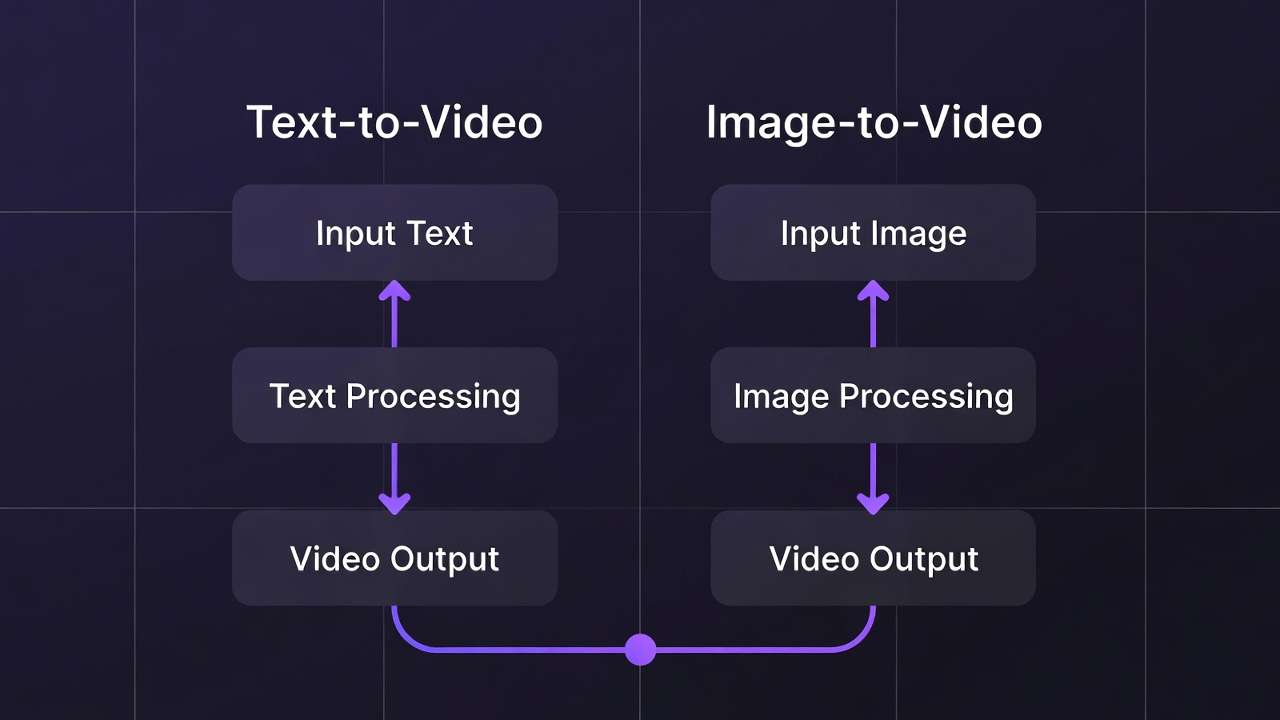
Freelancers prioritize speed for quick-turn ads, leveraging turbo models like Kling 2.5 Turbo or Veo 3.1 Fast-enabling quick generation for short clips, iterating a few times for client previews. Agencies build multi-step pipelines with quality modes (Sora 2 Turbo, Wan 2.6), emphasizing seeds and upscales for 15s cinematic outputs, accepting longer cycles for fidelity. Solo creators hybridize image-to-video, starting Flux/Imagen stills then animating via Hailuo 02, balancing moderate time workflows for social reels.

Use case 1: 15s product reel. Fast models suit well: prompt product image ref, generate loop quickly, upscale Topaz 4K-freelancer delivers same-day. Use case 2: Narrative short. High-fidelity like Veo 3.1 Quality coheres motion over 10s, seeds ensure brand match-agency refines several variants. Use case 3: Looping BG. Duration-flexible Kling Master with aspect tweaks, remove BG first via Recraft-efficient across types.
Platforms like Cliprise facilitate by aggregating, e.g., freelancer switches Veo Fast to Kling Turbo seamlessly. Patterns: freelancers often favor fast models; agencies lean toward quality modes with edit chains.
Comparison Table: Model Approaches by Scenario
| Scenario | Fast-Tuned Models (e.g., Veo 3.1 Fast, Kling 2.5 Turbo) | Quality-Focused Models (e.g., Veo 3.1 Quality, Sora 2 Turbo) | Hybrid Edit Tools (e.g., Runway Aleph, Luma Modify + Topaz Upscaler) | Suited For (Creator Type/Output) | Trade-offs & Considerations |
|---|---|---|---|---|---|
| Short Ads (5s) | Supports 5s durations with basic coherent motion for simple pans; handles 9:16 social formats effectively | Supports 5s-10s durations with detailed physics and lighting; detailed for branded elements | Post-gen upscale to 4K using up to 8K capabilities, minor fixes; adds audio sync options | Freelancers: Draft-to-final suitable for quick social content | Fast models sacrifice polish for speed-Quality models cost 3-4x more credits per clip |
| Social Reels (10s) | Supports 10s durations at 720p output, quick iterations via seed parameter; multiple variants possible | Supports 10s durations with style-consistent transfers from image refs, reduced artifacts; strong frame coherence | Extension workflows add length up to 15s, BG removal first; 720p to 2K boost with crisp results | Solos: Balanced speed and nuance for regular social posts | Hybrid adds processing steps-budget extra 30-40% time for upscaling workflows |
| Client Demos (15s) | Supports up to 15s durations with adequate motion for static demos; seed reproducibility available | Supports 15s durations with seed-repeatable motion, native high-res support; 8K upscale compatible | Multi-ref edits, layer audio; handles complex scenes post-gen with filters and masking | Agencies: Fidelity suited for client pitches and reviews | Quality models extend queue times during peak hours-schedule batch workflows off-peak |
| Narrative Clips | Limited to 10s-15s max durations, simpler trajectories; multi-subject handling on supported models | Extended coherence across frames up to 15s, realistic dynamics; physics simulation strengths | Video extension + filters; refines narrative arcs with layers and pro editing tools | Pros: Depth for short narrative projects | Fast models struggle with complex interactions-test Quality for multi-subject scenes |
| Looping BGs | Supports aspect tweaks (1:1, 16:9), seamless repeats via duration options; CFG scale tuning | Rich environmental details up to 15s, minimal seam artifacts; durable for overlays with negative prompts | Remove BG + crisp upscale to 8K; integrates into external editors smoothly | All: Efficiency for evergreen background assets | 8K upscaling consumes 73 credits-validate 2K output before committing to 8K |
| Upscale Needs | Basic 2K output ready with minimal post-work; seed for consistent upscales | Native 1080p+ output with upscale paths; retains motion quality across scales | Dedicated 4K-8K processing (Topaz), artifact reduction; supports various input resolutions | Post-prod: Quality boost without full regeneration | Upscaling doubles resource cost-reserve for approved finals, not iterative tests |
As the table illustrates, fast models suit volume needs (see fastest AI video models) but trade nuance; hybrids extend usability. For image workflows, explore the image-to-video generator. Notable insight: edit tools often improve many fast-gen outputs, per creator logs. In Cliprise, chaining Gen to Edit mirrors agency flows.
When AI Video Production Doesn't Help (and Alternatives)
Complex narratives exceeding 15-30s expose limits: models cap durations, yielding segmented clips with mismatched continuity-e.g., character poses shift unnaturally across extensions, unsuitable for scripted stories. Creators attempting 1-minute ads often require manual stitching in After Effects, negating AI speed.

High-motion sports glitch physics: balls defy gravity, athletes teleport-reported in Kling/Wan tests, where acceleration lacks realism. Edge case: VFX-heavy scenes with particle effects overwhelm models, producing flat renders.
Traditional VFX teams or directors needing frame-by-frame control should avoid: AI suits prototyping, not precision compositing. Budget studios with editors find generation queues (variable several minutes) disrupt tight schedules.
Limitations: non-seed models vary outputs; queues spike peaks; audio sync experimental (5% unavailability noted). Unsolved: full repeatability across models, exact control over internals.
Alternatives: After Effects/Premiere for edits, stock libraries for bases. Honest: AI accelerates shorts, but pros layer it selectively.
Why Order and Sequencing Matter in AI Pipelines
Jumping straight to video generation without image prototypes significantly increases regeneration needs: prompts untested for static coherence produce motion worse than random. Most start here chasing "wow" clips, but patterns show many regenerations from visual flaws.
Mental overhead mounts with context switching-prompt, wait, review, tweak across gens notably raises errors. Sequencing minimizes: image first establishes style, video extends.
Image-first suits product/brand (Flux to Sora: notably fewer iterations); video-first for pure motion (Hailuo standalone). Data: pros image > gen > edit > upscale.
In Cliprise, order leverages categories fluidly.
Industry Patterns and Future Directions
Freelancers adopt multi-model platforms for notably faster prototyping, per forums. Agencies sequence across many models.
Shifts: audio-video sync improves (ElevenLabs integration). Platforms like Cliprise aggregate.
Next 6-12 months: longer durations, better extensions.
Prepare: master prompting across Veo/Sora/Kling.
Related Articles
- choosing the right video model
- Efficiency with Batch AI Generation
- Image-to-Video Workflow Complete Cliprise Guide
- Agency Video Scaling Workflows
- Fast vs Quality Mode Complete Guide
- Pika Alternative 2026 →
Conclusion: Elevating Your Workflow
Key steps-objectives/model select, motion prompts, iterate seeds, refine upscale, export-sequence for pro results. Insights: pitfalls like image-like prompting, order's efficiency.
Experiment disciplined: test seeds, chain models. Platforms like Cliprise aid aggregation.
Professionalism from iteration.