Introduction
Part of the AI content creation series. For the complete guide, see AI Content Creation: Complete Guide 2026.
Also part of the Mobile AI Content Creation: Complete Guide 2026 pillar series.

Desktop powerhouses promise precision, yet creators chasing deadlines rarely fire them up first. The contrarian truth cuts through the hype: for AI-driven image and video generation, starting on the wrong platform doesn't just slow you down-it warps your creative decisions from the outset, forcing regenerations that compound into significantly longer project timelines.
This matters now because AI content tools have exploded, aggregating dozens of models like those from Google, OpenAI, and others into unified interfaces. Creators face a fragmented ecosystem where web browsers, progressive web apps (PWAs), native mobile apps on iOS and Android, and occasional native desktop attempts compete for attention. Platforms such as Cliprise provide web and mobile access to over 47 AI models for generating images and videos, highlighting how choices ripple through workflows. But the real stakes lie in mismatched selections: a mobile sketch that doesn't scale to desktop editing means re-prompting from scratch, or a web queue abandoned mid-generation when switching devices. Without grasping these dynamics, creators risk significantly longer project timelines-not from model limitations, but platform friction.
No single platform dominates universally; data patterns from creator reports reveal dependencies on workflow stage, device ecosystem, and task complexity. For ideation, mobility trumps raw power; for refinement, screen real estate dictates efficiency. This article dissects those patterns through vendor-neutral analysis, drawing from observed behaviors across tools that integrate third-party models like Veo, Sora, Kling, Flux, and ElevenLabs. We'll challenge common assumptions, break down capabilities with trade-offs, map real-world scenarios, and outline sequencing pitfalls. Readers ignoring these insights miss optimized pipelines-stuck in single-platform ruts while hybrid users iterate faster. Consider a creator using Cliprise's mobile app for on-the-go prompts: quick captures via touch interface feed directly into web sessions for queue management. Platforms like Cliprise exemplify this flexibility, but only if you sequence correctly. Emerging reports show hybrid approaches correlate with higher output volume, as creators leverage each platform's native strengths without forcing universality.
Thesis in sharp focus: platform choice isn't about one overall fit but stage-specific alignment. Desktop shines in stationary polishing, web/PWAs in cross-session persistence, mobile in portable sparking. What emerges from field patterns? Over-reliance on one leads to unnecessary switches, inflating context costs. Tools offering multi-model access, such as Cliprise with its web PWA and native iOS/Android apps, underscore this: generation happens cloud-side, so client-side differences amplify in input precision and monitoring ease. Beginners chase "pro" desktop vibes; experts audit tasks first. By article's end, you'll map your workflow to platforms, spotting where Cliprise-like solutions bridge gaps without native desktop dependencies.
What Most Creators Get Wrong About Platform Selection
Creators fixate on desktop as the "serious" choice, mirroring old software eras-but AI generation flips that script. Cloud-processed models like those in multi-model platforms render local horsepower secondary; the error lies in assuming bigger screens equal better outputs, ignoring how touch-first mobile ideation captures nuances keyboard workflows miss.
Misconception 1: Mobile handles all pro tasks, no compromises. Reality bites in video workflows: limited real estate prompts more revisions, as creators squint at timelines and struggle with precise masking. Reports from freelancers using mobile-only setups note frequent zooms disrupting flow, leading to overlooked artifacts in AI outputs from models like Kling or Runway. Why it fails? Touch gestures excel for rough sketches but falter in pixel-level tweaks-beginners overlook this, generating suboptimal videos that require full regenerations on larger screens. Experts pivot early, using mobile for 5-10 second clips where portability shines, reserving depth for elsewhere. Platforms like Cliprise on mobile support quick generations with models such as Hailuo 02, but pros know screen constraints amplify prompt fatigue.
Misconception 2: Speed trumps ecosystem lock-in. Many prioritize "instant access" on web, but friction mounts when outputs don't sync seamlessly to editing suites. Freelancers report workflow halts jumping from mobile ideation to desktop polish, re-uploading assets and losing prompt history. The contrarian angle: native integrations (app handoffs, cloud queues) preserve momentum more than raw load times. In tools aggregating models like Flux for images or Sora for video, mismatched ecosystems mean manual exports-time sinks disguised as "flexibility." Intermediate users undervalue this until client revisions demand traceability.
Misconception 3: Input methods are interchangeable. Keyboard precision suits desktop layer management, yet touch-first mobile aids intuitive rotations and crops in early stages. Overlooking variances leads to errors: desktop users fumble gesture-equivalents, while mobile creators battle fat-finger imprecision in text prompts. Observed in creator logs, this variance spikes during editing phases with tools like Qwen Edit or Ideogram-desktop excels for CFG scale tweaks, mobile for vibe-checking on-site.
Misconception 4: Processing constraints don't matter for cloud AI. Mobile overheating during extended queues (e.g., Veo 3.1 Quality generations) forces pauses, undocumented in glossy demos. Significant battery drain occurs during extended sessions, per field reports, throttling background tasks. Desktop sidesteps this plugged-in, but travel creators pay dearly. Hidden nuance: "stickiness" stems from native features-web PWAs like those in Cliprise maintain queue visibility across devices, fostering loyalty over raw specs. Beginners chase benchmarks; contrarians audit personal habits.
These errors persist because tutorials glorify single-platform demos, missing hybrid realities. When using Cliprise's web interface alongside mobile, creators avoid silos, but only by debunking these myths first.
Core Platform Breakdown: Capabilities and Trade-offs
Desktop (Native Apps): Power for Prolonged Sessions
Desktop platforms leverage multi-monitor setups for side-by-side model comparisons-prompt in one window, output refinement in another. Keyboard shortcuts accelerate layer management in pro editing, speeding up iteration time in high-volume scenarios where stacking masks across multiple tools supports detailed workflows. Trade-off: stationary nature limits ideation; no true offline for travel. For AI generation, potential benefits from local resources exist for previews, though gains marginalize post-queue since models like Midjourney or ElevenLabs TTS process cloud-side. Suited for agencies polishing ByteDance Omni Human videos.
Web/PWA: The Sync-Centric Workhorse
Browser-based PWAs offer responsive design, tabbing workflows for parallel generations (Flux images alongside Kling videos). Seamless queue monitoring persists across sessions/devices, ideal for interrupted work. Platforms like Cliprise deploy as PWAs on app.cliprise.app, enabling model browsing (/models) and launches without installs. Trade-offs: browser memory caps disrupt long chains; no native GPU for previews. Reports highlight real-time cloud sync advantages, reducing re-uploads by maintaining asset histories.
Mobile (Native iOS/Android): Ideation on Demand
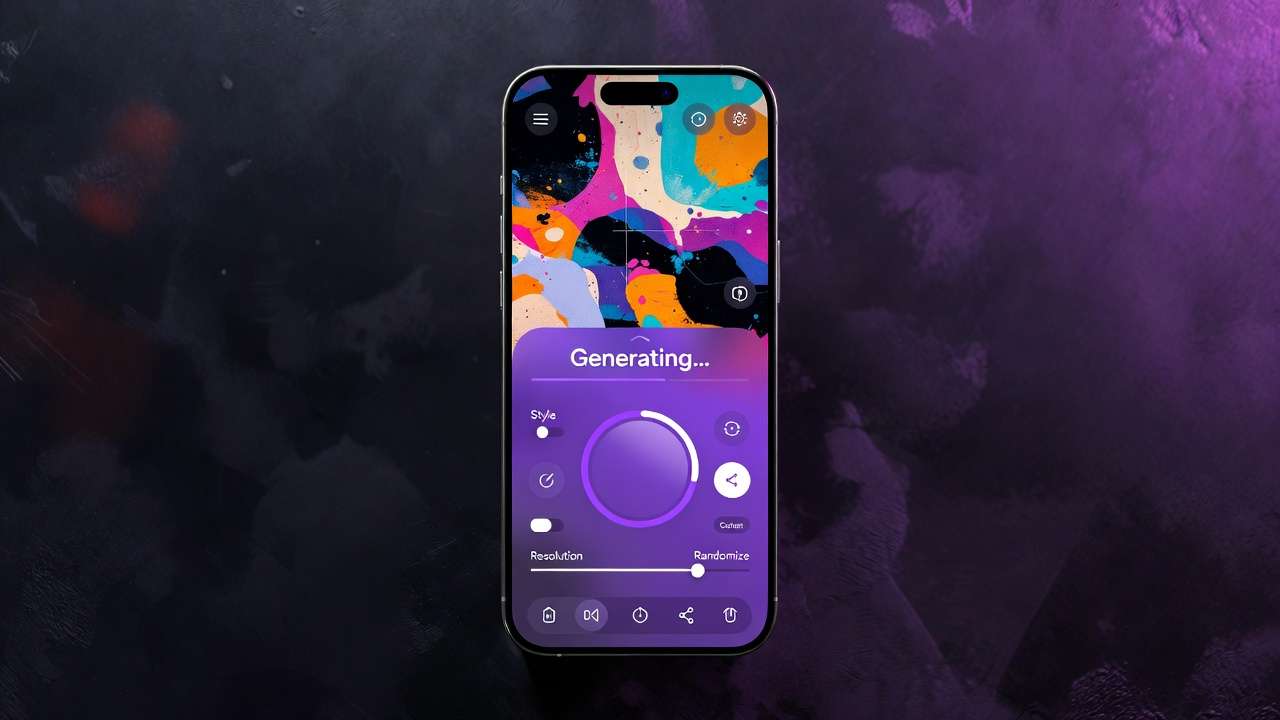
Native apps shine in portability, touch gestures streamlining crop/rotate for on-the-go moodboards. Firebase-integrated analytics (as in Cliprise's iOS/Android streams) track usage without overhead. Concurrency suits short bursts-5s video ideations via Wan 2.5-but many mobile-only users hit screen limits in complex edits. Battery impact high during queues; landscape mode aids but can't match desktop expanse.

Comparative Factors Across Platforms
Processing: Desktop taps local resources pre/post-generation; web/mobile fully cloud-reliant, varying by queue load. Inputs: Keyboard/trackpad for precision (desktop), gestures for intuition (mobile), hybrid on web. Sync: Web leads with auto-persistence; mobile app-to-app handoffs; desktop file drags. Offline: Minimal across AI tools-desktop edges with cached previews, though generations require online connectivity.
Comparison Table
| Aspect | Desktop (Native) | Web/PWA | Mobile (Native) |
|---|---|---|---|
| Screen/Workspace | Multi-monitor, 4K+ for detailed masking | Responsive tabs, cross-device resizing | Portrait/landscape, gesture-optimized |
| Generation Speed | Local previews possible (cloud queues dominate) | Cloud-dependent queues (variable by model/load) | Short bursts (optimized 5-10s clips) |
| Editing Depth | Advanced tools (layers, CFG tweaks) | Basic filters (upscales, adjustments) | Gesture crops/rotates (quick previews) |
| Portability | Stationary, external drive integration | Any browser device, no install | Pocketable for field ideation |
| Sync/Collaboration | File sharing, version folders | Real-time cloud queues across sessions | App handoffs, iCloud/Android sync |
| Battery Impact | Negligible (plugged-in workflows) | Moderate drain during monitoring | High drain during extended generations |
As the table illustrates, desktop dominates depth but sacrifices mobility; web balances via PWAs like Cliprise's, where model pages detail specs before launching generations. Mobile accelerates sparks but throttles scale-nuance lies in hybrid chaining.
When using tools such as Cliprise, web PWAs handle model selection (26+ landing pages) fluidly, transitioning to mobile for reviews. Contrarian view: desktop's "power" often unused in cloud AI, where queues dictate pace over hardware.
Real-World Creator Workflows: Who Uses What and Why
Freelancers blend mobile for client moodboards-faster asset capture via camera integration-web for core generation, desktop for final polish, slashing turnaround. In Cliprise scenarios, a freelancer starts mobile with Imagen 4 sketches, queues Sora 2 on web, refines layers desktop-side.

Agencies favor desktop collaborative canvases, sharing Recraft Remove BG outputs; web for remote approvals via persistent links. Solo creators lean toward web PWAs, balancing access without app switches-Cliprise's model index suits this, browsing Flux variants before launch.
Use case 1: Social clips. Mobile wins: touch prompts Hailuo 02 for 15s Reels, exporting directly. A creator at an event captures references, generates on-site-portability trumps depth.
Use case 2: Ad campaigns. Desktop iterative refinements over multiple versions; multi-monitor tracks prompt evolutions across Ideogram V3 characters. Agencies report consistency here, avoiding mobile's preview squints.
Use case 3: Event coverage. Hybrid mobile/web: live prompts on phone, queue monitoring via PWA. Platforms like Cliprise facilitate this, with mobile Firebase streams logging bursts.
Use case 4: Product visuals. Web-centric: batch Flux 2 Pros, sync to mobile approvals. Solos thrive, as cloud queues ignore device variance.
Community patterns reveal hybrids complete more projects-desktop polishers output volume, but mobile starters spark volume. In multi-model environments like Cliprise, freelancers chain Veo 3.1 Fast mobile to web Topaz upscales. Agencies scale desktop for Luma Modify edits; solos stick web for ElevenLabs TTS overlays. Data patterns: portable starts correlate with higher monthly completions, as ideation flows unblocked.
Contrarian insight: pure mobile users plateau at quick wins; desktop-first delays sparks. When a creator in Cliprise's ecosystem ideates mobile Nano Banana images, generates web Kling 2.5 Turbo, polishes desktop-efficiency compounds.
When Platform Choices Fall Short: Edge Cases and Limitations
High-res exports throttle mobile at 4K proxies, forcing web/desktop switches mid-flow-creators batching multiple images error out on small screens, regenerating lost prompts.
Multi-model chaining lags web during queue juggles; desktop handles parallel tabs better, but mobile concurrency caps (1-5 jobs) strand users.
Avoid mobile-only for batch processors: screen limits induce oversight, like missed artifacts in Qwen Image outputs. Desktop pitfalls: limited offline for travel, killing momentum.
Web memory caps interrupt long sessions-browser crashes mid-Veo 3.1 Quality queue.
No platform covers all; many tasks demand cross-device. In Cliprise-like tools, mobile ideation shines but desktop absence pushes web reliance.
Edge case: synchronized audio experiments (Veo 3.1) fail on some mobile playback; web stable but no native controls.
Honest limits: cloud queues vary irrespective of client; input variances persist.
Sequencing Matters: Building Efficient Multi-Platform Pipelines
Wrong order hurts: desktop ideation adds setup vs mobile's instant capture-significant overhead from additional setup time.

Mental costs: 10-15min swaps rebuild context, forgotten seeds/prompts.
Image-first: mobile sketch → web gen → desktop edit. Video-first: web queue → mobile review → desktop export.
Many efficient workflows follow "portable ideate, stationary refine." In Cliprise, mobile Flux → web Sora.
Industry Patterns and Future Directions
Mobile adoption rising for GenAI; desktop usage steady.
PWAs approaching desktop feature parity.
Next: desktop AR previews, orchestration.
Prepare: hybrid syncs. Cliprise PWAs lead.
Conclusion
Synthesize: Hybrid approaches often optimal. Audit workflows.
Next: map tasks.
Cliprise exemplifies web/mobile.